Purpose
If you have bought from a supplier on credit and are now paying them, you need to record that payment.
This keeps your accounts payable and supplier balances accurate.
What is a “credit purchase” payment?
When you receive goods or services from a supplier but agree to pay later, that is a credit purchase.
Recording the payment ensures your books are up to date and supplier accounts are correct.
Before You Start
- Confirm the purchase was recorded as Credit (not Cash).
- Ensure the supplier exists in your supplier list.
- Confirm the payment method (Cash, Bank, Mobile Money, etc.) is set up in Payment Accounts.
Steps
- Log in to your Prokip account.
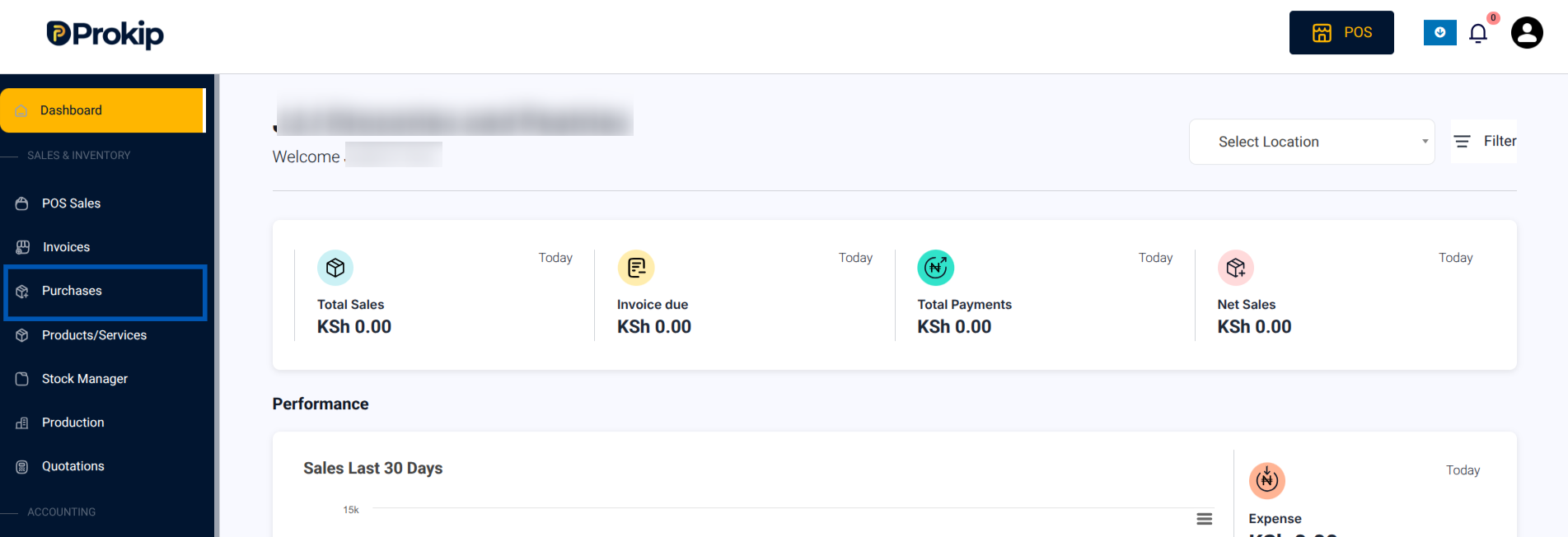
- From your Dashboard, click on Purchases.
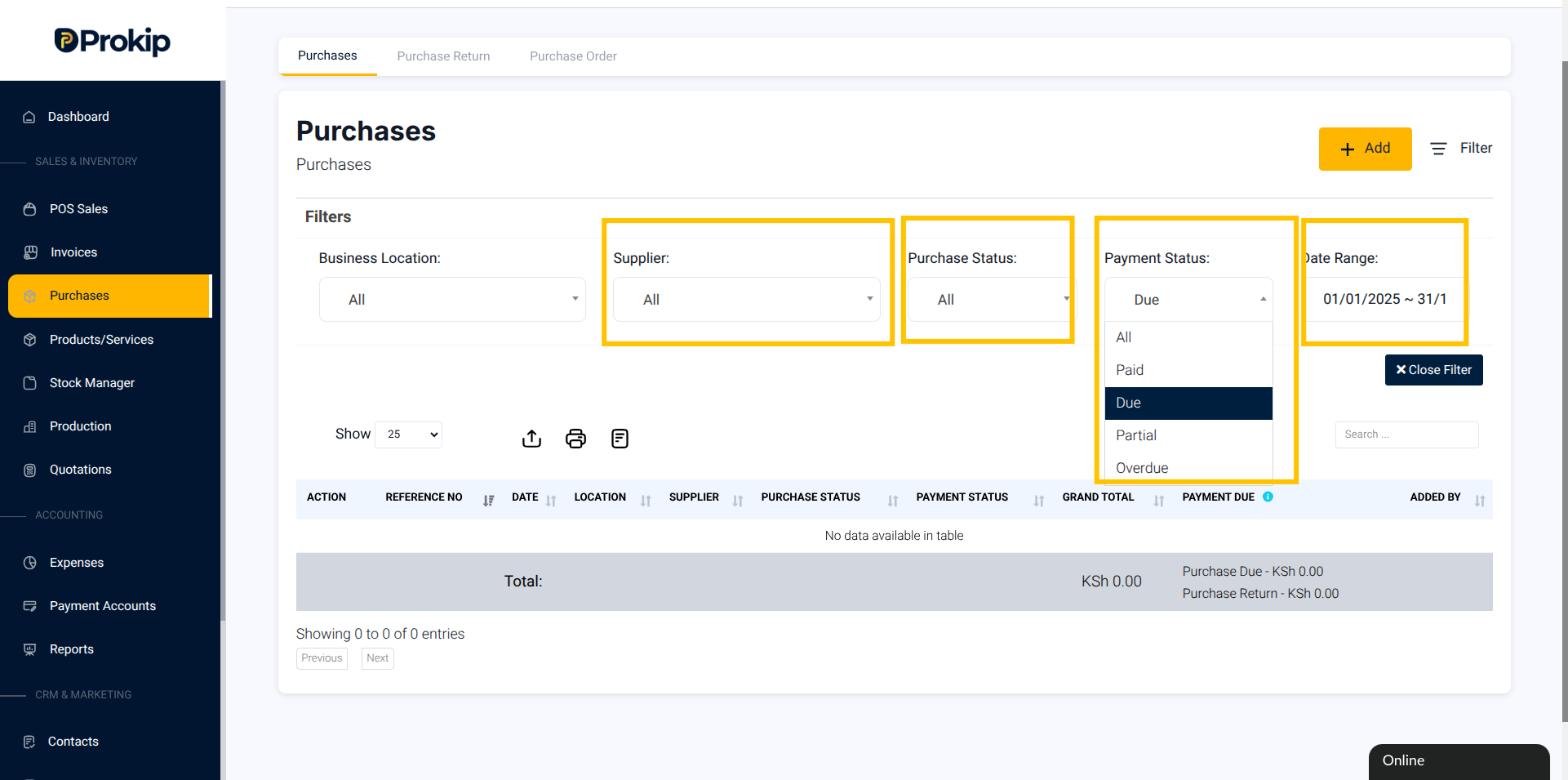
3. Click on Filter.
-
-
- Select Date Range for when the purchase was made.
- Under Supplier, select the supplier’s name.
- Under Purchase Status, select Due, Partial or OverDue
-
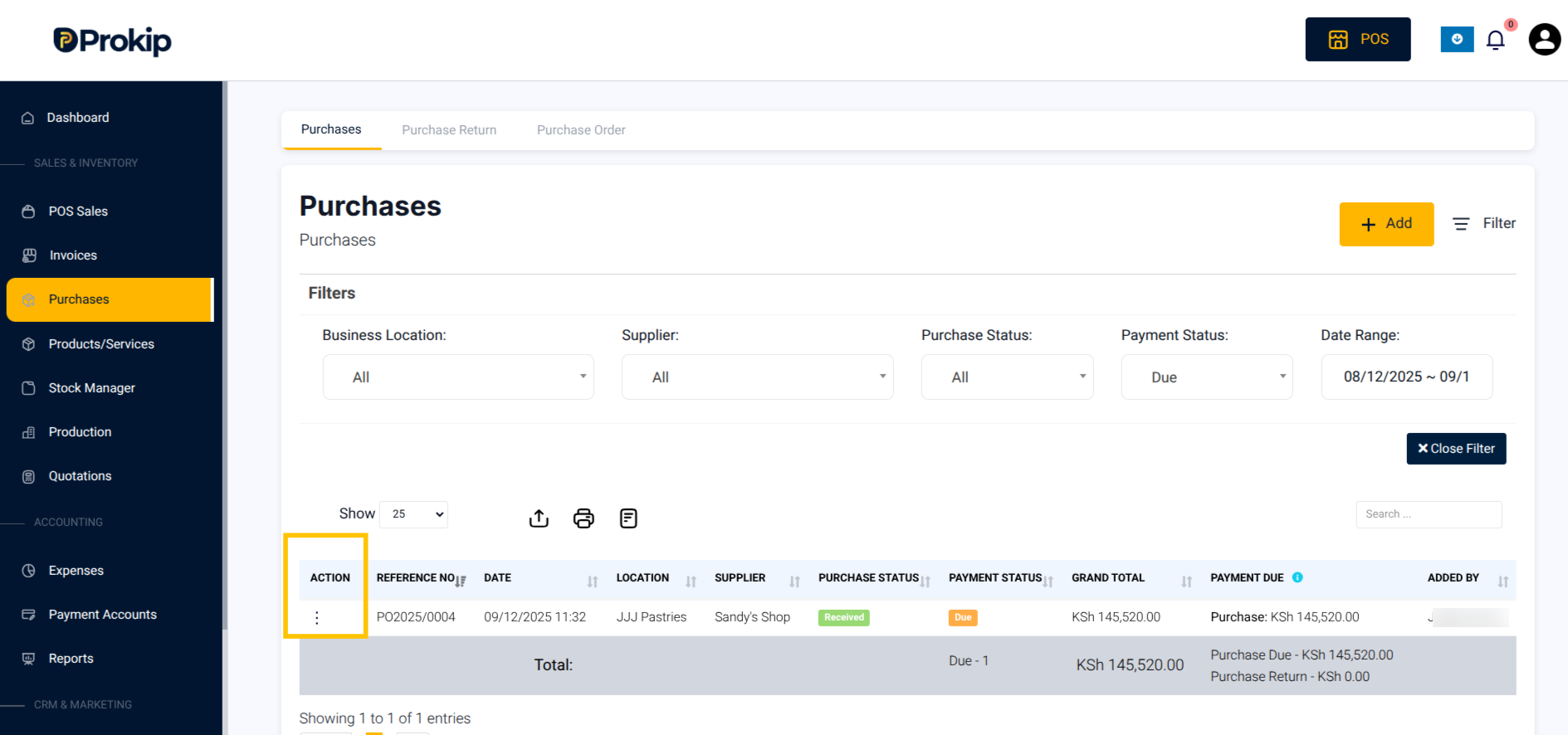
4. Locate the purchase invoice and click on the “Action button”.
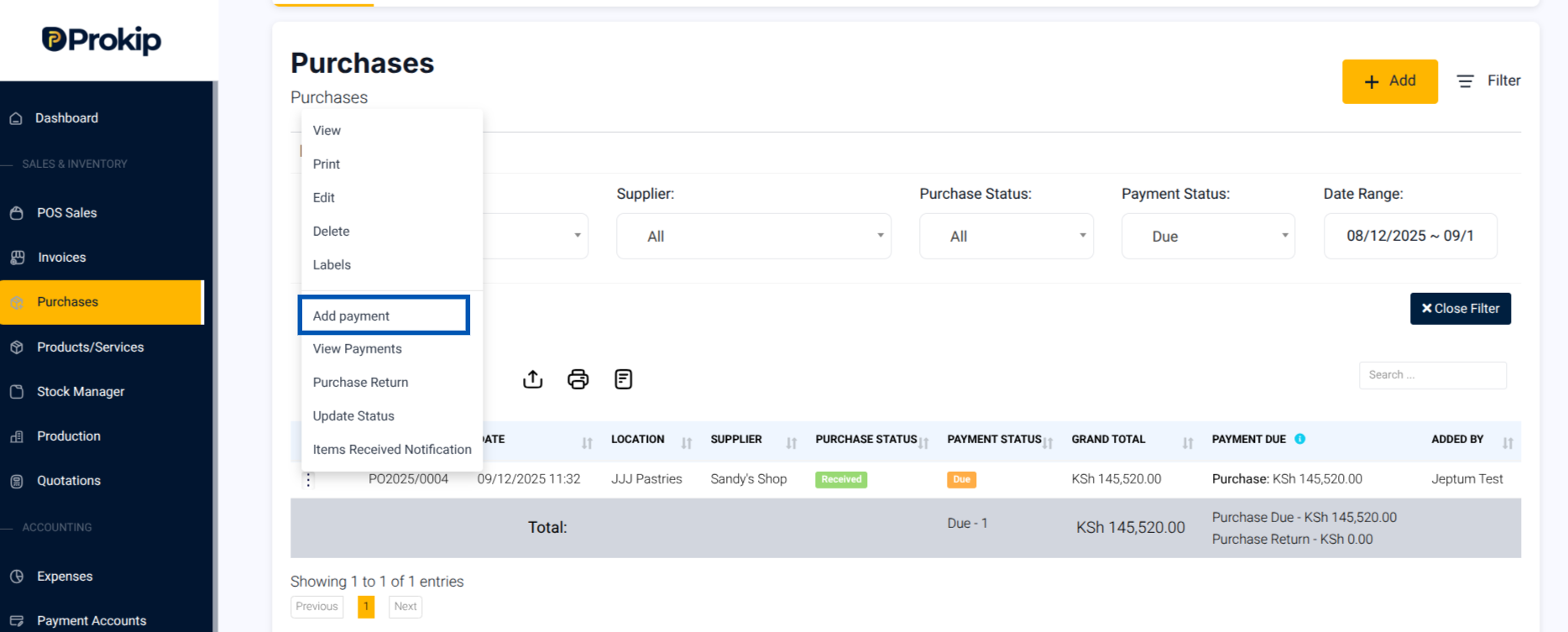
5. From the drop down, select Add Payment.
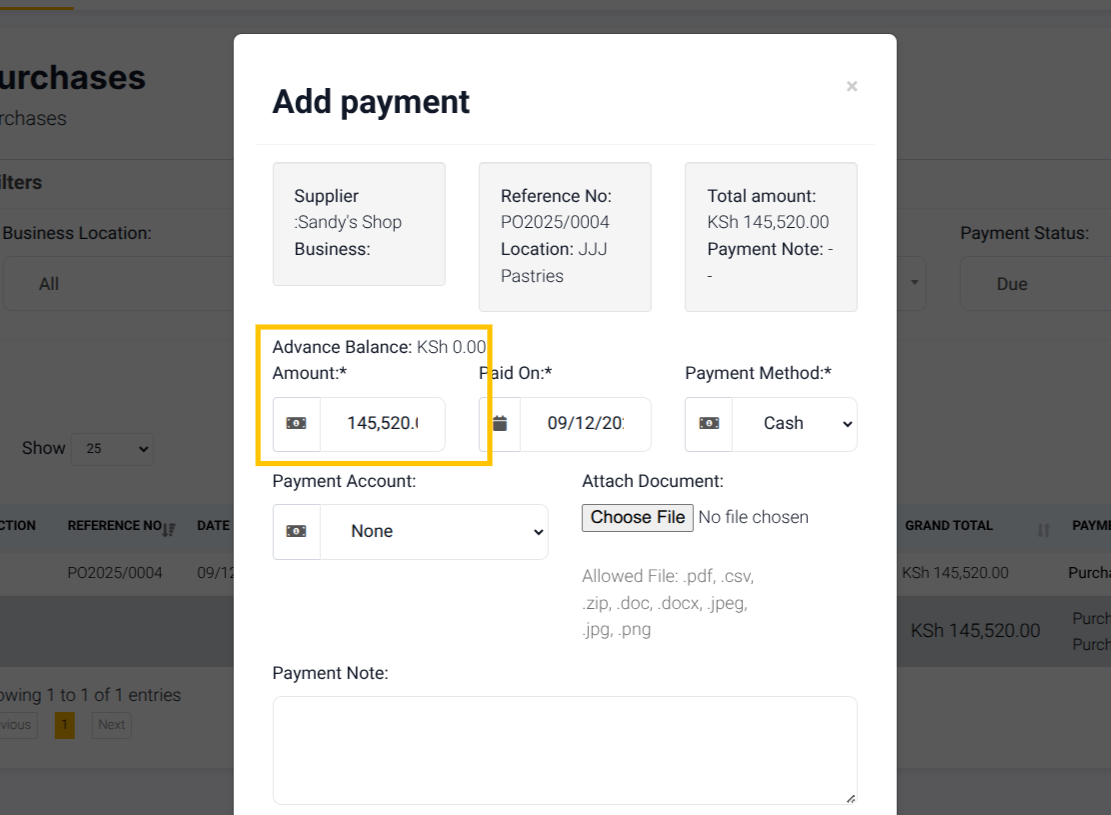
6. Enter the amount to be paid either the full amount or the partial amount.
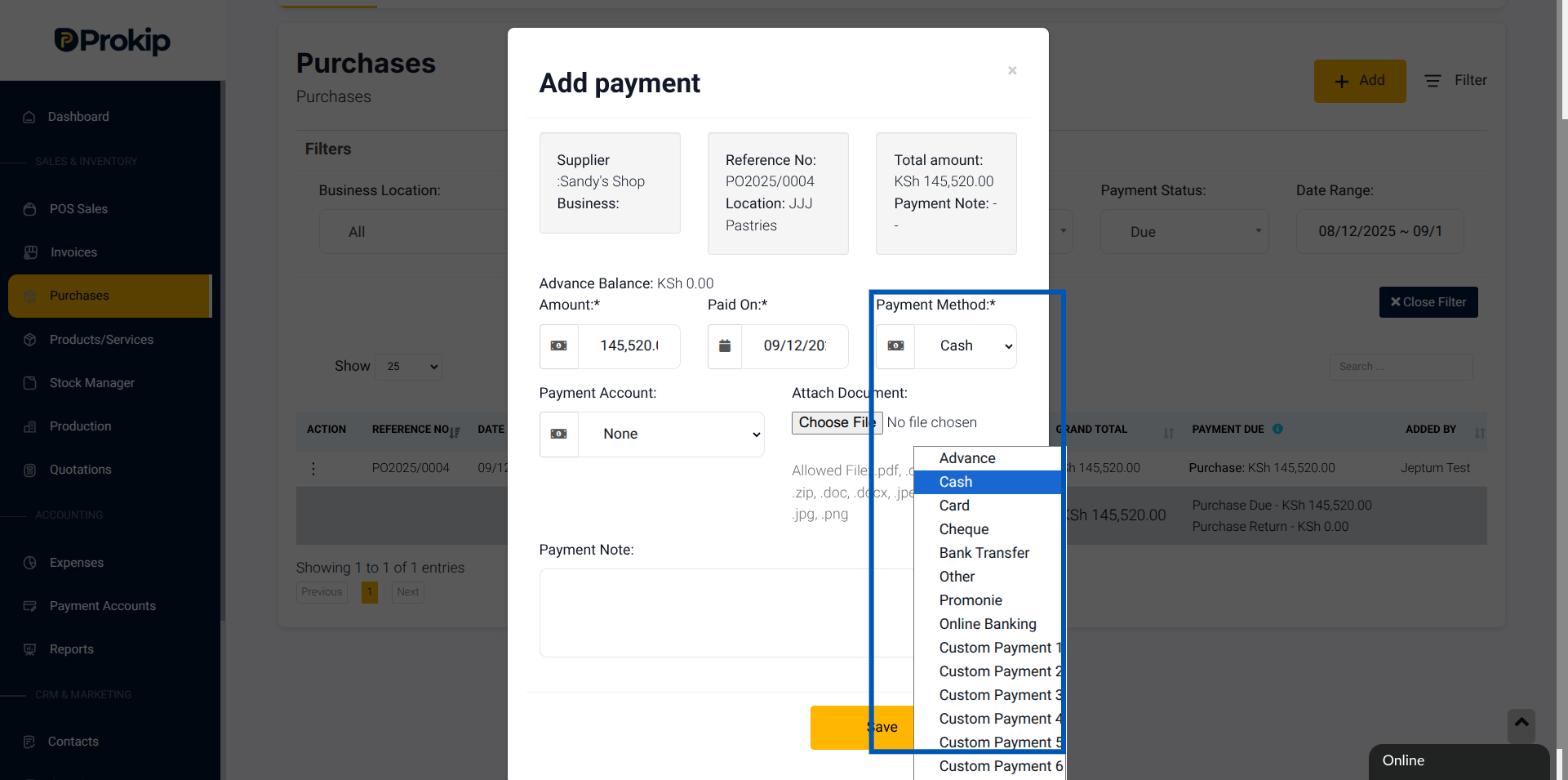
7. Click on the payment method to choose the Payment Method used to pay the supplier.
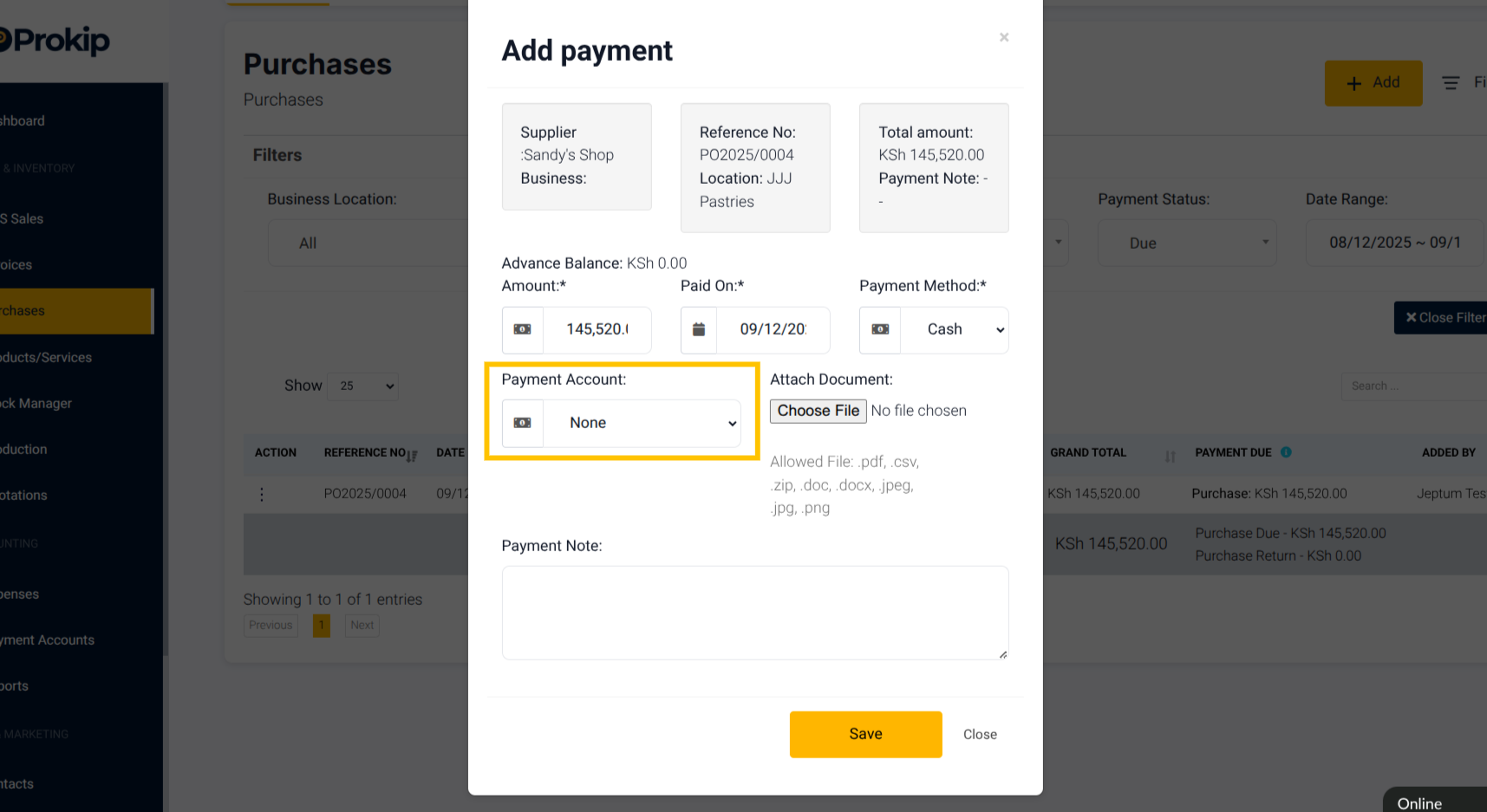
8. Select the Payment Account and input Payment Note if any.
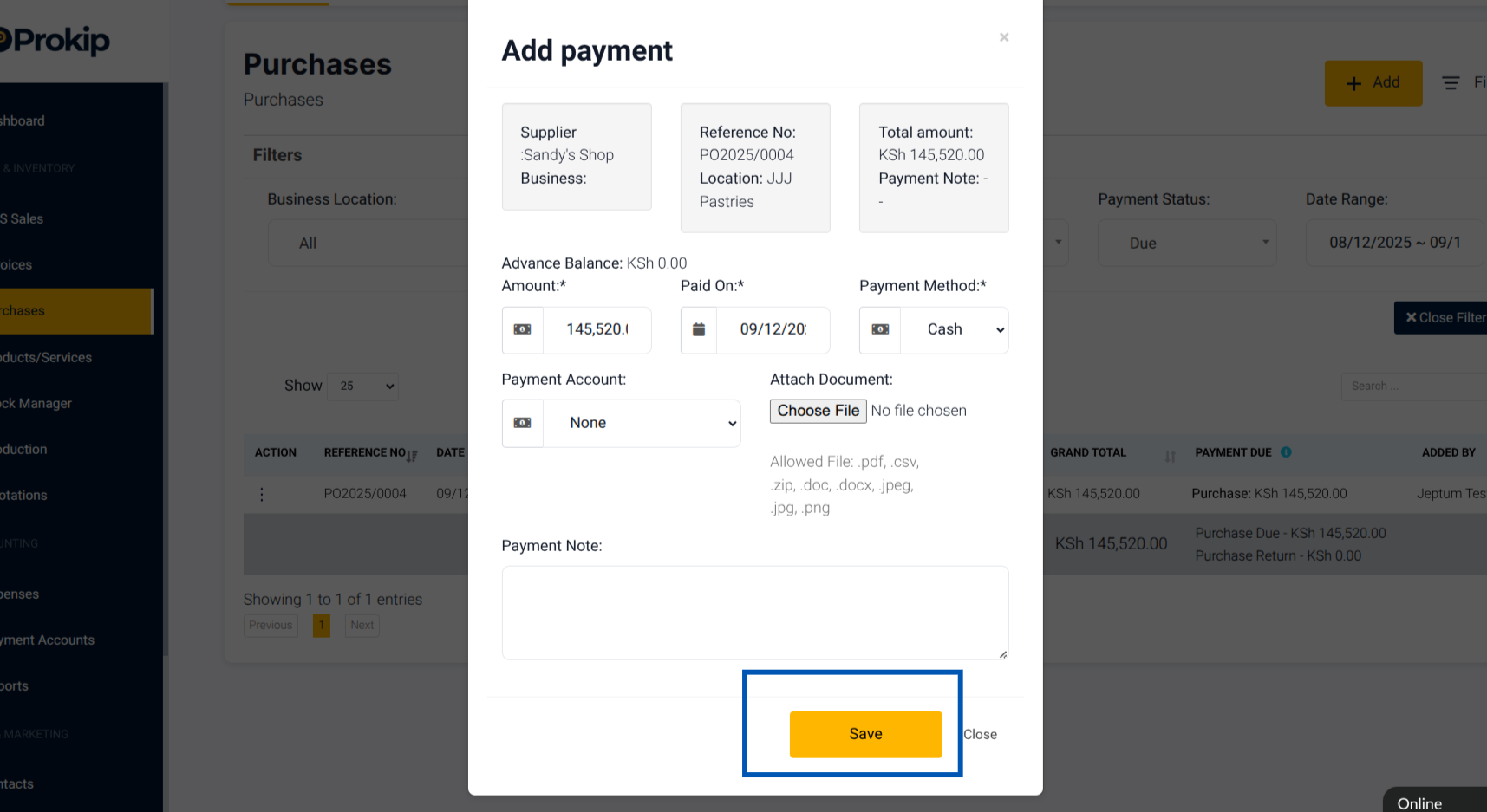
9. Click Save.
What Happens Next
After saving, Prokip will:
- Reduce your supplier debt (accounts payable).
- Decrease your selected payment account balance (Cash/Bank balance).
- Mark the purchase invoice as Partially Paid or Paid in Full, depending on the amount entered.
Troubleshooting
- Payment not reflected? Double-check that you selected the correct supplier and invoice.
- Wrong payment account decreased? Edit the payment and re-select the right account.
- Invoice still showing “Due”? Check if you recorded only partial payment.
Frequently Asked Questions
Q: Can I pay a supplier invoice in multiple payments?
Yes. Each payment will reduce the outstanding balance until it’s cleared.
Q: What happens if I delete a supplier payment?
The supplier’s balance will increase again, and the invoice will return to “Due” status.
Q: Can I backdate a supplier payment?
Yes. Edit the payment date before saving.