The Purchase Payment Report in Prokip provides a complete record of all payments made to suppliers for product purchases.
It helps businesses track supplier transactions, monitor outgoing payments, and ensure all purchase bills are fully settled.
How to Access the Purchase Payment Report
- Go to the Reports section on your Prokip dashboard.
- Under the Purchase Reports tab, select Purchase Payment.
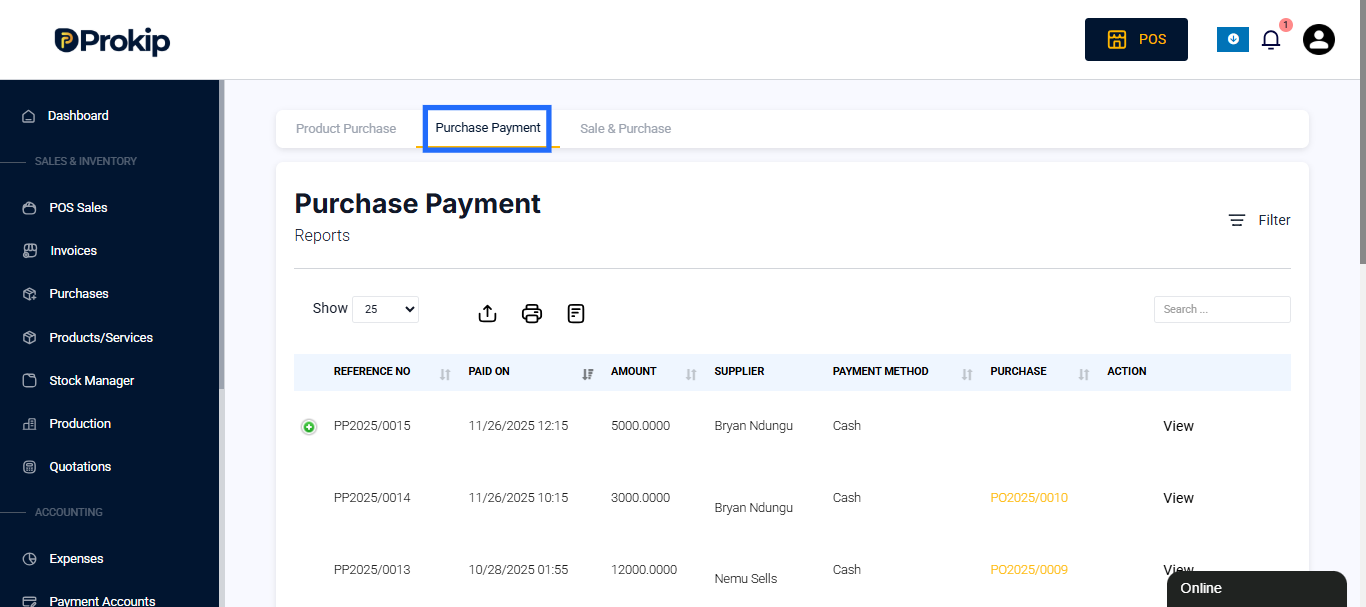
This opens the report page showing all payment transactions related to product purchases.
Filters
At the top of the report page, Prokip provides several filters that help you narrow down payments for easier review and analysis.
You can filter results using:
- Supplier – View all payments made to a specific supplier.
- Business Location – Display payments made by a particular store or branch.
- Date Range – Choose the time frame for which you want to view payment data. You can select preset options such as Today, This Month, This Year, or set a Custom Range.
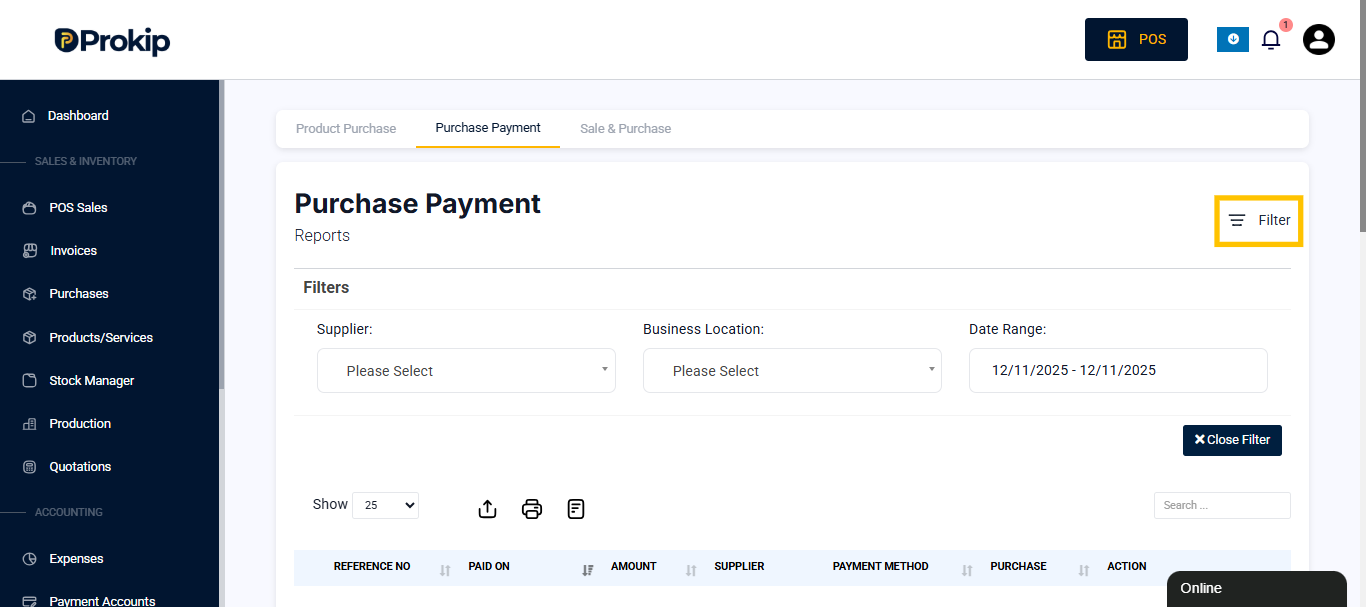
You can also use the Search field to quickly locate specific payment references or suppliers.
Report Details
Each record in the report represents a payment made to a supplier for a purchase.
The report includes the following details:
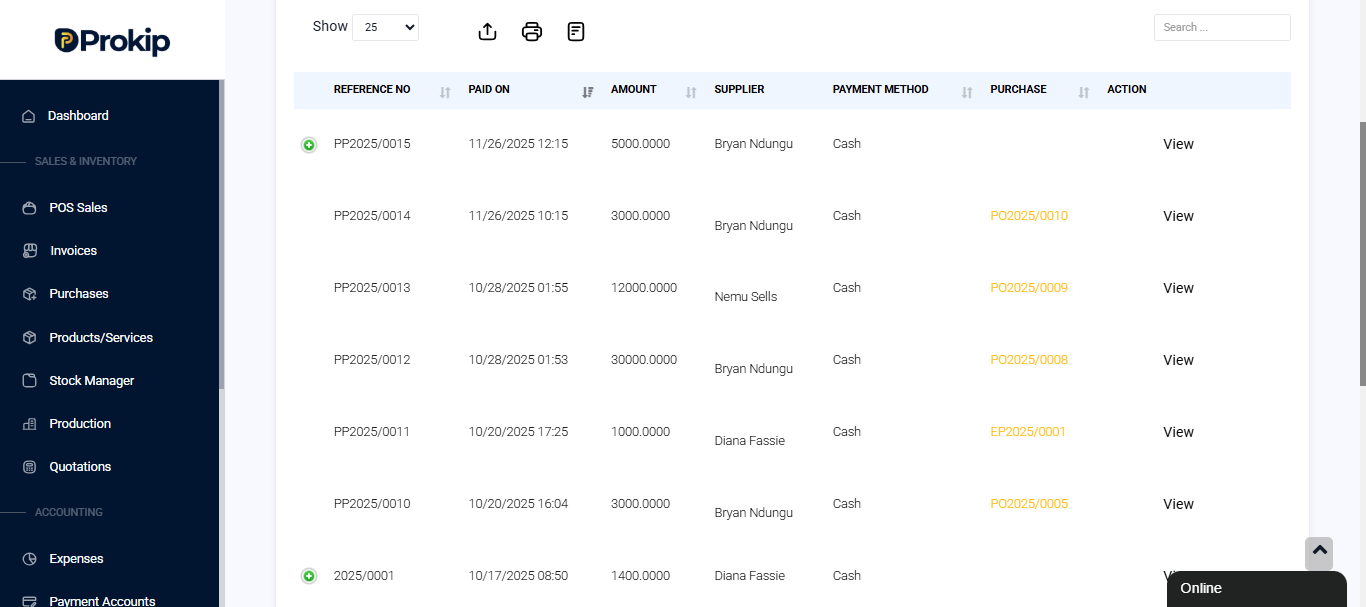
- Reference No – The unique number assigned to each payment transaction (e.g., PP2025/0010).
- Paid On – The date and time the payment was recorded in the system.
- Amount – The exact payment amount made to the supplier.
- Supplier – The name of the supplier receiving the payment.
- Payment Method – Indicates how the payment was made (e.g., Cash, Bank Transfer, Card).
- Purchase – Displays the related purchase order reference linked to that payment.
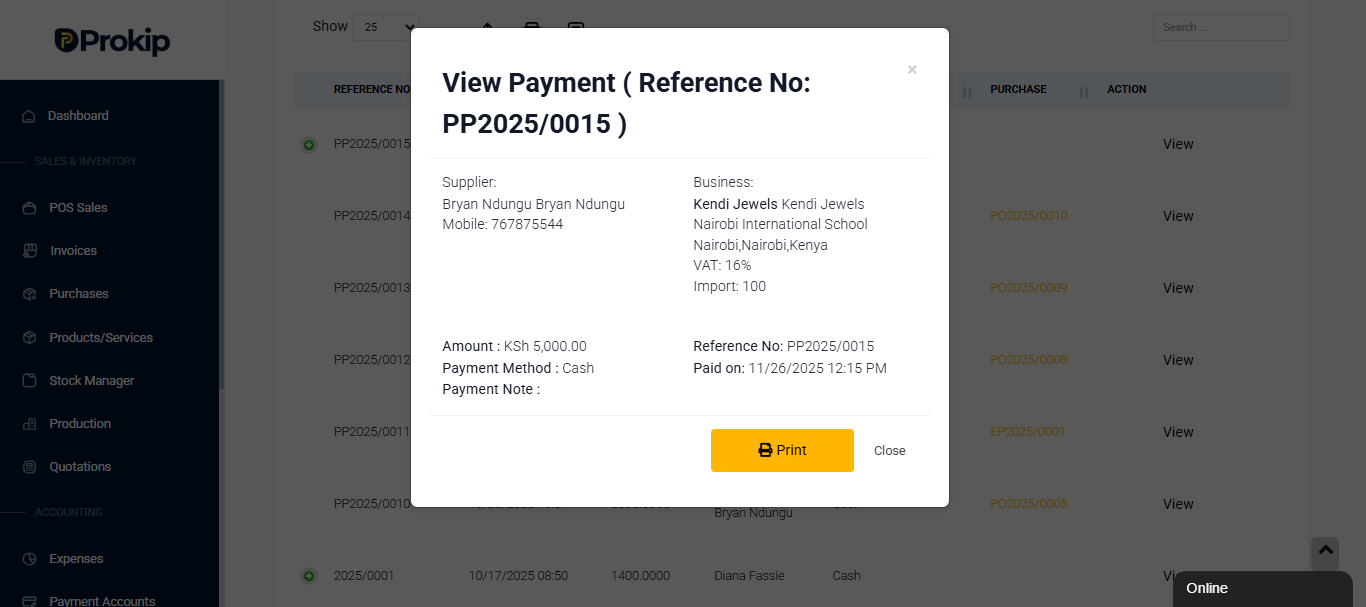
- Action – Allows viewing detailed information for each transaction.
Report Summary
At the bottom of the report, Prokip automatically summarizes the total payment amount for the filtered period.
This provides a quick financial overview of all payments made to suppliers.
For example:
Total Purchase Payments: KSh 19,500.00
How Businesses Can Use This Report
The Purchase Payment Report is a valuable tool for managing supplier relationships and financial accountability.
Businesses can use it to:
- Verify all supplier payments are complete and accurate.
- Track outstanding or pending supplier balances.
- Cross-check payment records with purchase orders.
- Support bookkeeping and financial reconciliation.
- Analyze spending patterns with specific suppliers over time.
Related Purchase Reports
Under the Purchase Reports section, you can also access:
- Product Purchase Report – Shows all items purchased and their costs.
- Sale & Purchase Report – Compares purchase and sales data for profitability analysis.