The Payment Account Report in Prokip provides a detailed overview of all financial transactions linked to payment accounts. It allows users to track, review, and manage payment activities across multiple accounts, ensuring accurate financial monitoring and reconciliation.
How to Access the Payment Account Report
To view the Payment Account Report:
- From the Dashboard, navigate to Reports.
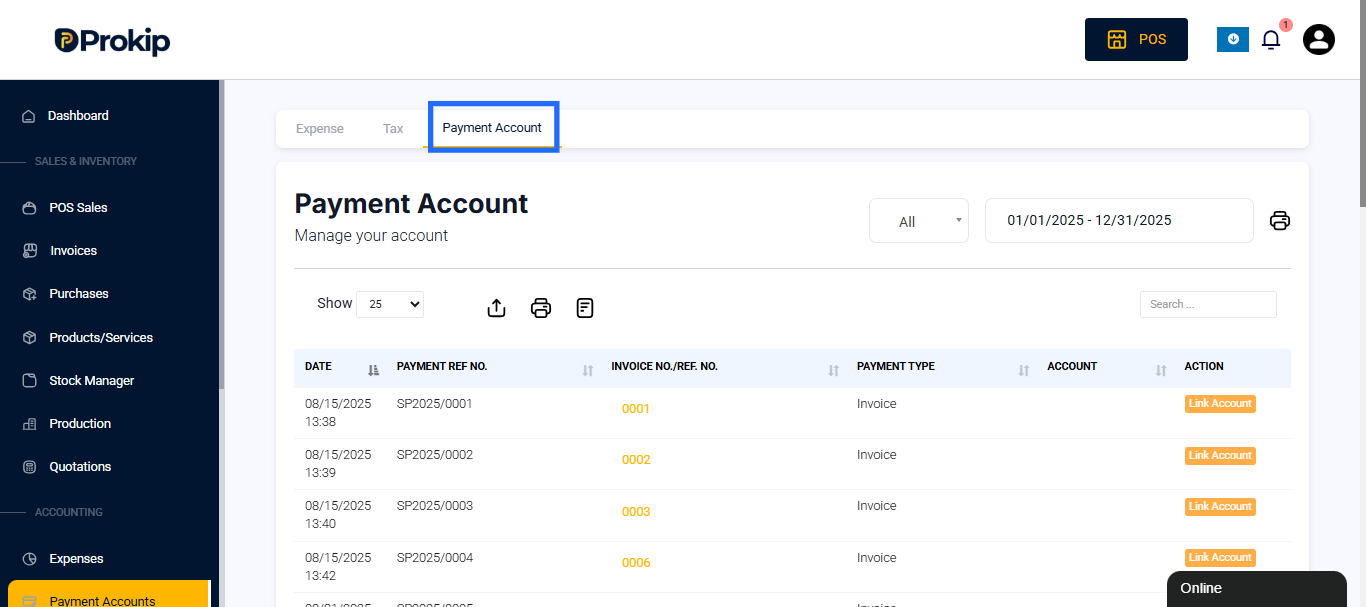
- Select the Payment Account tab next to the Expense and Tax report sections.
- The page titled Manage Your Account will appear, displaying all recorded payment transactions within the selected period.
Filters
The report includes filters that allow users to refine the displayed data. These filters help in analyzing transactions over specific dates or account types.
Available filters include:
- Date Range – Select a specific time period to review payments (e.g., daily, monthly, or custom range).
- Accounts Filter – You can choose to see All Account Payment or Individual accounts.
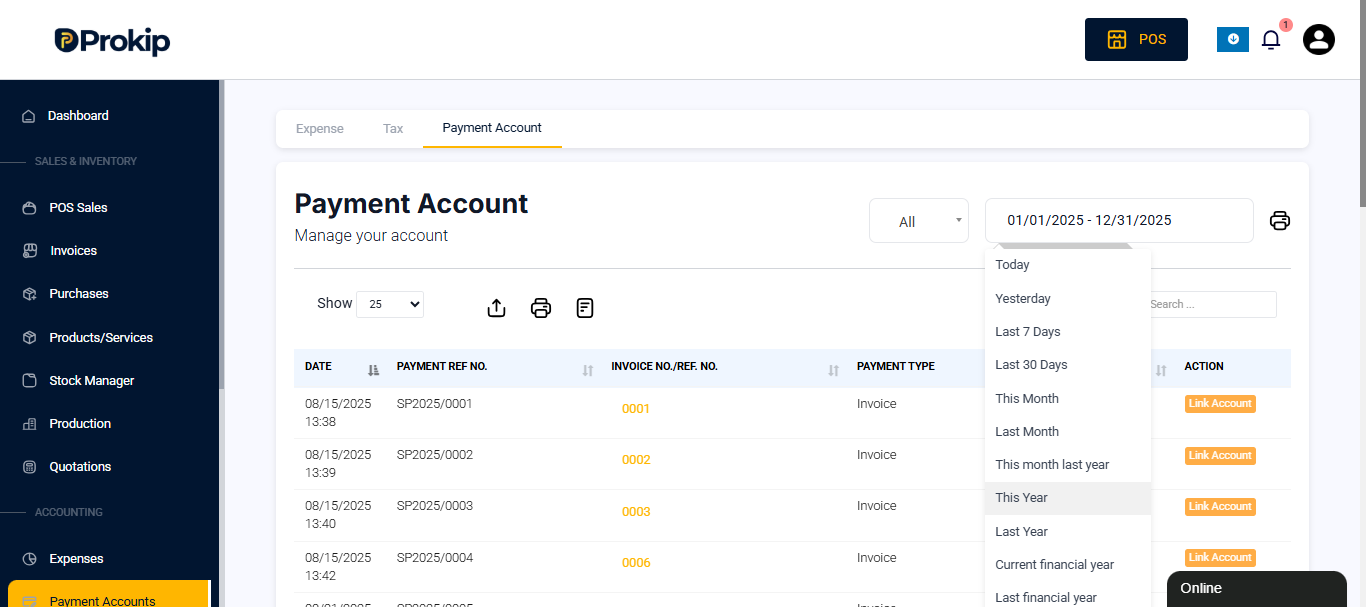
The default date view typically shows payments made “Today”, but users can adjust the date range to suit their reporting needs.
Overview of the Report
The Payment Account Report displays all transactions related to company payment accounts, such as expenses or receipts. Each transaction is listed with details including:
- Date and Time of the transaction
- Payment Reference Number
- Invoice or Reference Number
- Payment Type (e.g., Expense, Sale, or Other)
- Account Used (e.g.Main, Operations)
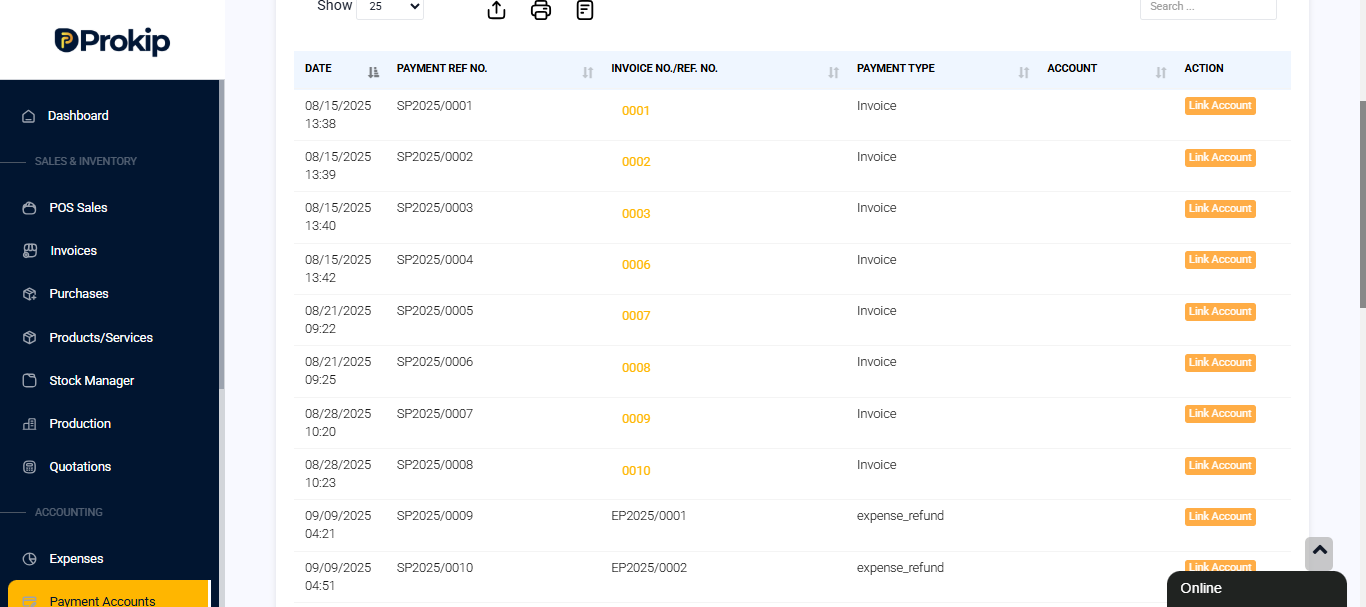
This detailed breakdown helps businesses maintain clear visibility into which accounts were used for specific payments.
Purpose and Use
The Payment Account Report is designed to:
- Track and verify all payment transactions recorded in the system.
- Provide a clear audit trail for accounting and reconciliation purposes.
- Identify which payment accounts are used most frequently.
- Support financial management by ensuring all expenses and inflows are properly logged.
Businesses can use this report to reconcile their accounts against bank statements and identify any discrepancies early.
Best Practices
- Review payment accounts daily or weekly to maintain accurate financial records.
- Regularly export or back up this report for financial audits.
- Use consistent account naming (e.g., “Operations,” “Main Branch”) to avoid confusion when filtering transactions.