Purpose
This article explains the common reasons why a sub-user may be unable to record sales in Prokip and how to resolve the issue.
Common Reasons Why a Sub-User Cannot Record Sales
1. POS Access Is Not Granted
A sub-user must have access to the Point of Sale (POS) module to record sales.
Note: Ensure you are an admin to be able to make this change.
Steps
- Click on profile icon
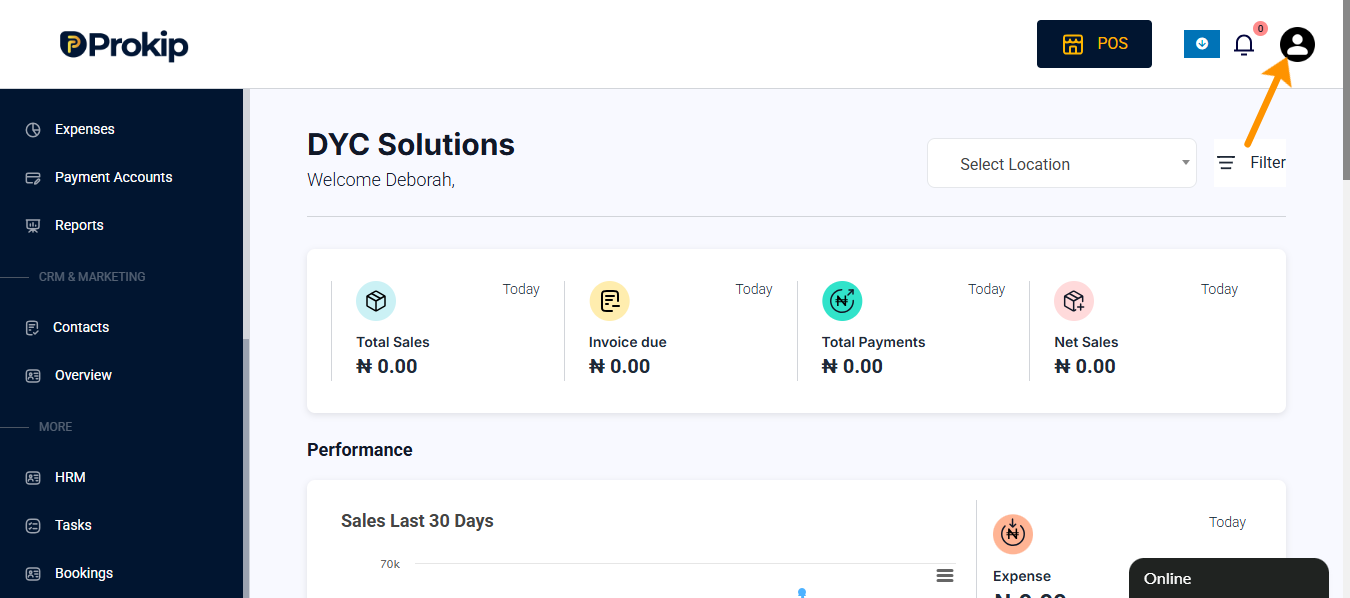
- Click on User & Roles
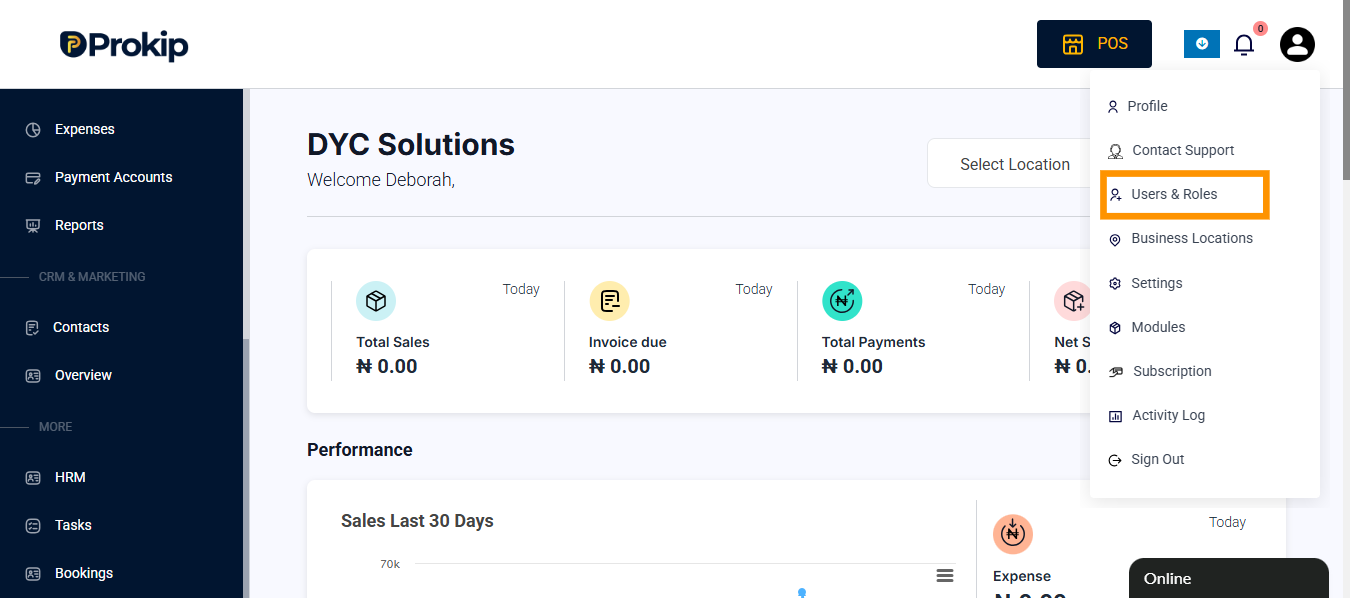
- Click on Roles
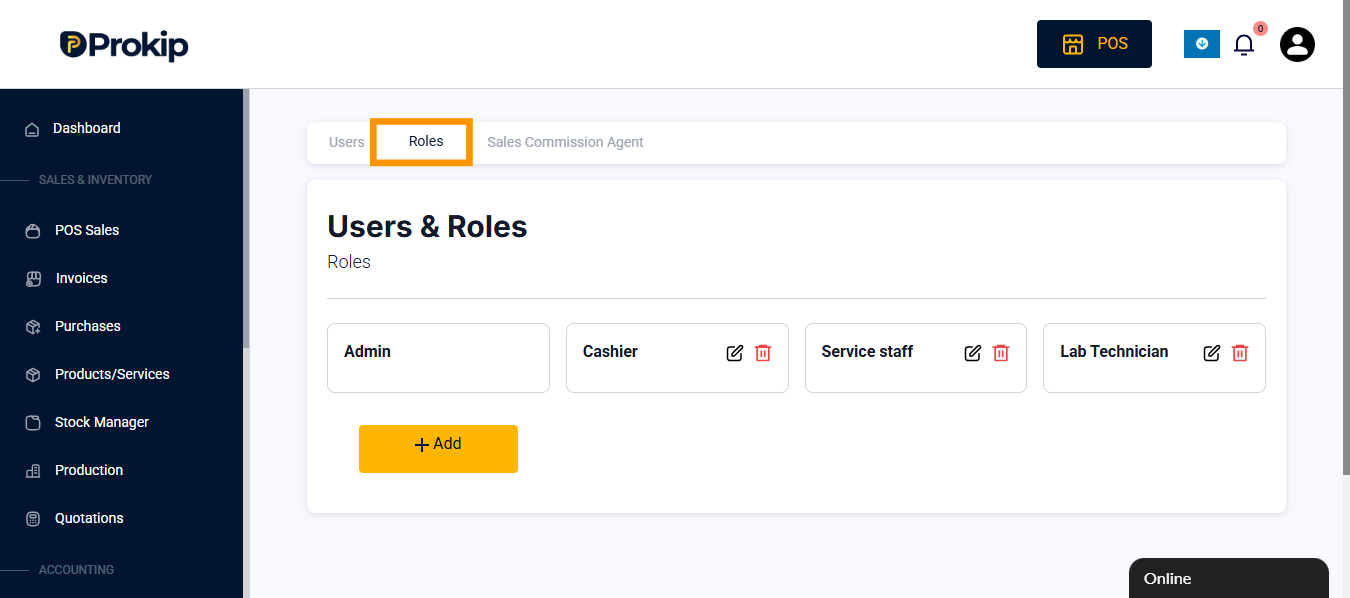
- Select the role the sub-user is assigned to and click on edit button
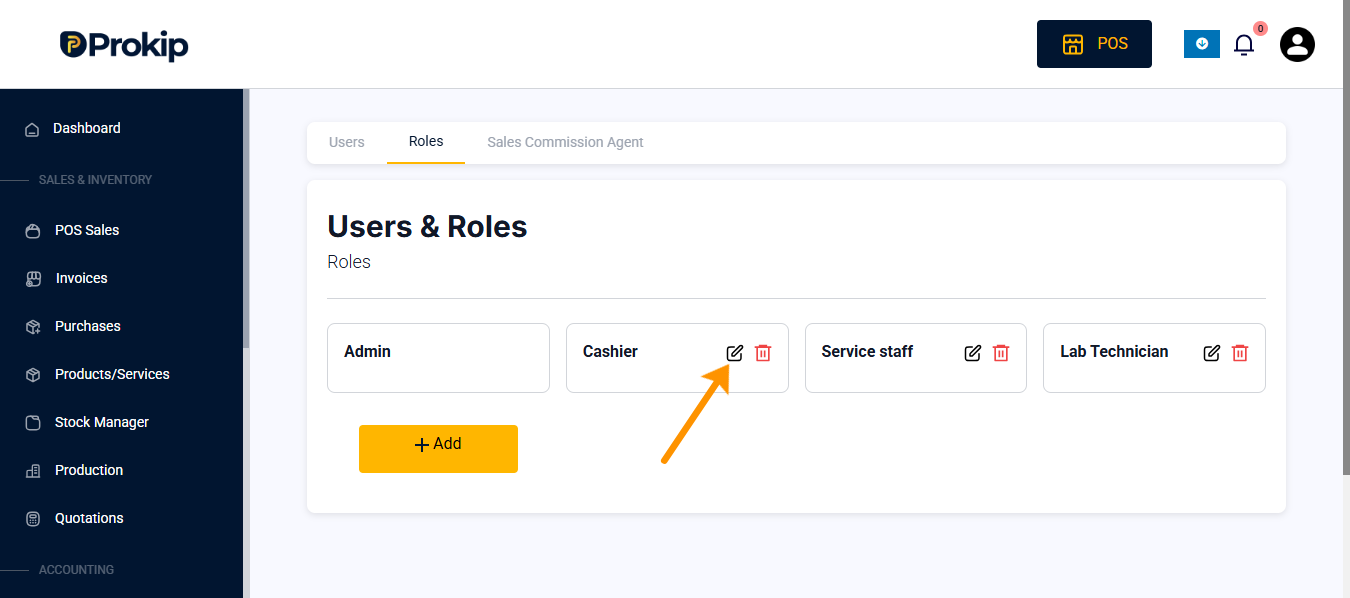
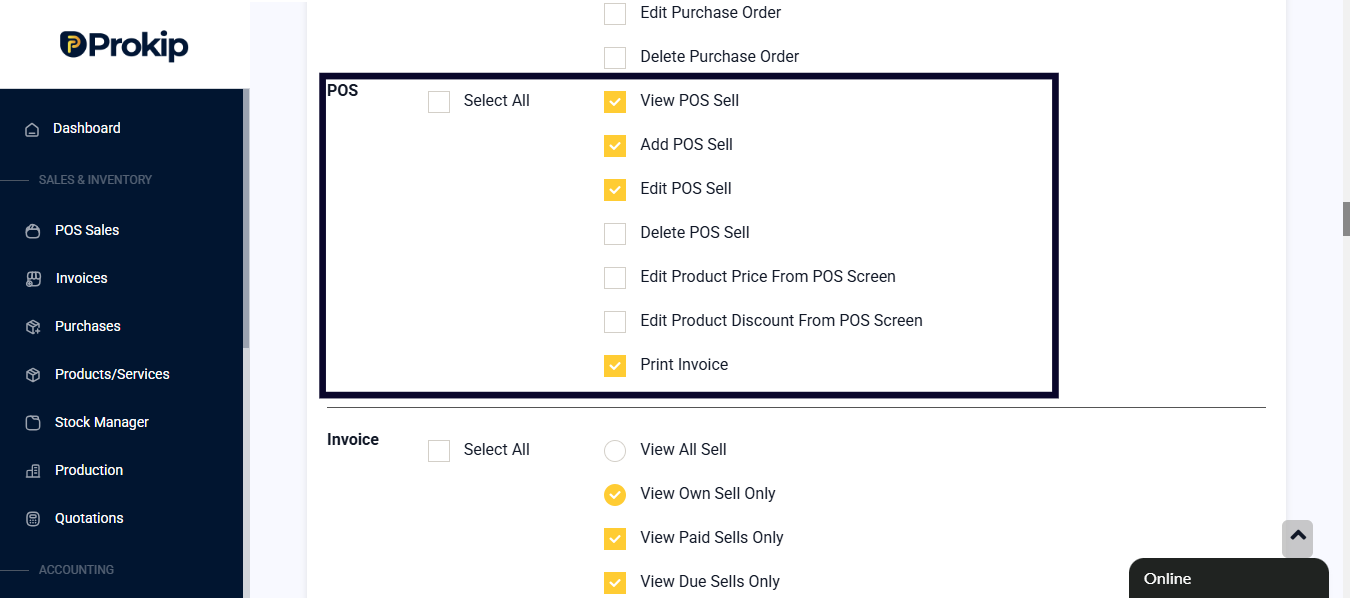
- Scoll dow to POS and check the checkbox based on what you want the sub-user to access
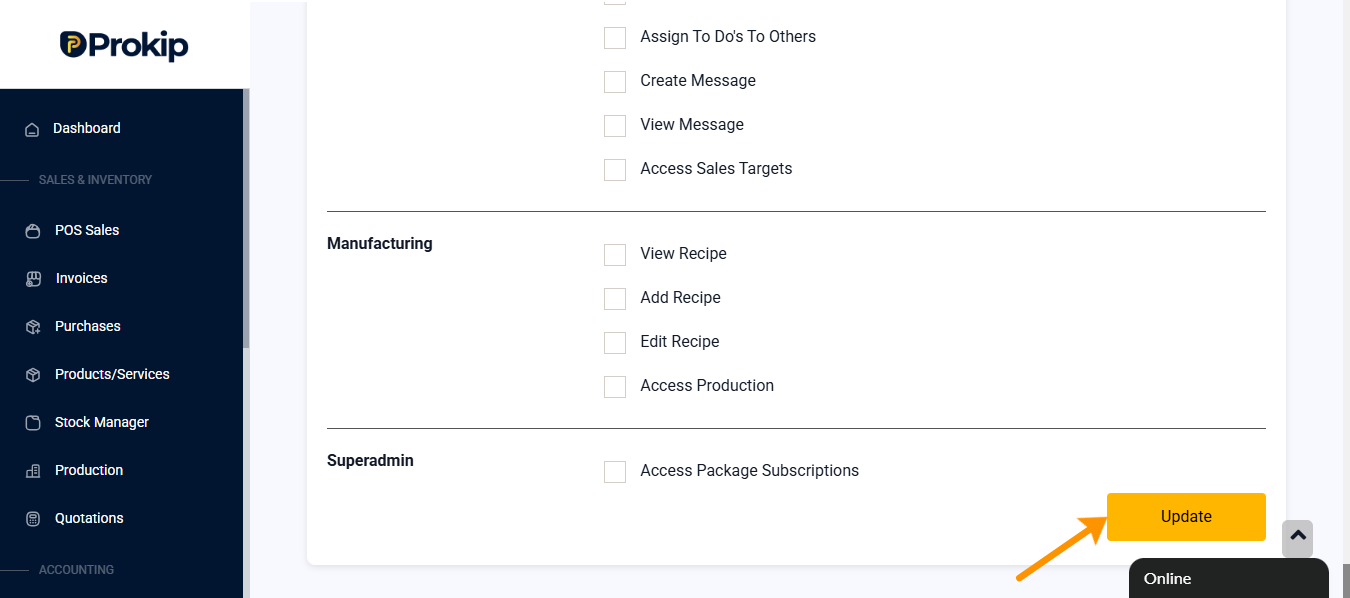
- Click on update to effect changes.
2. User Is Assigned to the Wrong Role
The sub-user may be assigned to a role that does not have sales privileges.
Steps
- Click on profile icon
- click on User & Roles
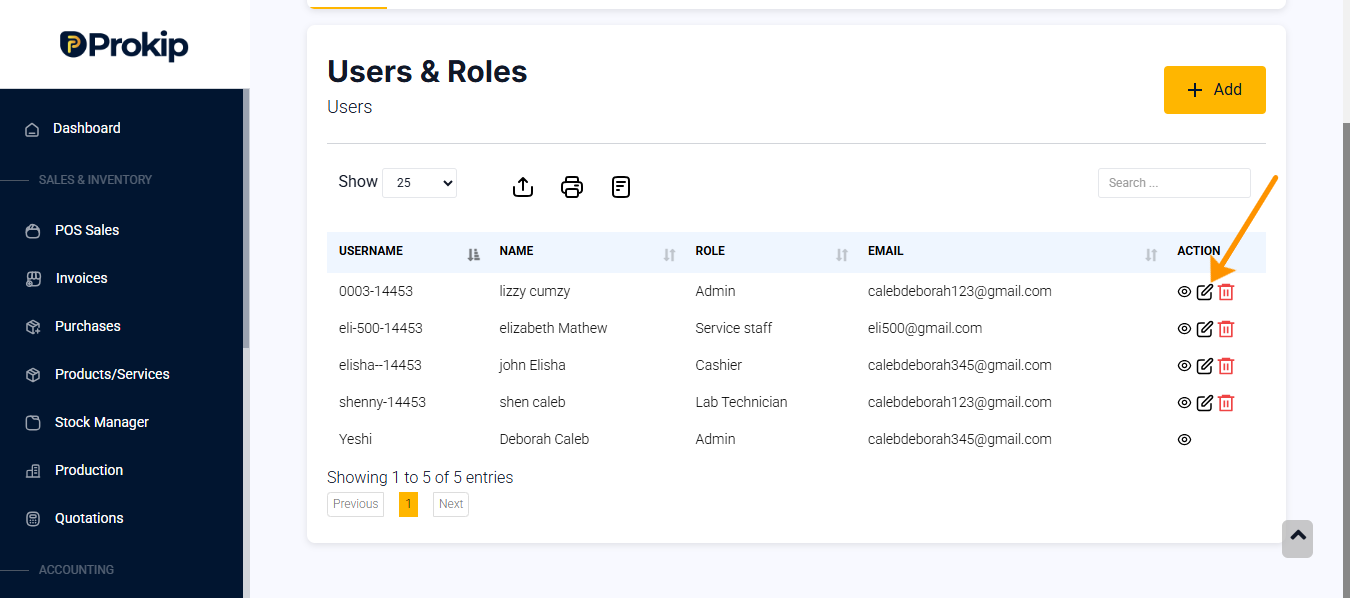
- Locate the sub-user information
- Click on edit button
- Click on roles and permission
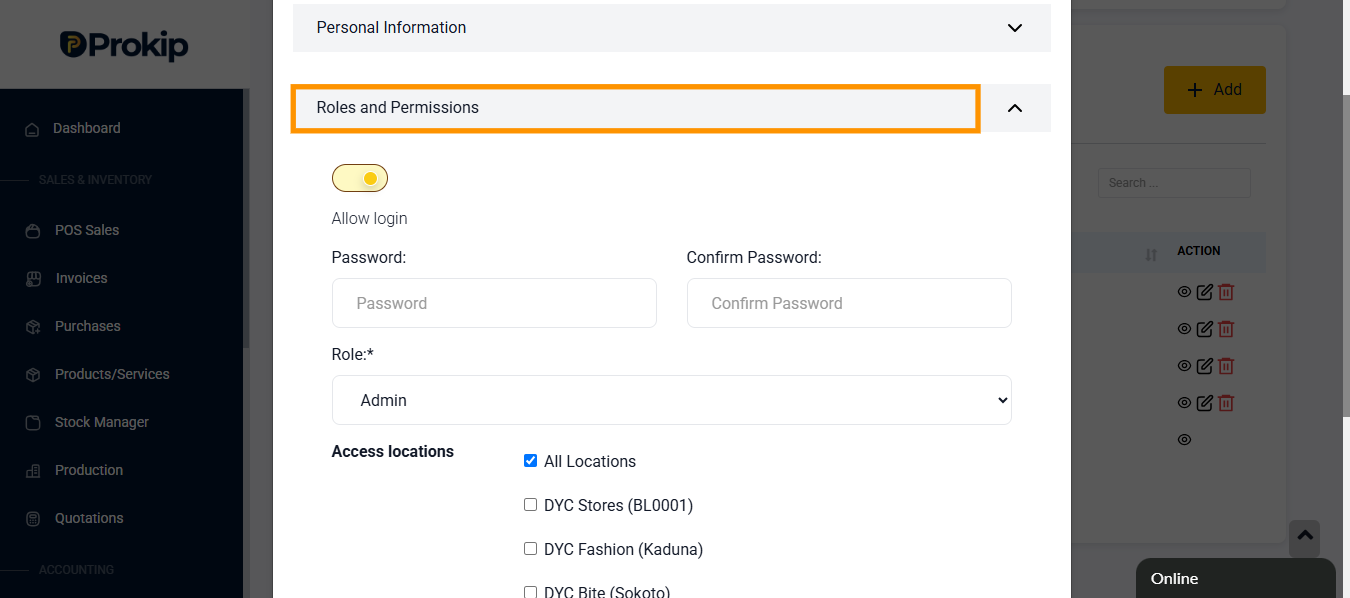
- Locate roles and confirm the role assigned to the sub-user
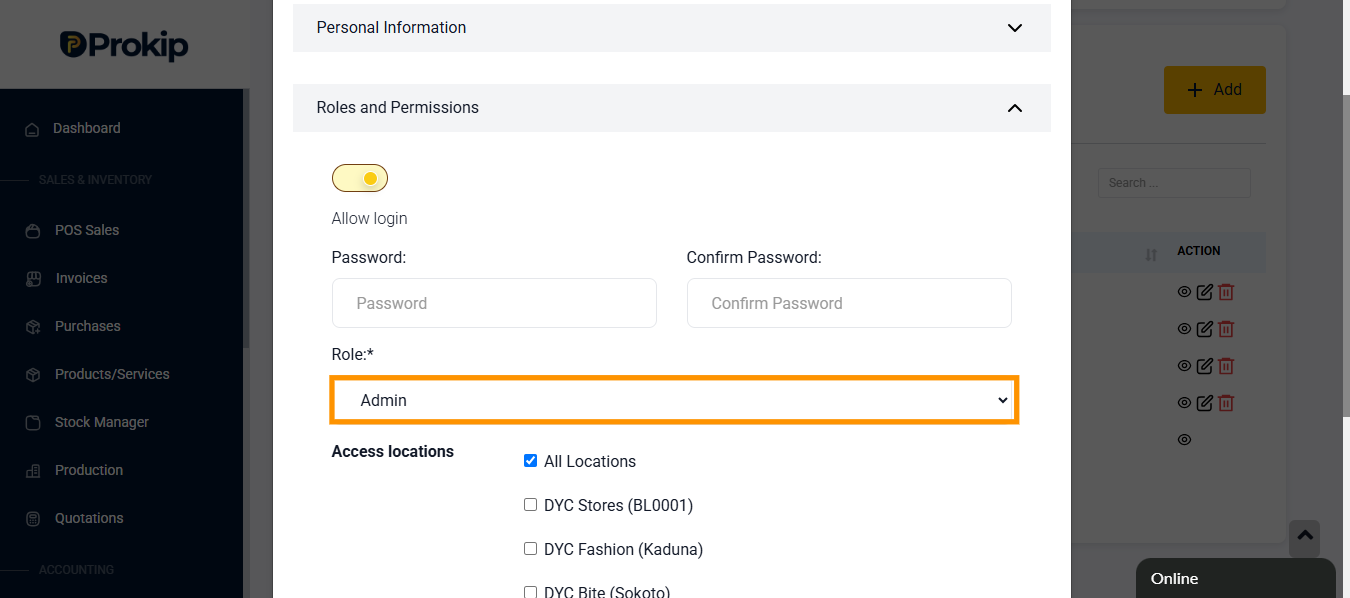
- If it is not accurate click on the role to select an option
- Click on save
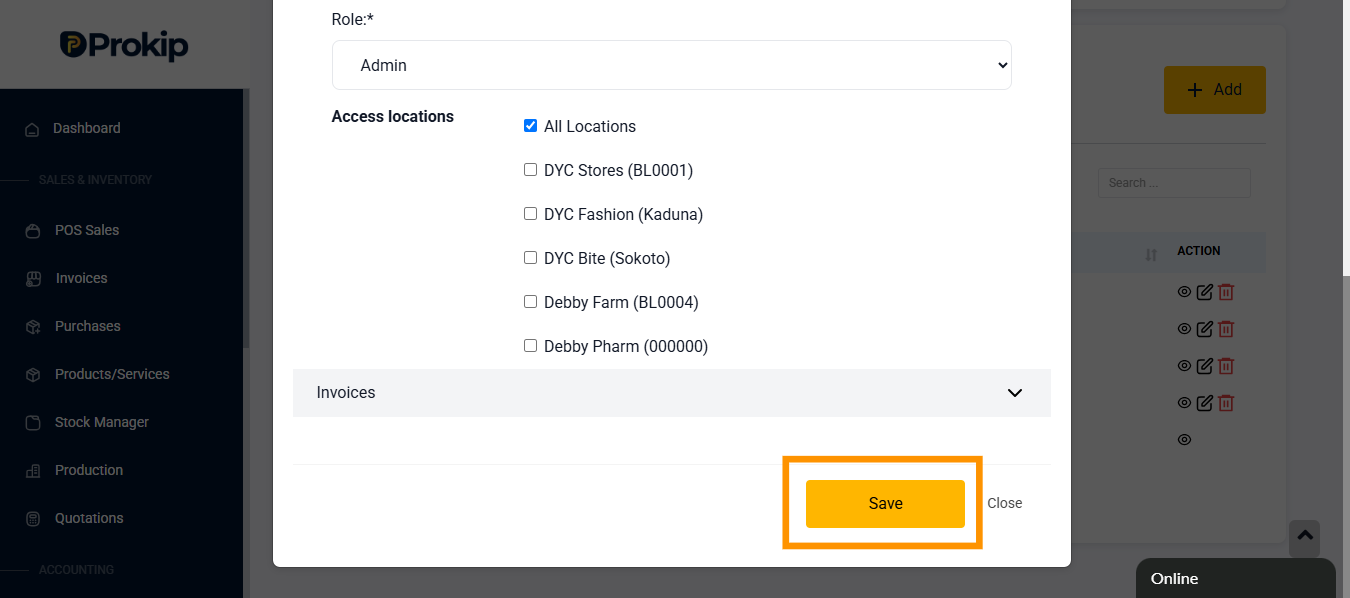
3. User Is Not Assigned to a Business Location
If the user is not linked to a business location, they may not be able to process sales.
Steps
- Click on profile icon
- Click on users and roles
- Select the user and Click on edit button
- Click on roles and permissions
- Scroll down to Access location
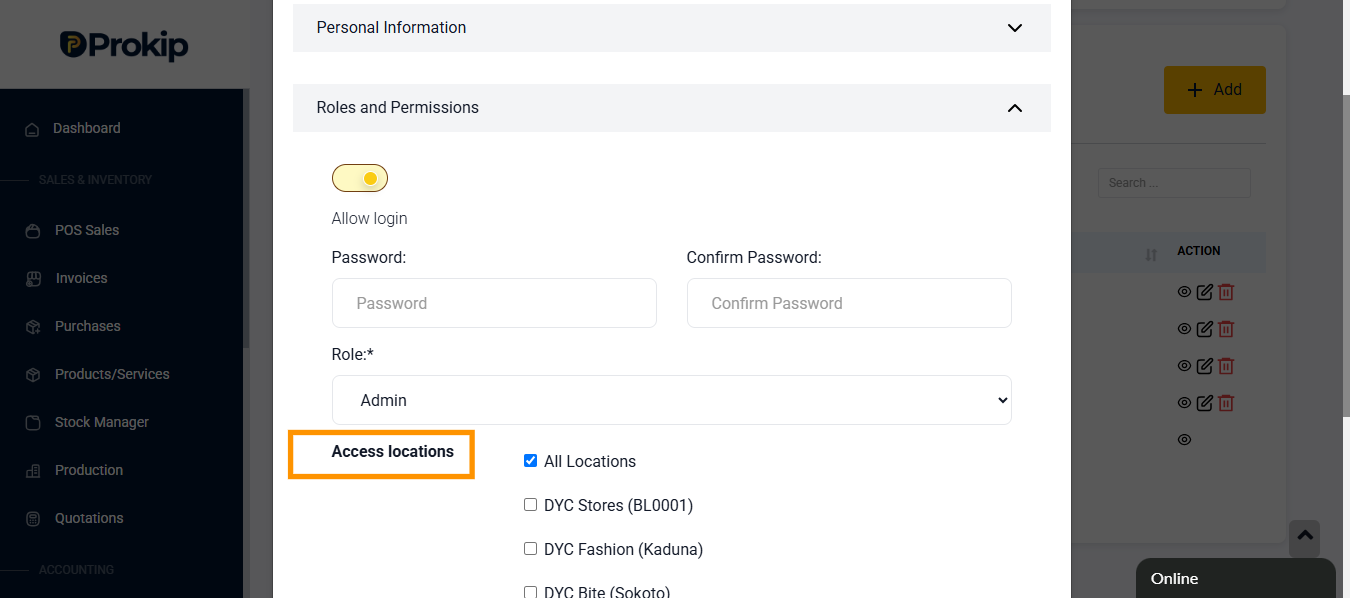
- Click on the checkbox to grant sub-user access to a particular location
- Click on save.