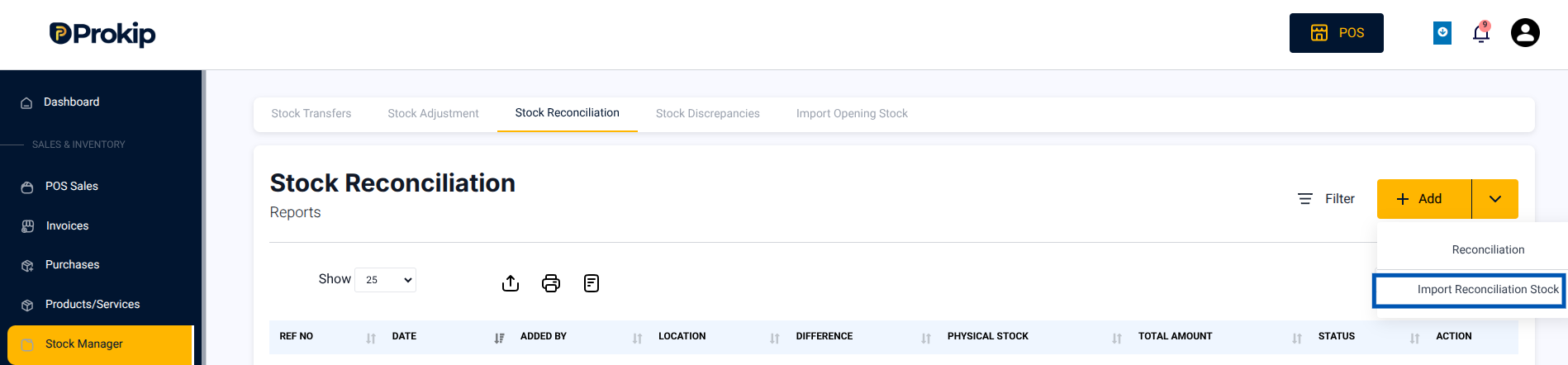
- Navigate to Stock Manager → Stock Reconciliation → Add → Import Reconciliation Stock
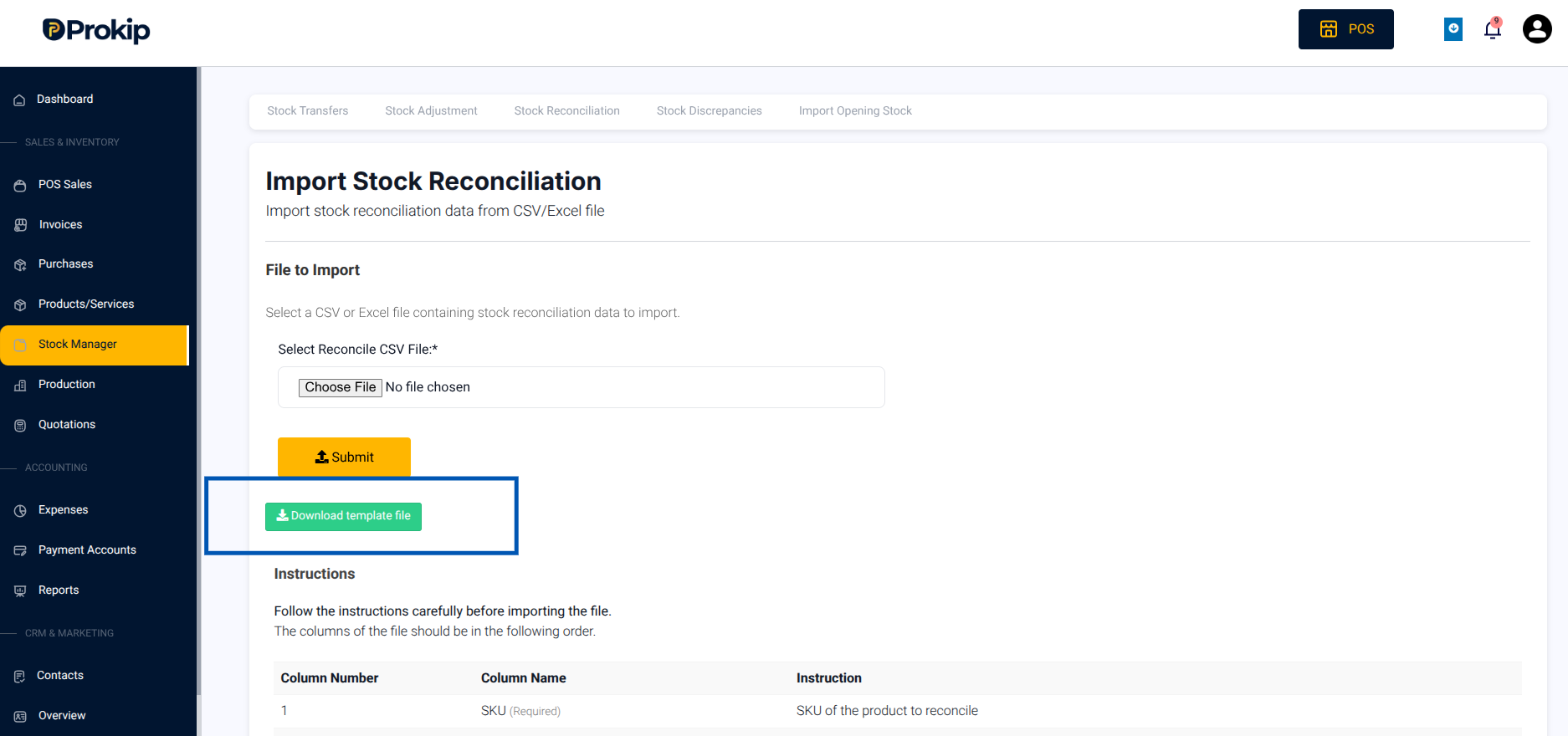
- Click Download Template File
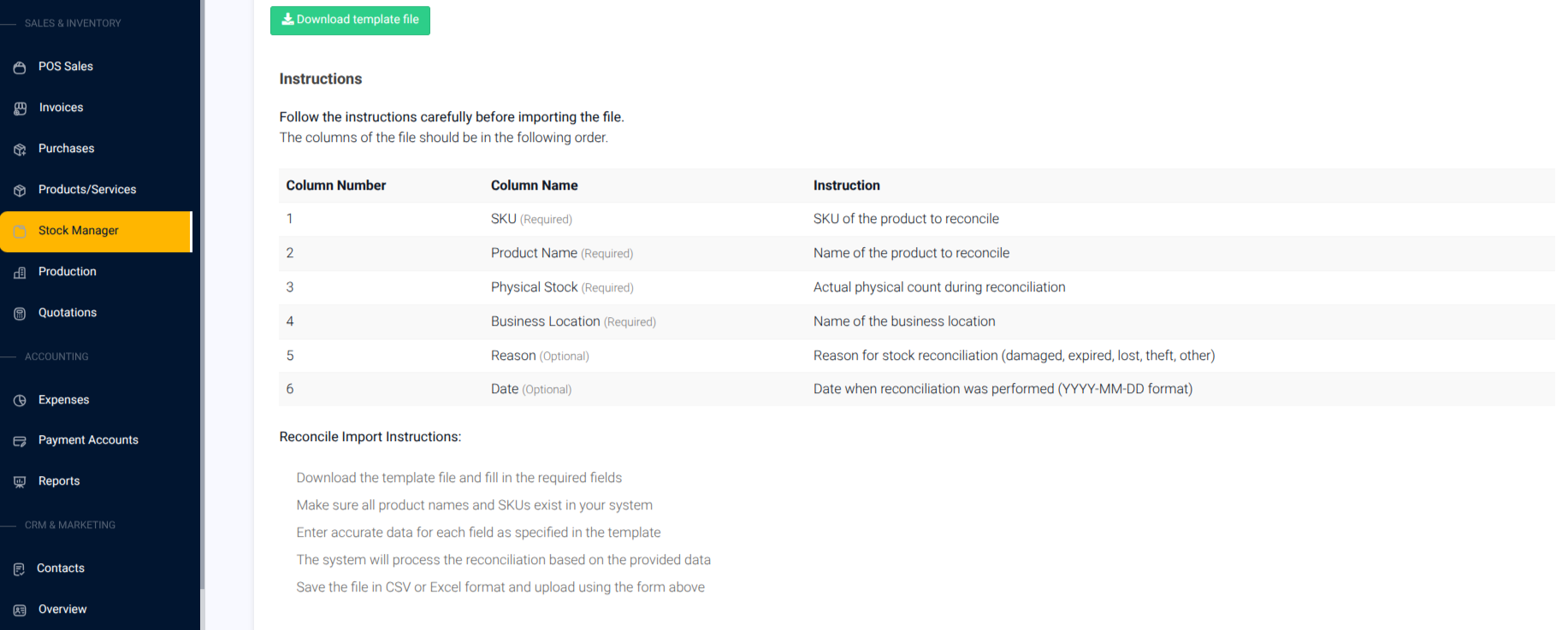
- Fill columns:
- SKU (Required)
- Product Name (Required)
- Physical Stock (Required)
- Business Location (Required)
- Reason & Date (Optional)
- SKU (Required)
- Upload file → Choose File & Submit
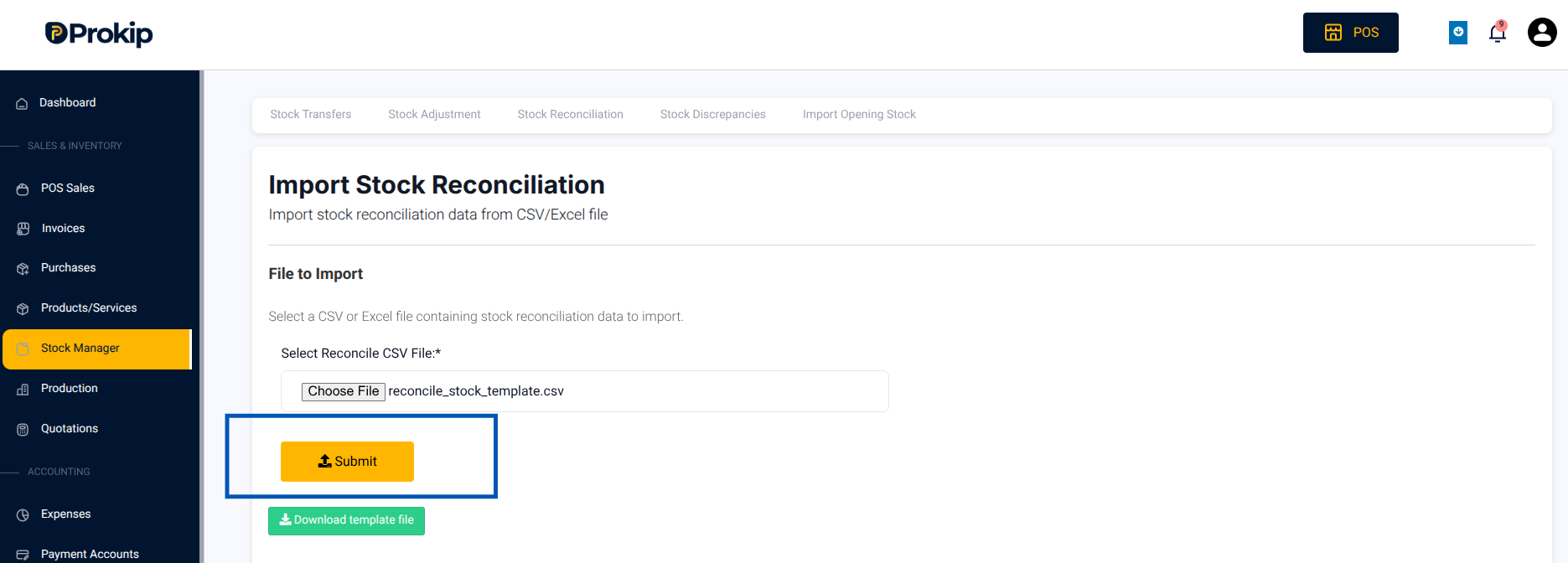
- The system automatically validates entries.
Tip: The upload tool validates entries before submission and flags rows with missing or invalid data.