Purpose: To guide you in safely fixing reconciliation mistakes without breaking your audit trail.
Before You Start
- Confirm that the reconciliation is not yet approved and status changed to Completed.
- Ensure you have permission to Edit or Delete Drafts.
Steps
- Login to your Prokip account
- From your Dashboard, click on Stock Manager.
- At the top bar, click on Stock Reconciliation
- Locate the incorrect entry.
- If Status = Draft:
i. Click on the (3 dots) under Action column
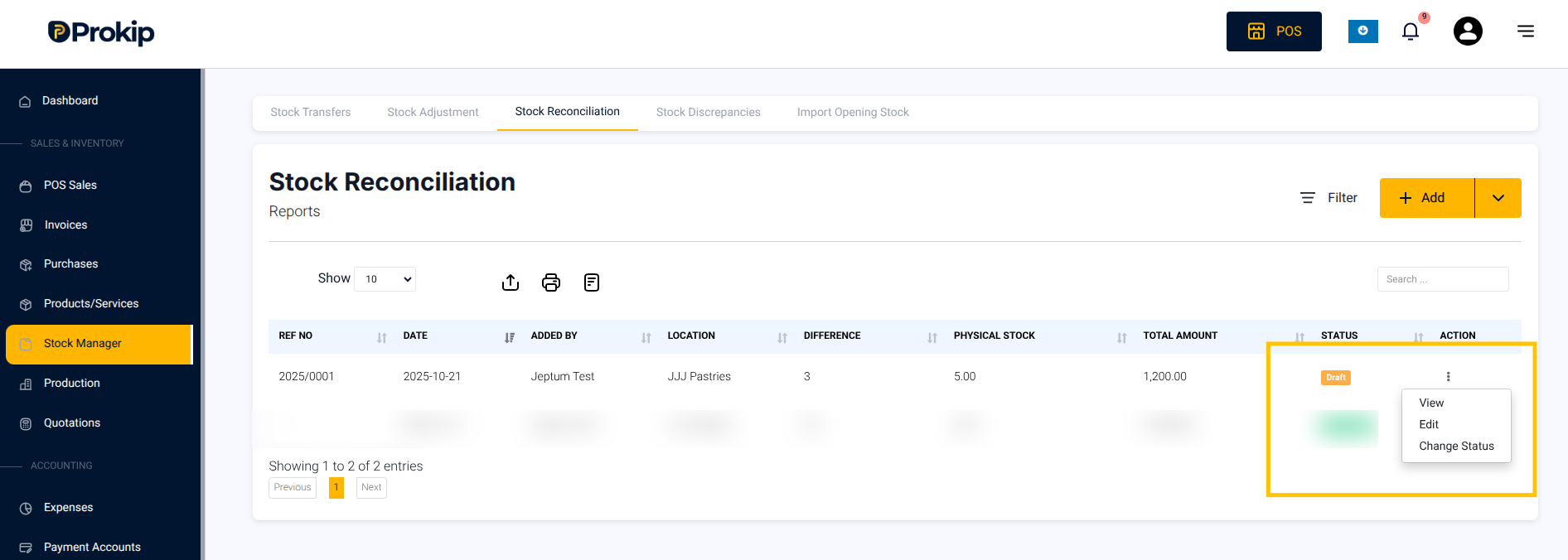
i. Click on Edit to open the draft entry.
iii.Edit incorrect product quantities or items.
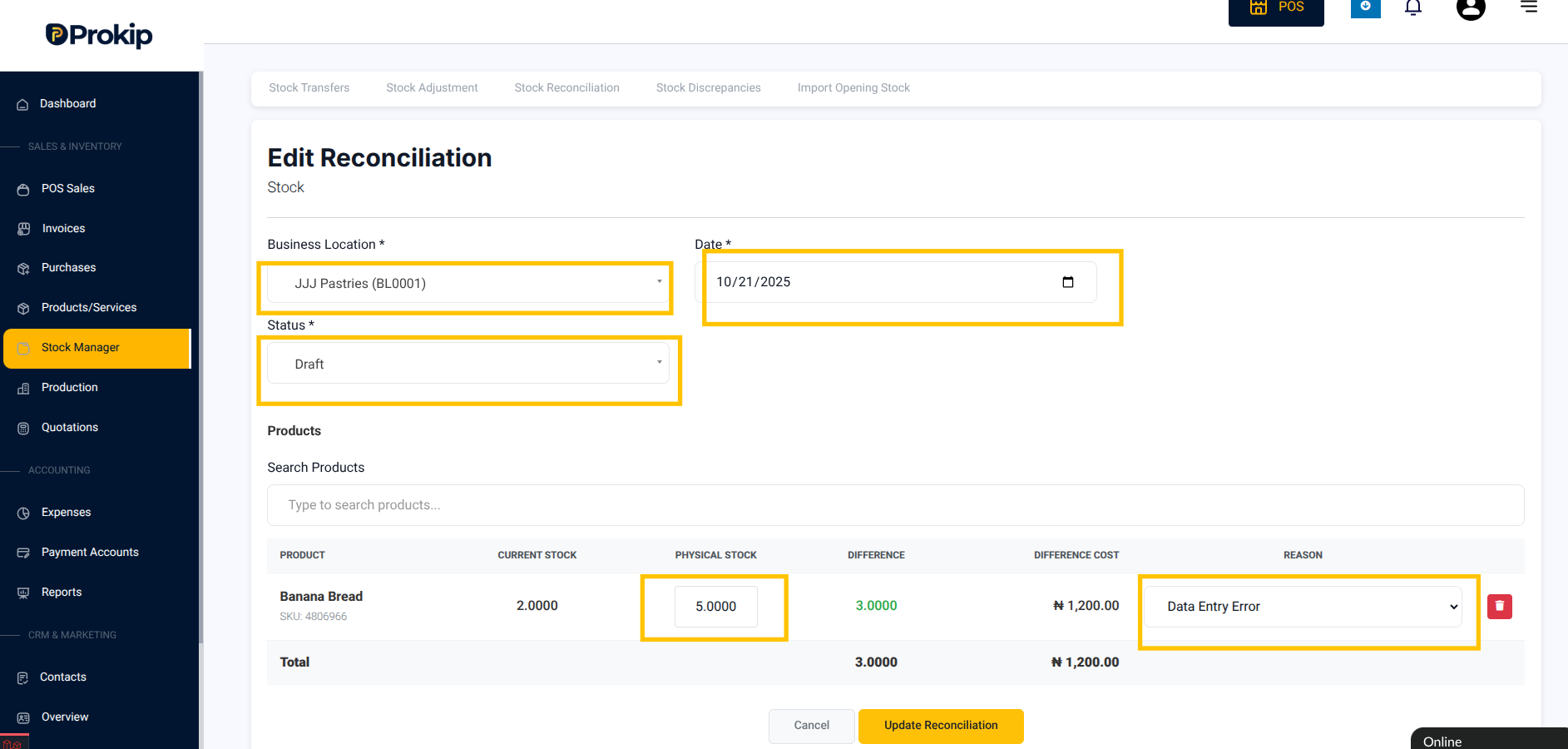
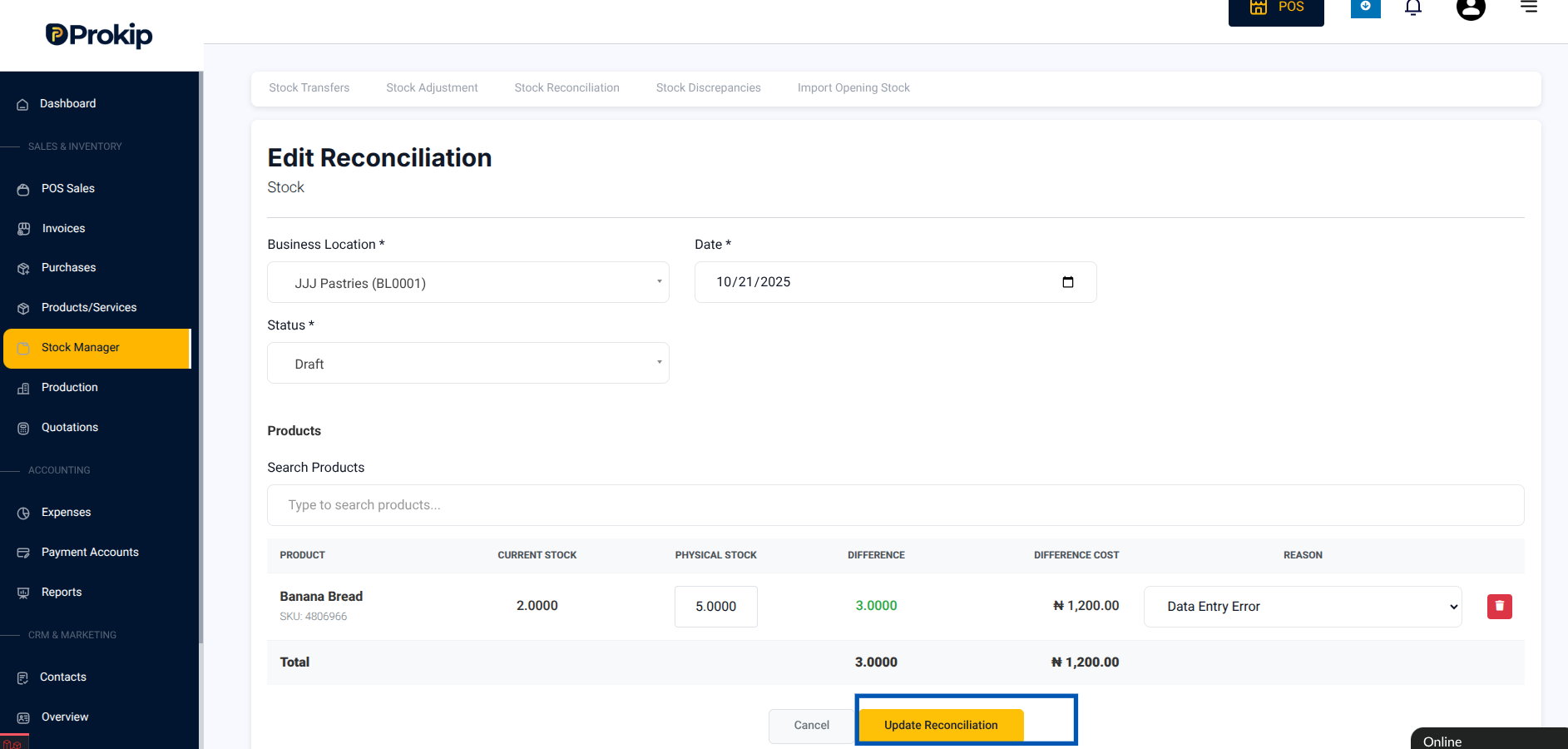
iv. Click Update reconciliation to Save or Submit for approval.
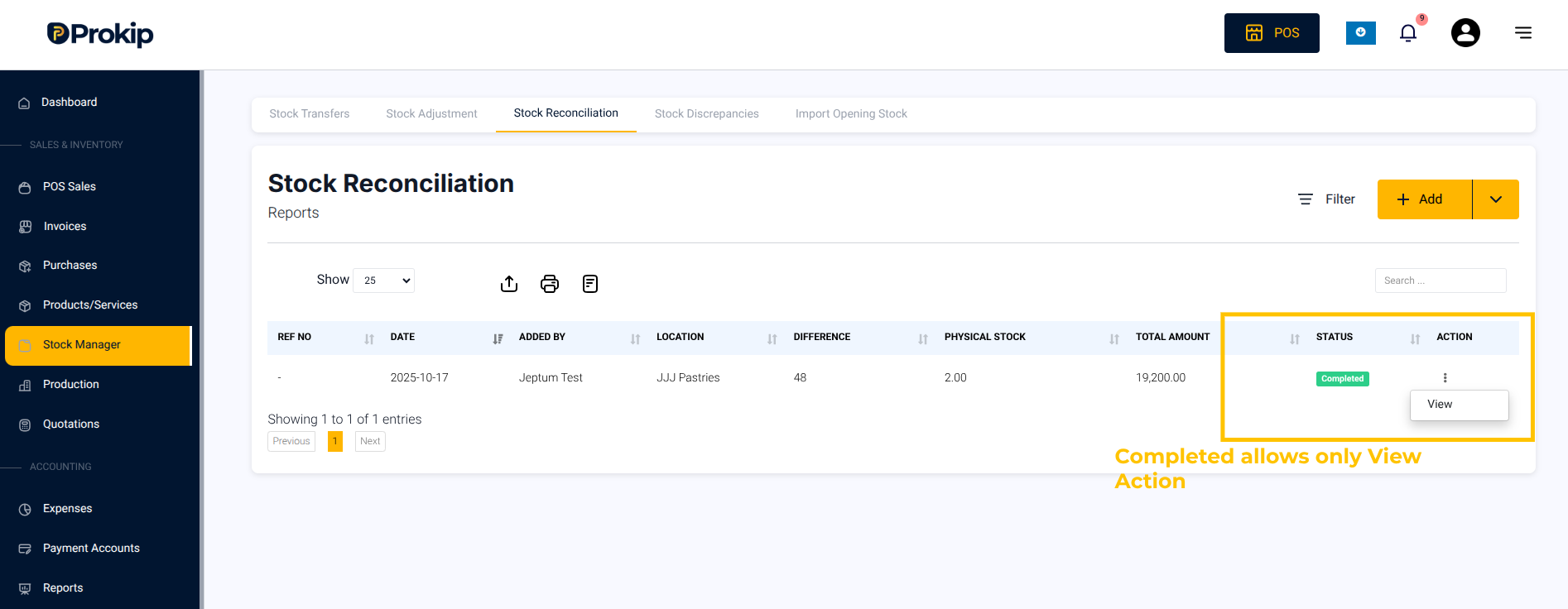
b. If Status = Completed , you can’t edit.
Completed reconciliations are locked to preserve your audit trail.