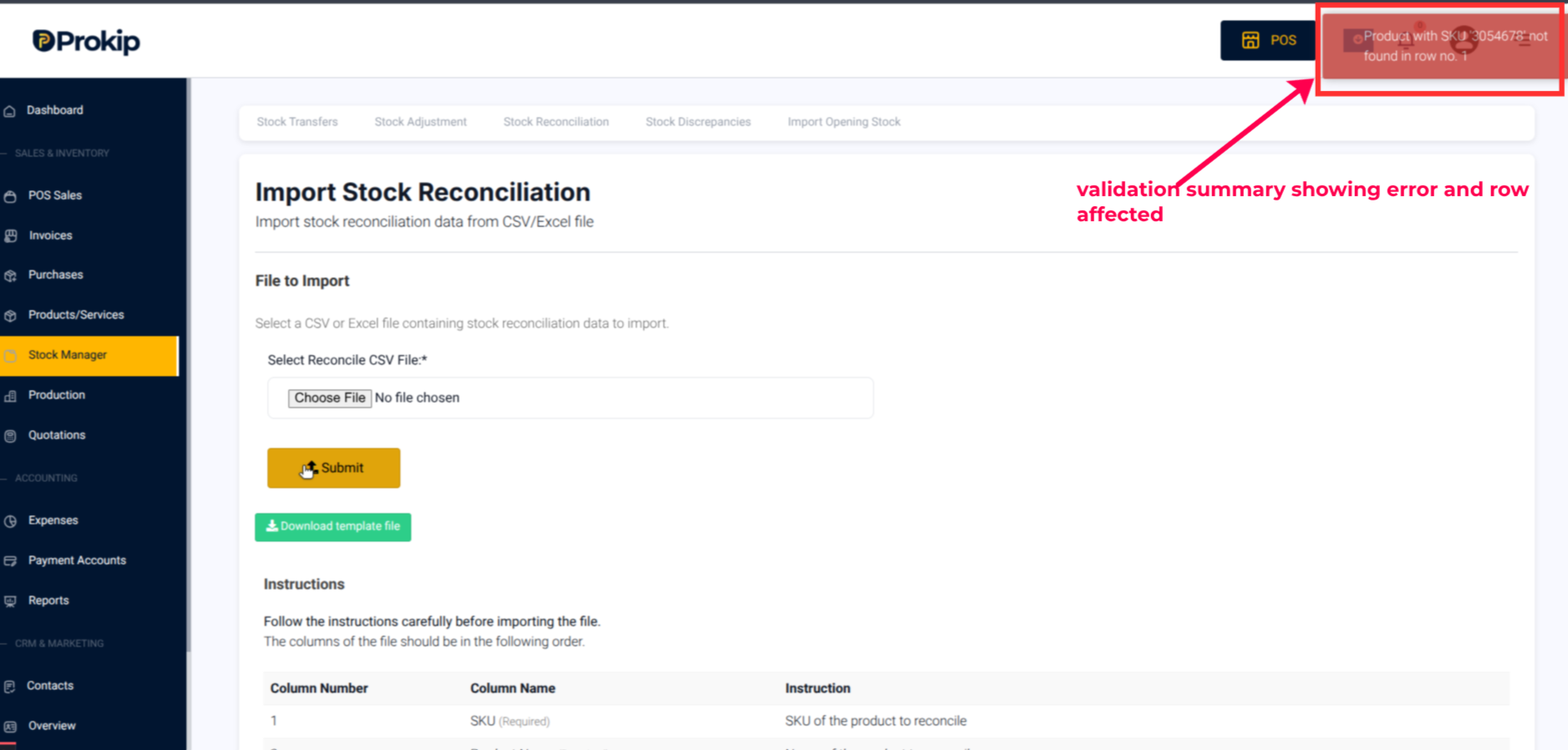
When you upload a stock reconciliation file, the system automatically checks each row to ensure all required fields are valid before submission.
The system checks:
- SKU (Required): Must match an existing item in your stock list. Missing or invalid SKUs are flagged.
- Product Name (Required): Must correspond to the SKU. Blank or mismatched names trigger an error.
- Physical Stock (Required): Must be a positive number. Empty or invalid values are rejected.
- Business Location (Required): Must be a valid, registered location. Missing or incorrect entries are flagged.
- Reason & Date (Optional): Not mandatory, but useful for record-keeping.
If any errors are found, the system displays a validation summary showing the affected rows. You can correct the issues in your file and re-upload.
Only valid files upload successfully.