A. If a staff member can’t see the new location:
Steps to Fix:
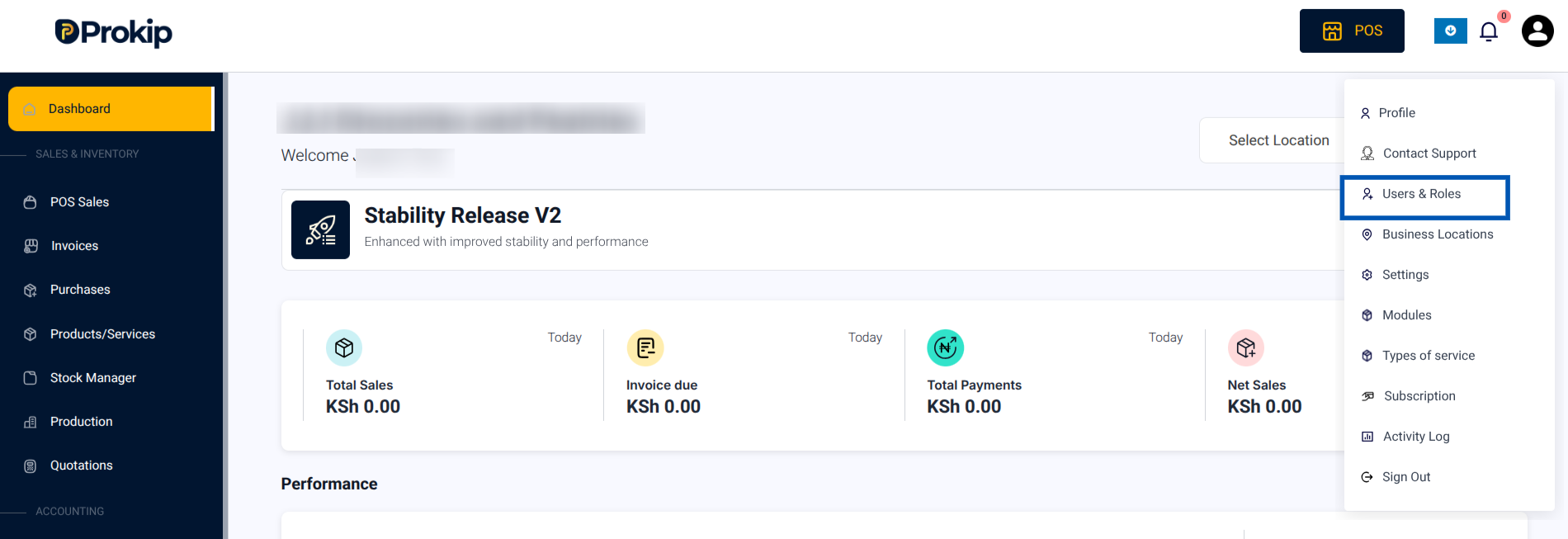
1.Click on your Profile Icon in the top-right corner.
2. From the menu, click Users and Roles
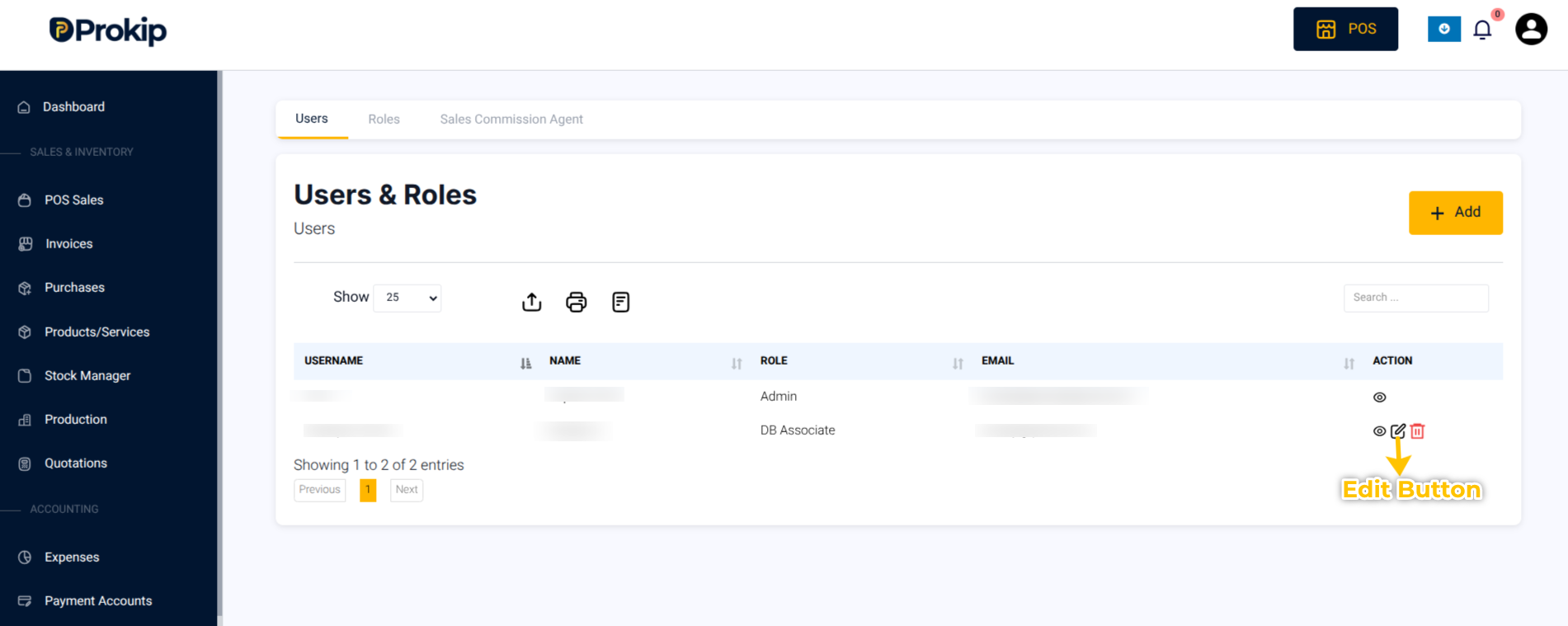
3. On the specific details of the staff member, click on the Edit button.
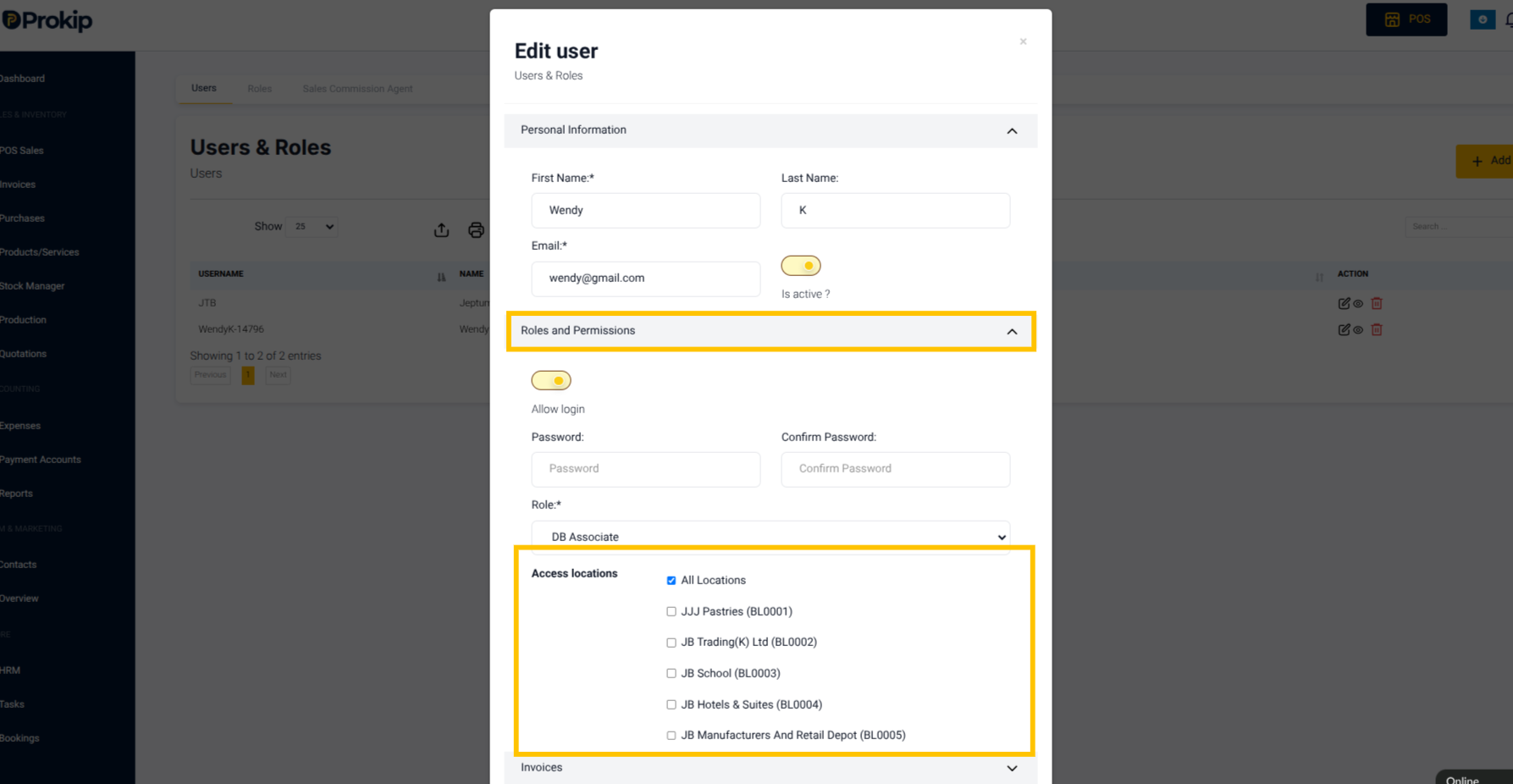
4. Under Permissions –> Settings
5. Enable Access Locations
B. If sales are not syncing
Steps to Fix:
Check your internet connection or refresh the desktop POS app.