Purpose
Record transactions made on credit and accept partial payments.
Steps
- Log in to Prokip.
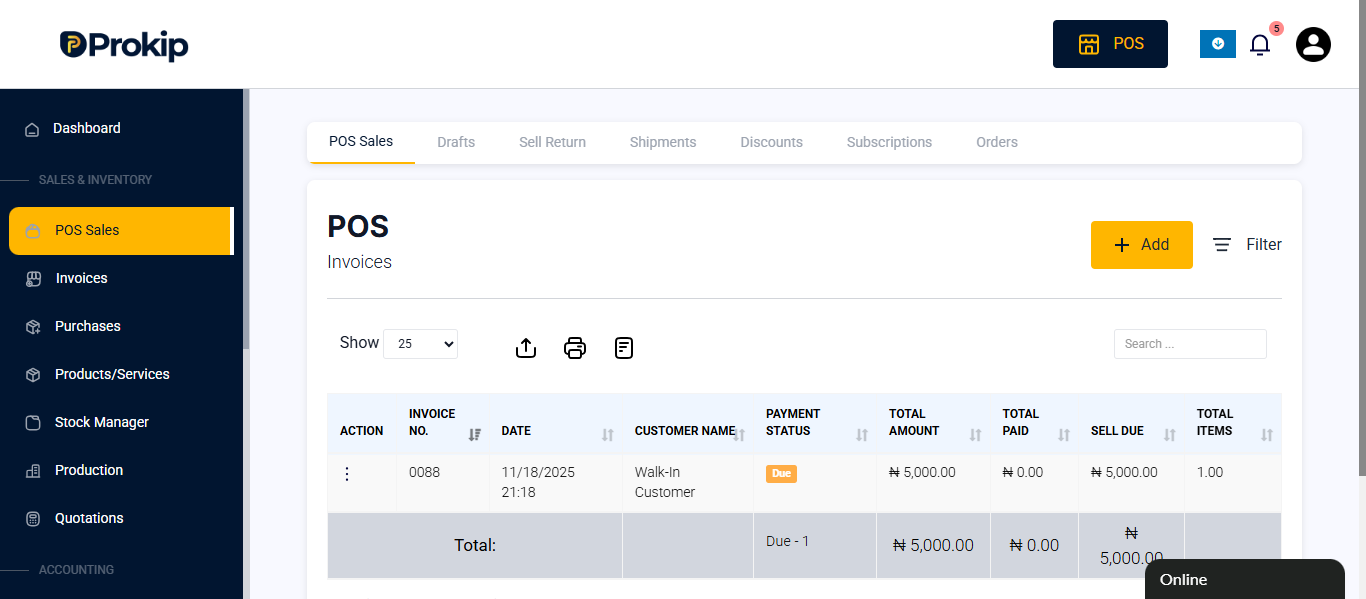
- Click on POS Sales
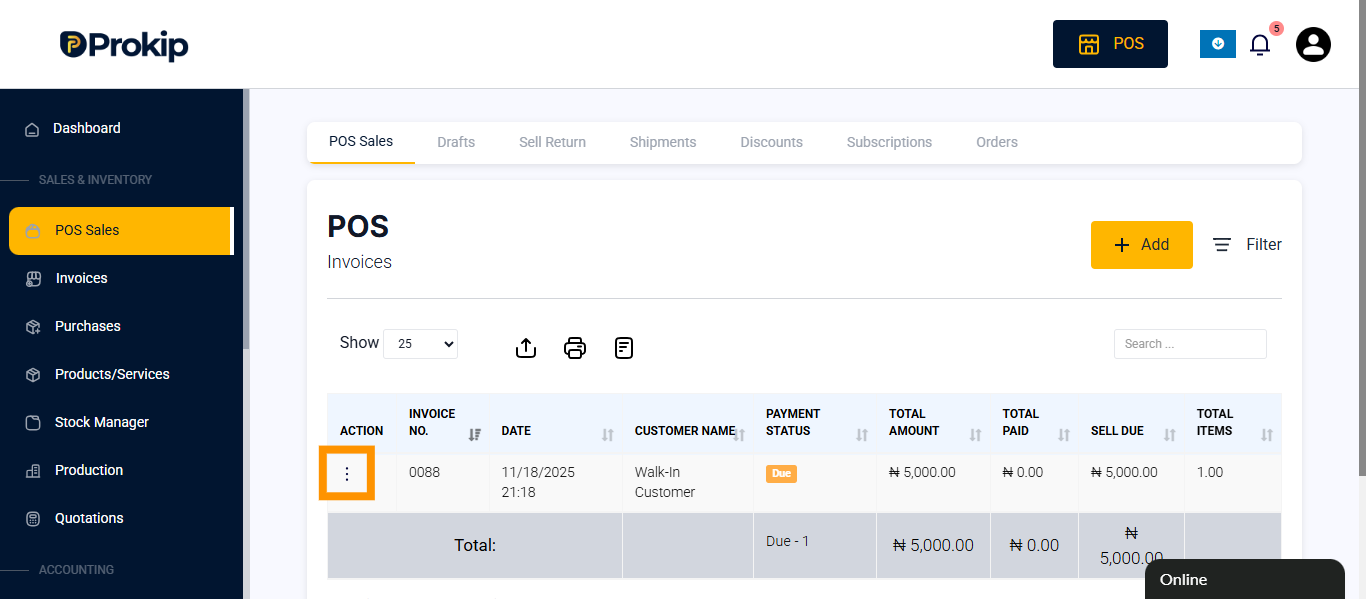
- Click the three dots (⋮) beside the sale.
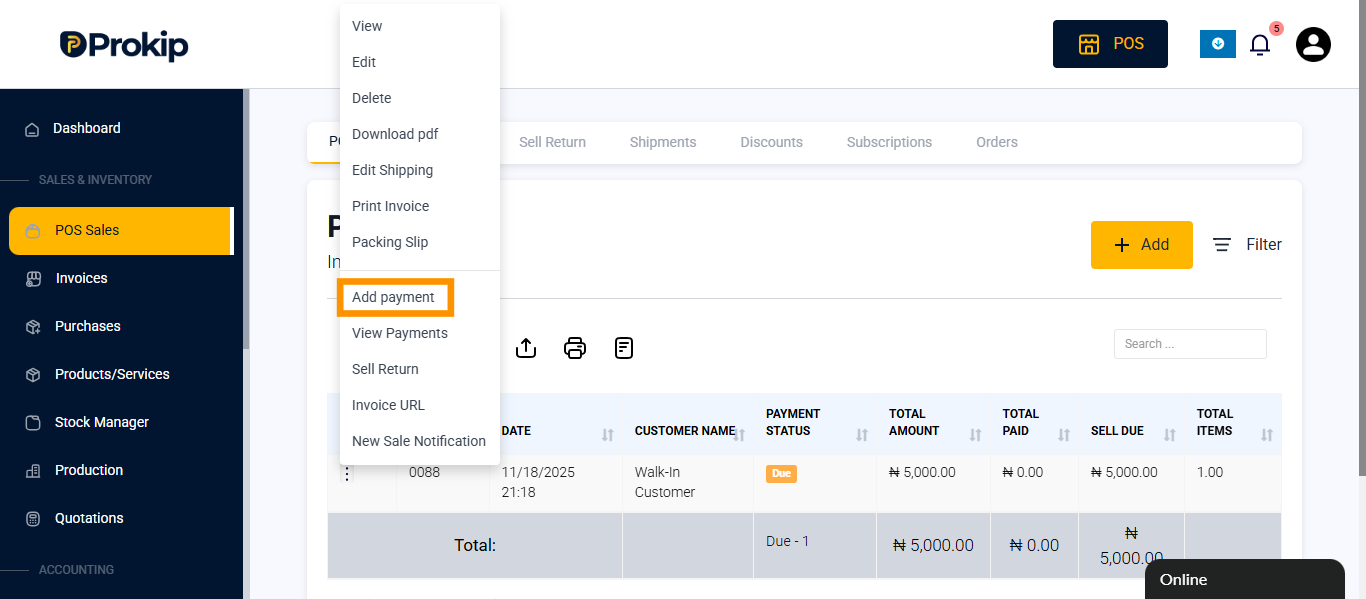
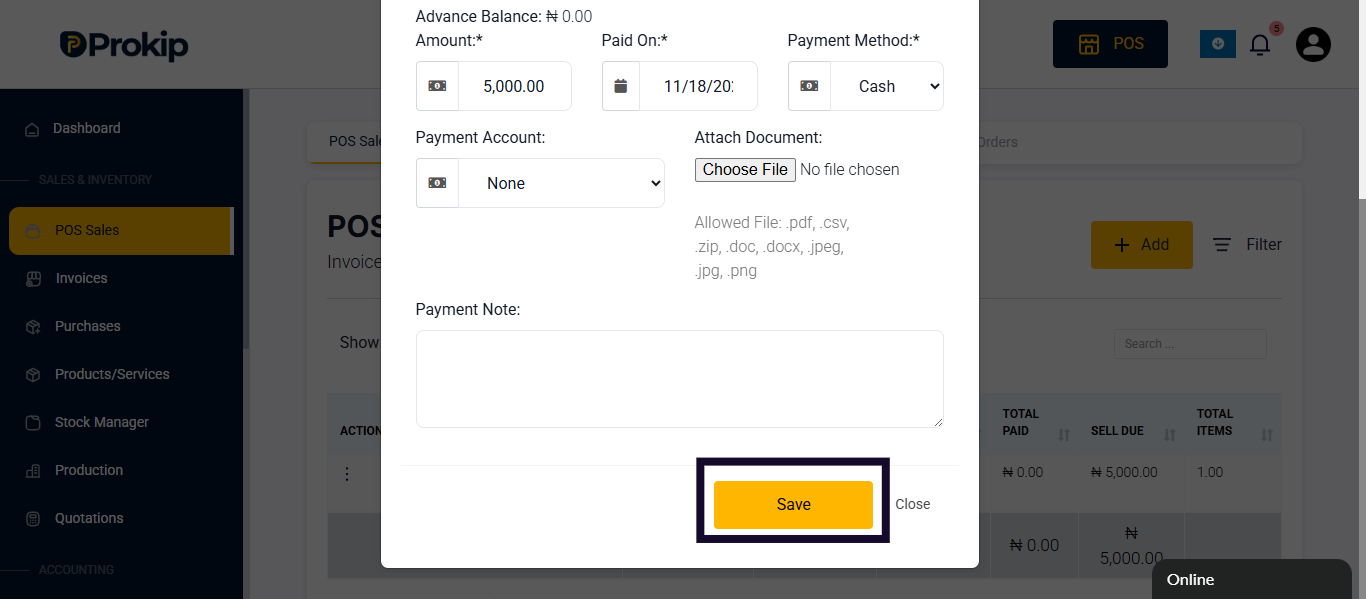
- Select Add Payment.
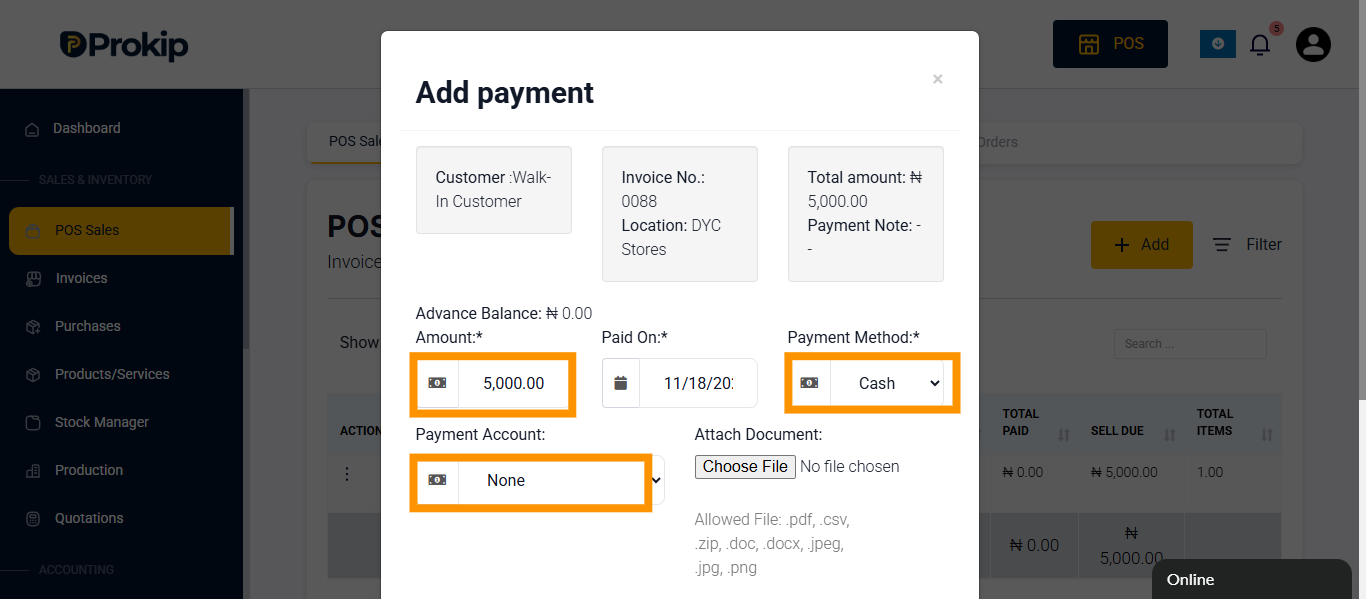
- Enter the partial or full payment amount, select payment method and payment account.
- Click Save.
FAQ
Q1: Can I track outstanding balances?
A: Yes, credit balances appear in the customer’s record.
Q2: Can multiple partial payments be made?
A: Yes, until the credit is fully cleared.
Q3: Will the sale be marked as complete automatically?
A: Yes, once the total balance is paid.