Purpose
Record advance payments made by a customer before product delivery.
Steps
- Log in to Prokip.
- Click Contacts on the menu bar.
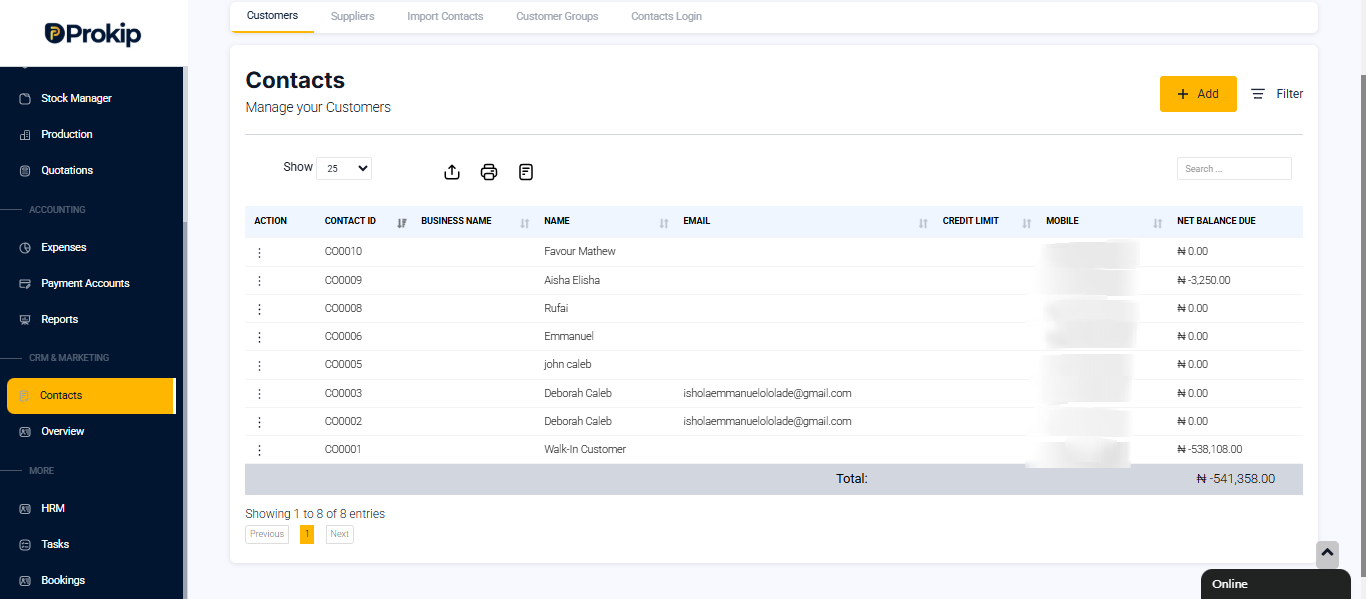
- Select the Customer.
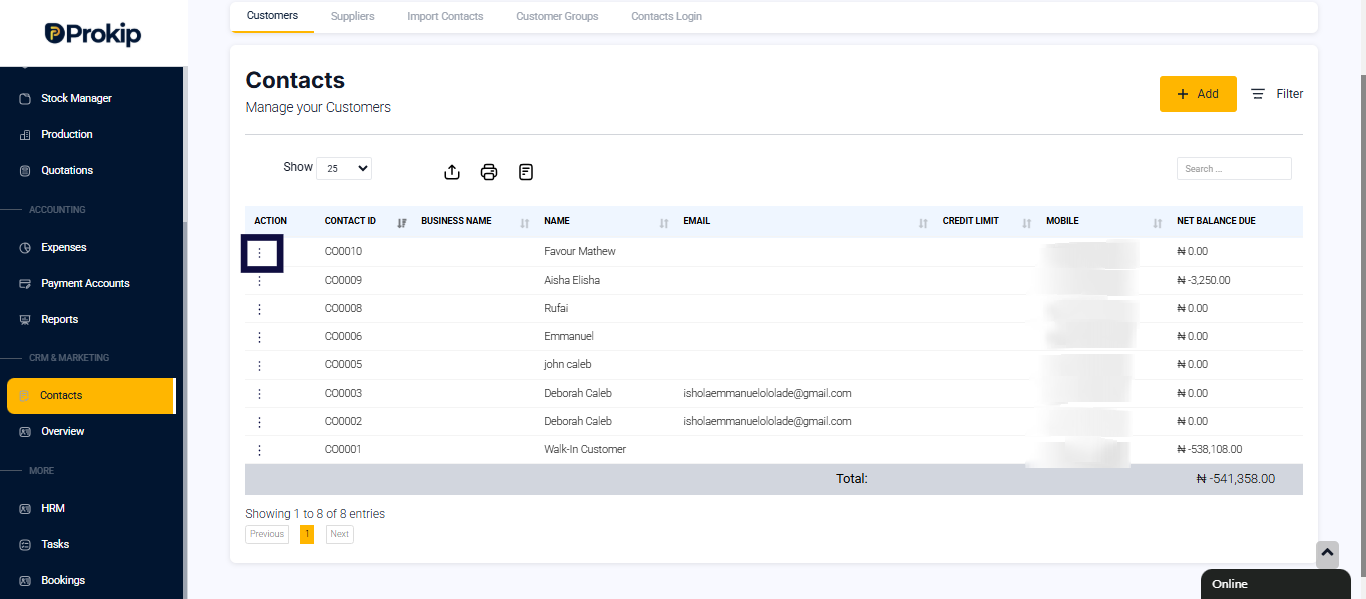
- Click the Action button (3 dots).
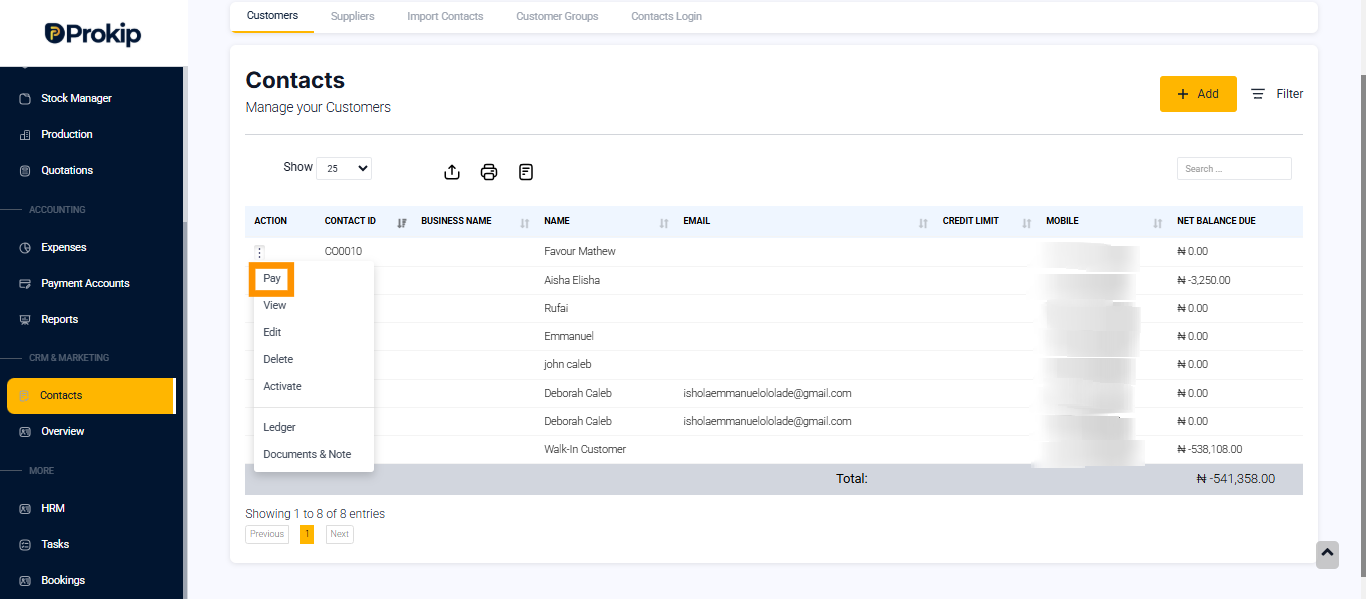
- Select Pay.
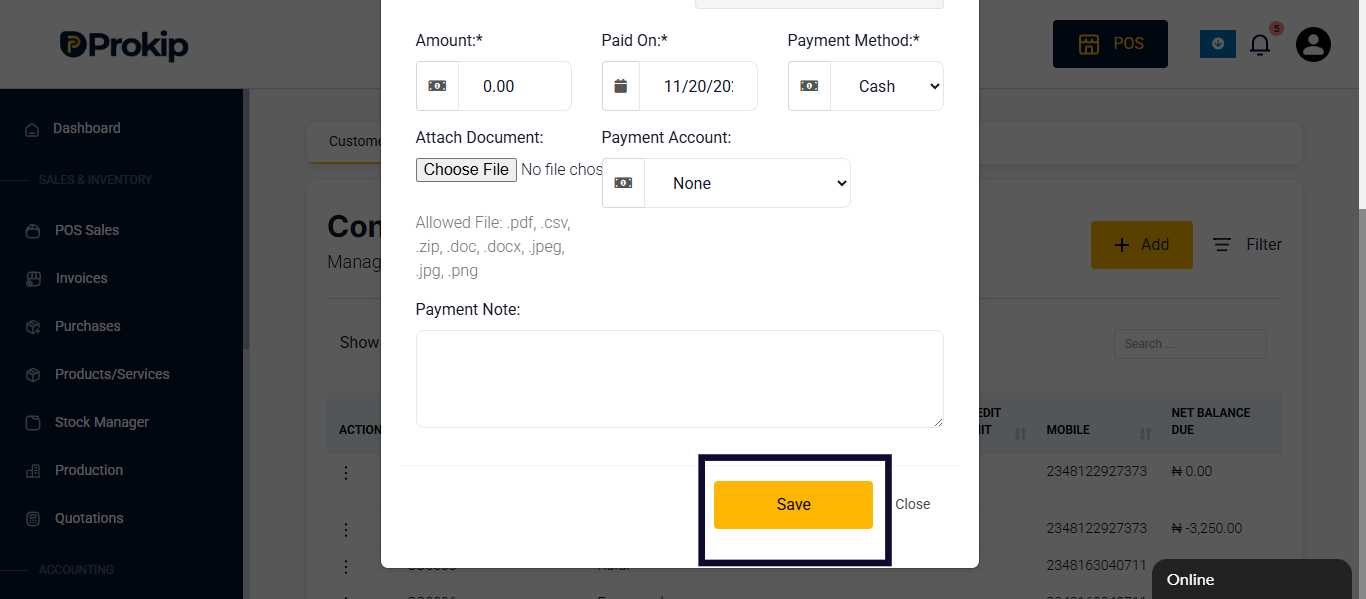
- Enter the amount, payment method, and payment account.
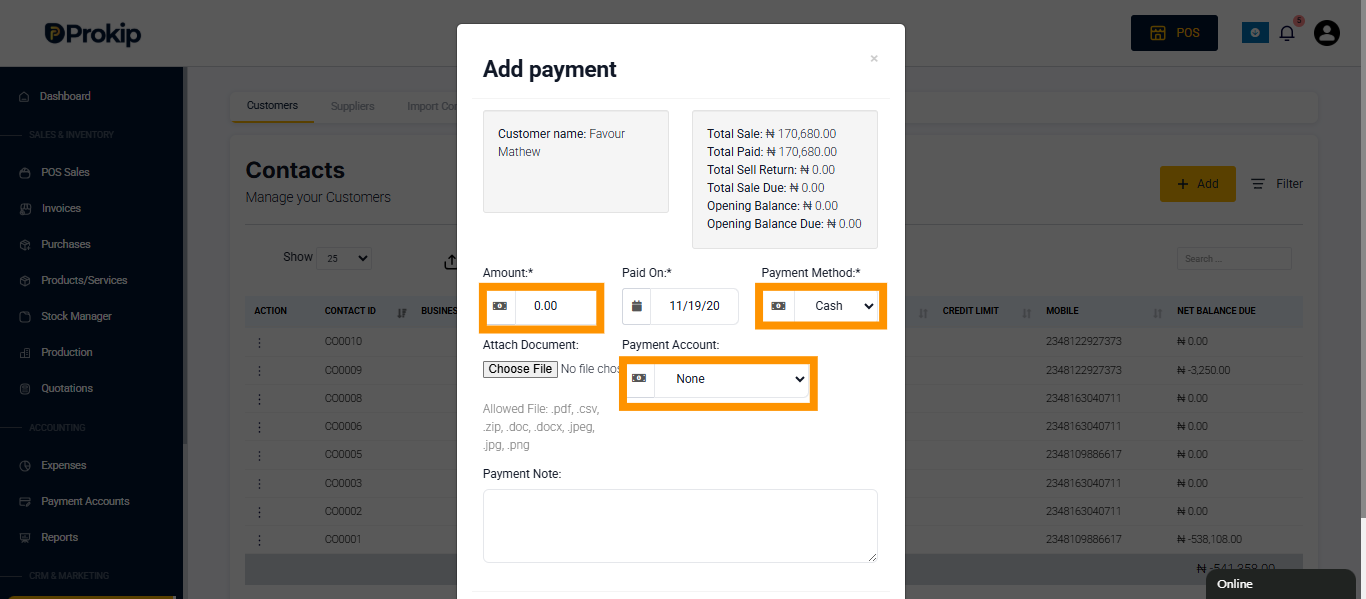
- Scroll down and Click Save.
FAQ
Q1: Can a customer make multiple advance payments?
A: Yes, they will be recorded under their profile.
Q2: Can I apply an advance payment to a future invoice?
A: Yes, during invoice creation you can use the balance.
Q3: Does it show in payment history?
A: Yes, all advance payments are visible in the customer record.