Purpose
The Sales Commission Agent feature helps you assign agents to sales, track their performance, and automatically calculate commissions.
Before You Start
Decide on the commission type whether on Invoice Value or Payment received.
Steps
- Log in to your Prokip account
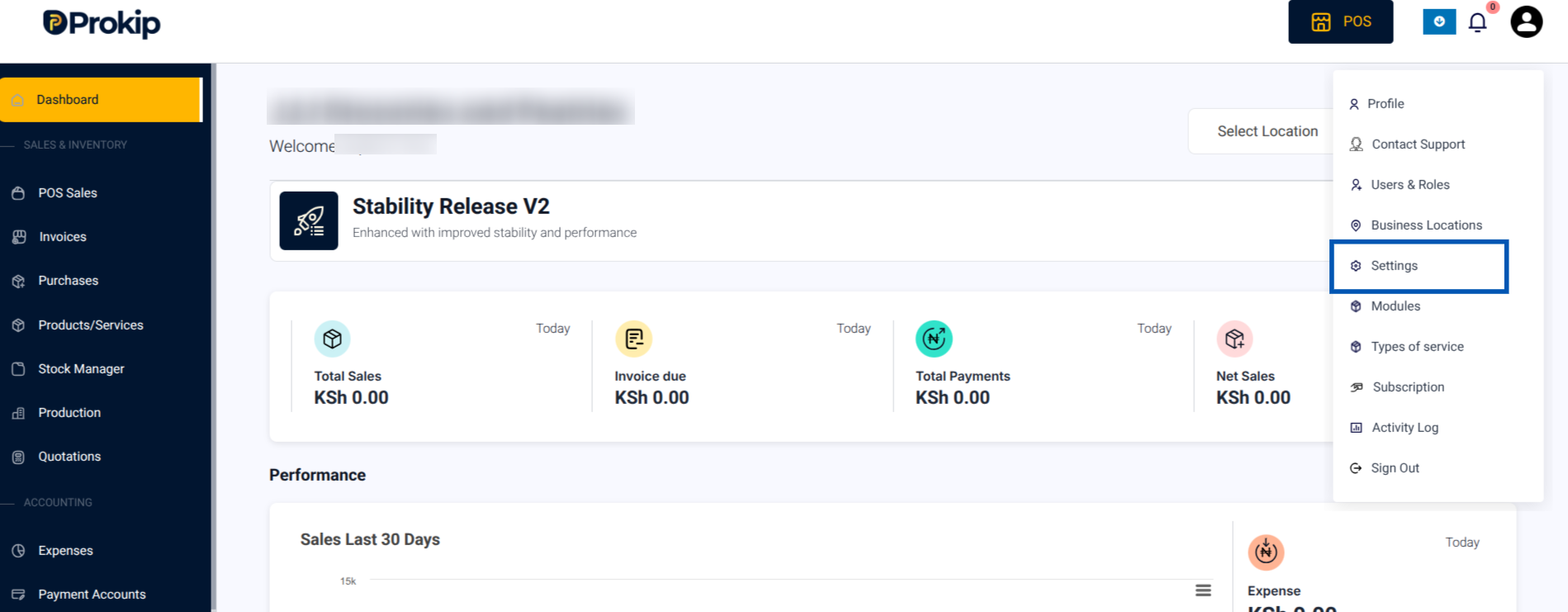
- Click on your Profile Icon in the top-right corner.
- From the menu, select Settings
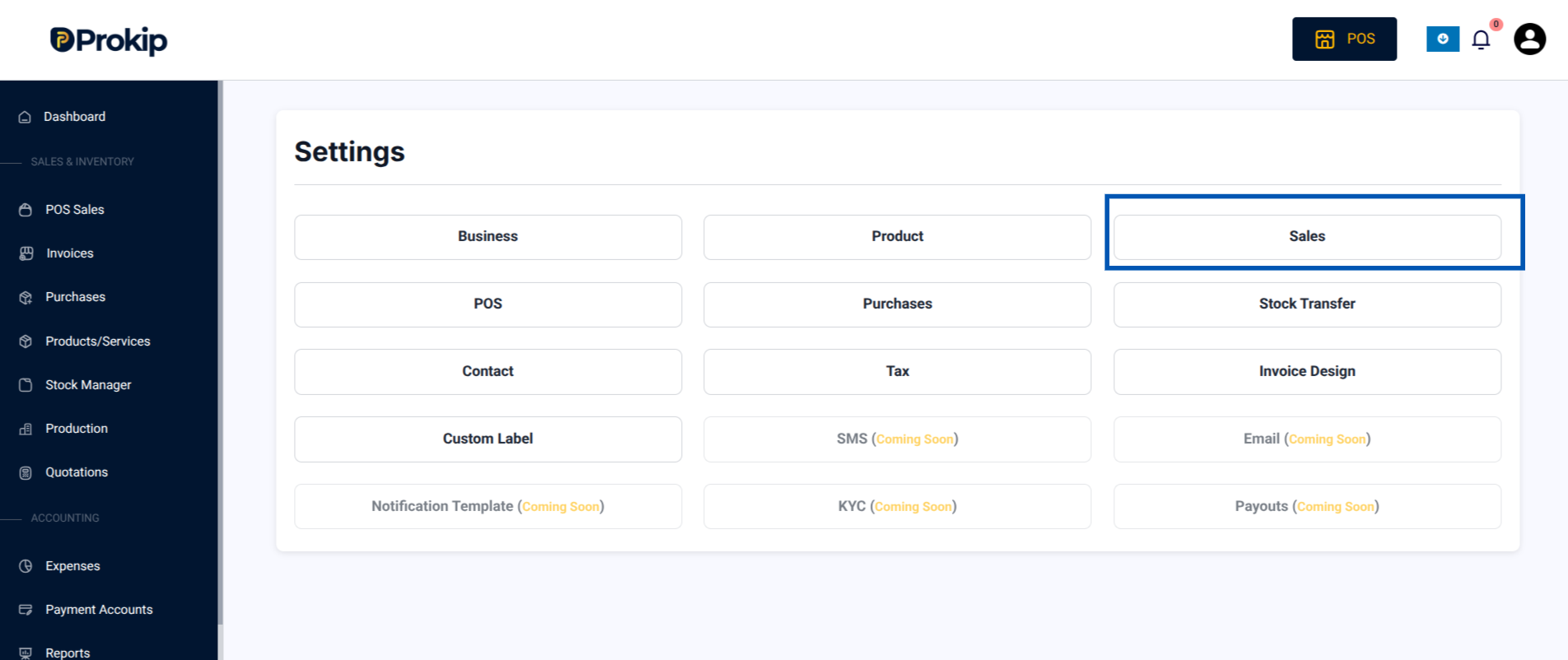
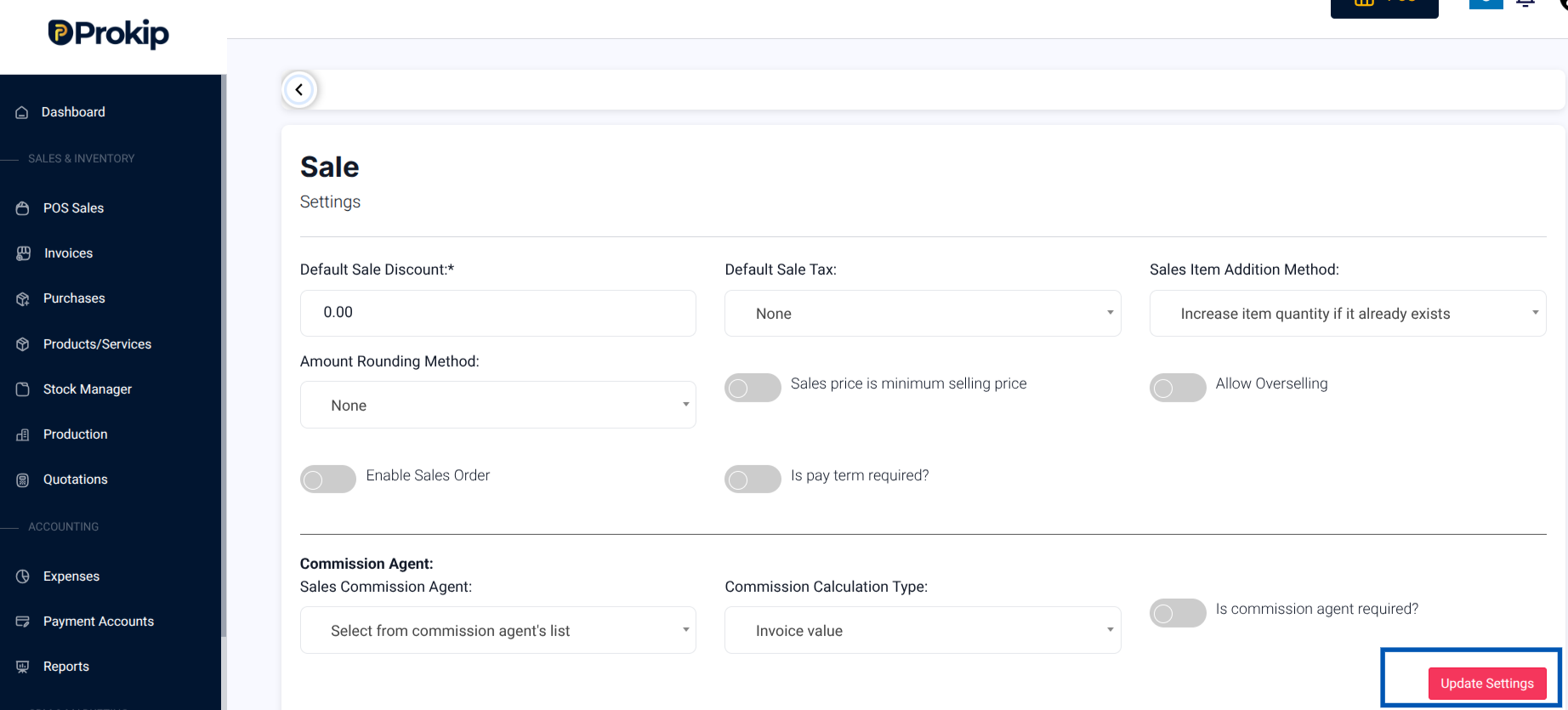
4. Click on Sale
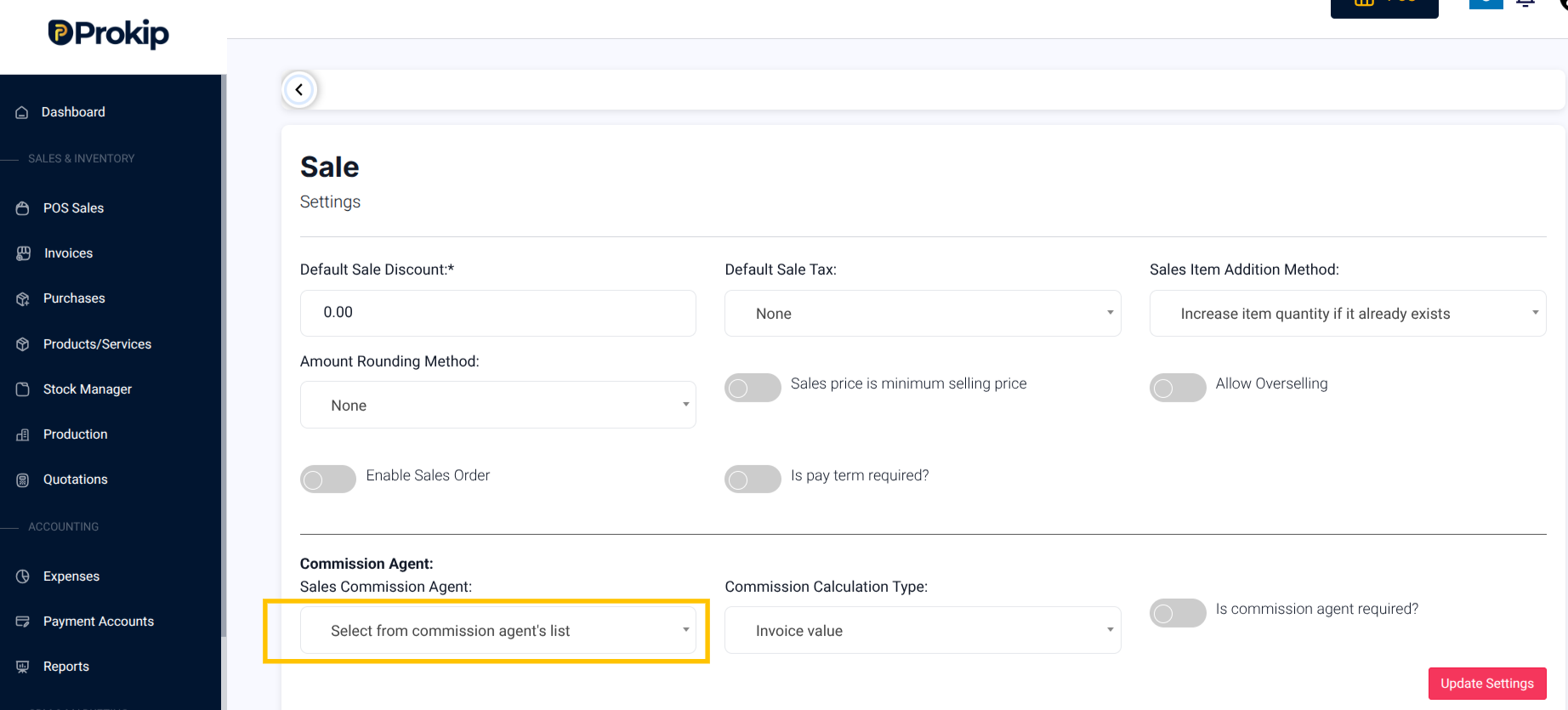
5. Under Commission Agent, you have a dropdown of options.
Click:
- Disable – this is if you do not want to enable Sales Commission Agent
- Logged in User – to have the Commission Agent be the user who is logged in
- Select from User’s list – to have the Commission Agent be picked from the User’s list
- Select from Commission agent’s list – to have the Commission Agent be picked from the Commission Agent’s list
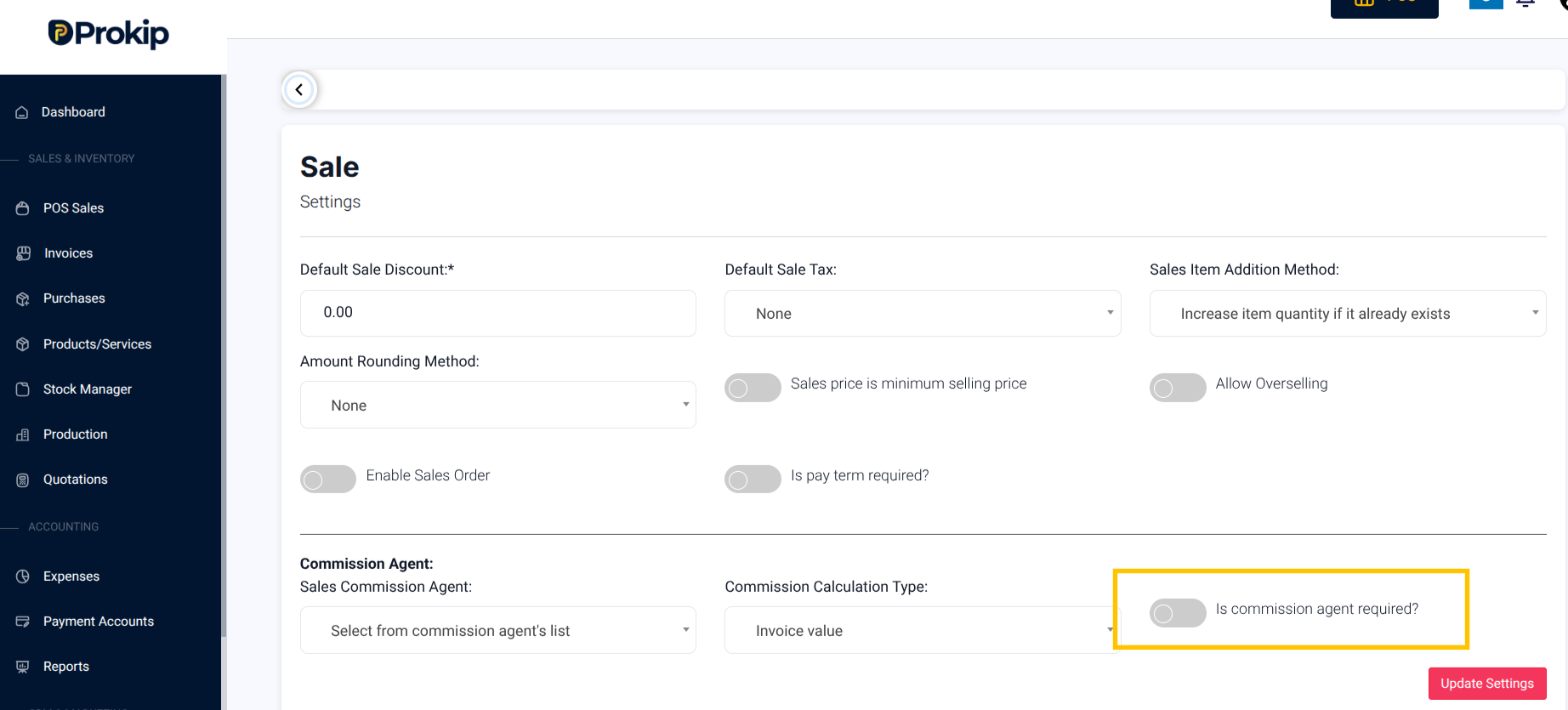
6. Toggle ON “Is commission agent required?” if you want the Commission Agent to be mandatory for each invoice or sale transaction.
7. Click Update Settings to save the changes.
What Happens Next
A Sales Commission Agent can be added in Users & Roles.