Purpose
Units, variations, categories, and brands help you organize your products making reporting and stock management simpler.
Before You Start
- Plan your categories (e.g., Electronics, Clothing).
- Identify units of measurement (e.g., kg, pieces,liters).
- List product variations (e.g., size, color).
- Decide which brands you want to associate with products.
Steps
- Log in to your Prokip account.
- From the left side- menu, click Products/Services.
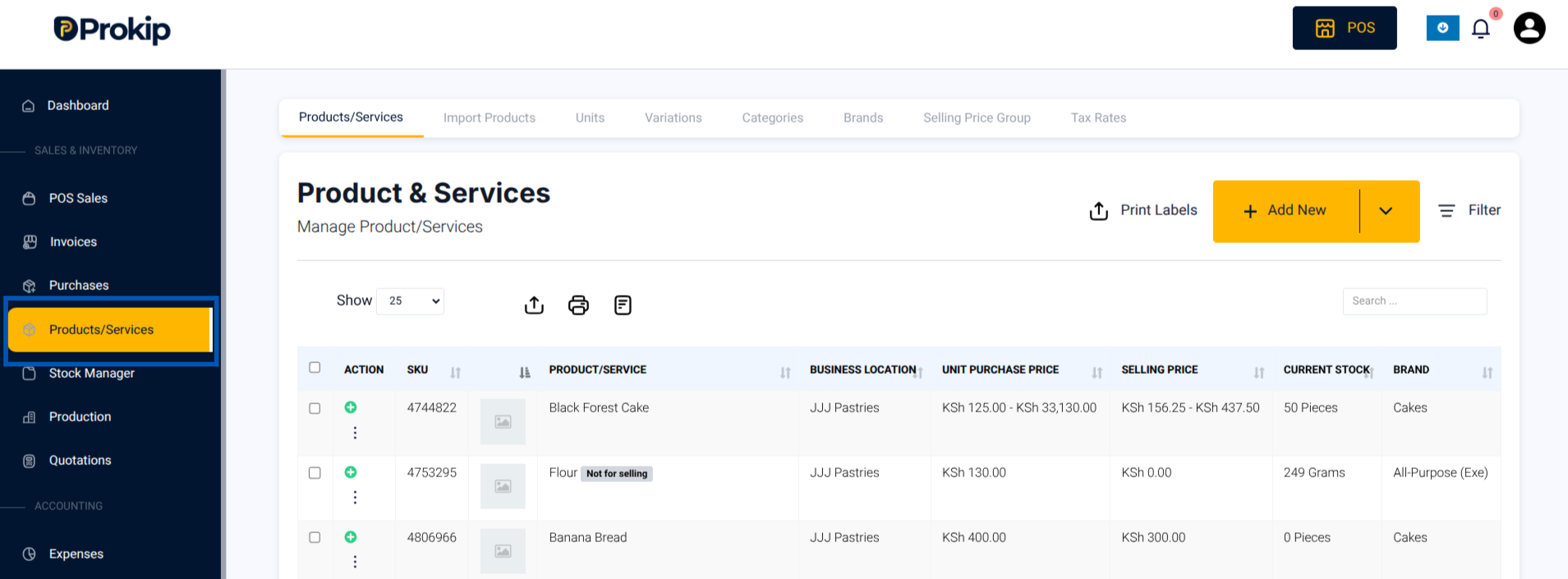
3. From the menu, select the following depending on what you want to add:
a) Units → Adds measurement types (e.g. pieces, liters)
b) (Brands → Add product brands/manufacturers(e.g. Samsung, Nike)
c) Categories → Add product groups(e.g. Electronics, Groceries,Clothing)
d) Variations → Add product options (e.g., color, size)
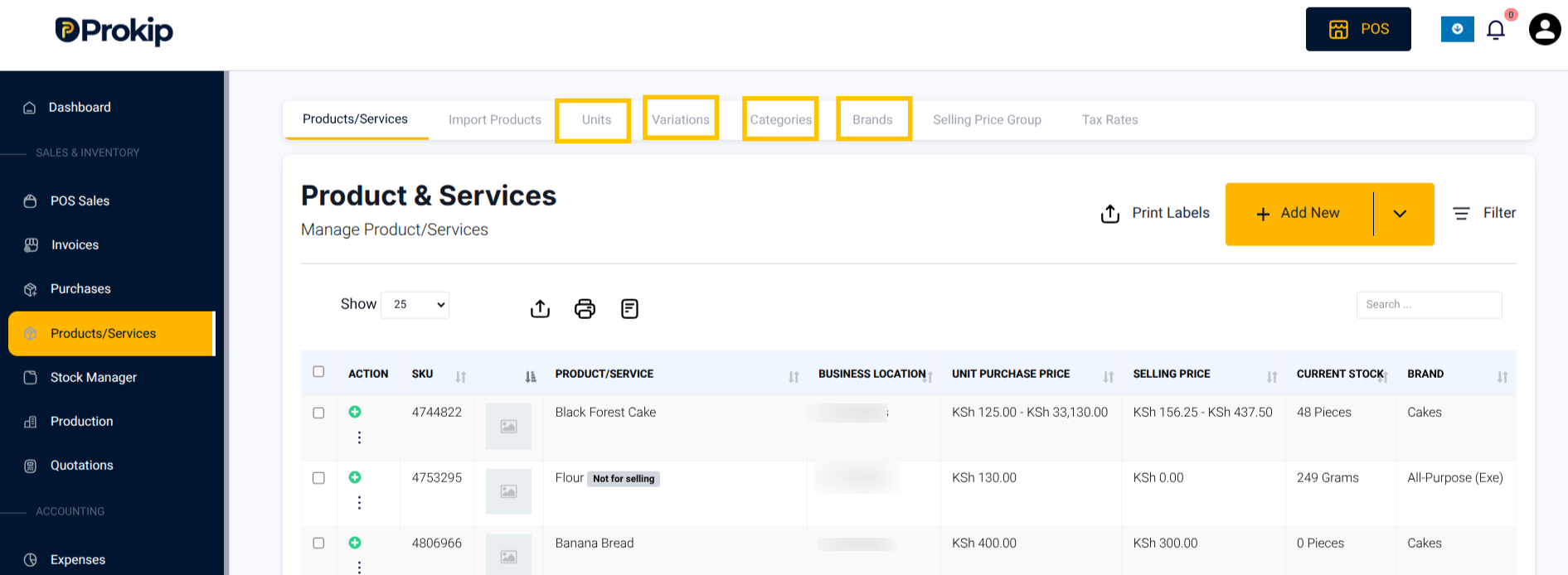
4. Fill in the required details for each setup.
Note: For detailed step by step setup of each refer to:
5. Click Save.
What Happens Next
Your units, brands, variations, and categories will be available when creating or editing products.
Troubleshooting
- If a product doesn’t show a variation, confirm the variation is assigned during product creation.
- If categories are missing, check if they were created under Categories.
- If units are not applying correctly, ensure Enable Sub-Units is turned on in Product Settings.