Prokip allows you to record sales from the Desktop App even when you are offline. Once you reconnect to the internet, your sales are automatically synced to the Web App, so you can view all transactions in one place.
Before You Start
Make sure:
- You’re using the same login account on both the Desktop and Web Apps.
- Your internet connection is active to enable syncing on Desktop App.
- You’ve completed and finalized sales on the Desktop App, and synced them.
How to Sync and View Desktop App Sales on the Web App
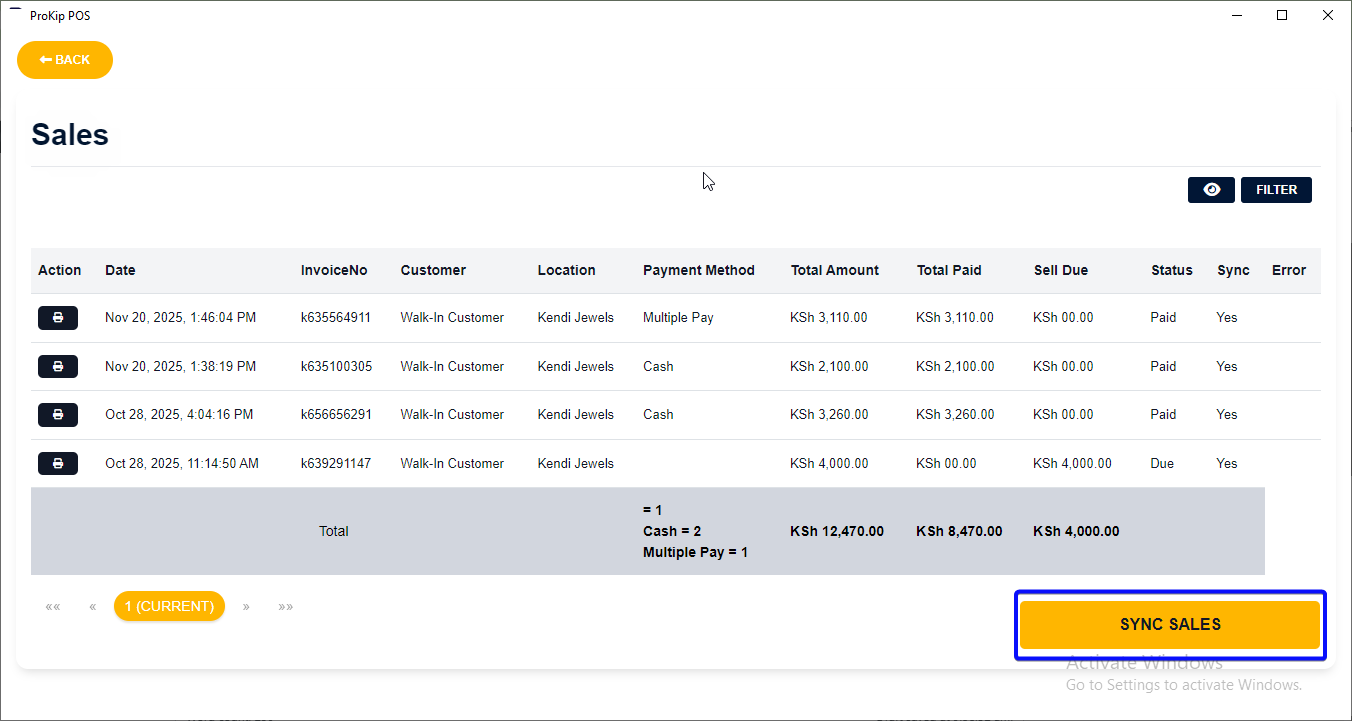
- Connect to the Internet – Ensure your desktop device is online. On POS sales, click sync sales to sync your recorded sales to the cloud when connected.
- Log in to the Web App – Visit https://app.prokip.africa/home
- Enter your username/email and password, then click Login.
Step 3: Go to the Sales Module
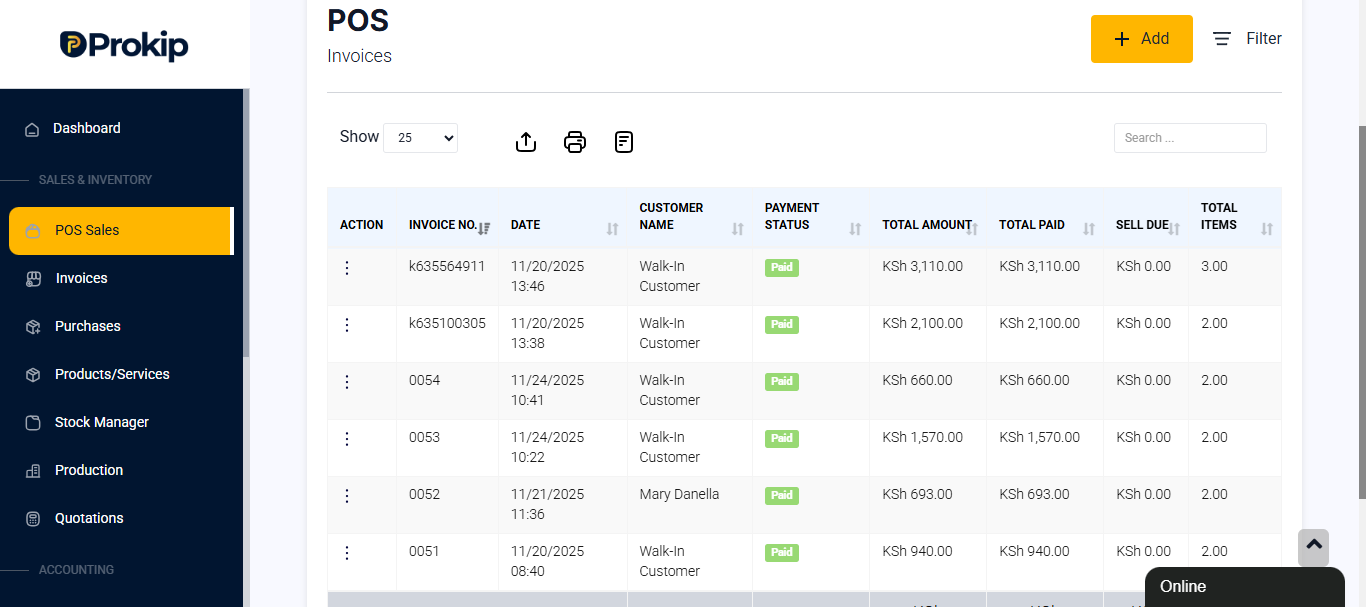
- From the dashboard, click on POS Sales.
- Here, you’ll see all sales — including those made on the desktop app.
Step 4: Verify Sales Details
- Look for the Location, Invoice No., Date, and Payment Status.
- If a sale was made offline, it will still appear here once synced.
Best Practices
- Always sync your desktop app after sales — especially before closing for the day.
- Use a stable internet connection for faster data updates.
- Check Reports → Sales to confirm all offline transactions are uploaded.
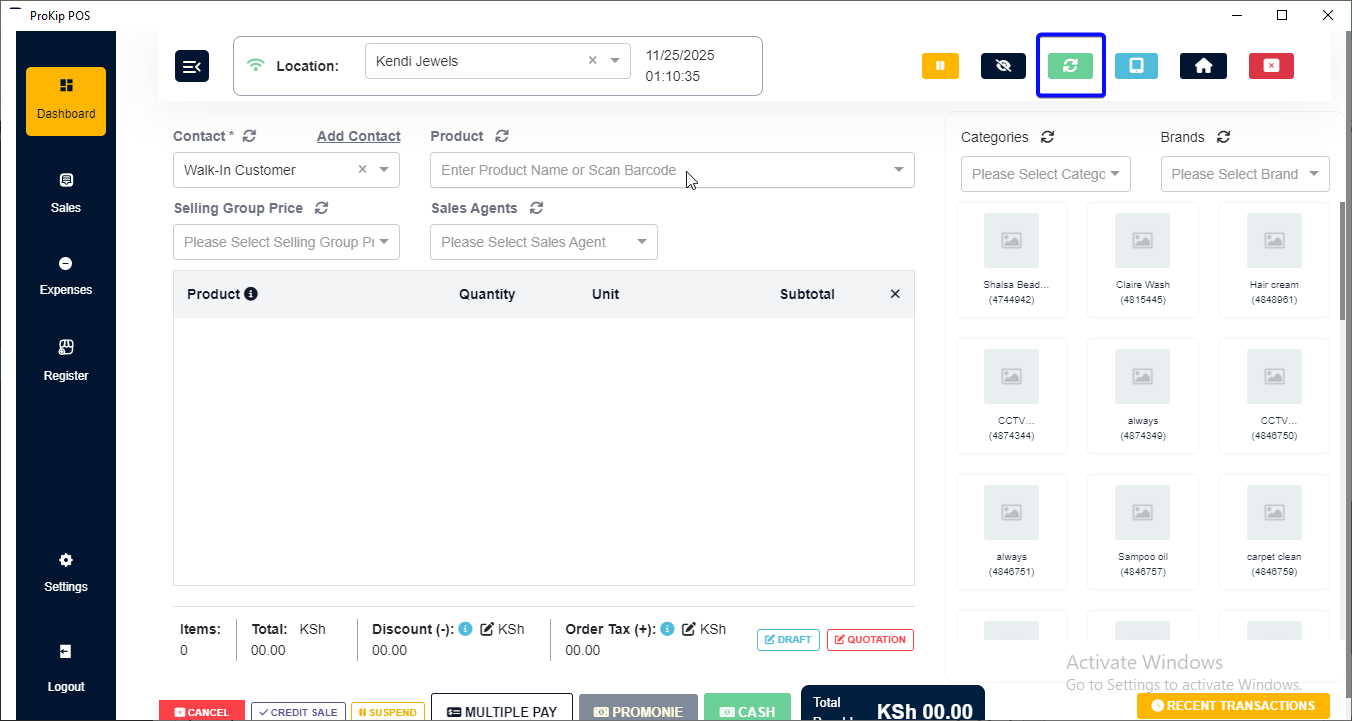
- If some sales don’t appear, click Sync All Data in the desktop app or refresh the web page.
- Ensure both apps use the same business location to avoid confusion.