This process helps you track money you pay to suppliers against purchase orders, invoices, or open balances.
Before You Start
- Make sure the supplier is set up in Contacts with type Supplier (or Both).
- Ensure you have a pending purchase / supplier invoice / outstanding balance recorded in Prokip.
- Know the payment amount, payment method, and date you will use.
Steps to Record a Payment to a Supplier
- Go to Contacts → Suppliers (or Contacts → All Contacts, filter by supplier).
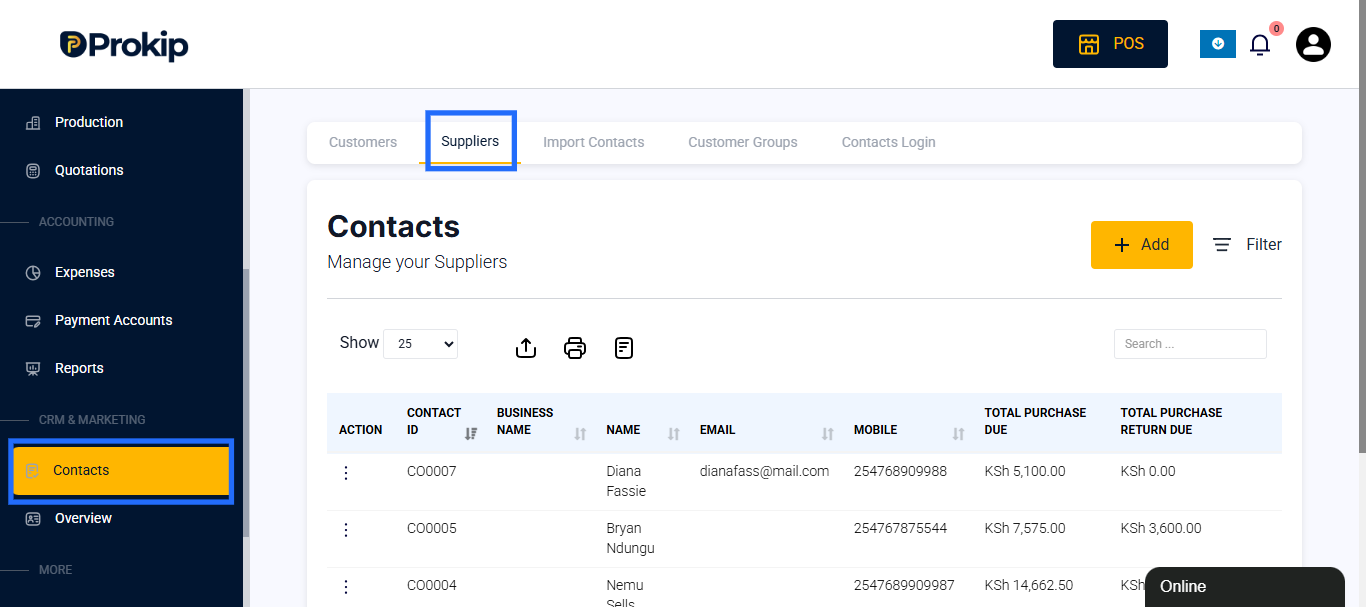
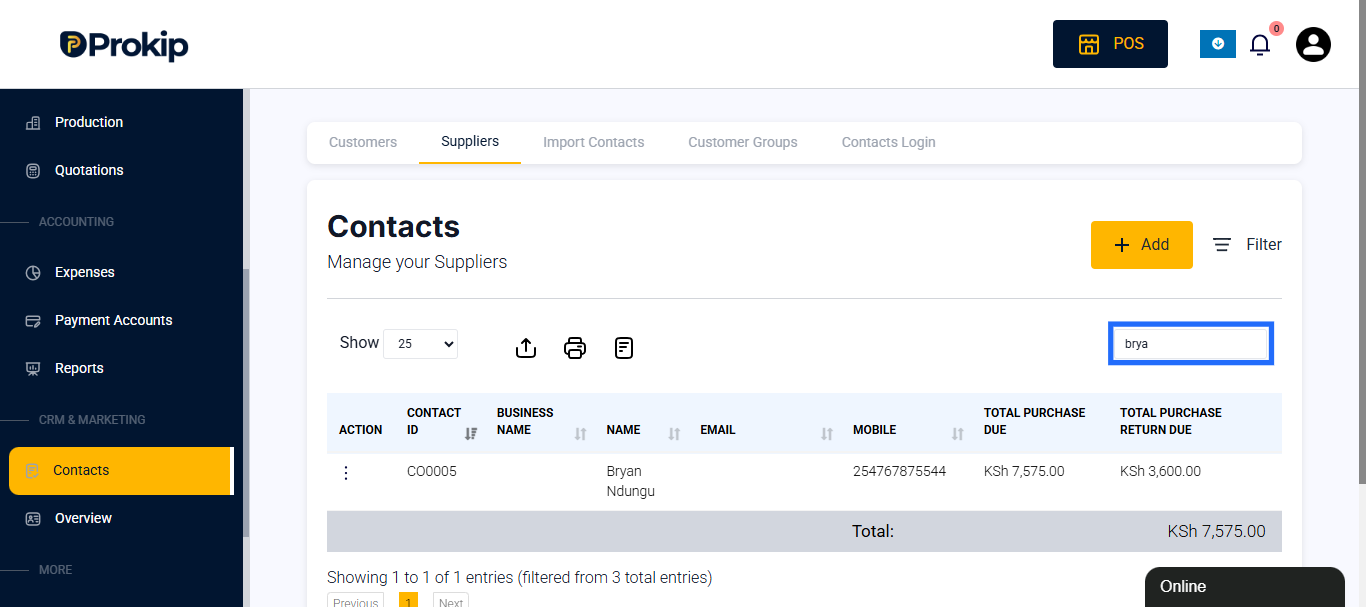
- Search and select the supplier to whom you want to record a payment.
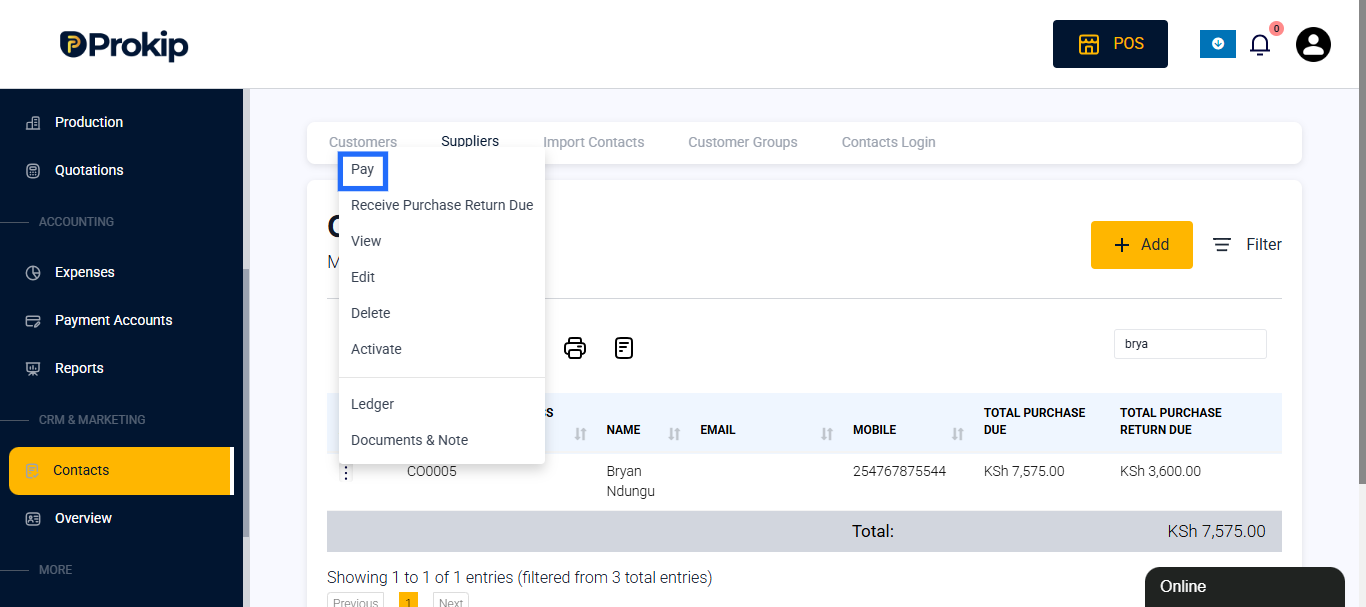
- Click Actions → Pay.
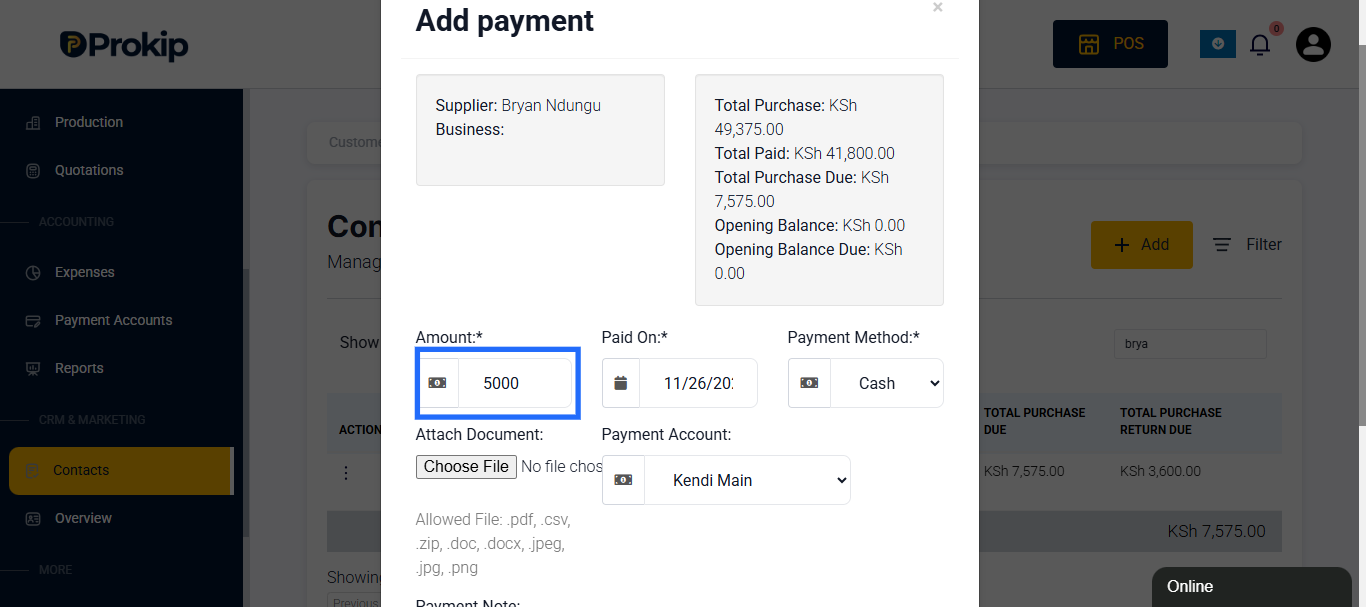
- Enter payment details:
- Amount Paid (e.g. KSh 2,000)
- Payment Method (Cash, Bank Transfer, etc.)
- Date Paid
- Payment Notes (optional: deal, invoice number, remark)
- Click Save. The supplier’s outstanding balance will be reduced by this amount.
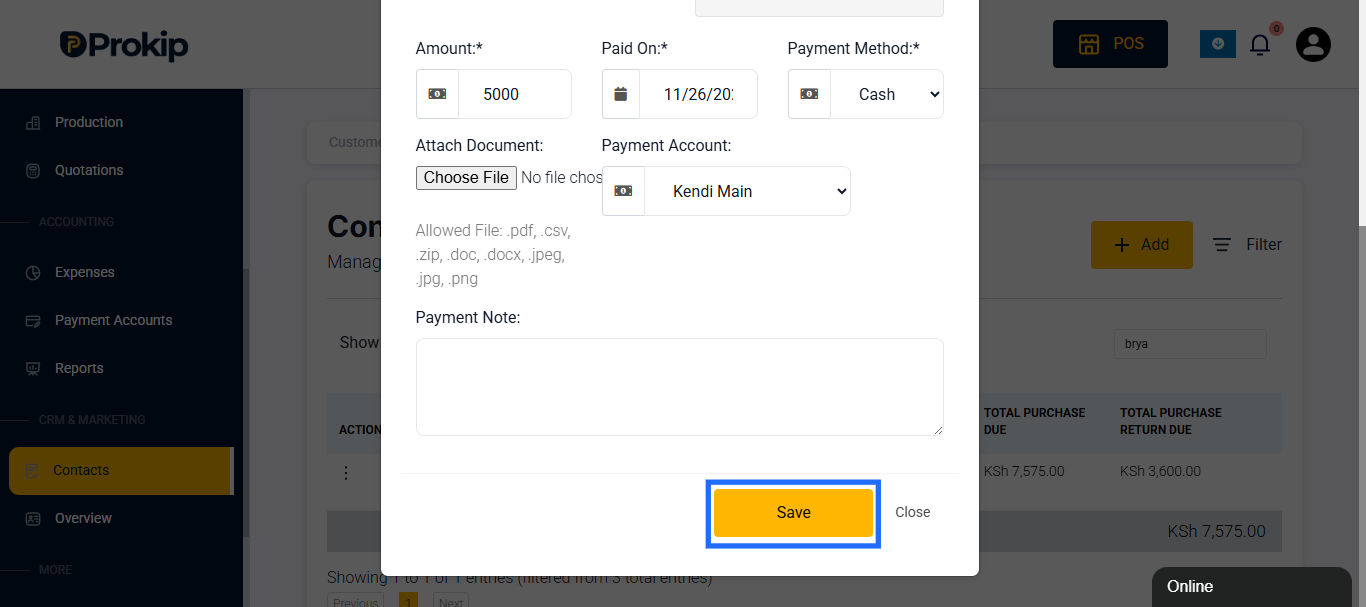
The transaction will appear under the supplier’s payment history / ledger.
How to Verify / View Payment History
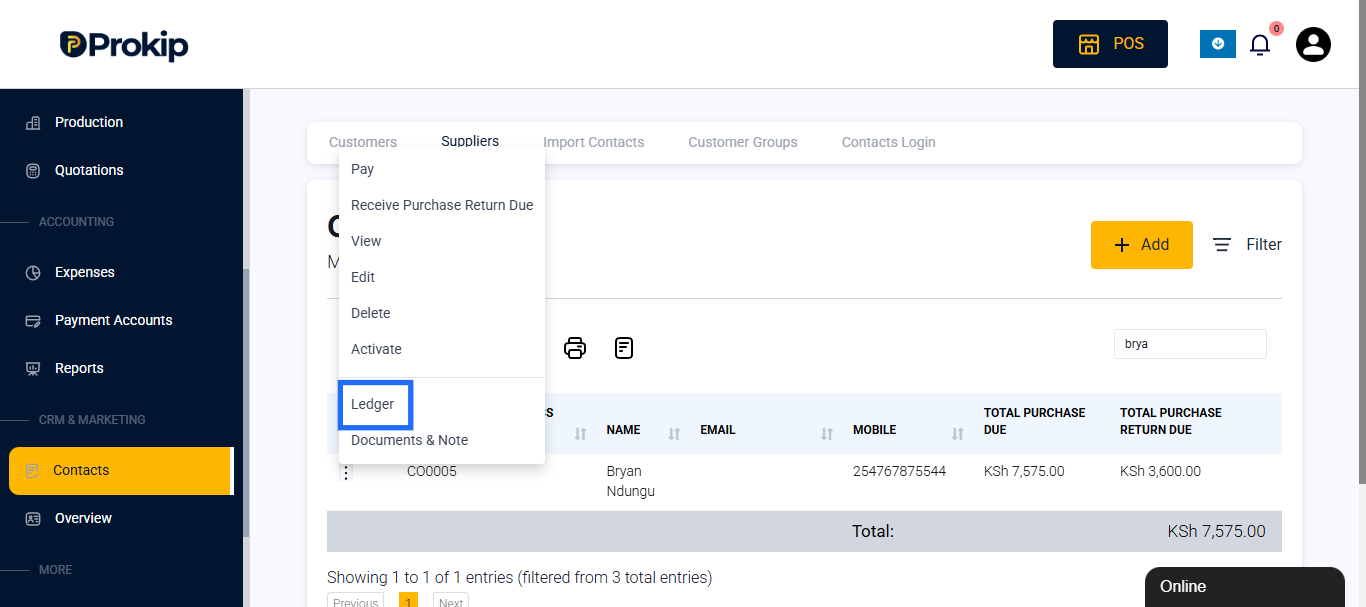
- Within the supplier’s profile, view the Ledger.
Best Practices
- Always match the payment to the correct invoice if possible (enter invoice reference).
- Include notes if payment is partial or covers multiple invoices.
- Use consistent payment accounts to simplify reconciliation.
- Reconcile supplier ledgers monthly to ensure no missed payments.