Use this if you want to update many products faster.
Steps:
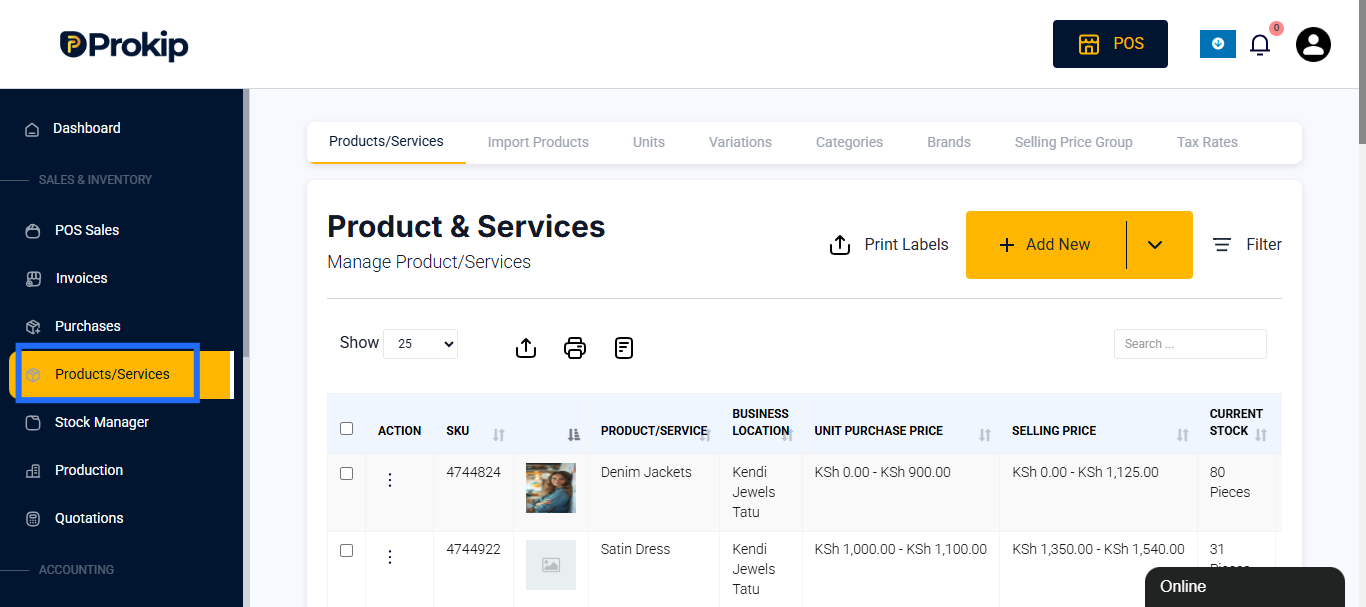
- Go to Products/Services.
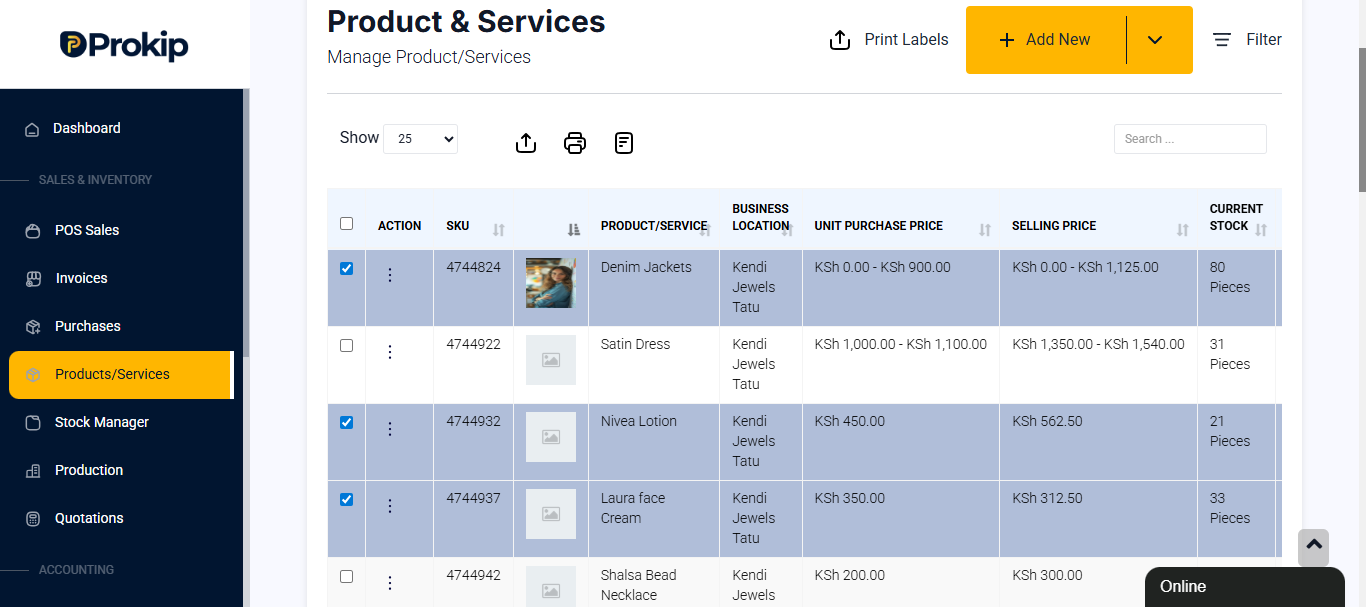
- Select multiple products using the checkboxes.
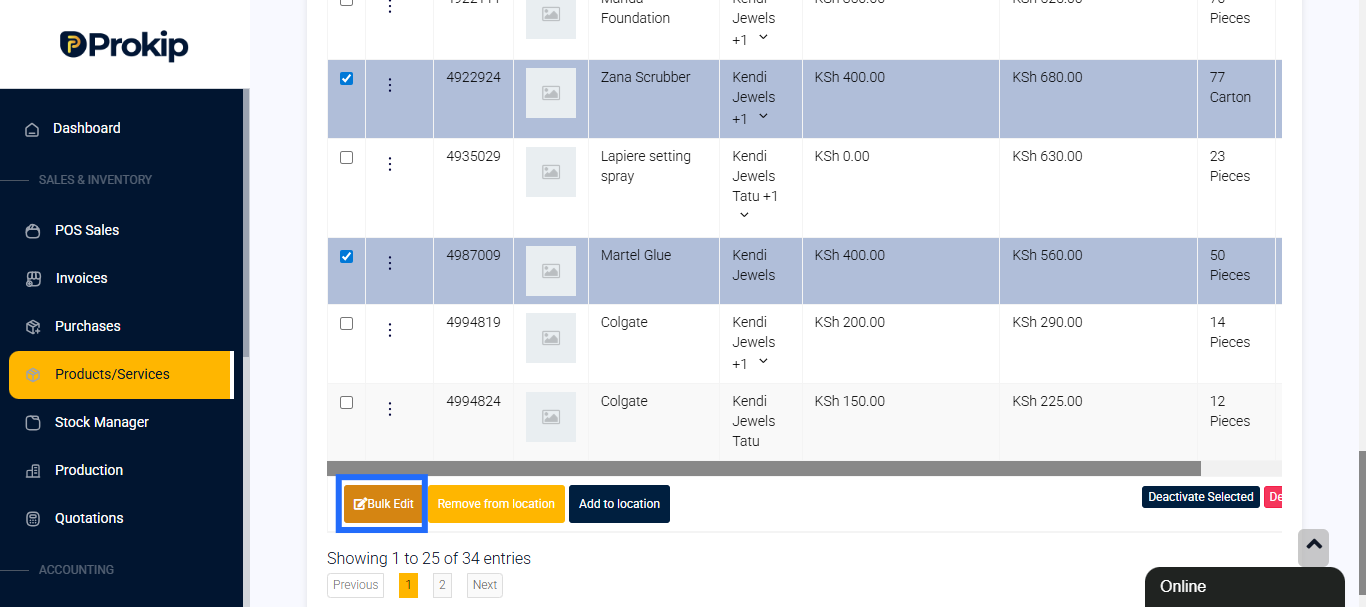
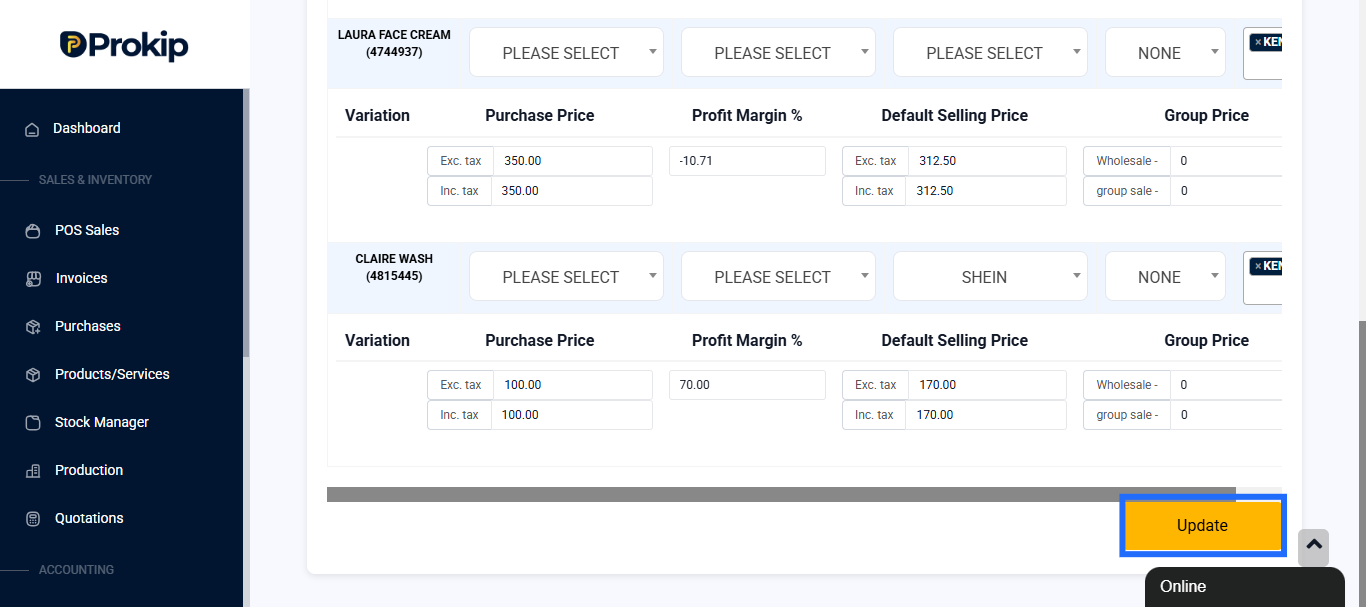
- Click on Bulk Edit.
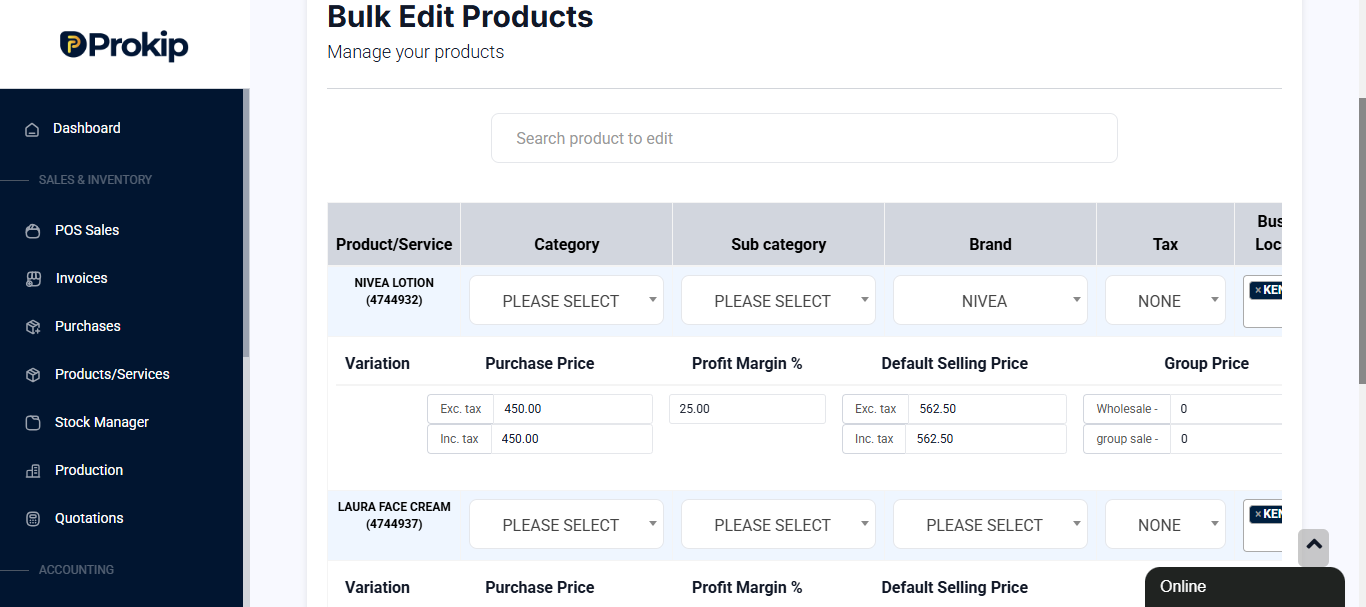
- Update shared details like:
- Selling Price
- Purchase Price
- Tax settings
- Categories or Locations
- Click Update to apply changes to all selected products.
Best practice:
- Only select products that need the same type of update (e.g., all beverages get a new tax rate).
- Avoid bulk editing sensitive fields (like SKU)