On the Prokip POS screen, you cannot directly change the selling price of a product. However, you can use discounts or price groups to adjust the final sale amount while keeping your pricing accurate and consistent.
Step 1: Open the POS Screen
- Log in to your Prokip account.
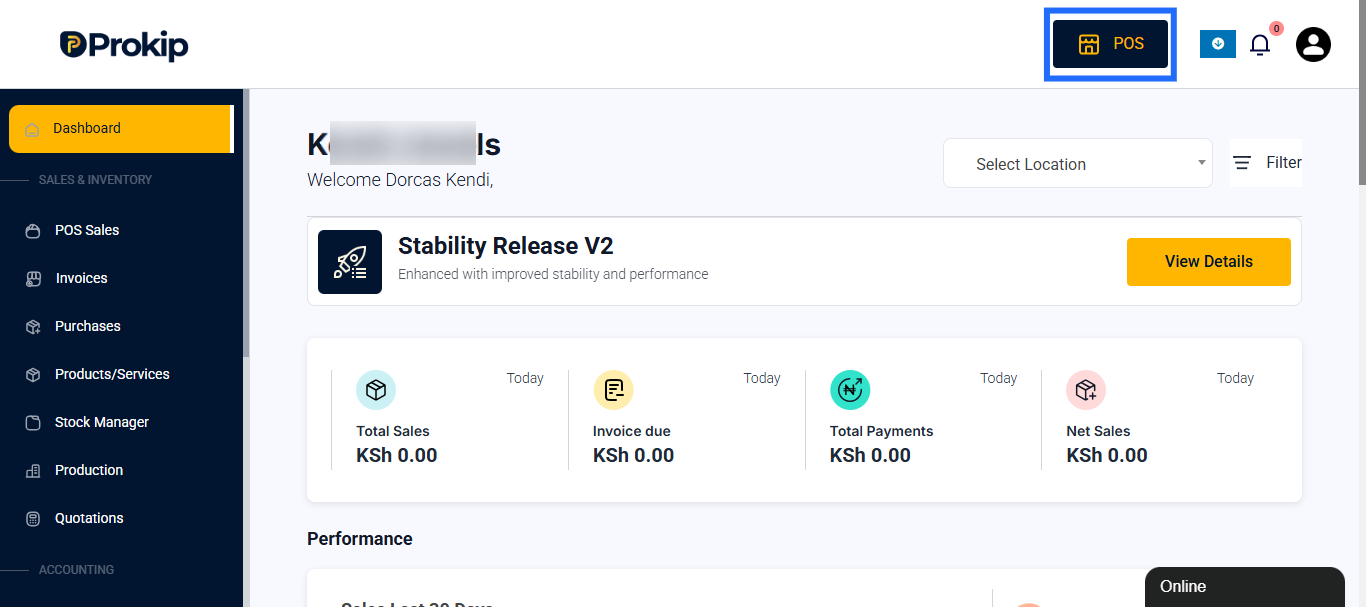
- Click on POS to open your sales window.
Step 2: Add Items to the Cart
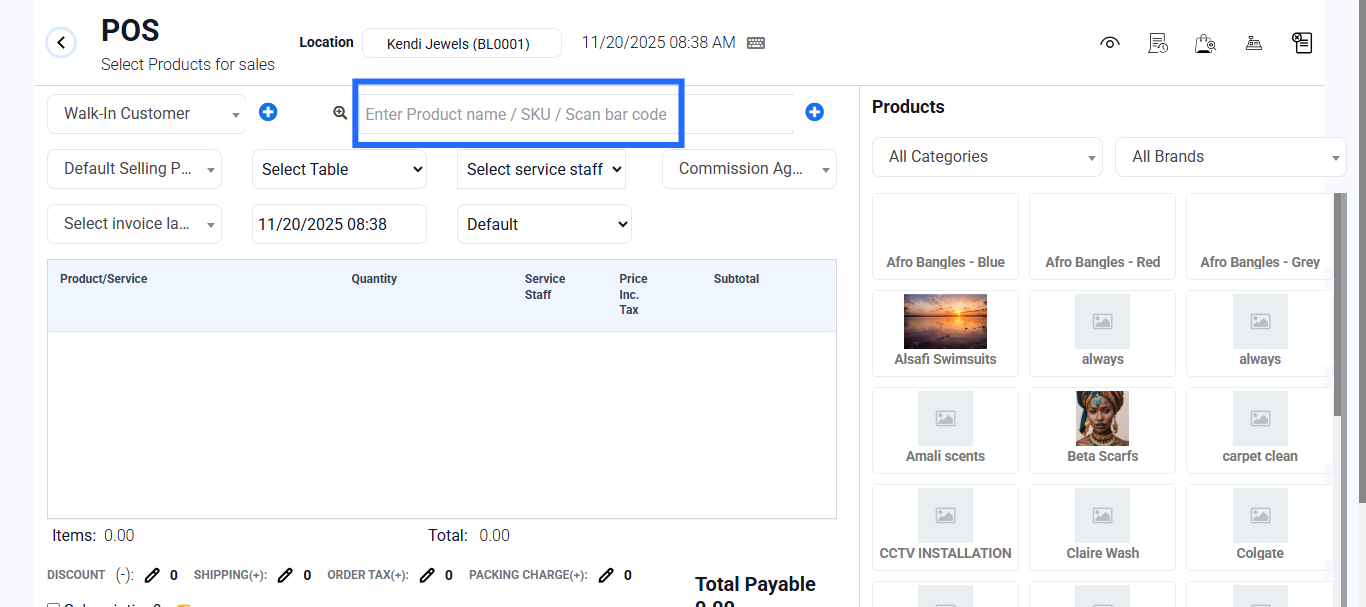
- Search for the product by name or barcode and add it to the cart.
Step 3: Apply a Discount (to adjust price)
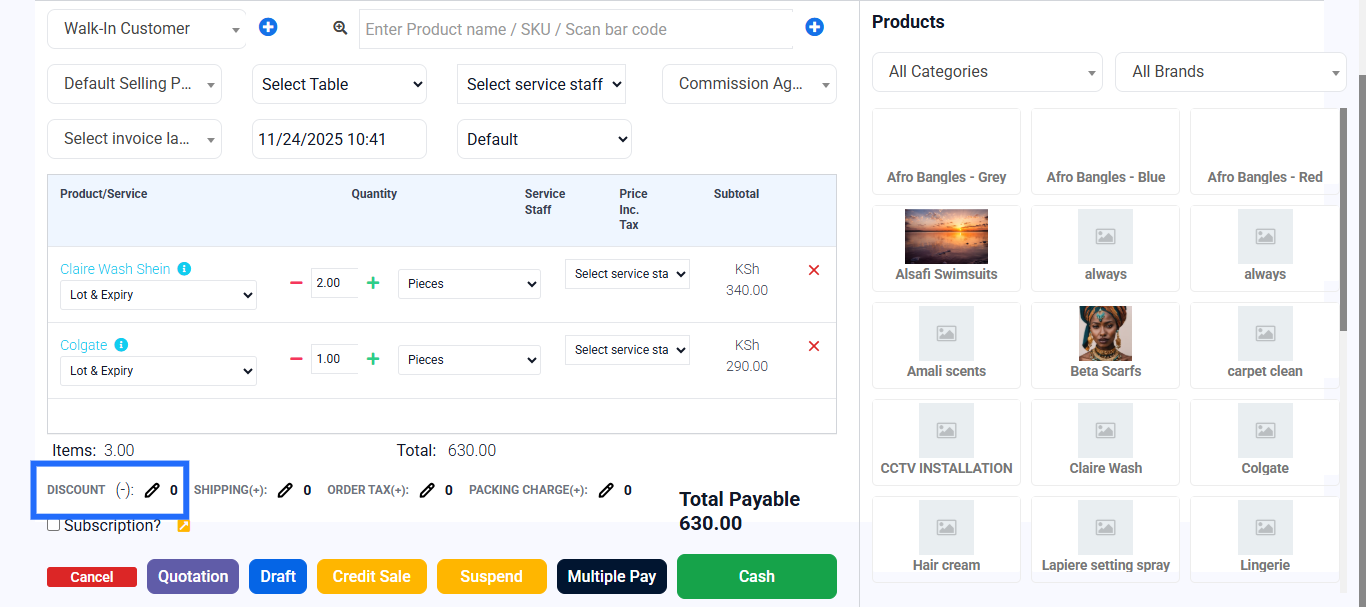
- Click on the Discount field beside the product in your cart.
- Enter either a fixed amount (e.g., ₦200) or a percentage (e.g., 10%).
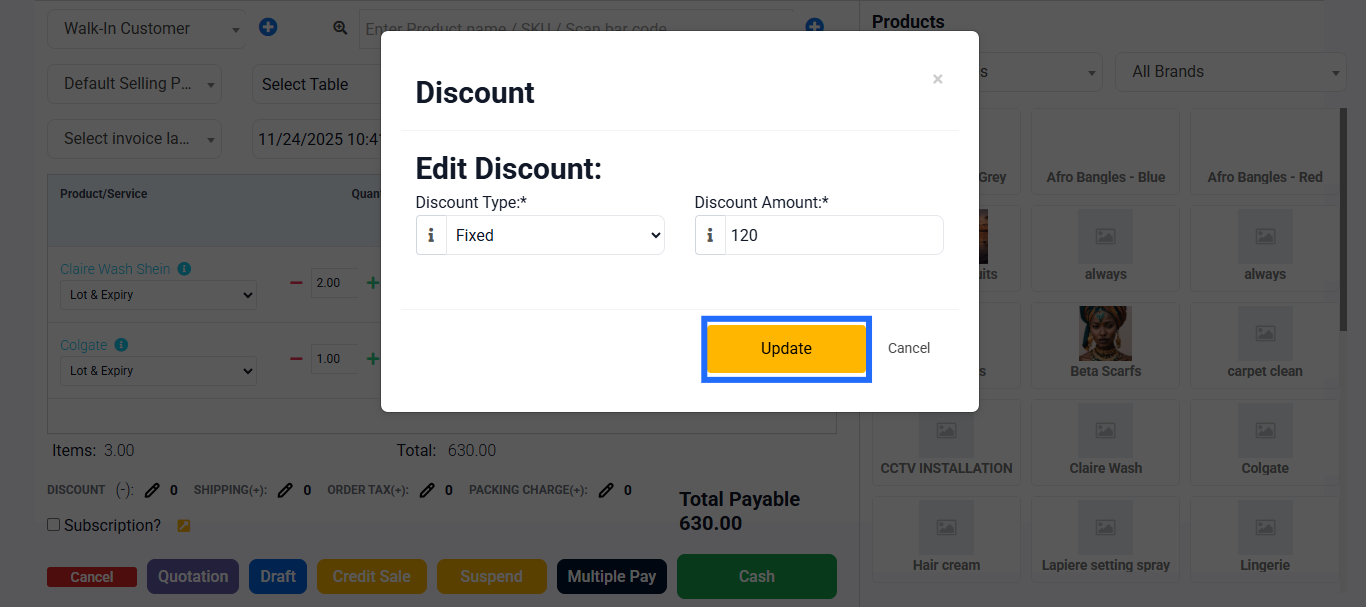
- The system will automatically reduce the total price based on the discount you enter.
Step 4: Confirm and Review Total – After applying the discount, check that the new total matches the intended sale amount.
Step 5: Choose the payment method (Cash, POS, or Transfer) and finalize sale.
Best Practices
- Use discounts to adjust prices during special sales or customer negotiations.
- If you need consistent custom pricing, set up Price Groups in the product settings — this allows different selling prices for different customer types or locations.
- Avoid frequent manual discounts to maintain profit margins.
- Only authorized users should apply discounts to prevent misuse.