Purpose
The Sales Commission Agent feature helps you assign agents to sales, track their performance, and automatically calculate commissions.
Before You Start
- Ensure the Sales Commission Agent feature is enabled.
- Decide on the commission type whether on Invoice Value or Payment received.
Steps
Log in to your Prokip account
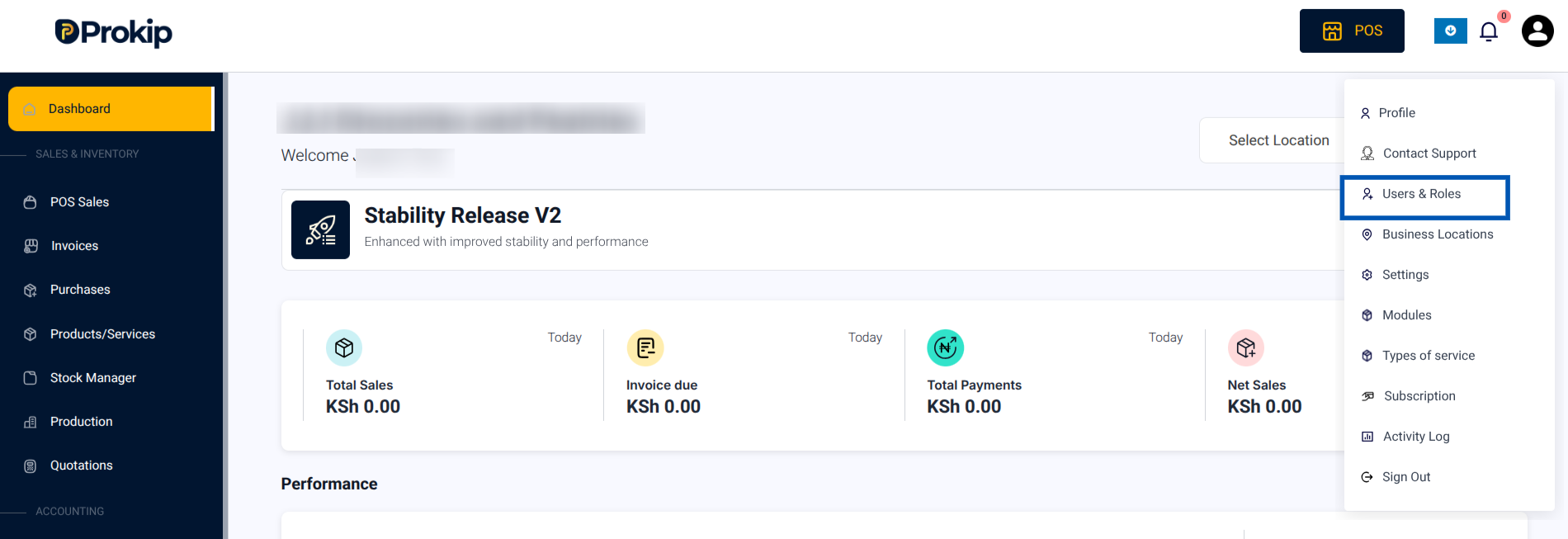
- Click on your Profile Icon in the top-right corner.
- From the menu, select Users & Roles.
3. Click Sales Commission Agents from the top menu.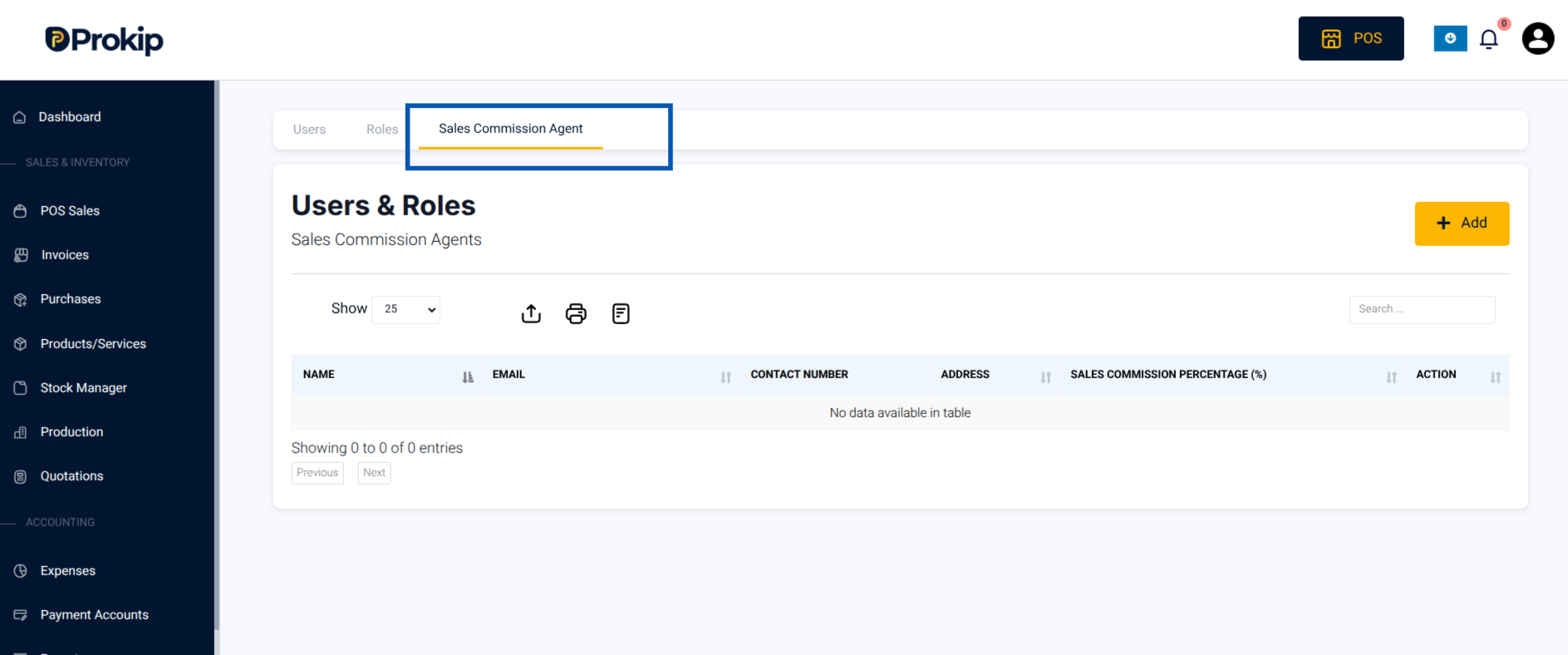
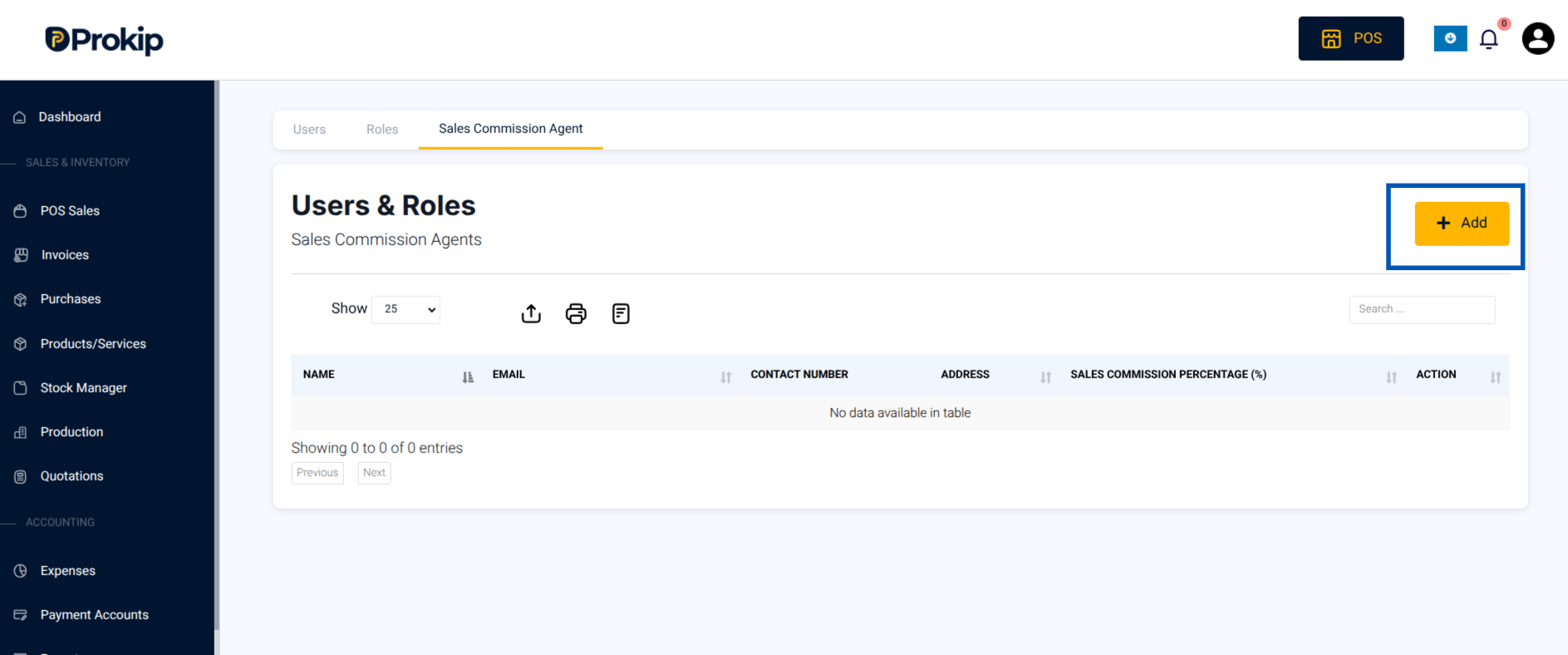
4. Click Add.
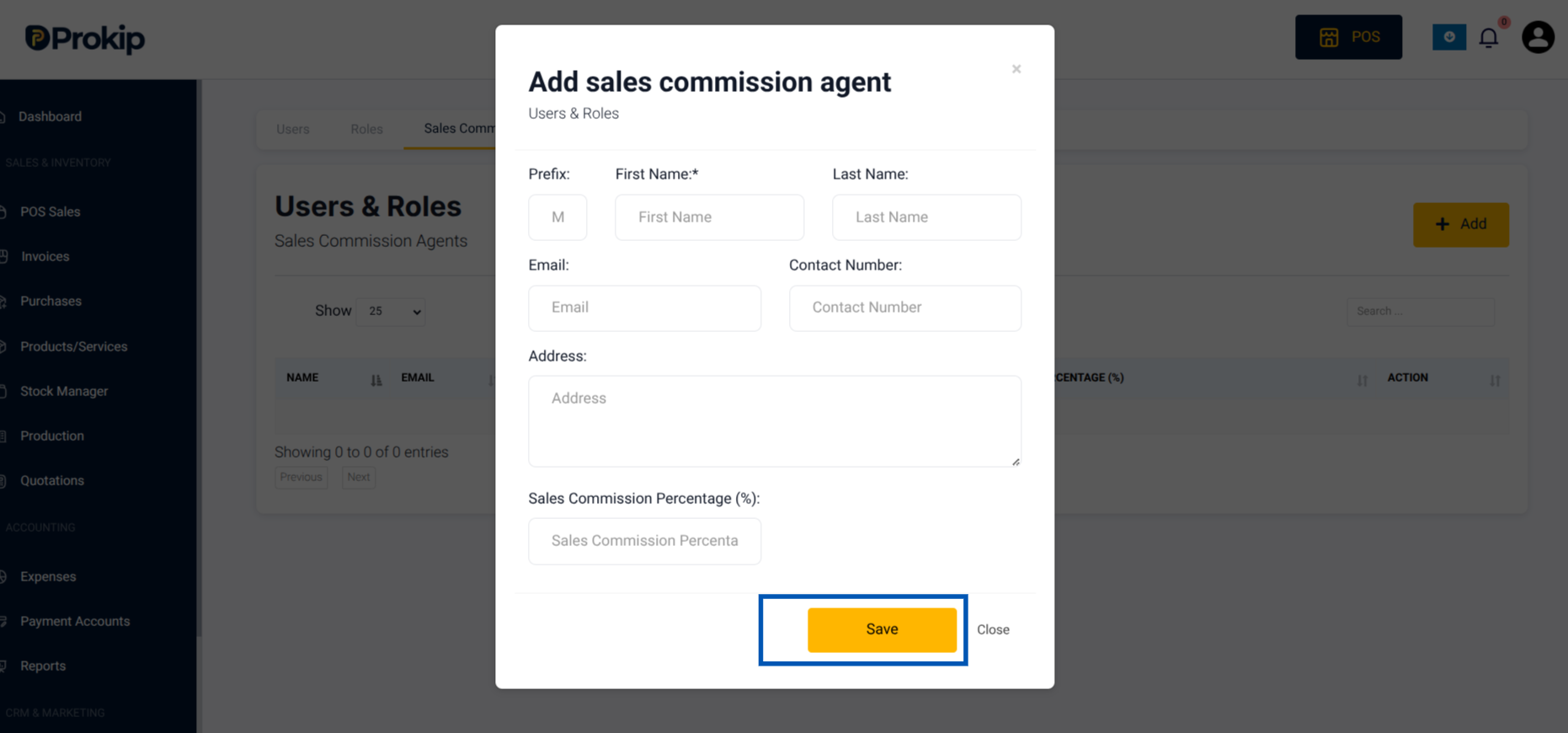
5. Fill in details such as:
-
- Agent’s name(mandatory)
- Contact information: mobile number, email, address)
- Commission percentage(%) per invoice (mandatory
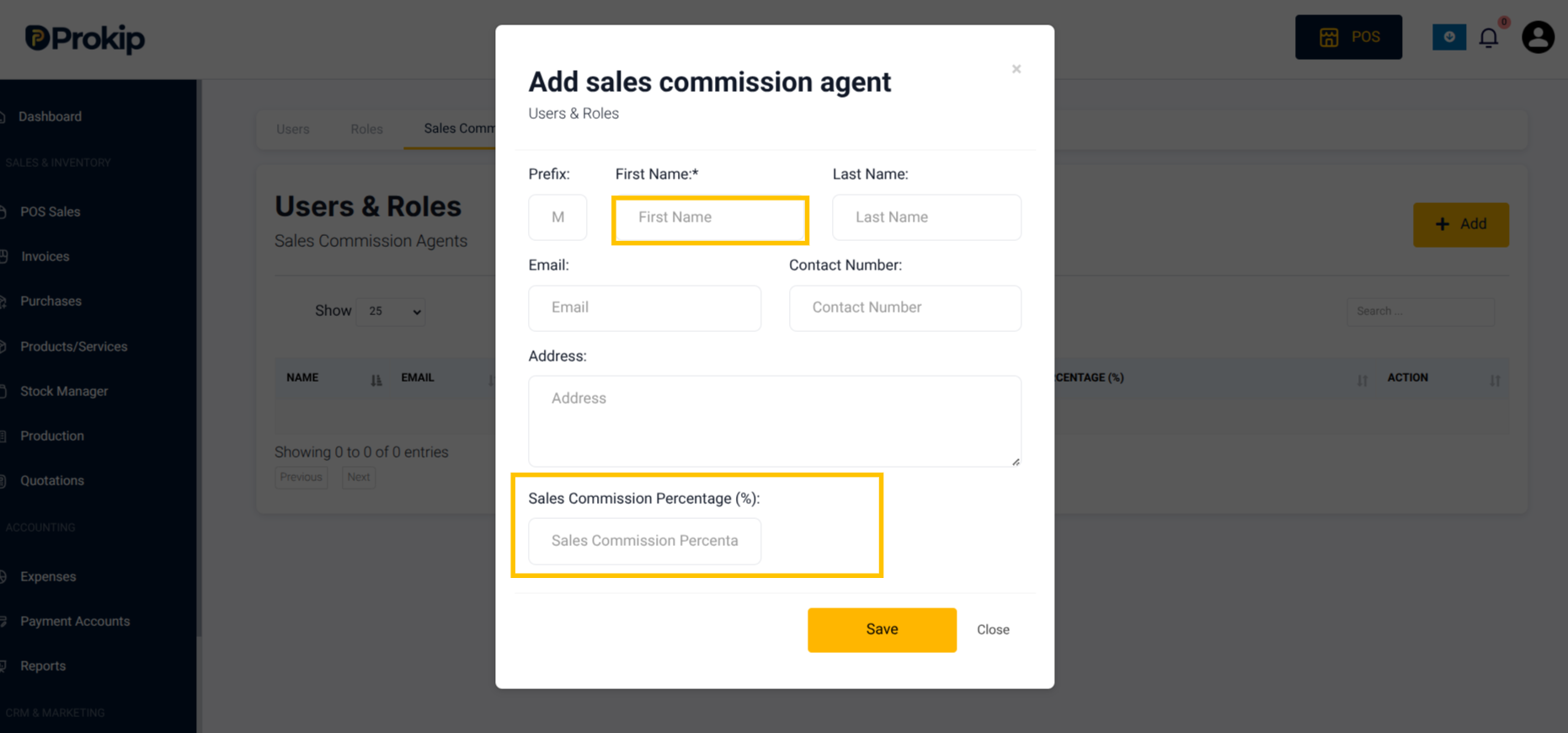
6. Click Save.
What Happens Next
- The agent will now appear in your sales entry screen.
- Commissions will be calculated automatically based on the setup.
Troubleshooting
- If commissions are not calculated, confirm if the agent is assigned correctly at the invoice level.
- If an agent does not appear, check that they were added under Sales Commission Agents.