Purpose
Enables you restock products when quantities are low or out of stock.
Steps
- Log in to Prokip.
- Click Purchases at the menu bar.
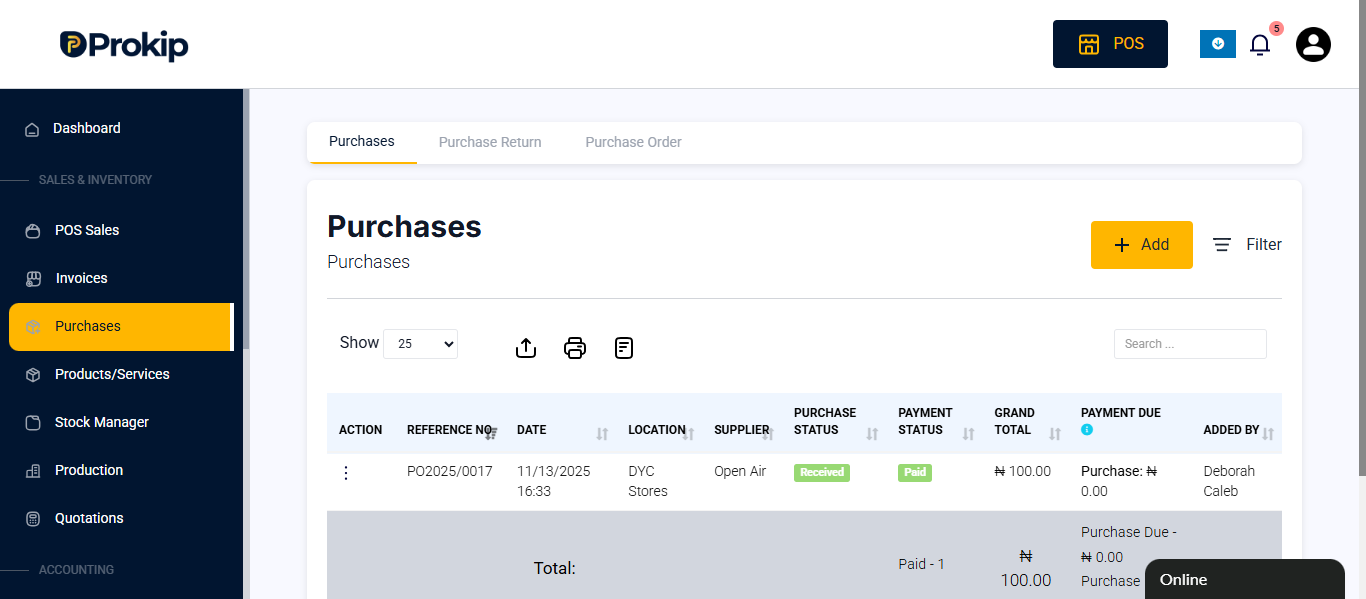
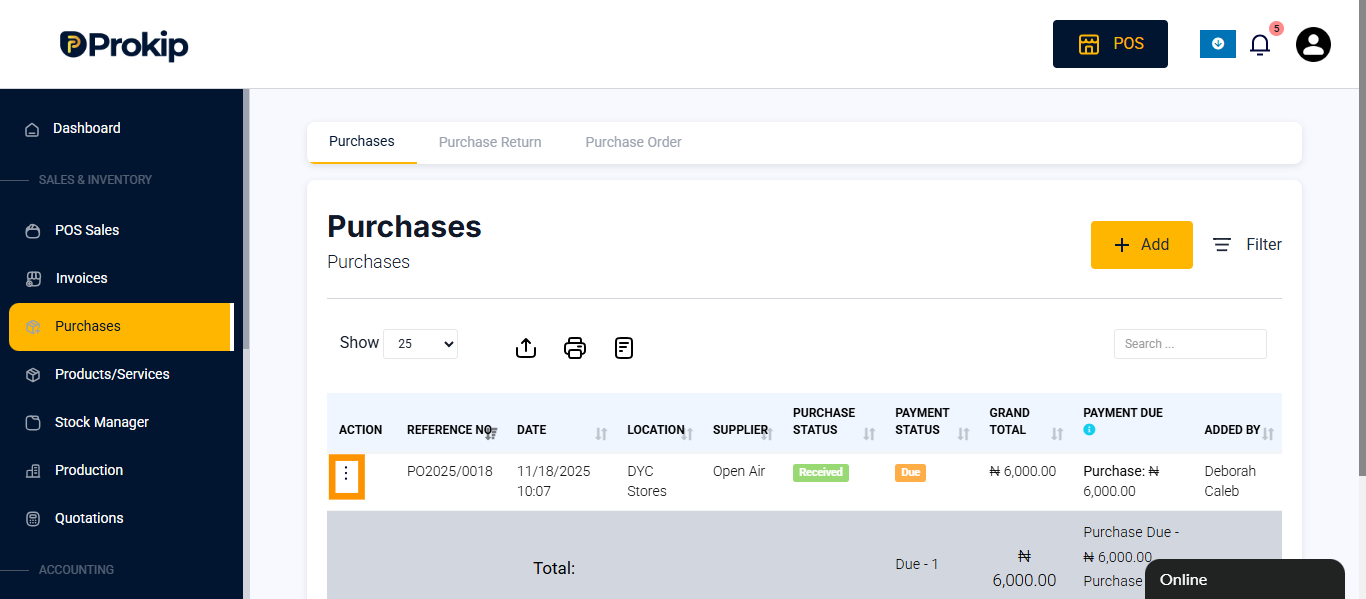
- Click the Action button.
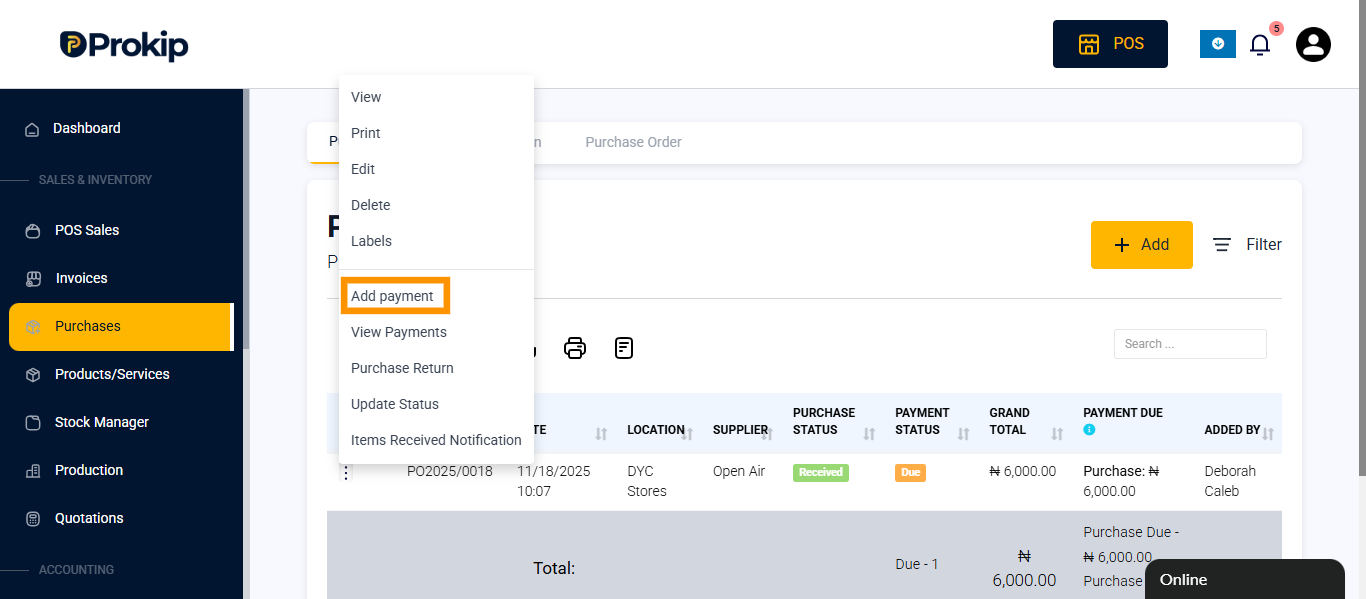
- Select Add Payment.
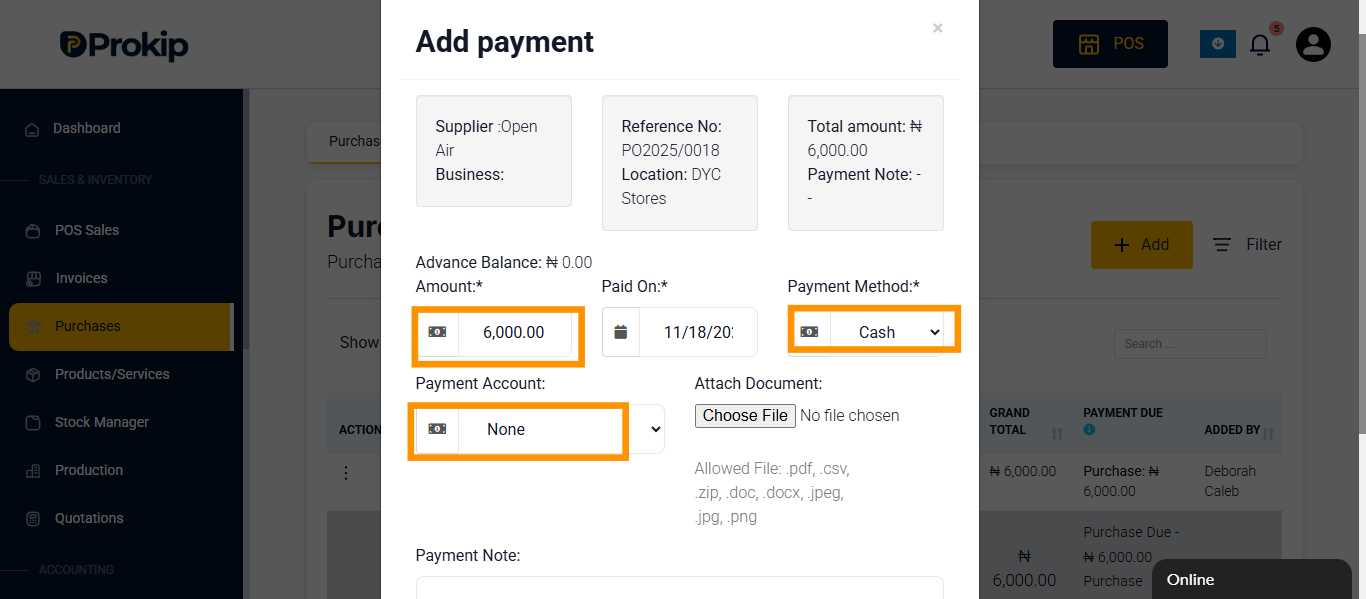
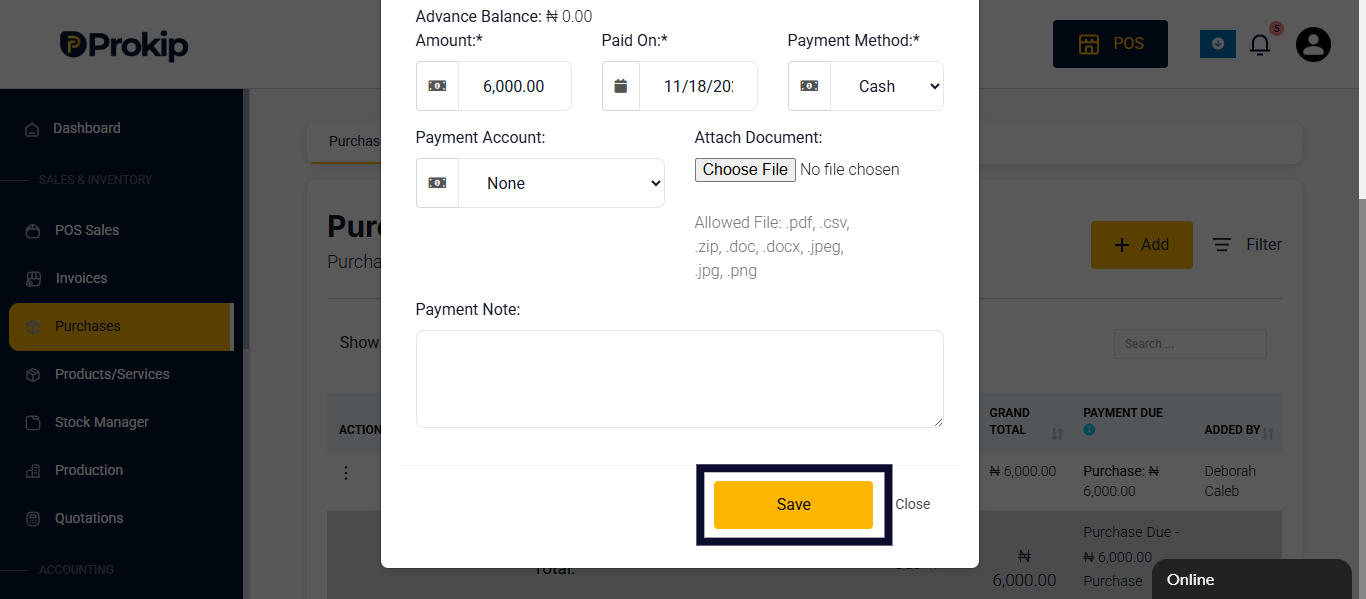
- Enter the payment amount select payment method and payment account.
- Scroll down and Click Save.
FAQ
Q1: Can I record credit purchases?
A: Yes, by leaving a balance unpaid.
Q2: Will purchases automatically update stock levels?
A: Yes, once recorded, your stock increases accordingly.
Q3: Can I view past purchase history?
A: Yes, under the Purchases section.