Before You Start
- Have the raw materials (ingredients) and finished products listed under Products.
- Confirm that you have permission to add or edit production entries.
- Add your business locations.
Steps
- Login to your Prokip account
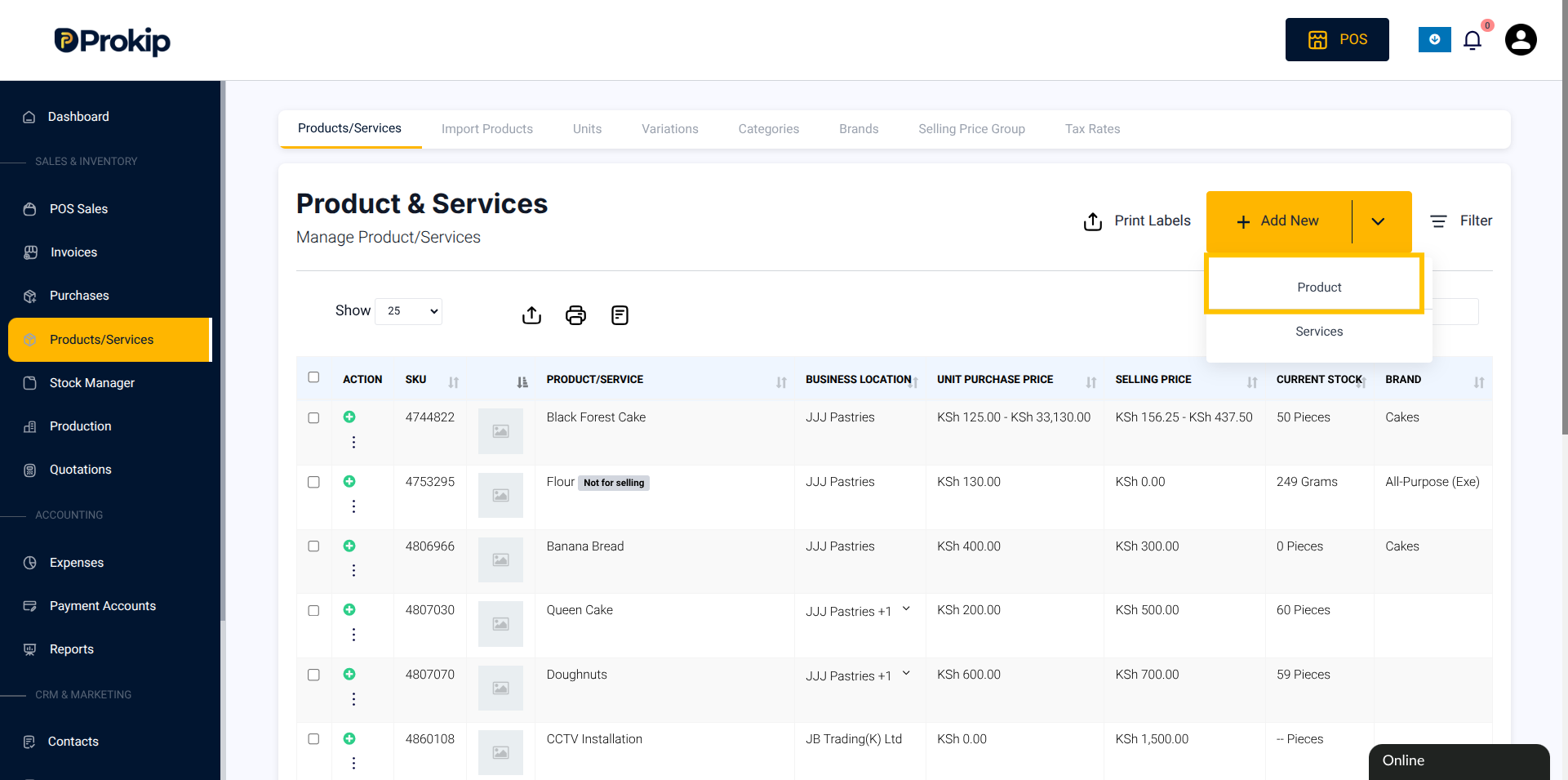
- From the left sidebar menu, select Products/Services
- Click Add New. Select Product.
4. Toggle ON “Not for selling” (since ingredients are not sold directly).
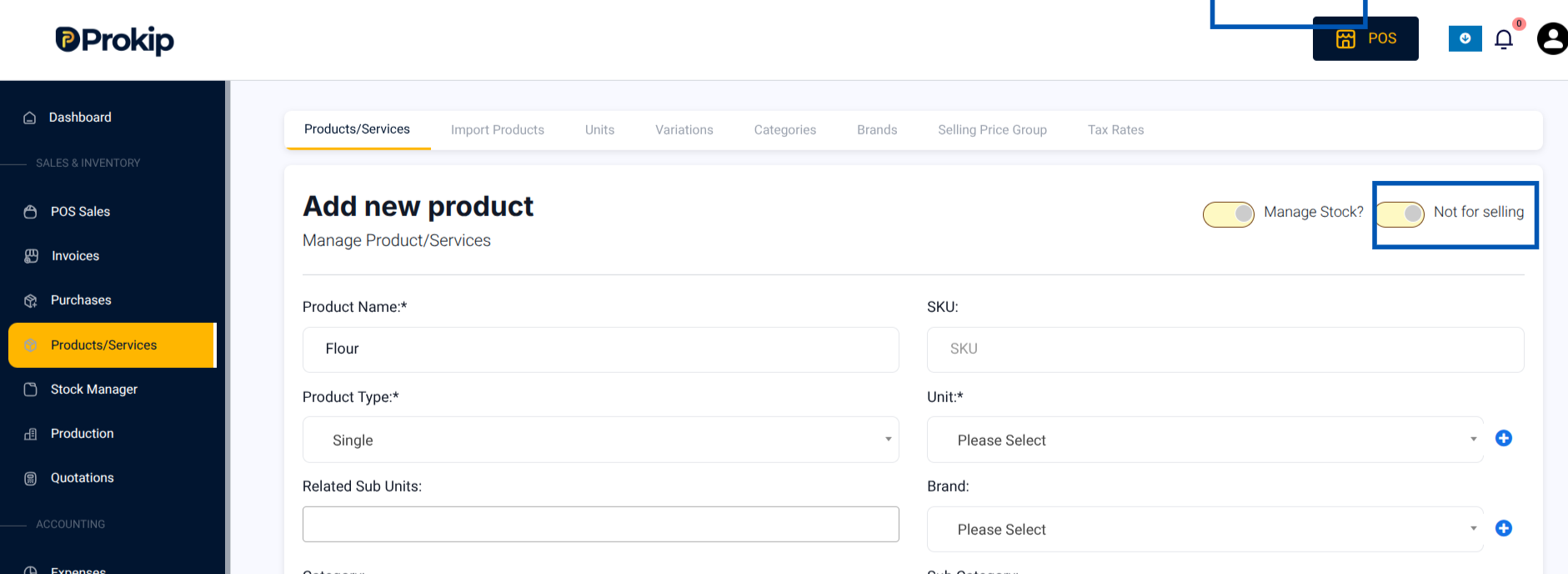
5. Enter the name of your ingredient (e.g., “Flour”).
6. Select or create a Unit (e.g., Cup, Kg, Litre).
7. To add a new unit, click the “+”Add Unit button.
8. Enter the Purchase Price (e.g., 200 per cup).
9. Leave Selling Price as 0.
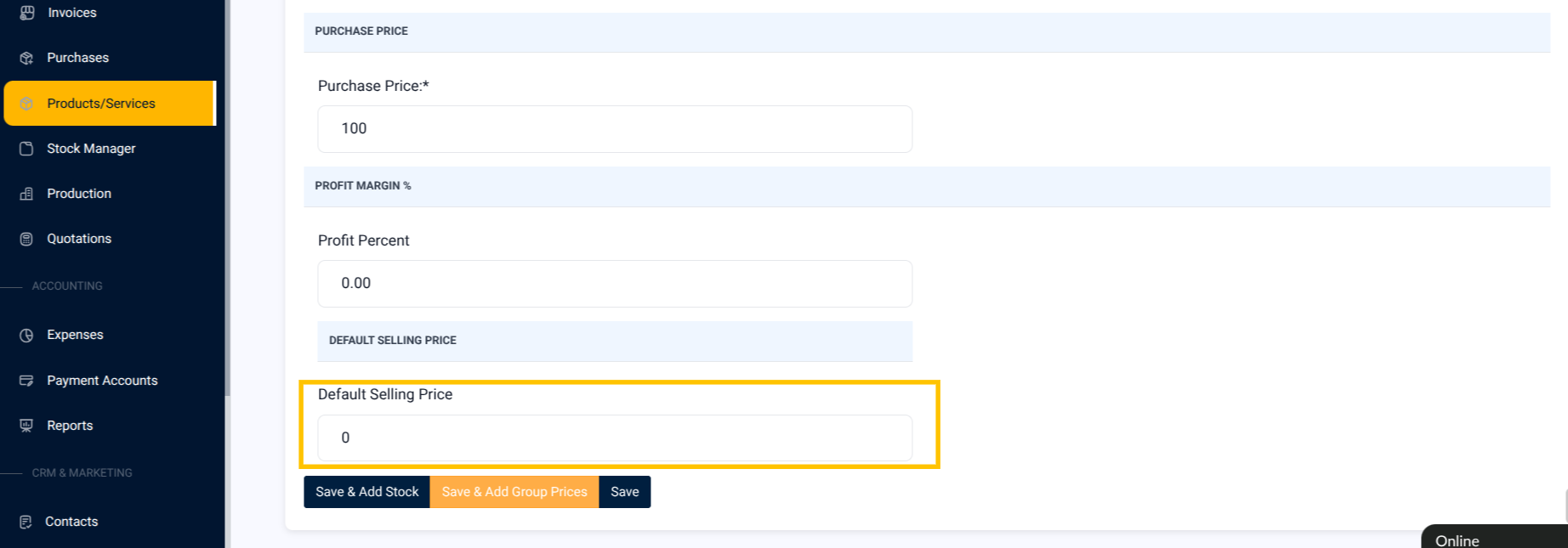
10. Click Save and Add Stock.
11. Enter the Quantity in stock (e.g., 100 cups).
12. Click Save.