Purpose
Assign staff to locations to track who handles transactions and maintain accountability.
Steps
- Log in to Prokip.
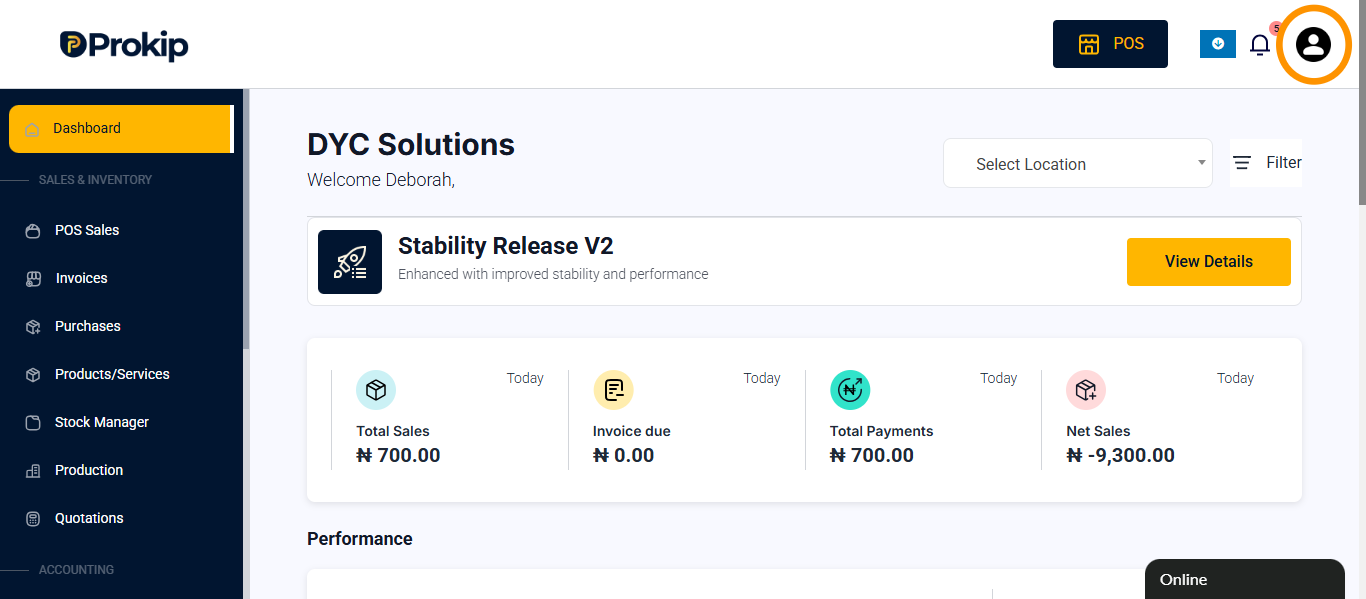
- Click the Profile Icon (top-right corner).
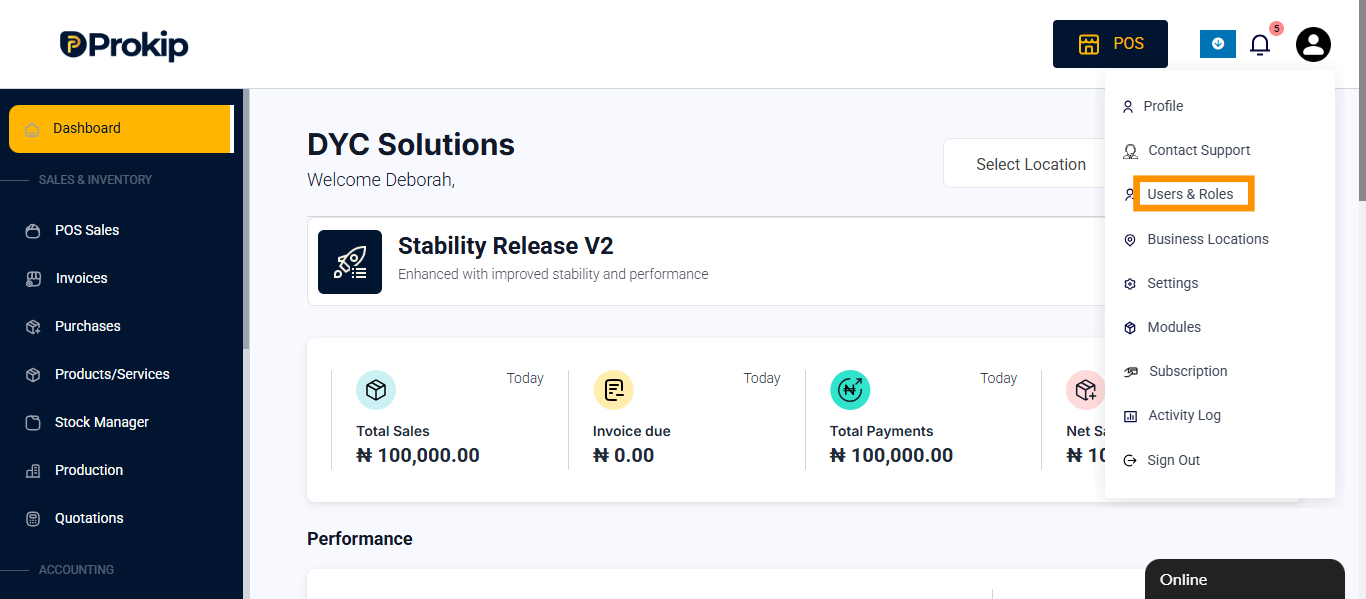
3. Click Users & Roles.
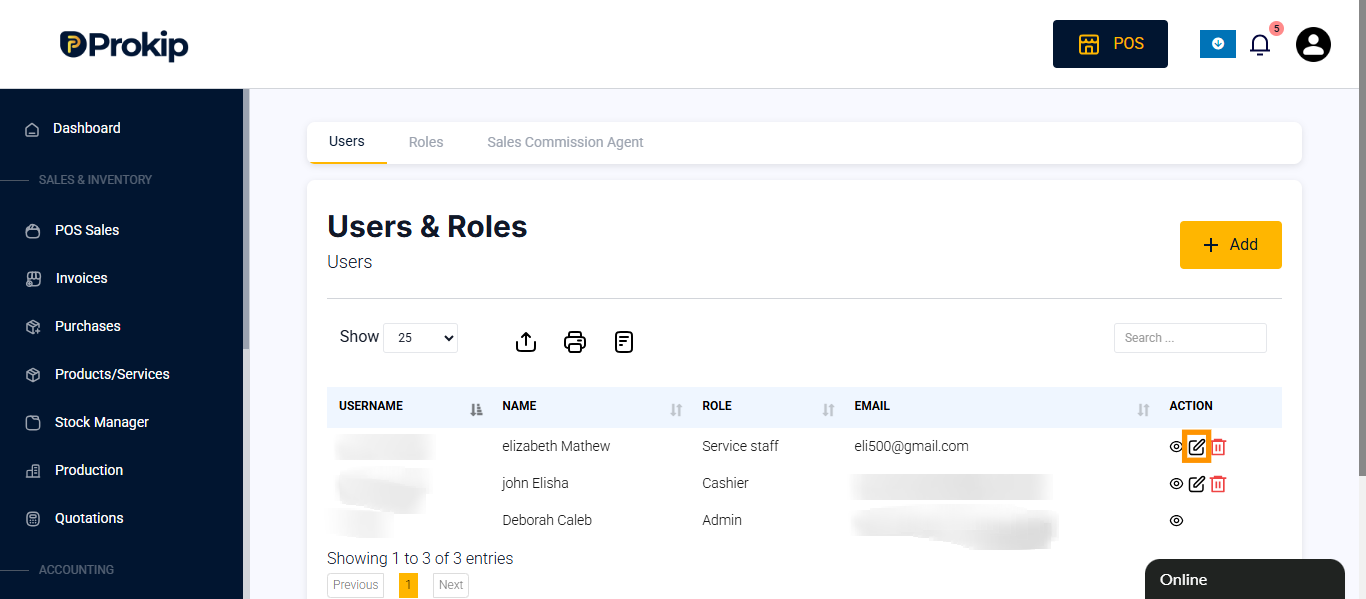
4. Select the staff and click Edit.
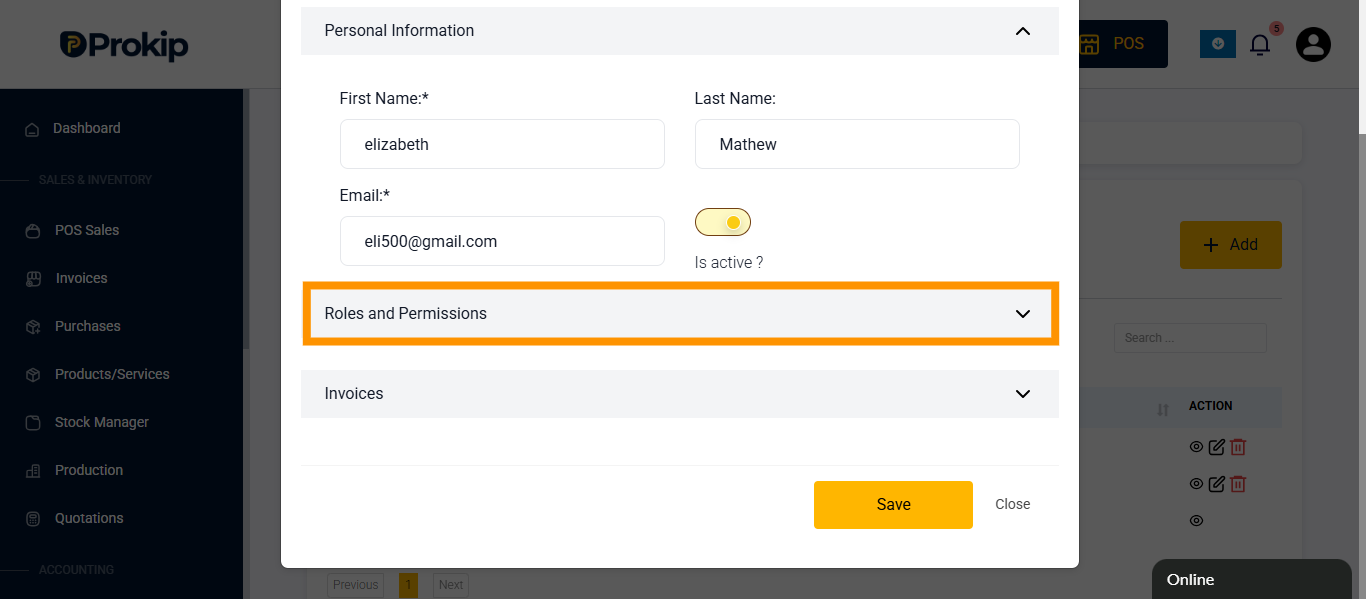
5. Scroll down and click on Roles & Permissions.
6. Go to Access Location and select the location you want the staff to access by clicking on the checkbox.
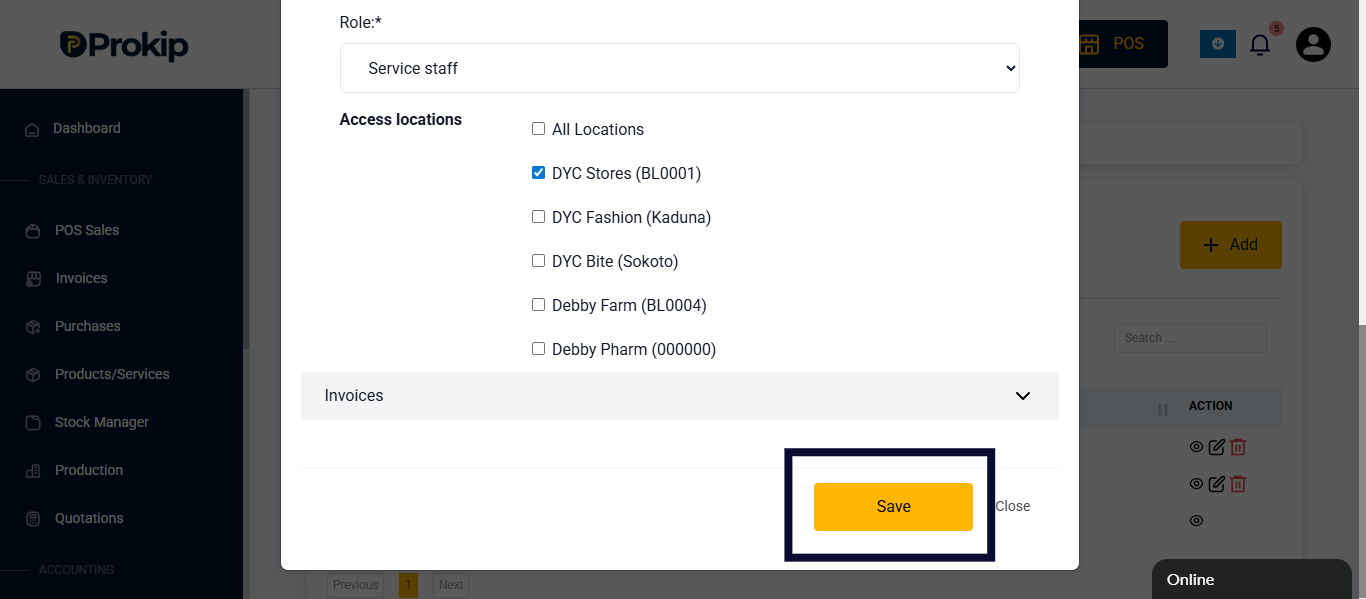
7. Click Save.
FAQ
Q1: Can staff be assigned to more than one location?
A: Yes, if their role permits multi-location access.
Q2: Can assigned staff see other locations?
A: Only if given permission in Roles & Permissions.
Q3: How can I reassign a staff member?
A: Edit their profile and update their assigned location.