Negative profit occurs when the cost of a product is higher than the amount it was sold for. This means the business loses money on that sale. Monitoring negative profit helps you identify pricing issues, incorrect cost entries, or large discounts that may affect your overall profitability.
In Prokip, you can review product profitability using the Profit Report, which provides several ways to analyze profit across products, categories, invoices, and customers.
Step 1: Open the Profit Report
-
Log in to your Prokip dashboard.
-
Navigate to Reports.
-
Open the Profit Report.
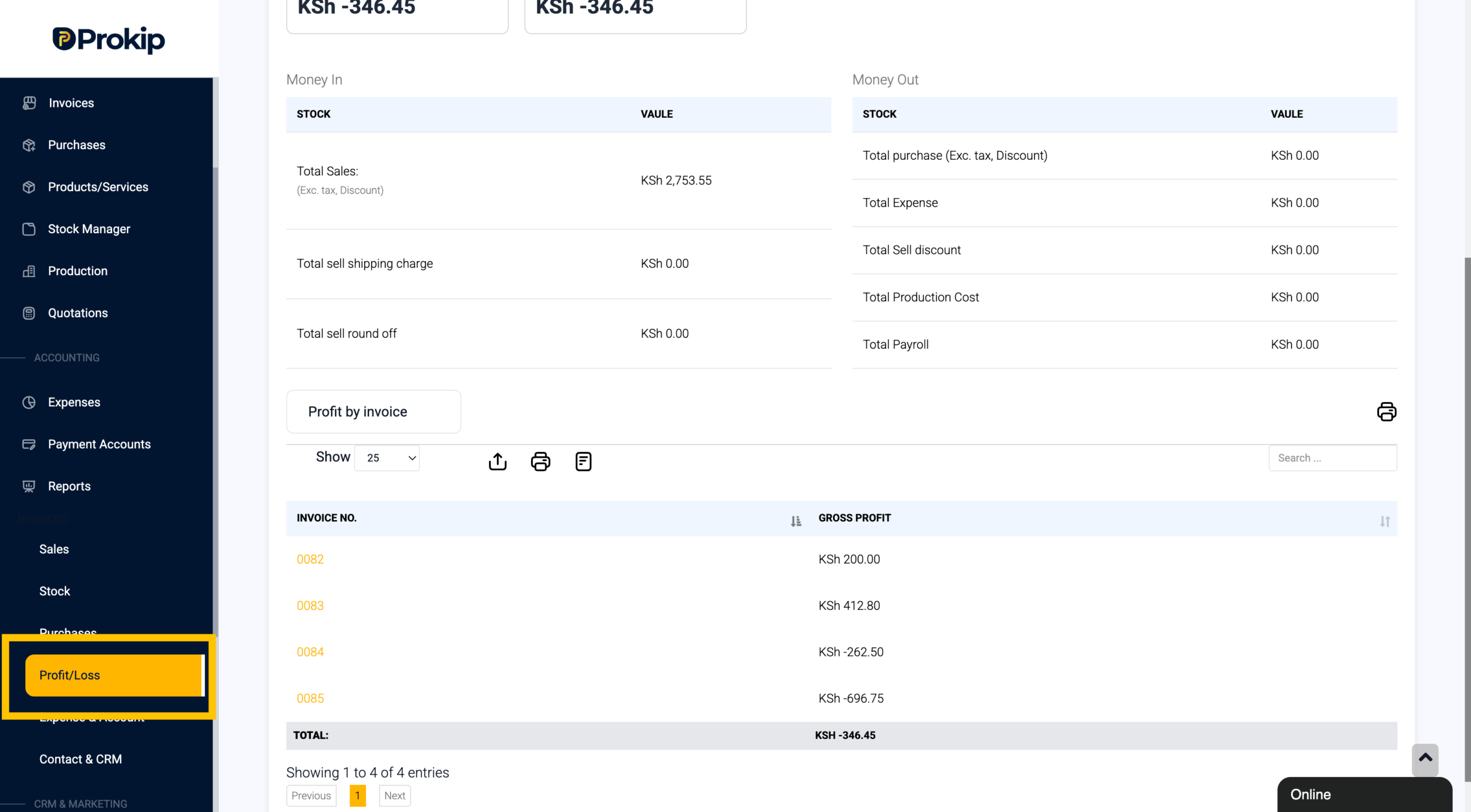
This report displays profit information based on your sales data.
Step 2: Apply Filters to Analyze Profit
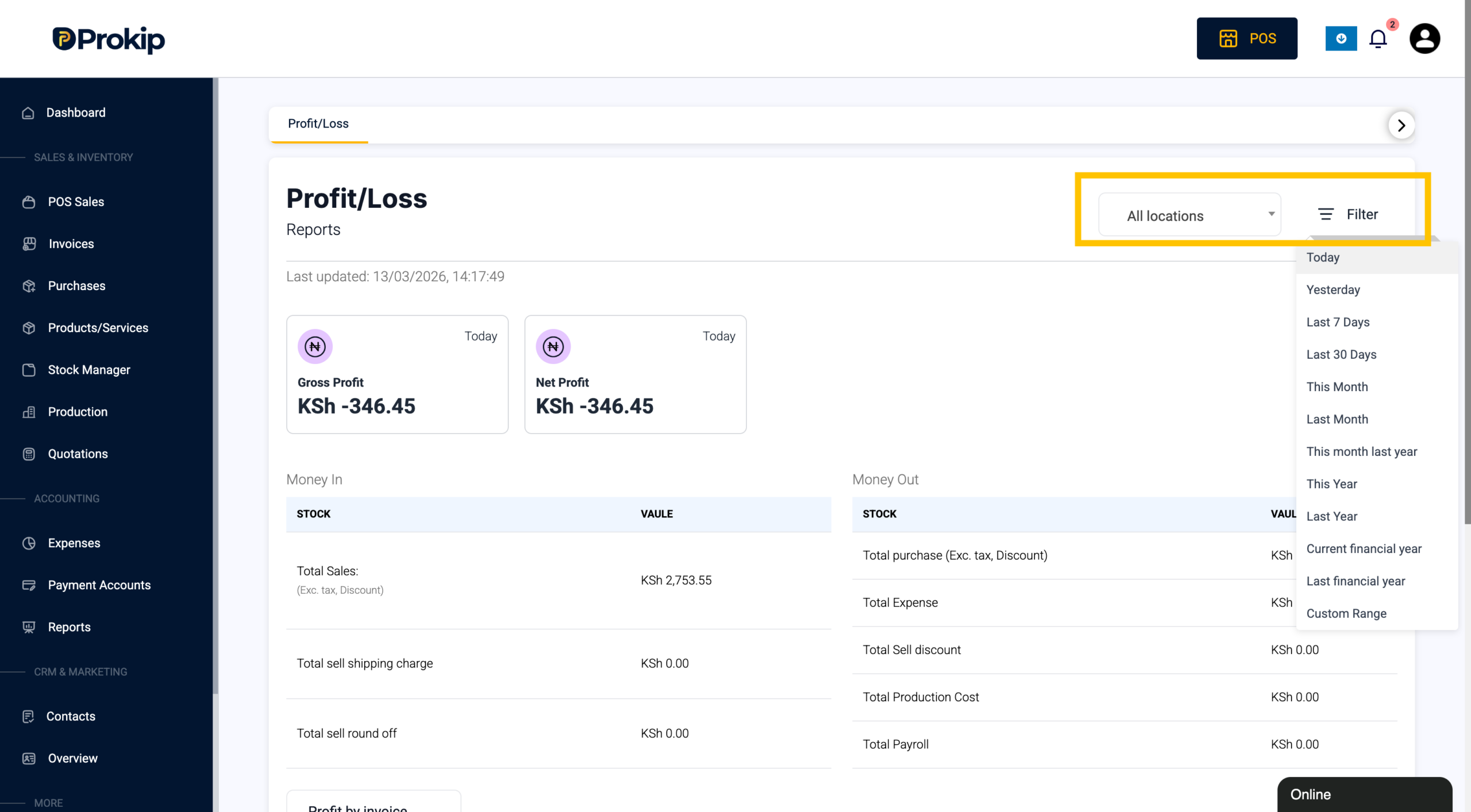
At the top of the Profit Report, you can use several filters to analyze profit from different perspectives.
The available filters include:
-
Date – View profit within a selected time period.
-
Location – Filter results by a specific business location.
Below the stock value summaries, we also have filter dropdown with;
-
Profit by Products – View profit for each product.
-
Profit by Categories – See profit grouped by product category.
-
Profit by Brands – Analyze profit by brand.
-
Profit by Invoice – View profit calculated for each individual invoice.
-
Profit by Date – See how profit changes across different dates.
-
Profit by Customer – Review profit generated from each customer.
-
Profit by Day – Analyze daily profit performance.
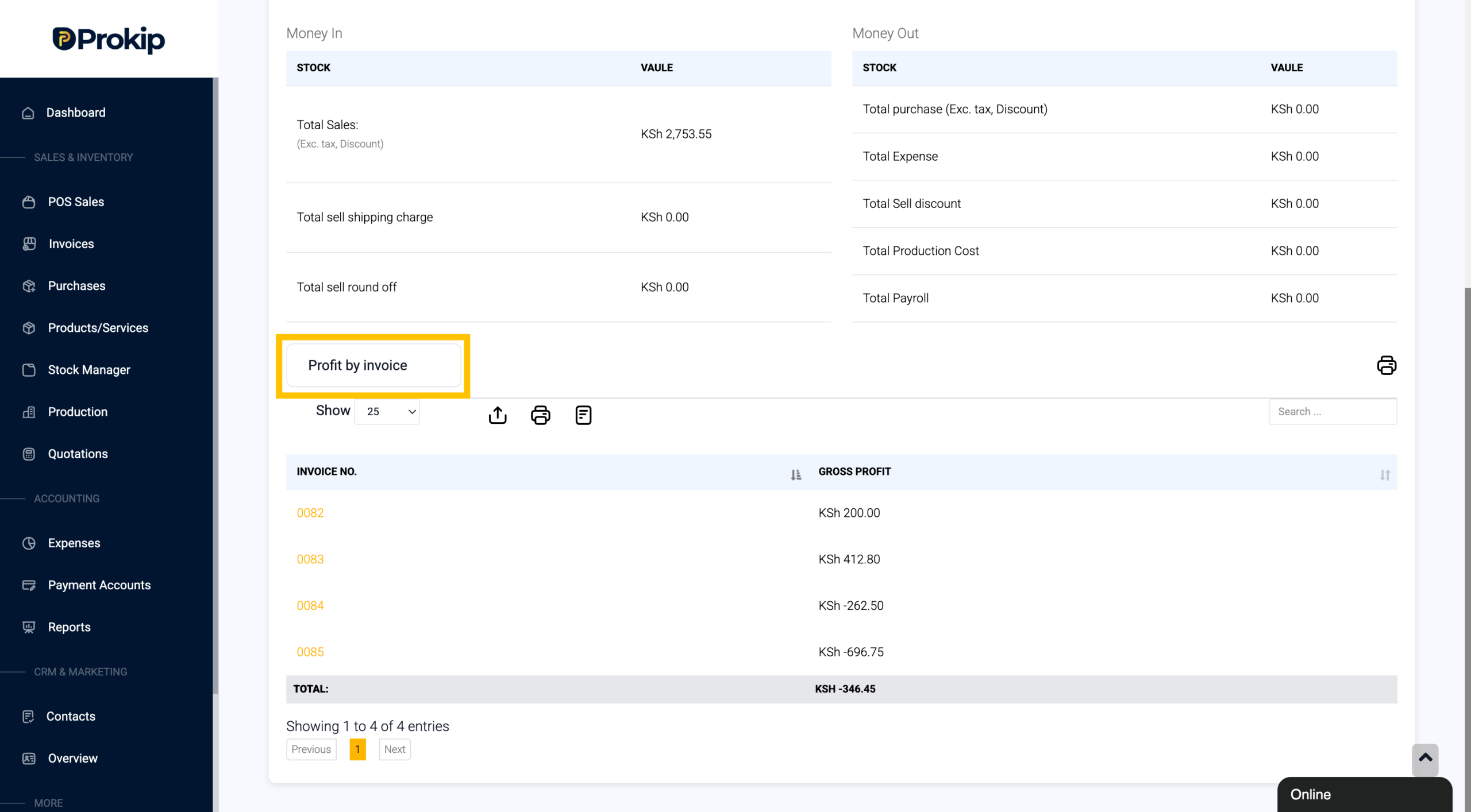
These filters help you understand where profit is being generated and where losses might be occurring.
Step 3: Identify Negative Profit
When reviewing the report, look for profit values that appear as negative numbers. A negative value indicates that the total cost of the product(s) sold in that record is higher than the revenue earned.
For example:
| Invoice No | Gross Profi |
|---|---|
| INV-1023 | $35 |
| INV-1024 | -$10 |
In this example, Invoice INV-1024 shows a negative profit, meaning the sale resulted in a loss.
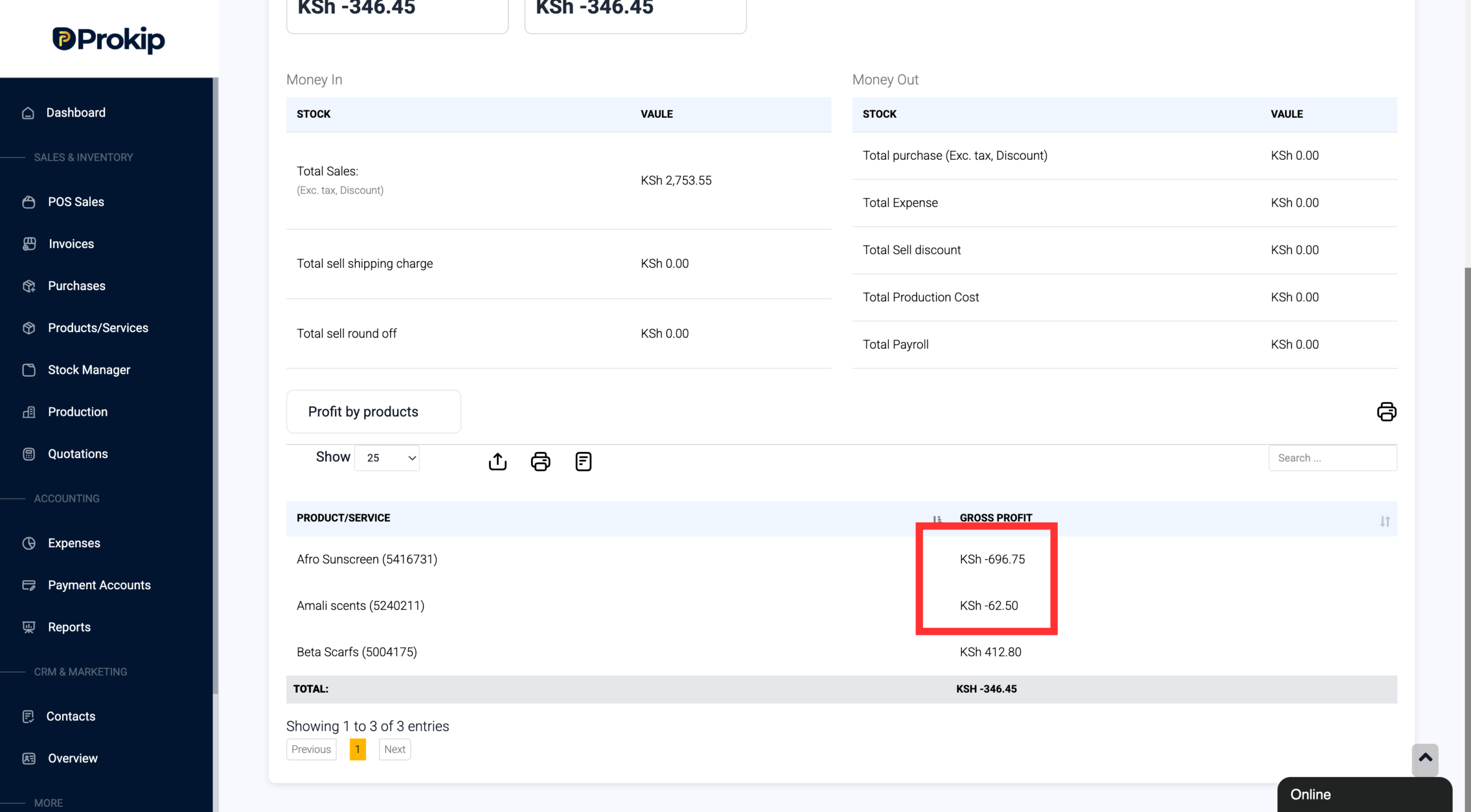
In the above, the products Amali Scents and Afro Sunscreen produce a loss from their sale, in other terms, negative profit.
Step 4: Use “Profit by Invoice” to Investigate Further
The Profit by Invoice filter is particularly helpful for identifying where losses occurred in specific transactions.
To investigate:
-
Select Profit by Invoice to filter by invoice.
-
Review the list of invoices and look for negative profit values.
-
Click on the Invoice to open it and review the details.
Inside the invoice, you can check:
-
The selling price of the product
-
The cost price
-
Any discounts/tax applied
-
The quantity sold
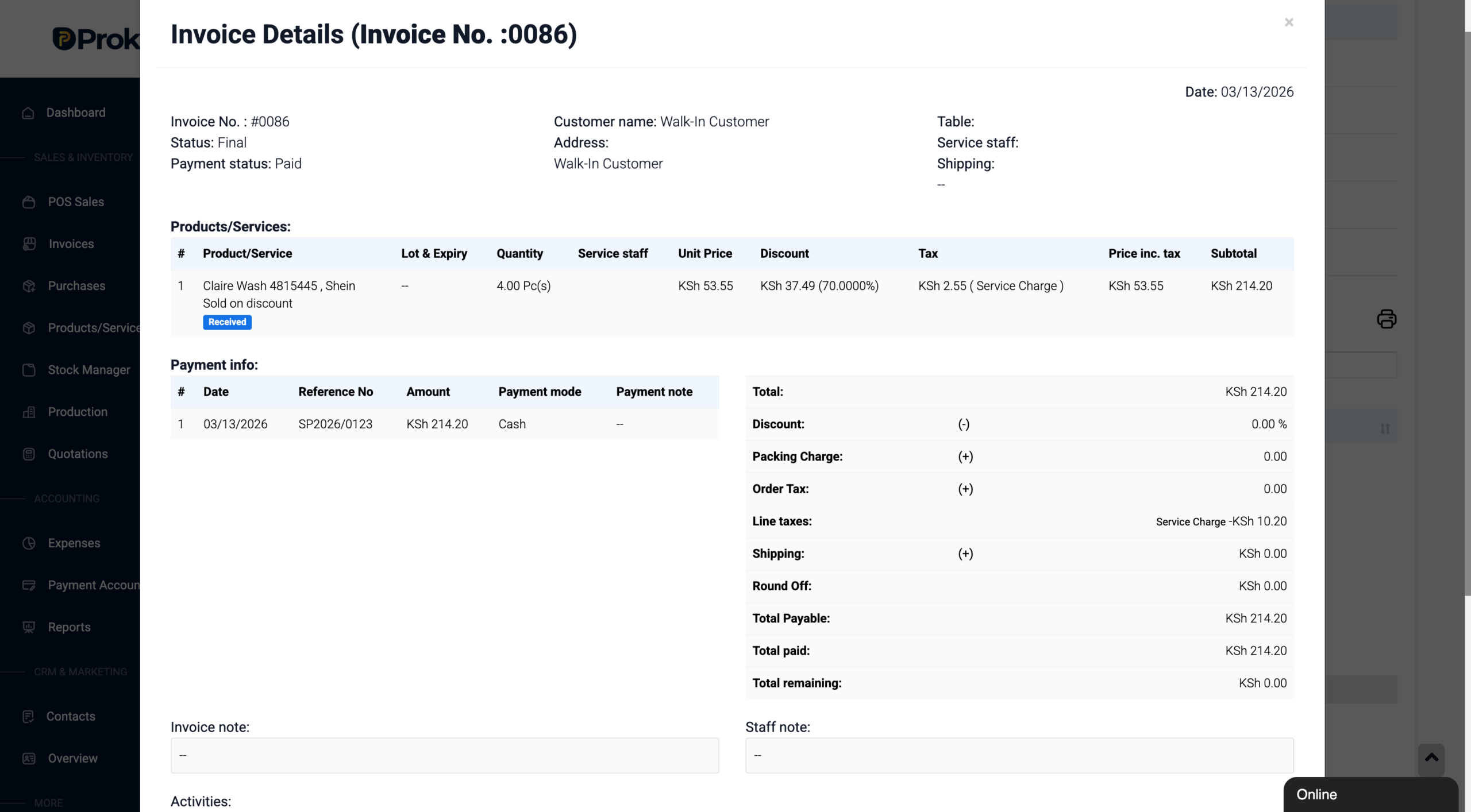
Reviewing this information helps you determine which product caused the negative profit and why it happened.
Common Reasons for Negative Profit
A product may show negative profit due to several reasons, such as:
-
The selling price is lower than the cost price
-
Large discounts applied during the sale
-
Incorrect cost price entered in the system
-
Promotional pricing or clearance sales
Identifying the cause allows you to correct pricing, update costs, or adjust discounts.
Summary
To check if a product has negative profit in Prokip:
-
Go to Reports and open the Profit Report.
-
Use filters to analyze profit across products, categories, invoices, or customers.
-
Look for negative profit values in the report.
-
Use Profit by Invoice to identify the exact transaction.
-
Open the invoice to review the product details and determine the cause.