On Prokip, you can either sign up directly using Get Started, or schedule a guided session with Book a Demo.
Option 1: Get Started (Direct Sign Up)
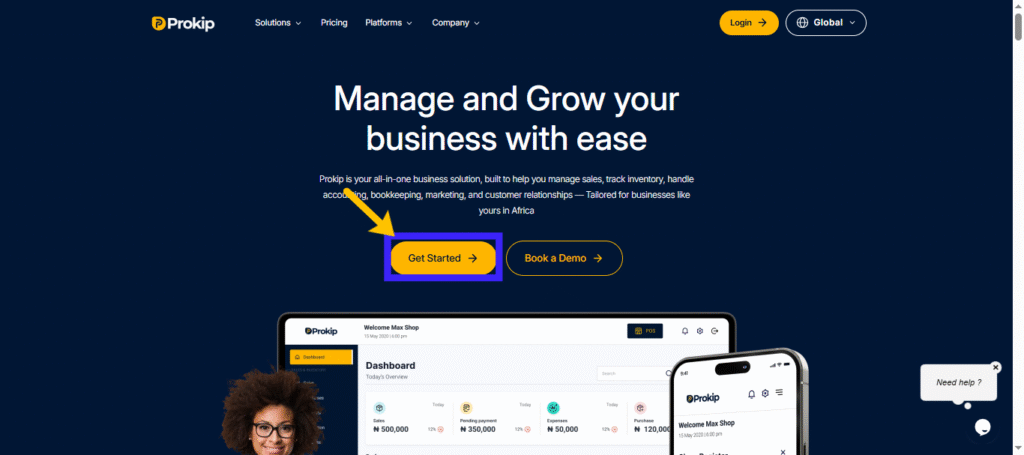
- Click Get Started on the dashboard.
- Fill in your details:
-
- Full Name → e.g. John Okoro
- Country Code → choose from dropdown (NG – 234 is default)
- Phone Number → enter without country code (8034567890)
- Username → simple and unique (johnokoro23)
- Email Address → valid and accessible
- Password → must include:
- 8+ characters
- 1 uppercase, 1 lowercase, 1 number, 1 special character (Prokip@2024)
- Click Register → You’ll be redirected to set up your business.
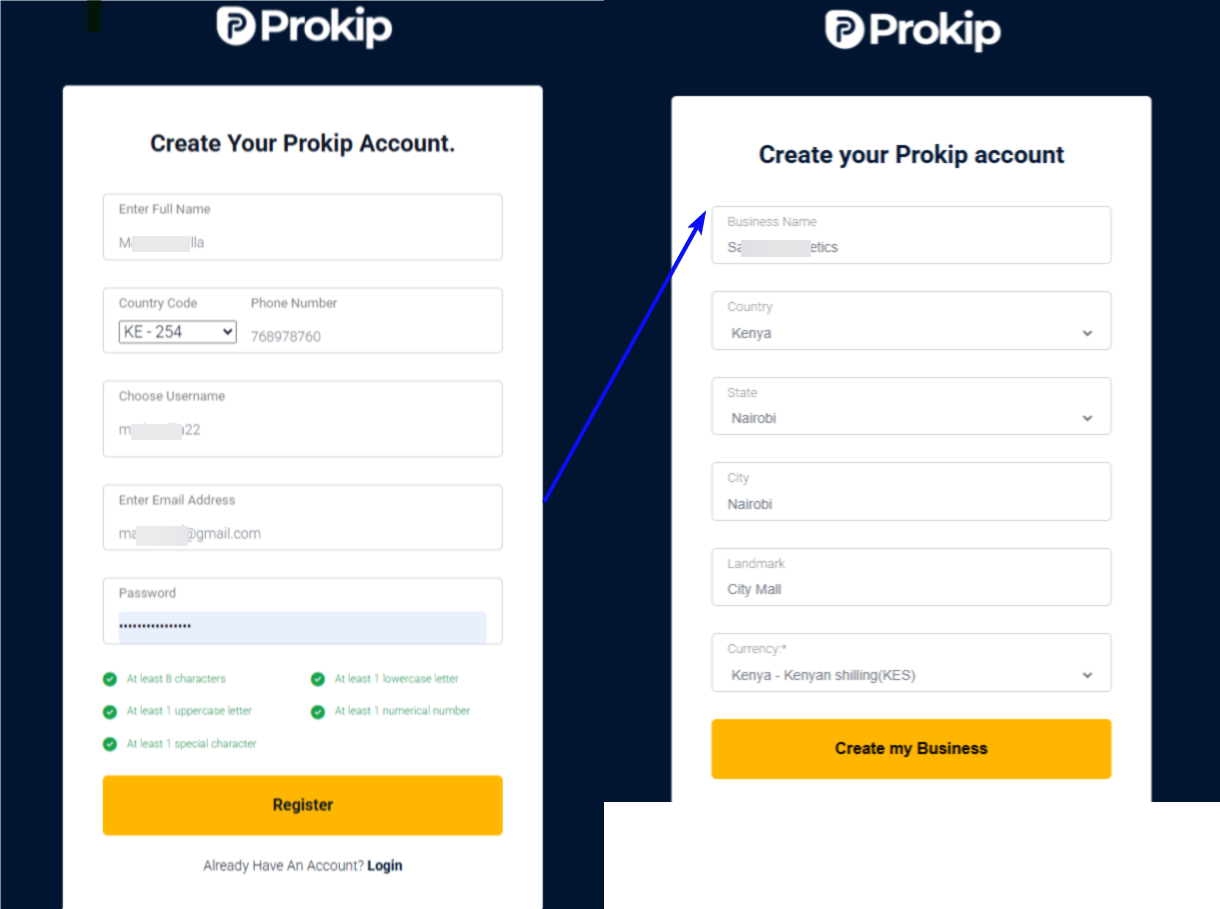
Step 2: Business Details
- Enter Business Name (e.g. Okoro Supermarket).
- Select Country, State, and City your business operates in.
- Add a Landmark (helps identify your location).
- Choose Currency (default: NGN – Naira).
Click Create My Business → You’ll land on your Prokip Dashboard.
Best Practices
- Double-check your email and phone number for accuracy.
- Use a strong password that you don’t use on other accounts.
- If you get an error (e.g., “username already taken”), try a different username.
- Use your official business name to ensure consistency across invoices and receipts.
- Ensure your state and city are accurate for location-based reports and taxes.
Select the correct currency, because this will affect pricing, reports, and customer receipts.
Option 2: Book a Demo (Guided Onboarding)
If you prefer a walkthrough before creating your account, you can book a demo with the Prokip team.
Steps to Book a Demo
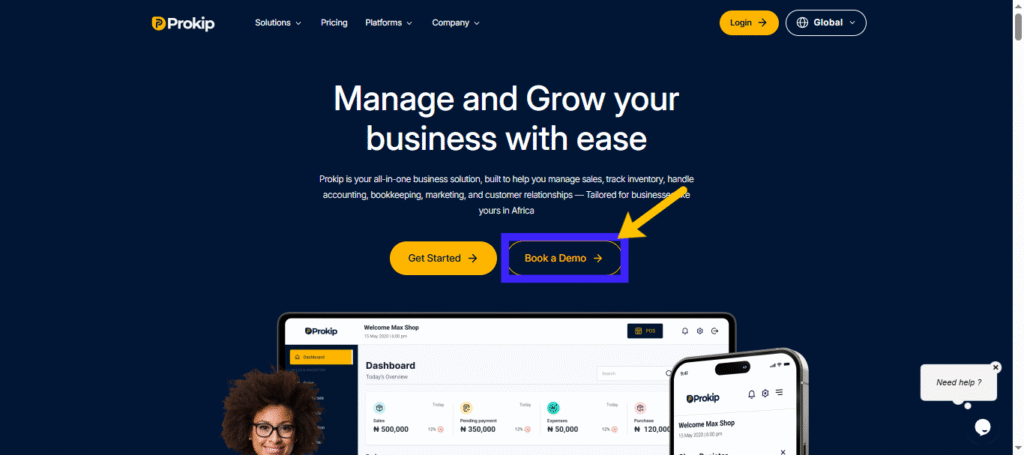
- Click Book a Demo from this link https://prokip.africa/.
- Fill out the form:
- First Name → Enter your first name (e.g., John).
- Last Name → Enter your surname (e.g., Okoro).
- Email Address → Provide a valid email you can access (e.g., [email protected]).
- Phone Number → Enter your mobile number (include country code if outside Nigeria).
- Country → Select your country from the dropdown.
- Click Submit → Your demo request will be sent to our team.
- You’ll get a confirmation email with the demo details and a calendar invite.
On the scheduled date, join the session → a Prokip team member will guide you through setup and answer your questions.
Tips
- Use an active email so you don’t miss the confirmation.
- Ensure your phone number is correct in case our team needs to reach you.
Pick a time you’re available for the session.