To edit an ongoing reconciliation:
- Navigate to Stock Reconciliation → search for the product or filter by Drafts
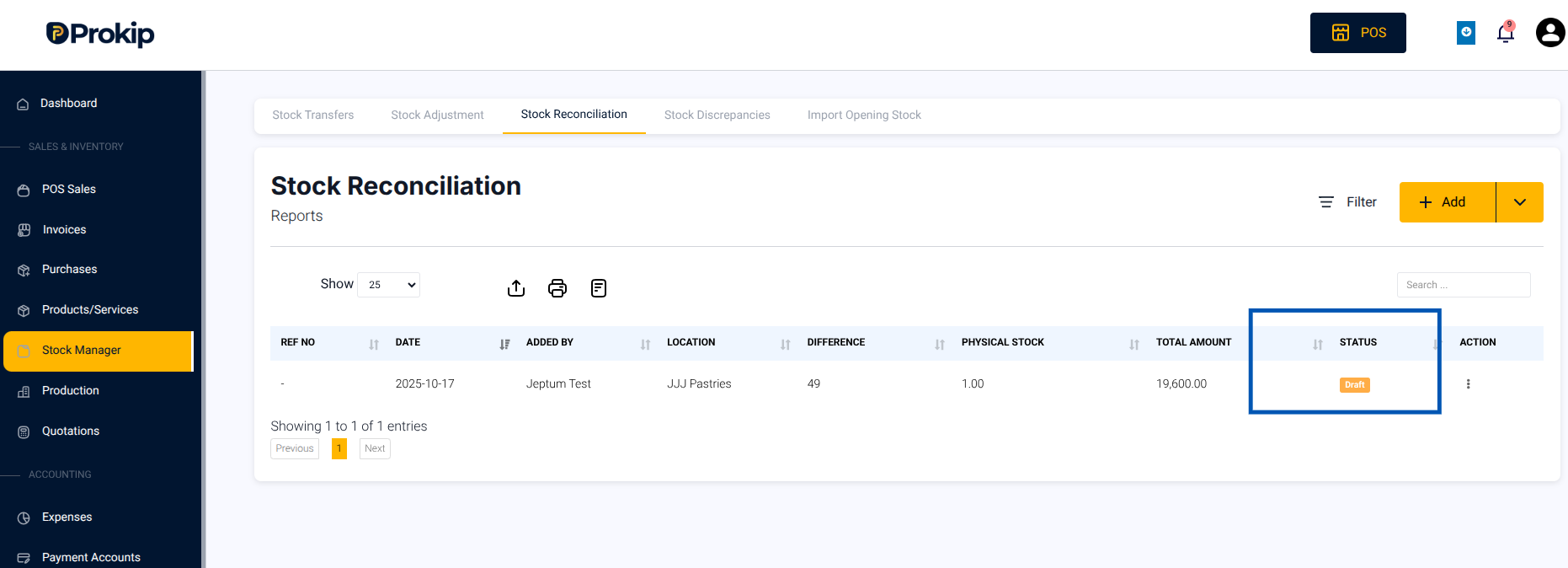
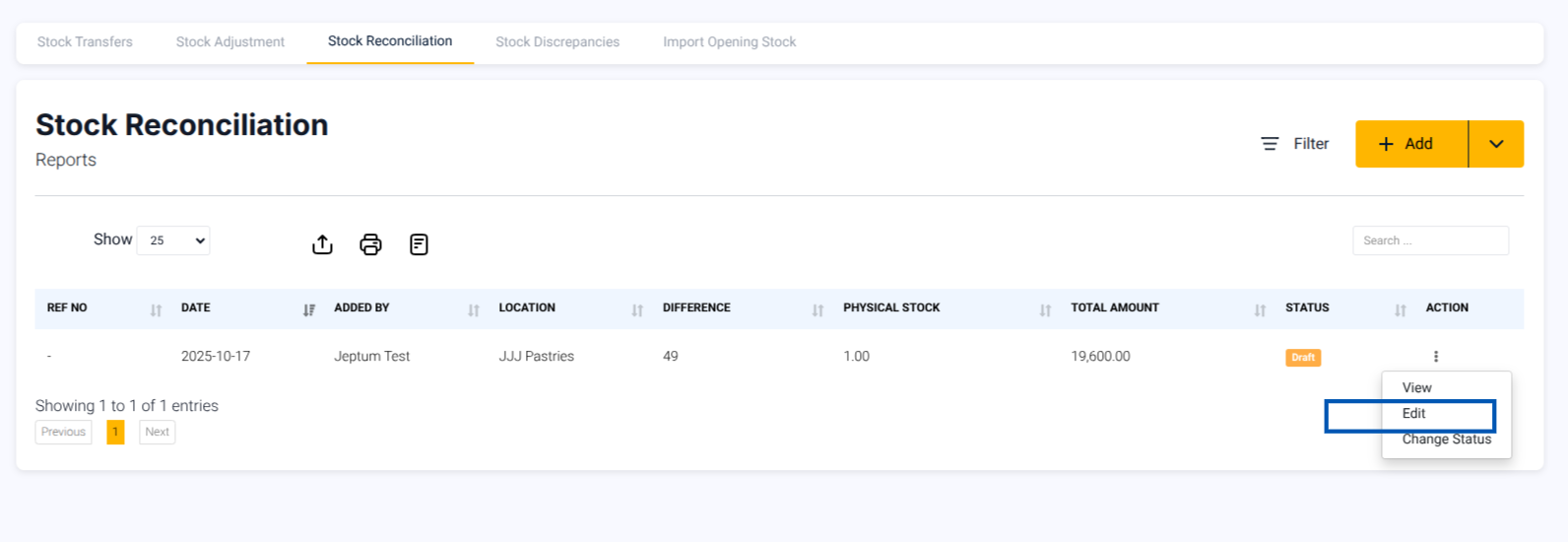
- On the action bar, click Edit beside the draft entry.
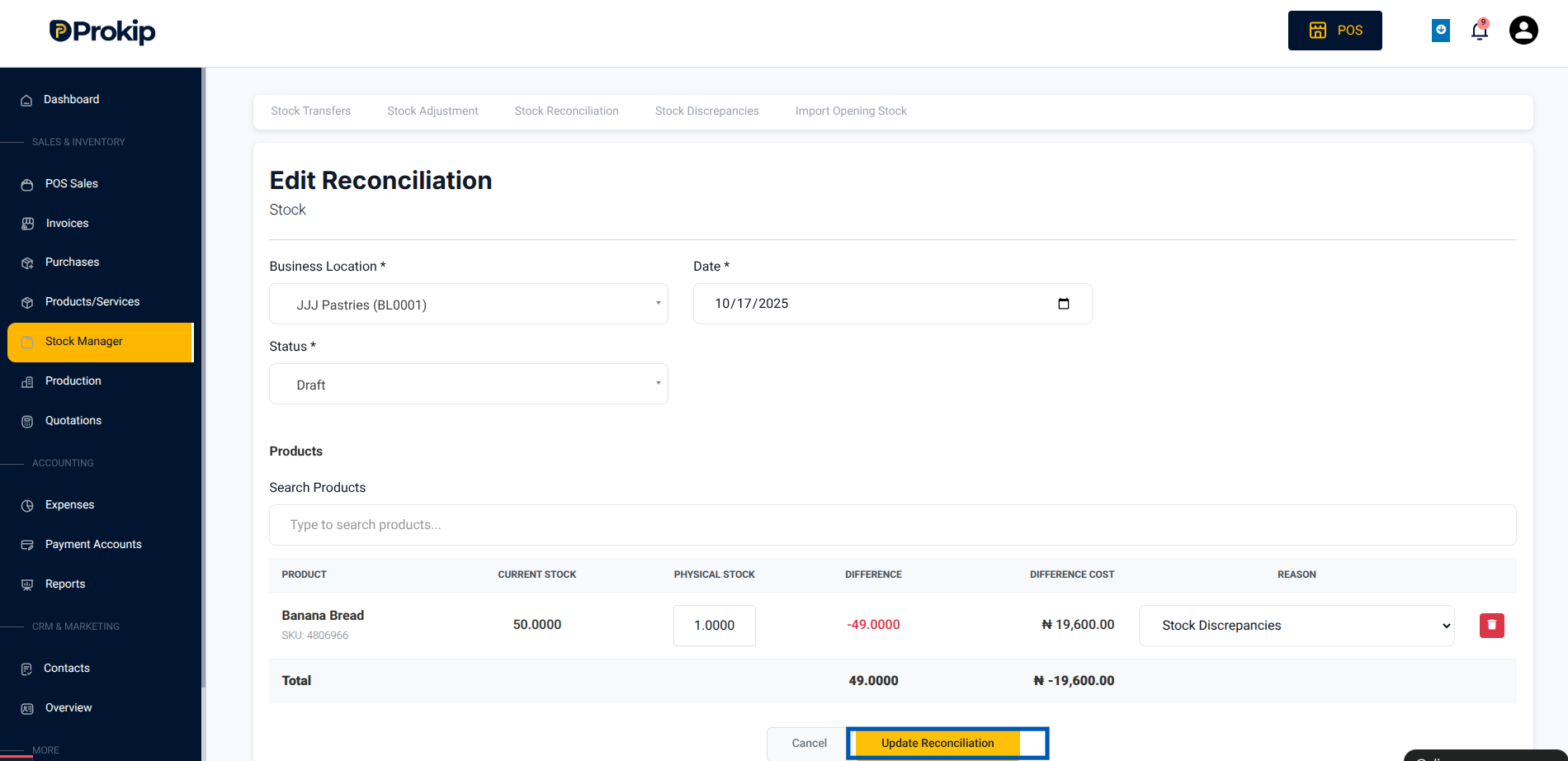
- Update item details and quantities.
- Click Update Reconciliation to retain changes
- To finalize, click Change Status → Completed
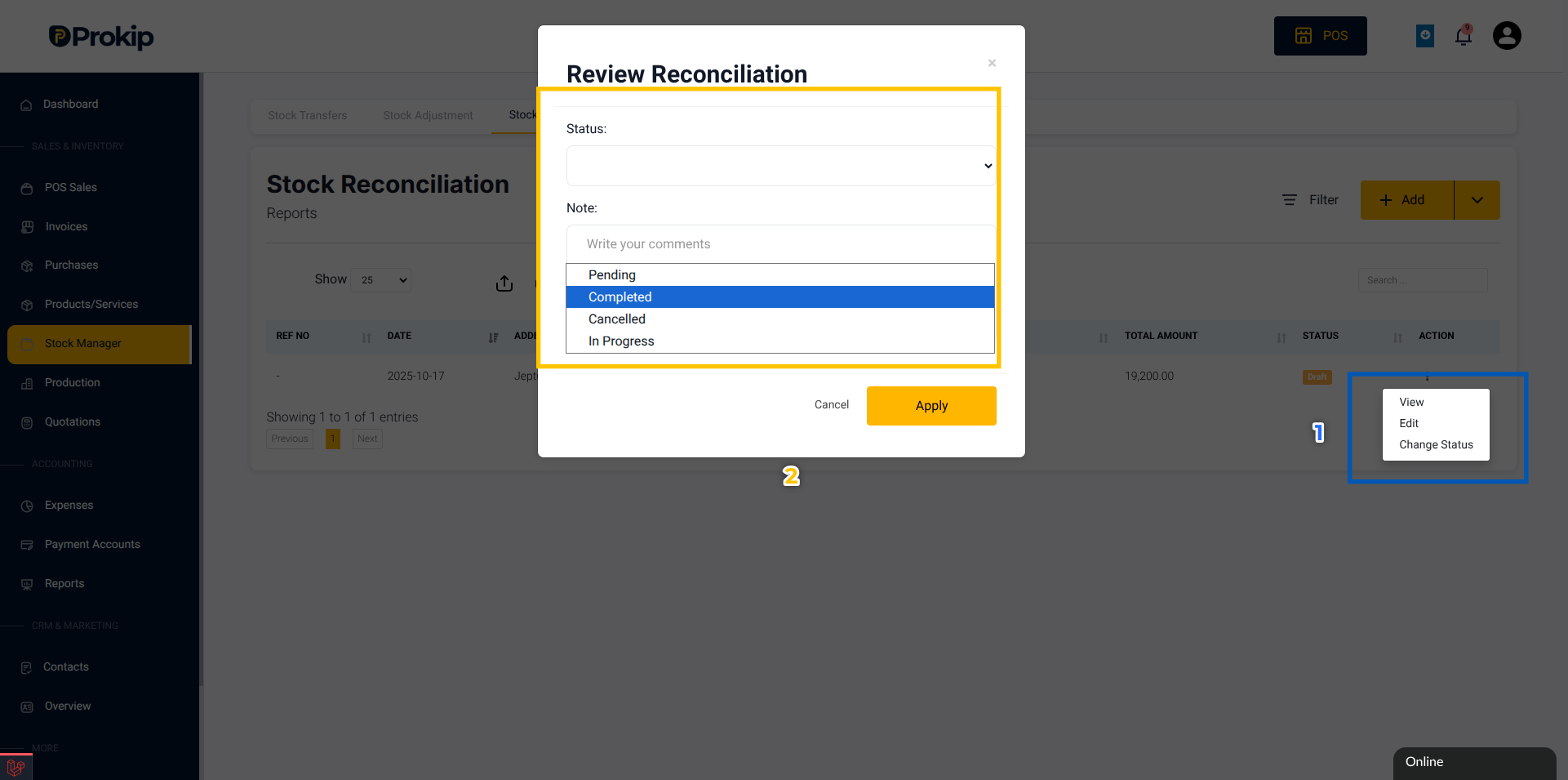
Note: Drafts remain editable until submitted for approval.