After successful upload, entries appear in the Stock Reconciliation tab as Drafts.
- On the action bar, click Change Status to mark as Completed.
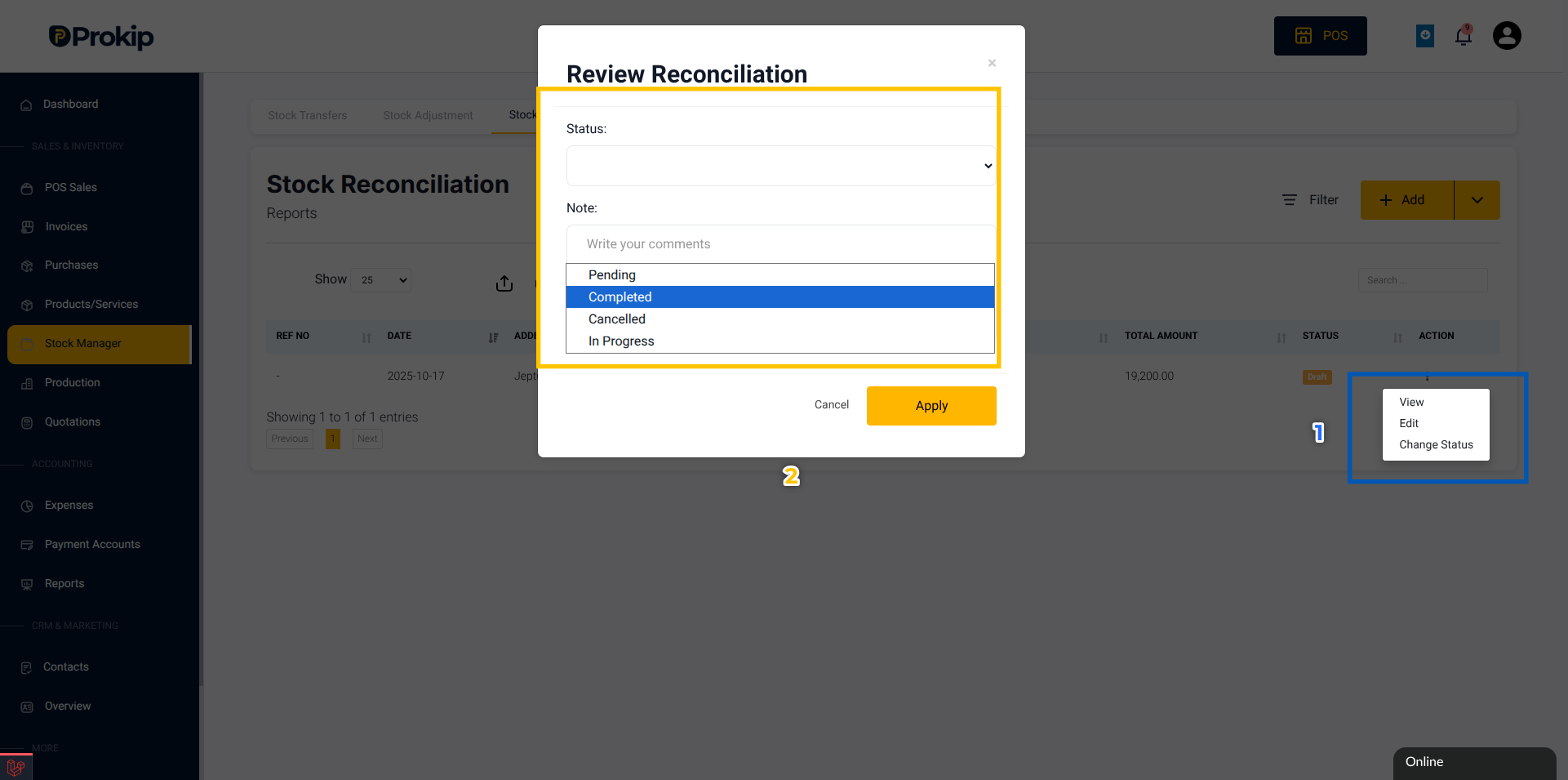
- Click Apply to effect the status change.
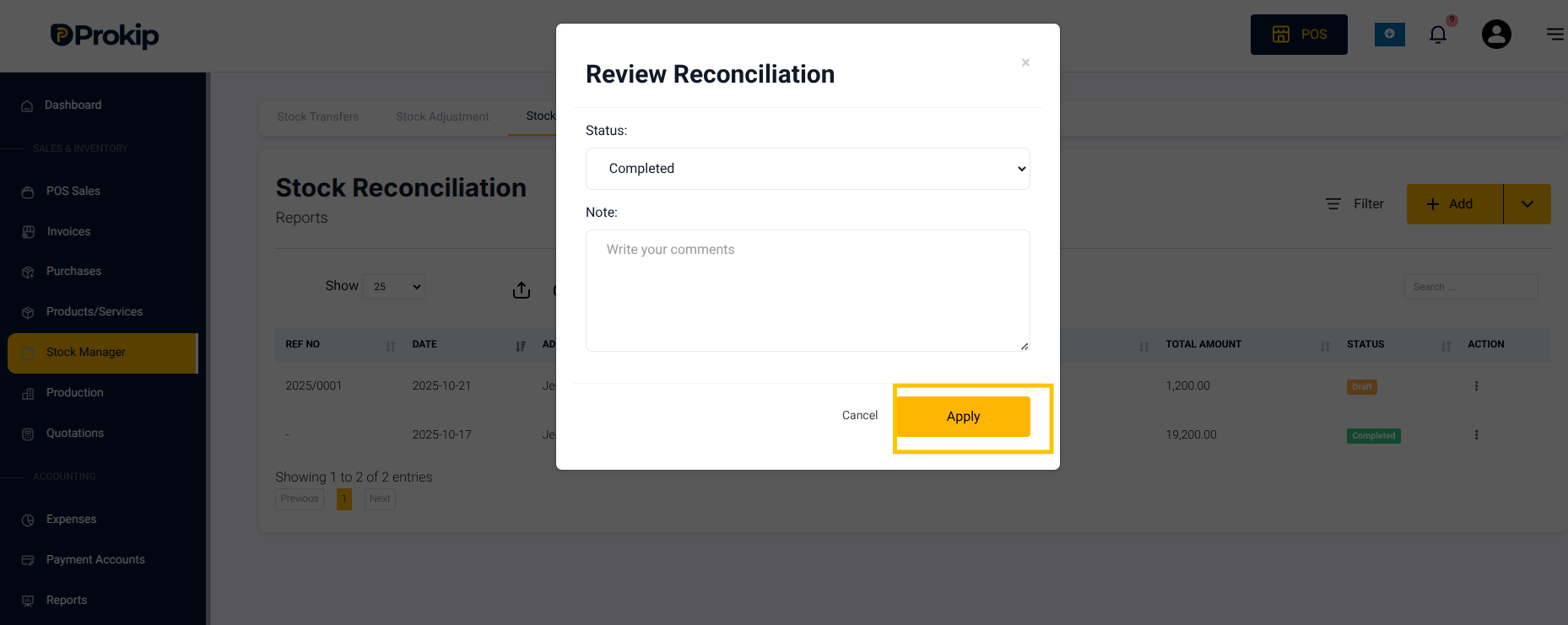
- Once marked as Completed, the reconciliation becomes read-only.
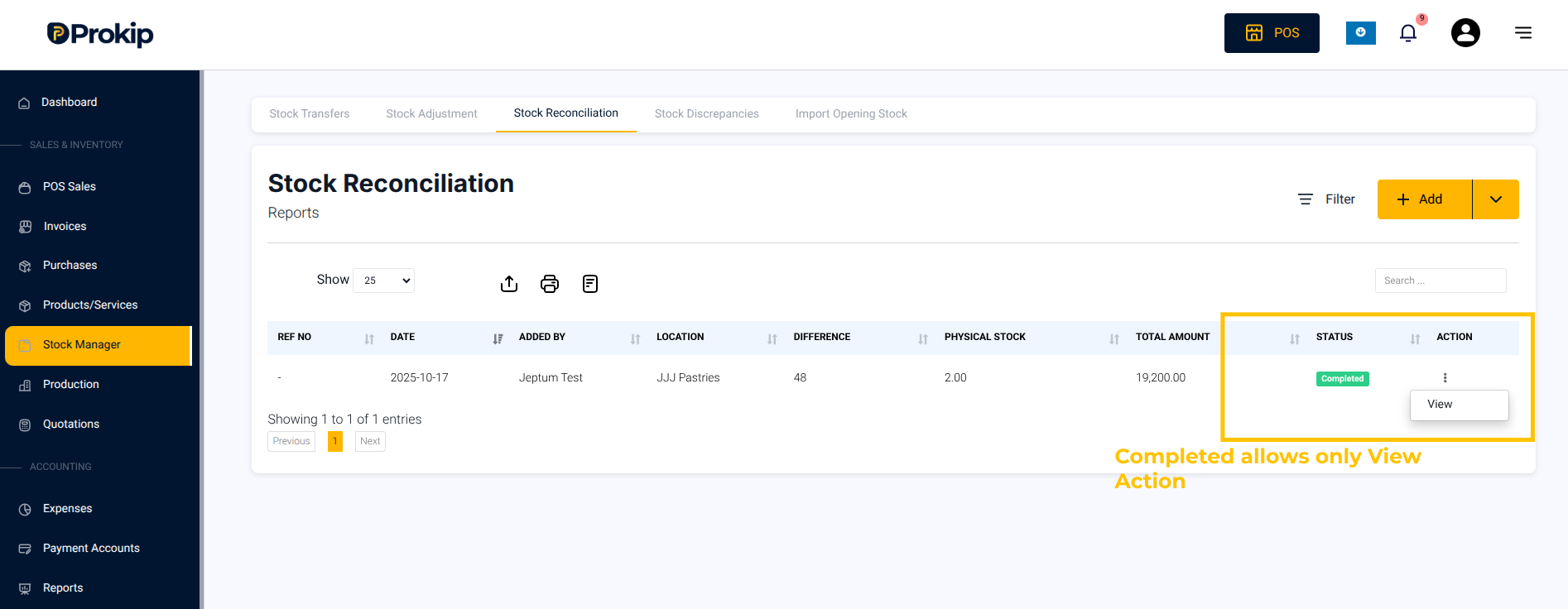
Note: Changes can only be made before submission. After that, the reconciliation is locked for approval.