Prokip desktop application is an application that enables user to use prokip when offline
Purpose
To enable users carry out transactions while offline in order to minimize the use of data
Step 1:
Copy and paste link on the browser: In the browser search bar, paste the following link “https://drive.google.com/drive/folders/1Mk1TJzw0XVOIRI0t2V6_0cyZxlnHaUJR”
Step 2:
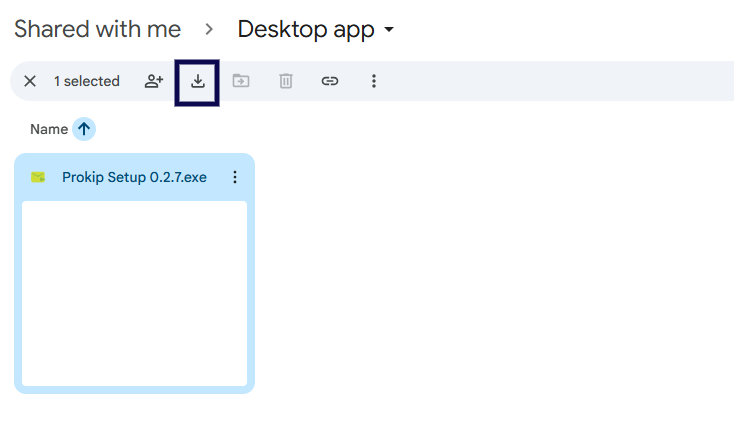
Click on download button
Step 3
Go to your download folder: Locate prokip setup and Double-Click on the setup to begin installation.
Step 4:
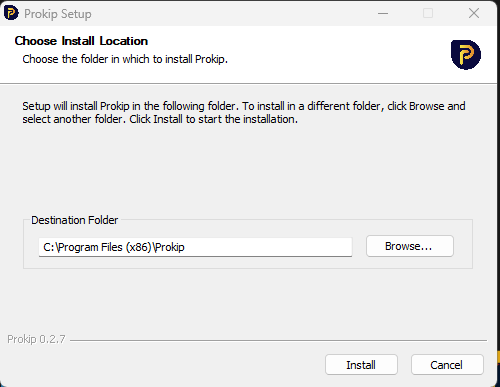
Click on install: At the bottom of the screen click on install
Step 5:
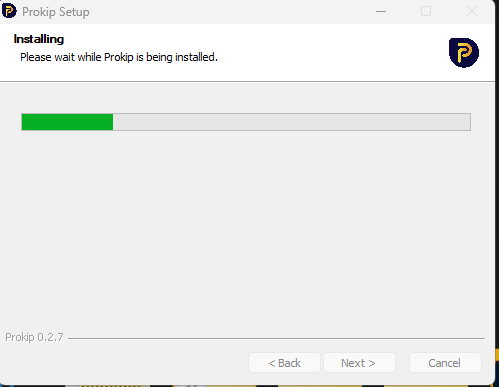
Wait for some time: at least 20 minutes while prokip app is installing.
Step 6:
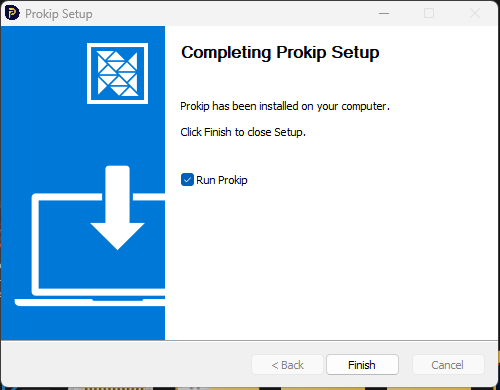
Click on finish: At the bottom of the screen, click on finish
Step 7:
Prokip Desktop App is ready for use.