Purpose
If your business already had outstanding debts (customers or suppliers) when you first started using Prokip, you will need to bring those balances into the system.
This ensures your accounts reflect reality from day one.
What are opening balances?
Opening balances are pre-existing amounts owed before you began using Prokip.
- Receivables: Customers owe your business money for past sales.
- Payables: Your business owes suppliers money for past purchases.
Before You Start
- Ensure that all customers and suppliers profiles are already created in Prokip under Contacts.
- Confirm the start date for the opening balances (usually the date you began using Prokip).
- Verify that your Payment Accounts module is enabled and that at least one payment account (Cash, Bank, or Mobile Money) is available.
Steps
- Navigate to the Contacts Section
- From the left-hand menu, click Contacts.
a. Record Customer (Receivable) Opening Balances
If customers owe you money:
- Click the Customers tab at the top.
-
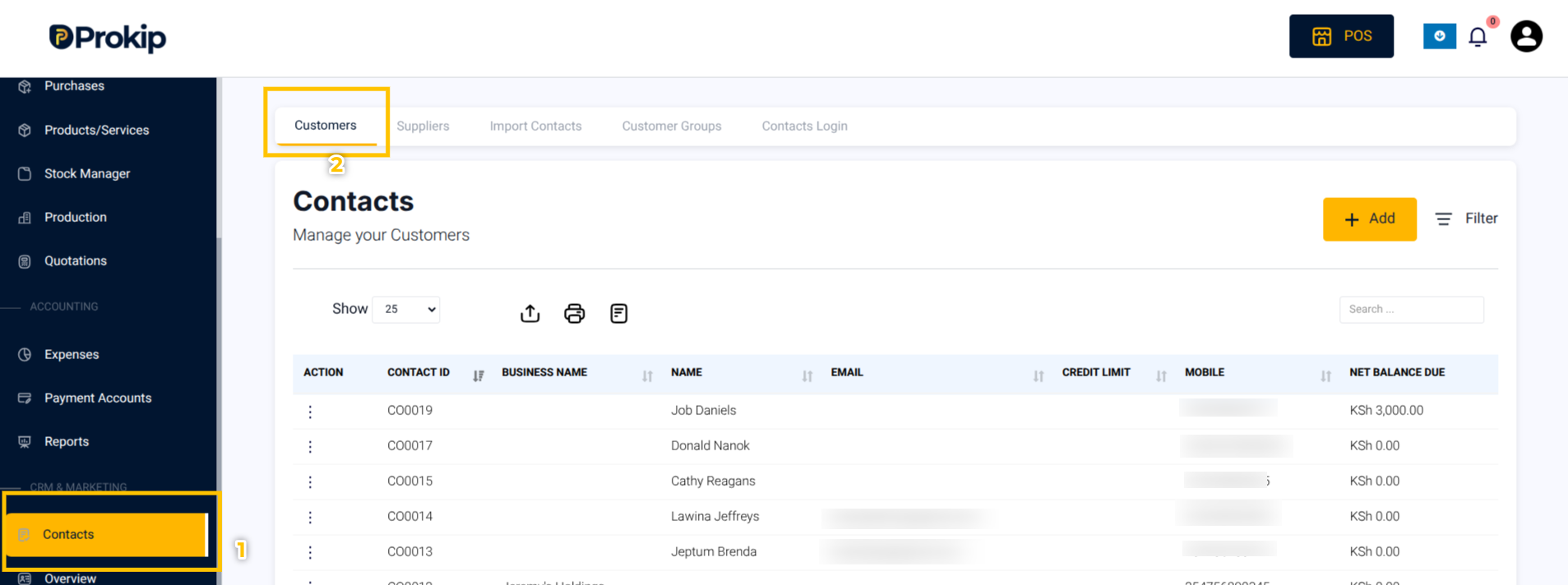
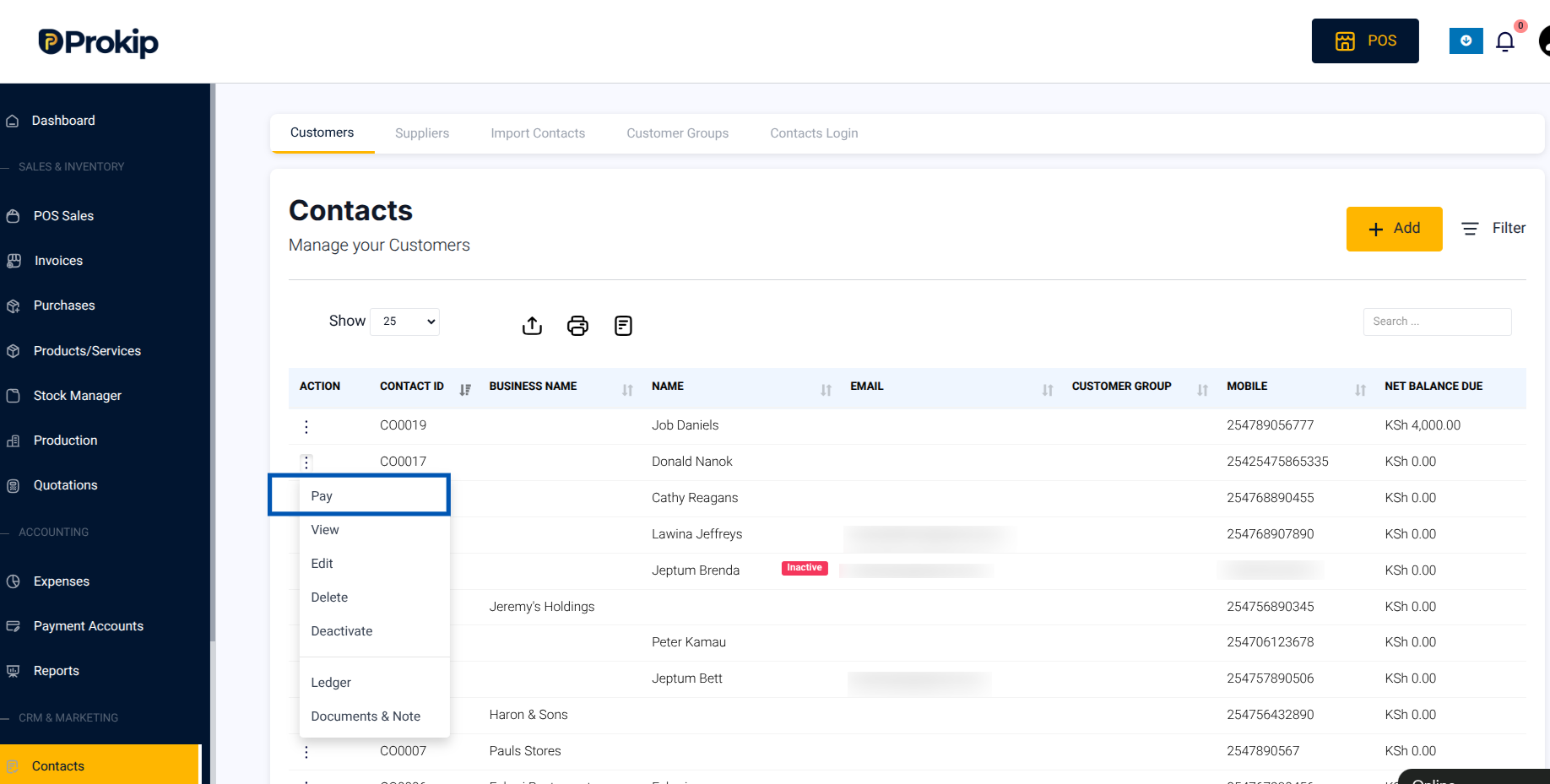
2. Search for the customer’s name.
In the customer row, click the three-dots action button (⋮) and select Pay.
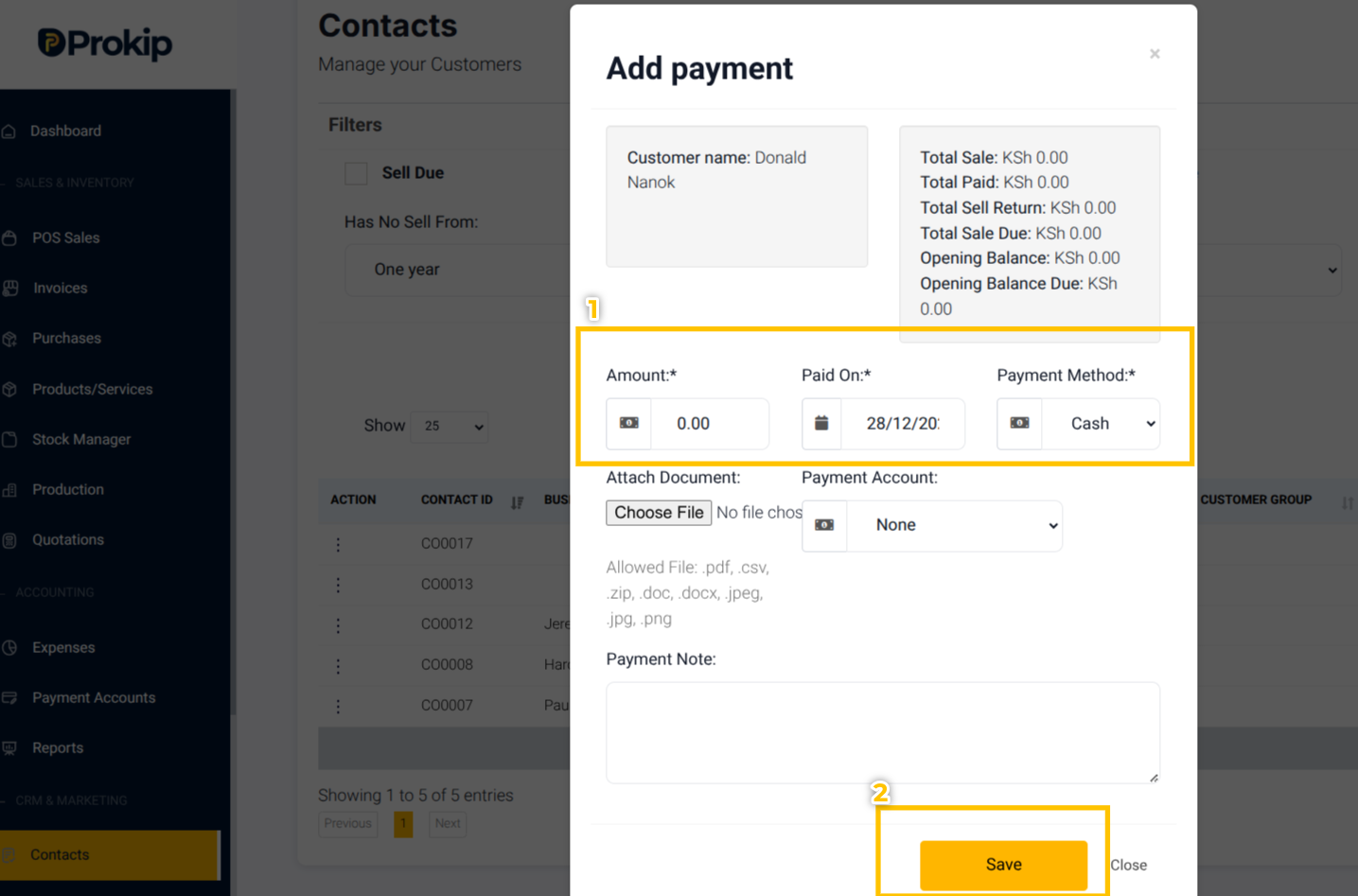
3. Enter the following details:
-
- Amount: The total owed by the customer or record any payment received against that balance.
- Date: The date you are recording the opening balance.
4. Click Save.
Tip: If you are only entering the owed amount (and no payment yet), you will later record payments through the Add Payment process.
b. Record Supplier (Payable) Opening Balances
If you owe suppliers money:
-
- Click the Supplier tab at the top.
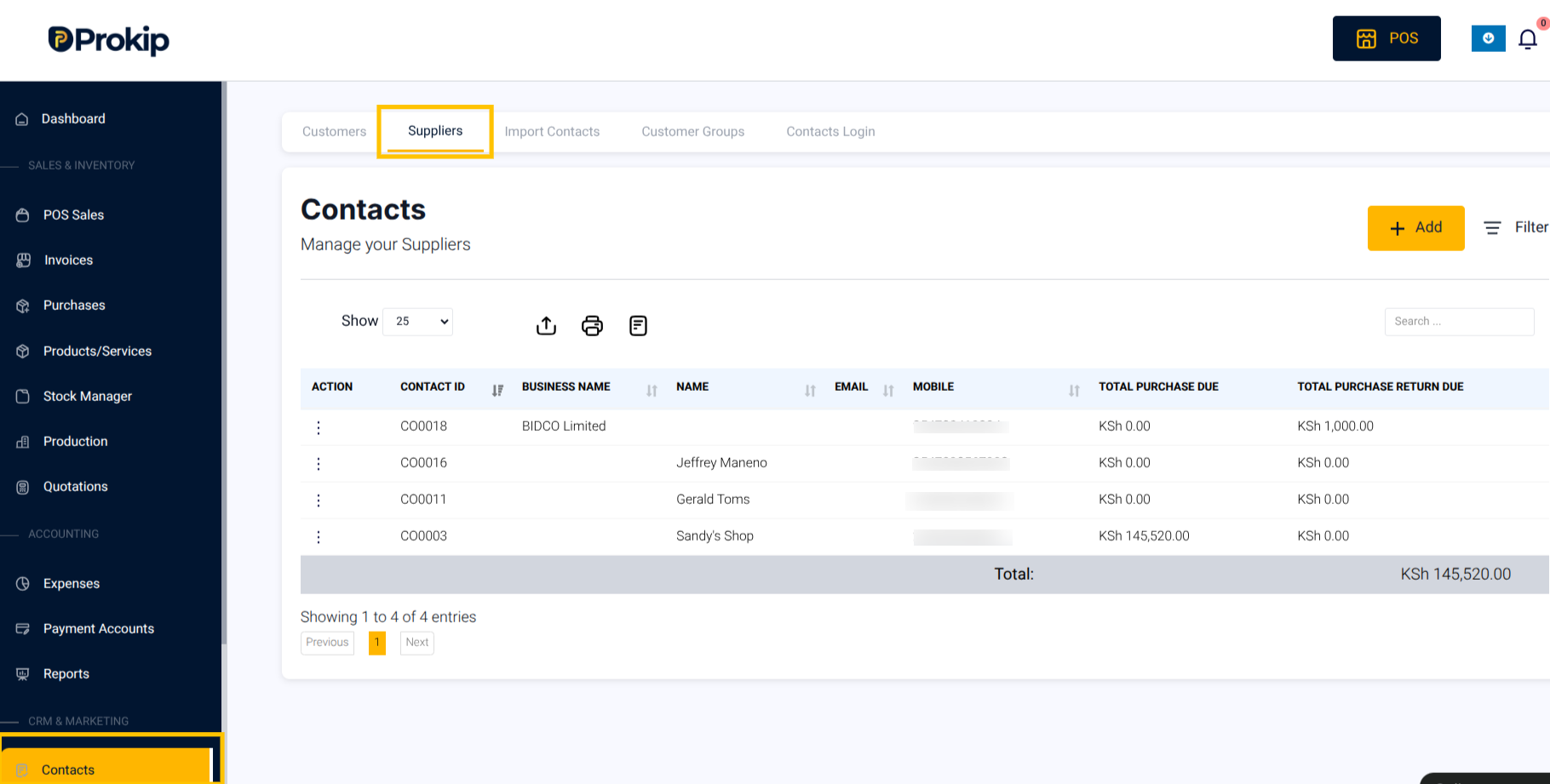
2. Search for the supplier’s name.
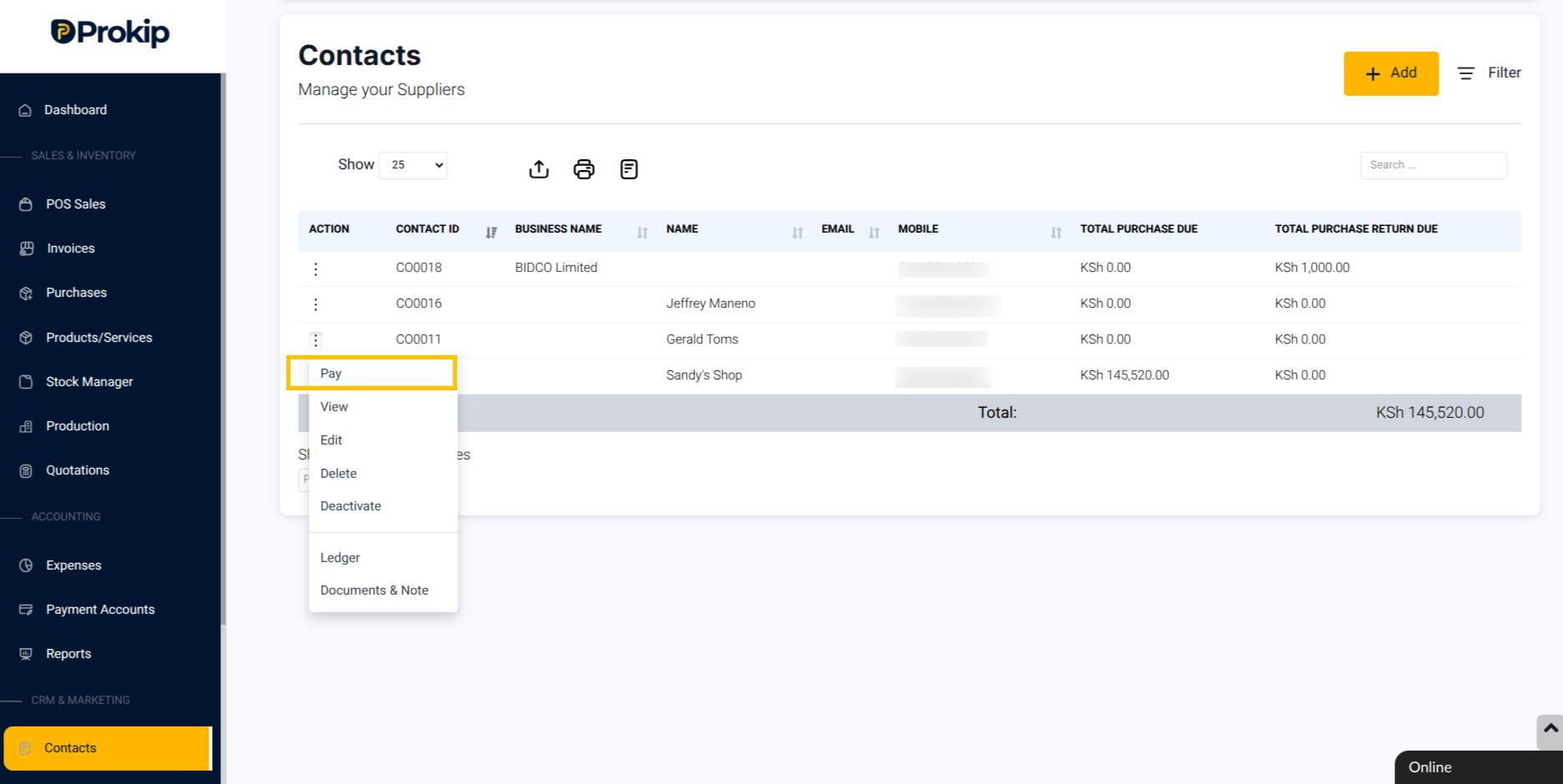
In the supplier row, click the three-dots action button (⋮) and select Pay.
3. Enter the following details:
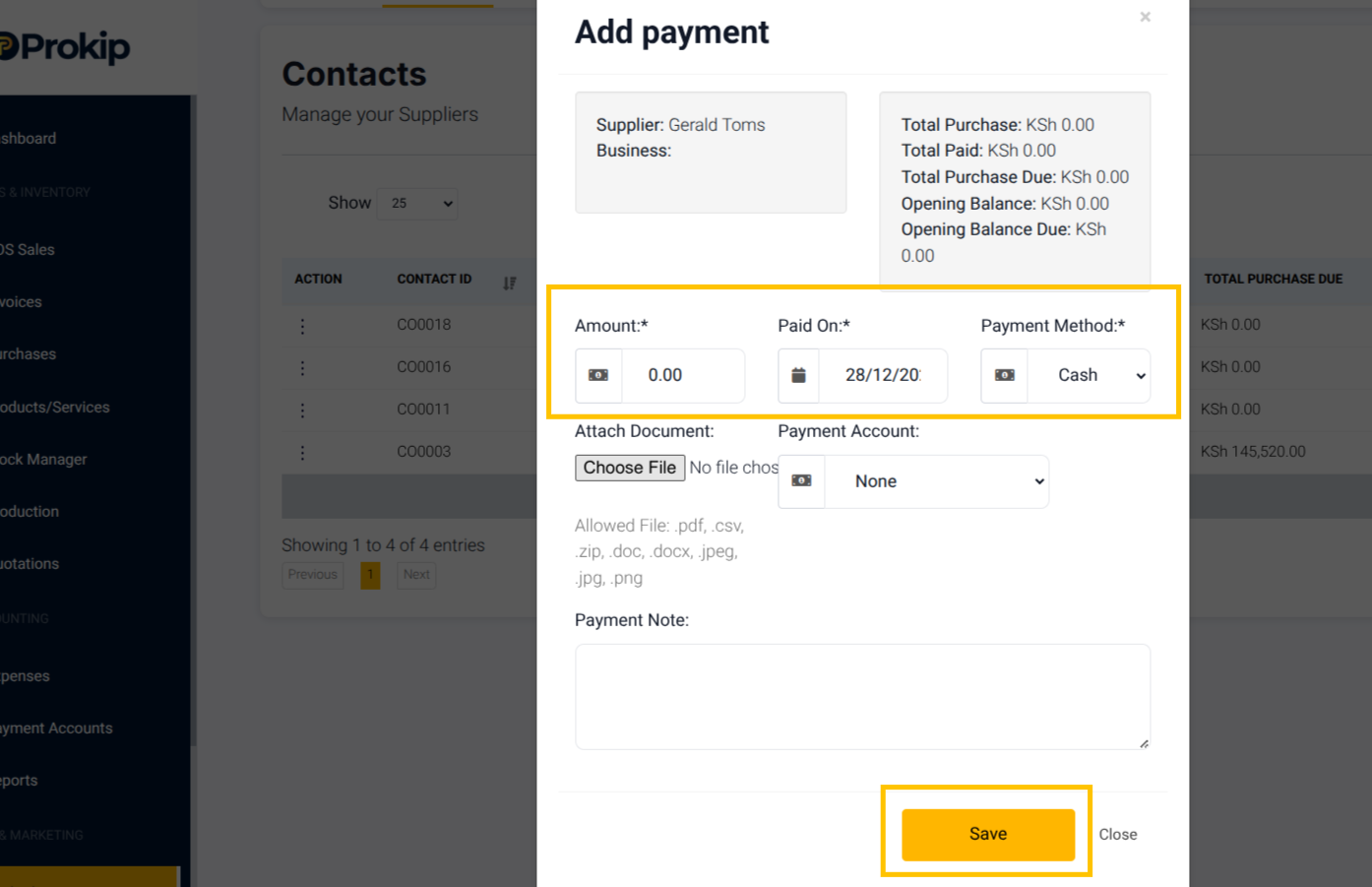
Amount: The amount you owe the supplier or record any payment made against that balance.
Date: The date you’re setting the opening balance.
4. Click Save.
What Happens Next
Once saved, Prokip will:
- Record the amount in Accounts Receivable (for customers) or Accounts Payable (for suppliers).
- Reflect the amount in the relevant customer or supplier ledger.
- Show the outstanding balance in your financial reports
- When you later receive or make payments, simply record them using the regular Add Payment process — Prokip will automatically reduce the outstanding balance.
Tips / Troubleshooting
- If you entered the wrong date, it may be due to a mistyped or incorrect period. To fix this, edit the opening balance record and update the date.
- If a balance is not appearing in reports, it might have been saved under the wrong contact type. Check whether it was recorded under the correct tab for a customer or a supplier.
- If a payment is not reducing a balance, the payment may not have been linked properly. Make sure it is applied to the same customer or supplier.
- If the Payment Account option is missing, the payment module may be disabled. You can resolve this by going to Modules and enabling Payment Accounts.
- If a transaction is not showing in the account details, it could be caused by a sync delay. Refresh the page or verify that the account is correctly linked.
Frequently Asked Questions
Q: Can I delete an opening balance?
Yes, but only if no payments have been recorded against it.
Q: Can I record partial payments to opening balances?
Yes, record payments just like you would for normal invoices.
Q: Will opening balances affect my subscription?
No, balances are purely for accounting records.
Example Scenario:
If you started using Prokip on January 1st, 2025. A customer, ABC Traders, still owes you KES 15,000 from a sale made last year.
You would:
-
- Go to Contacts → Customers → ABC Traders → Pay,
- Enter KES 15,000 as the opening amount with the date 01/01/2025,
- Save.
Now your accounts will show that ABC Traders owes you KES 15,000 from before Prokip setup.