Purpose
To fix the “Object Error” in Prokip and restore normal system functionality without disrupting sales, uploads, synchronization, or account operations.
steps
- First please verify if Bo is using the latest version 0.2.9 of the Desktop App
- If they are on the latest version, ask them to log out and log in to the Desktop App
If the above are in place and the error persists they proceed to:
a) Backup unsynced sales by following steps below
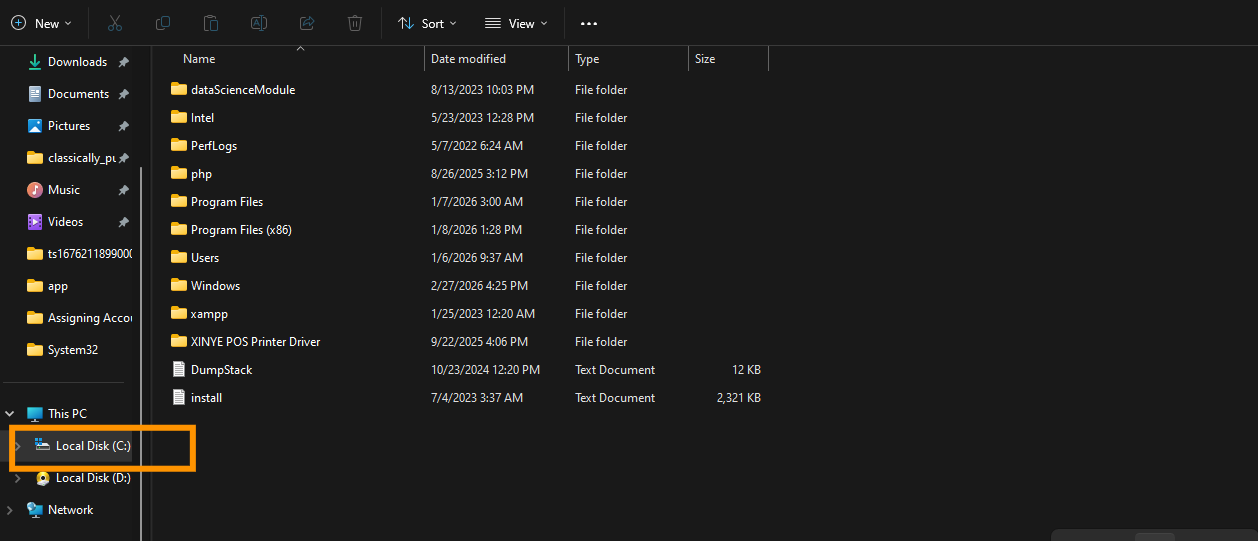
- Click on your local disk
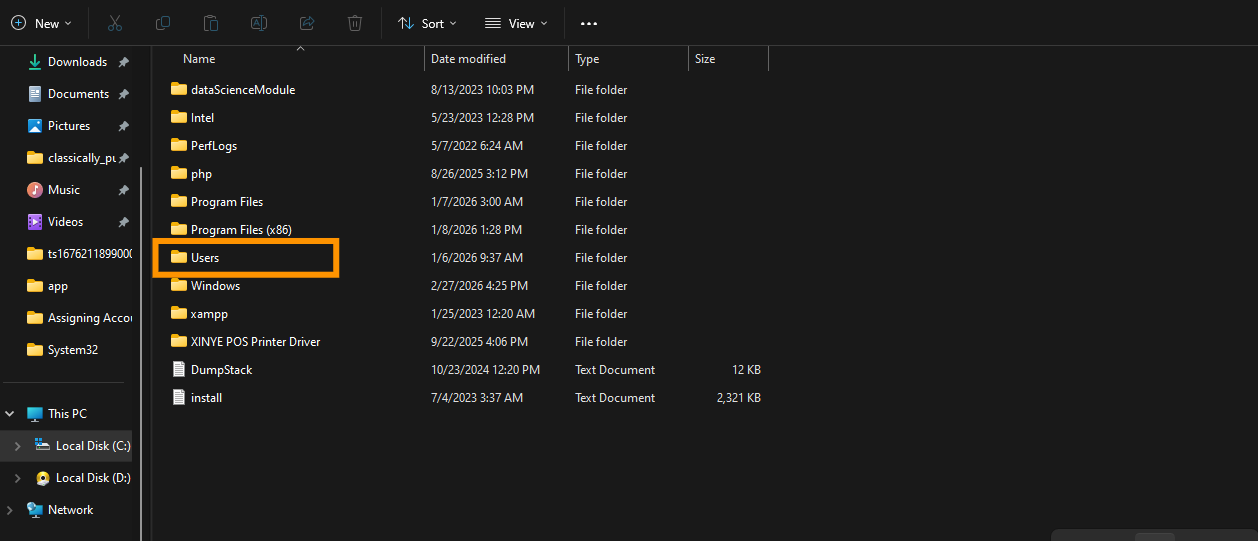
- Click on users.
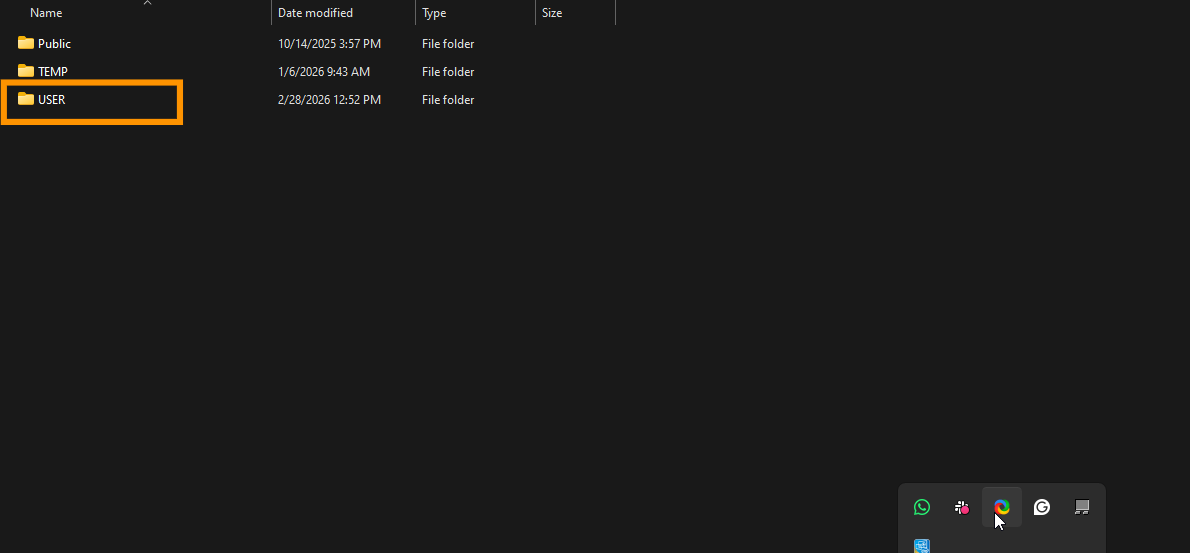
- Click on USERS.
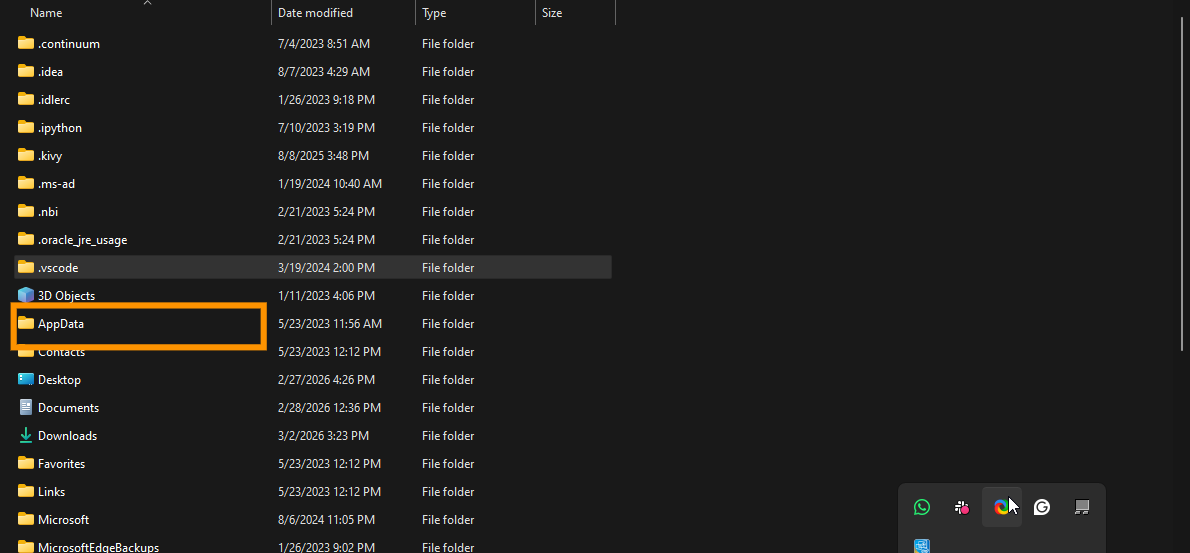
- Click on AppData.
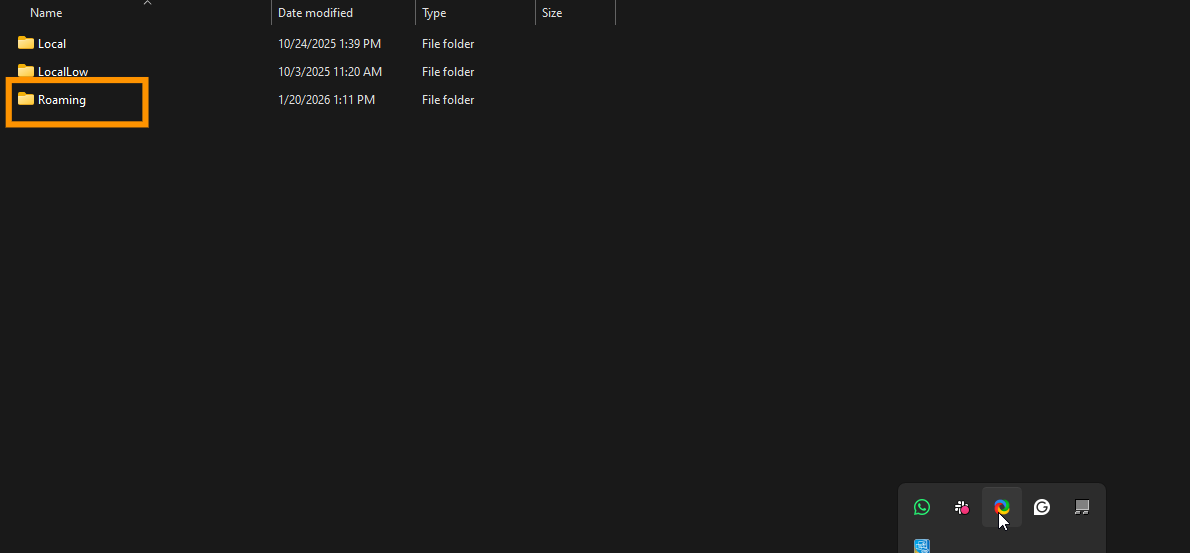
- Click Roaming.
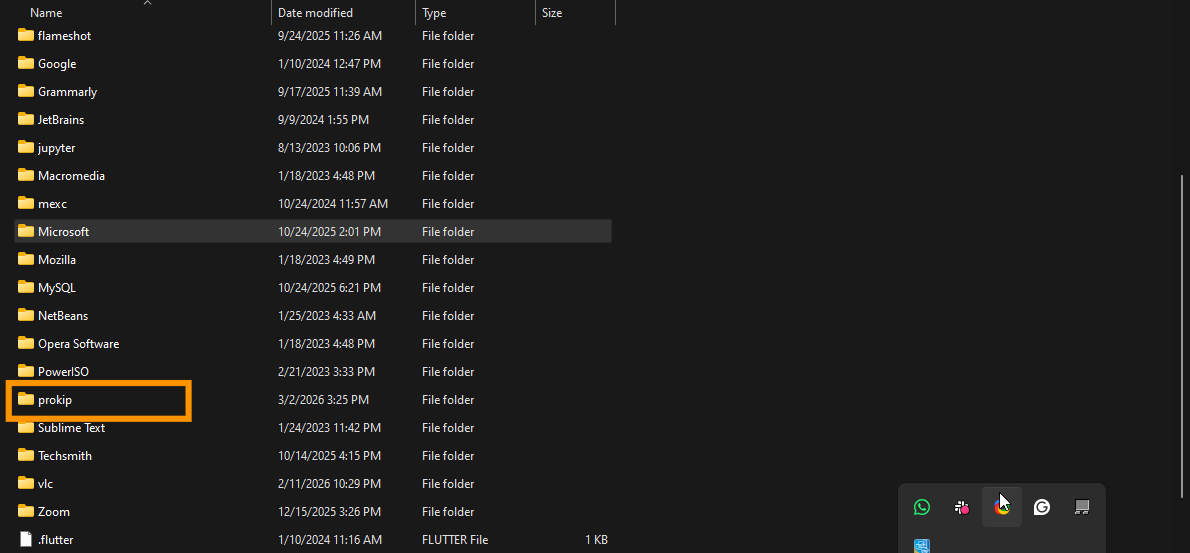
- Click on prokip.
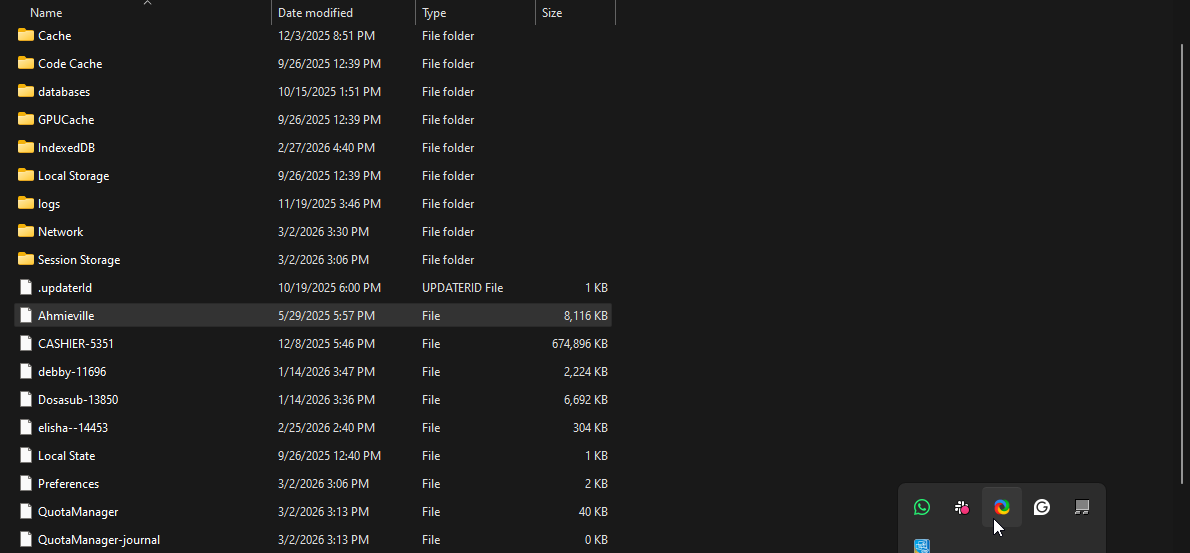
- Locate the database of the user and copy then save.
b) Close the cache by:
- Click on shift+ctrl+i on your keyboard
- Click on application.
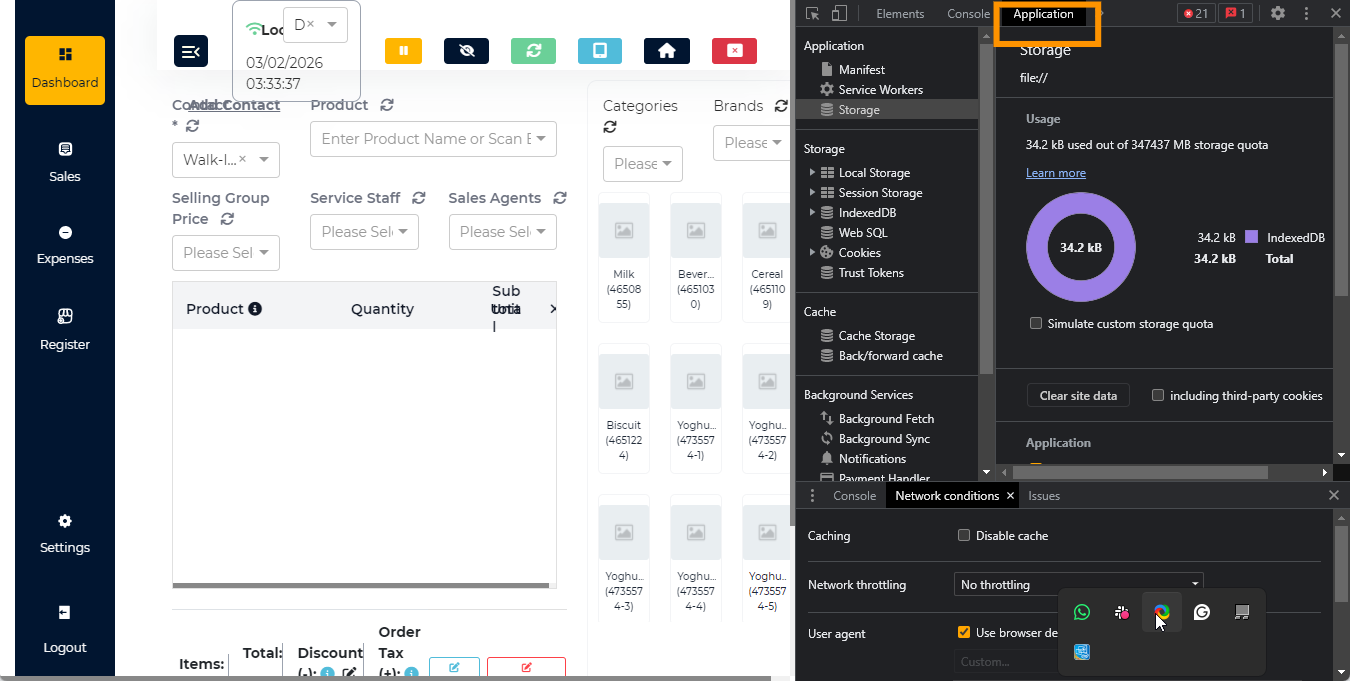
- Click site data.
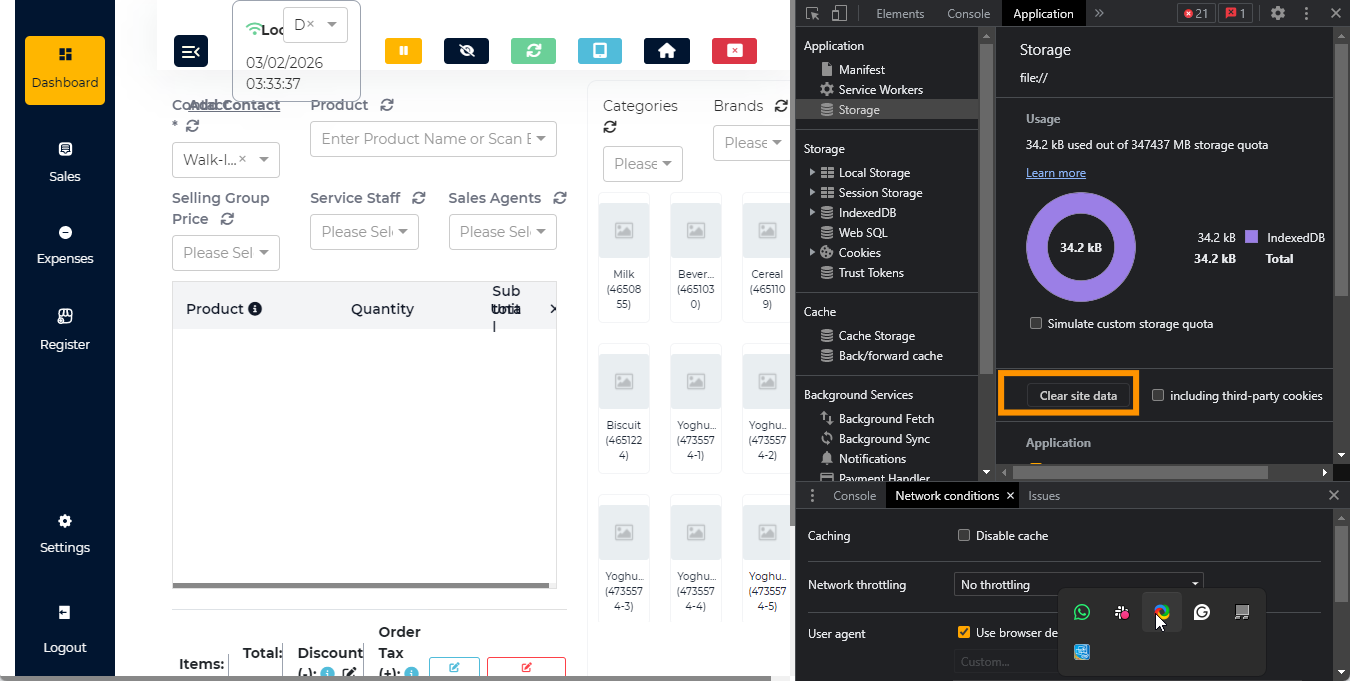
- Copy the backup data back to prokip file. Here
- Then retry logging in and resync the data.
–