Purpose
Monitor stock movement and ensure accurate inventory tracking across locations in real-time.
Steps
- Log in to Prokip.
2. Go to Products/Services and click on it.
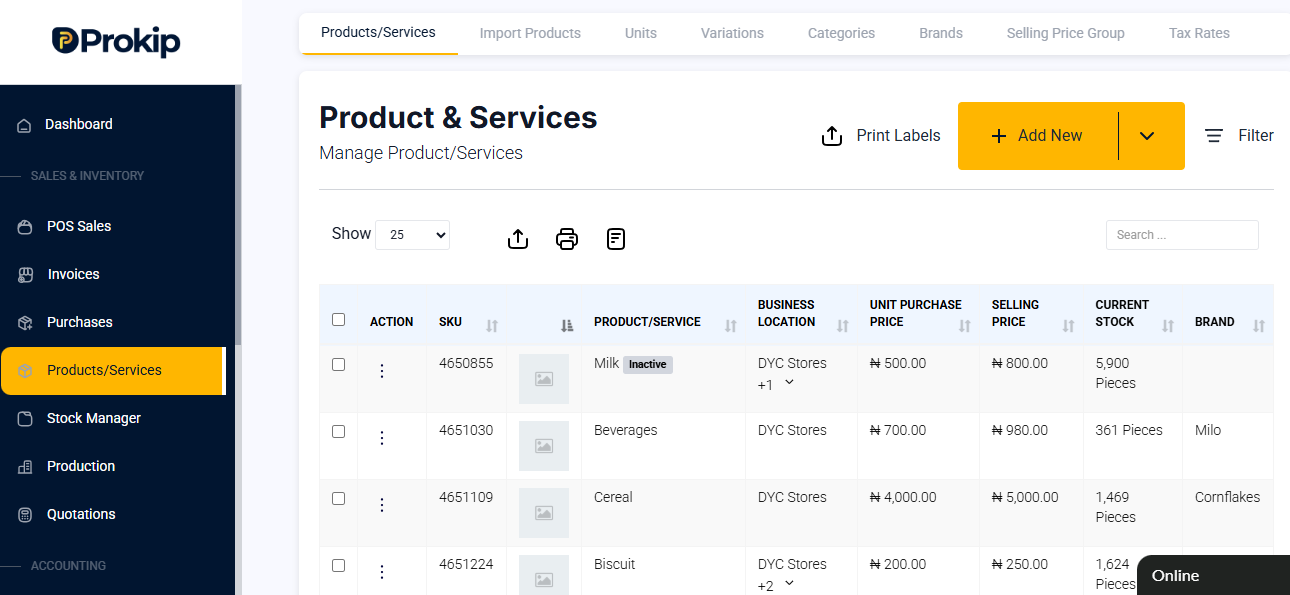
3. Click the three dots (⋮) beside the product.
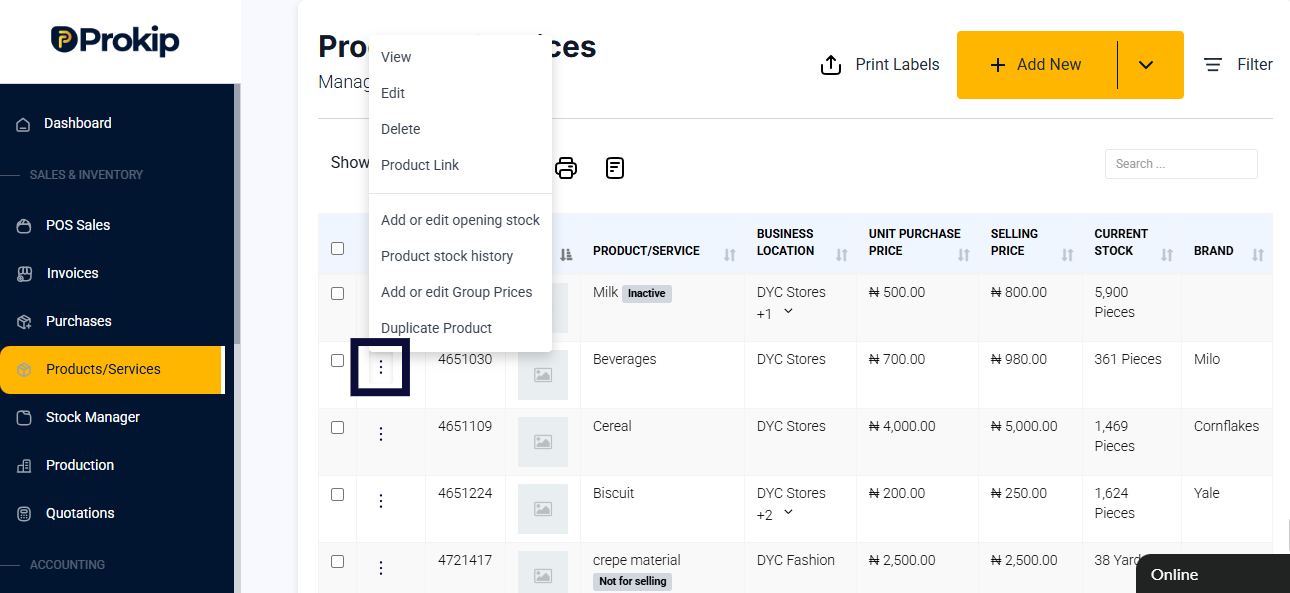
4. Select Product Stock History.
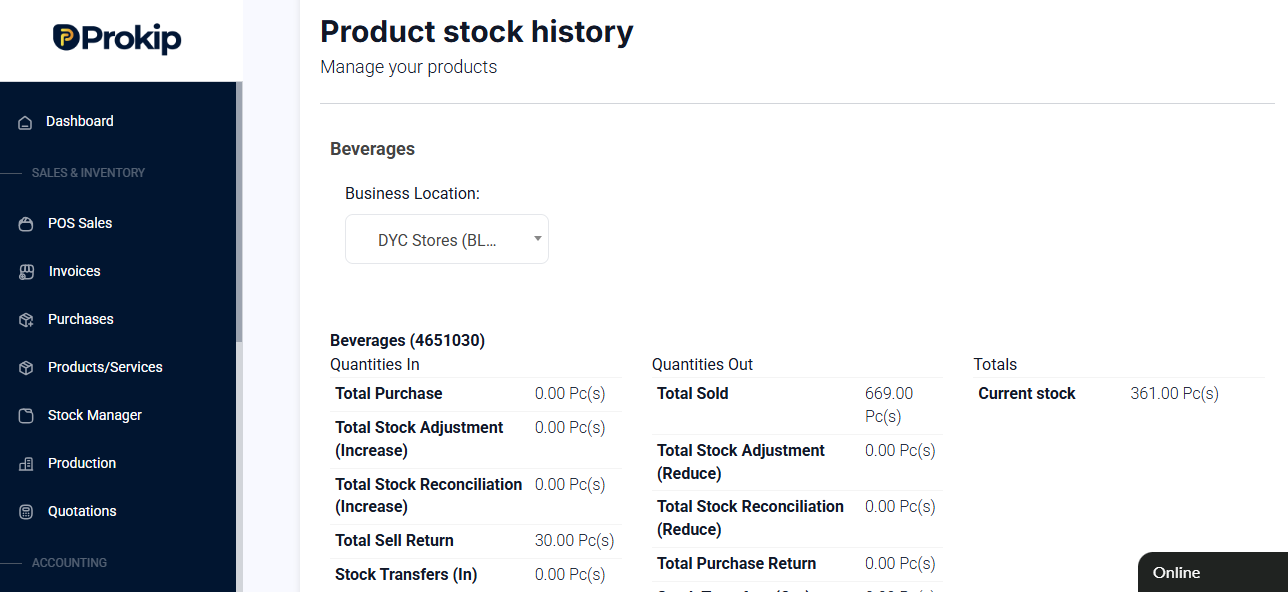
Note: Two stock values will appear — compare their values and confirm if they are the same value.
FAQ
Q1: Can I view stock for all locations?
A: Yes, the stock history report shows details by location.
Q2: How often should I check stock history?
A: Regularly — especially after large sales, stock transfers, or restocking.