If you notice that dates are showing incorrectly or filters are not working as expected, updating the date format in your settings usually resolves the issue. Follow these simple steps:
Steps to Update Date Format:
- Go to Profile
-
- Click on your Profile in the top-right corner of the screen.
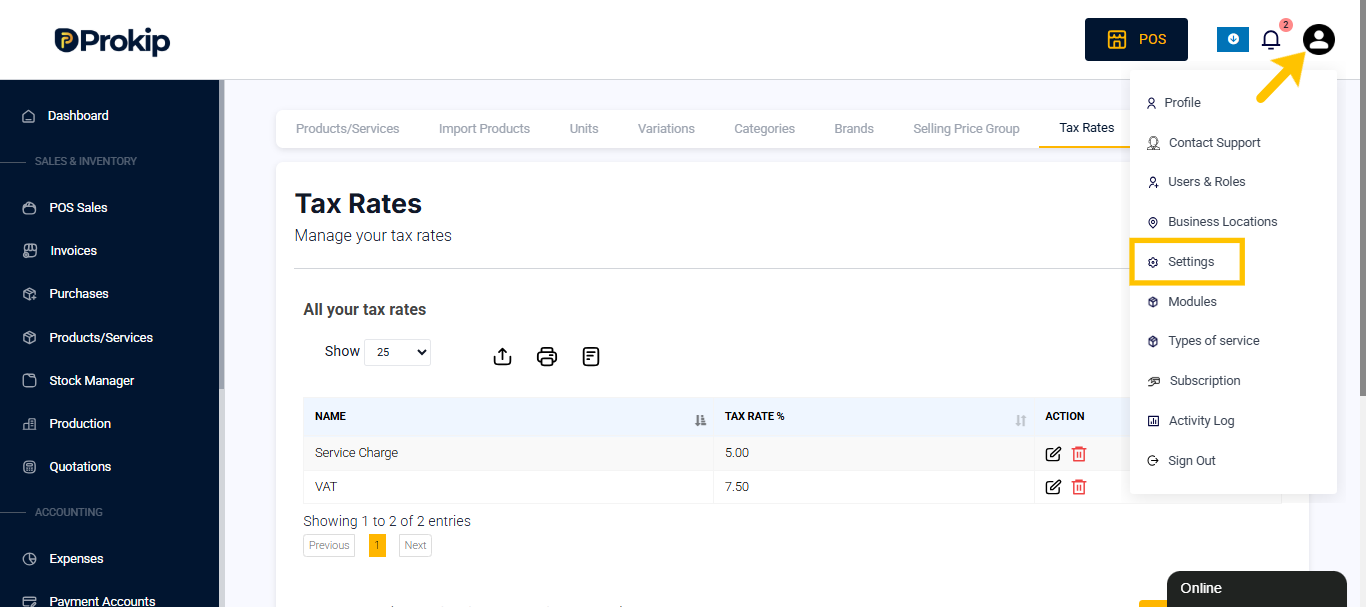
- Select Settings from the dropdown menu.
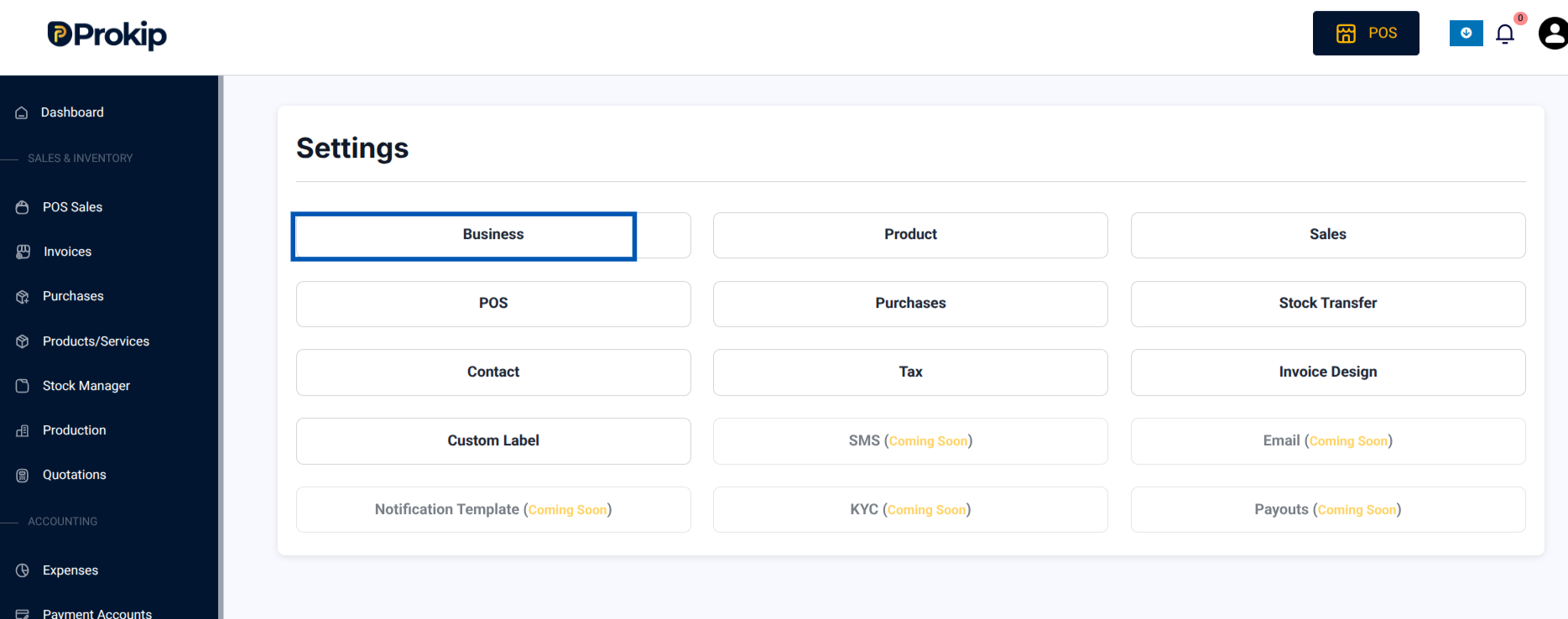
- Access Business Settings
- Within Settings, click on Business.
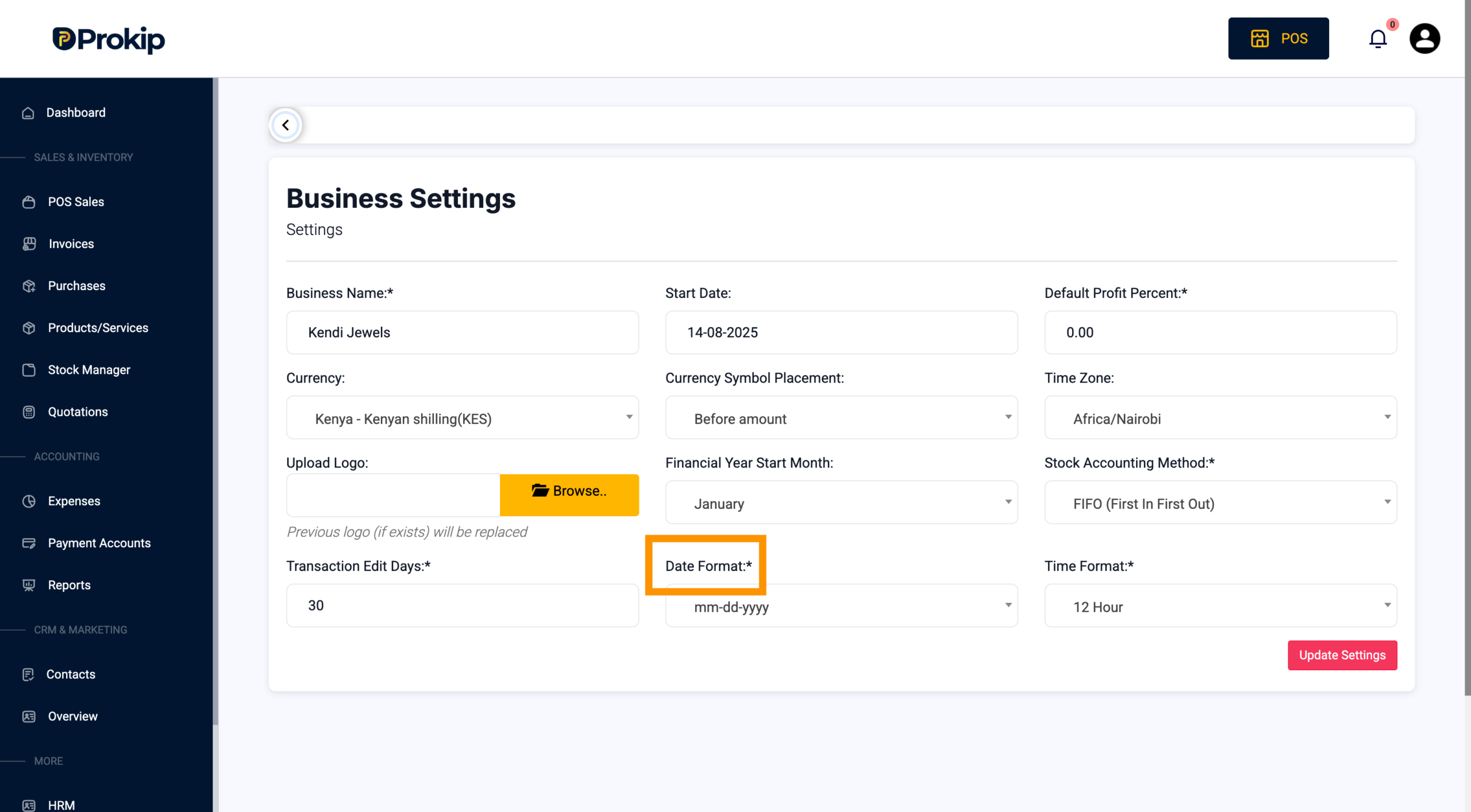
- Change the Date Format
- Find the Date Format option.
- Select MM-DD-YYYY from the dropdown menu.
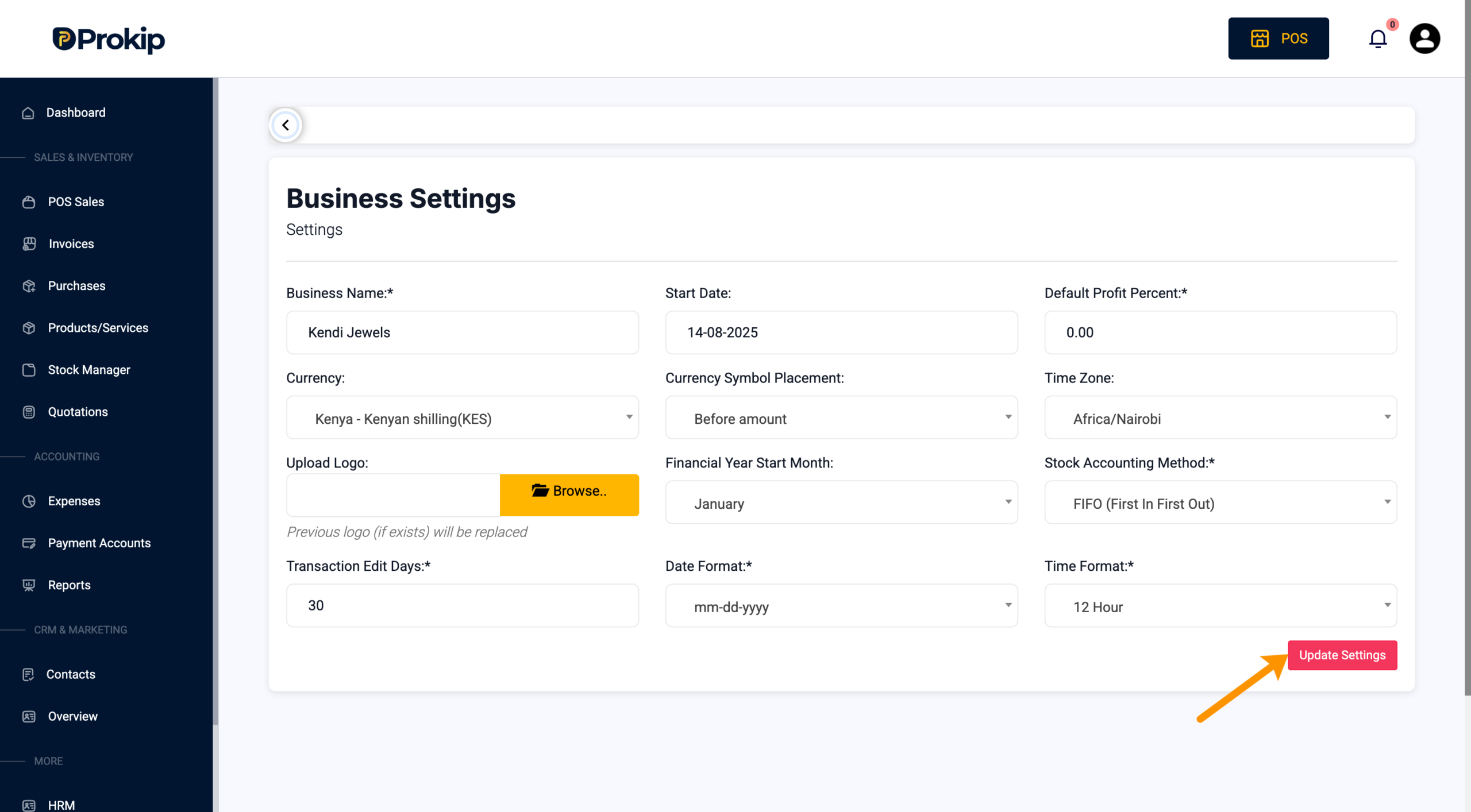
- Save Changes
- Click Update Settings to save your changes.
After updating, all dates should display correctly, and date-based filters should work as expected.