Purpose
Make payments using a mix of methods such as bank transfer, POS, and cash and also enable you make partial payments.
Steps
- Log in to Prokip.
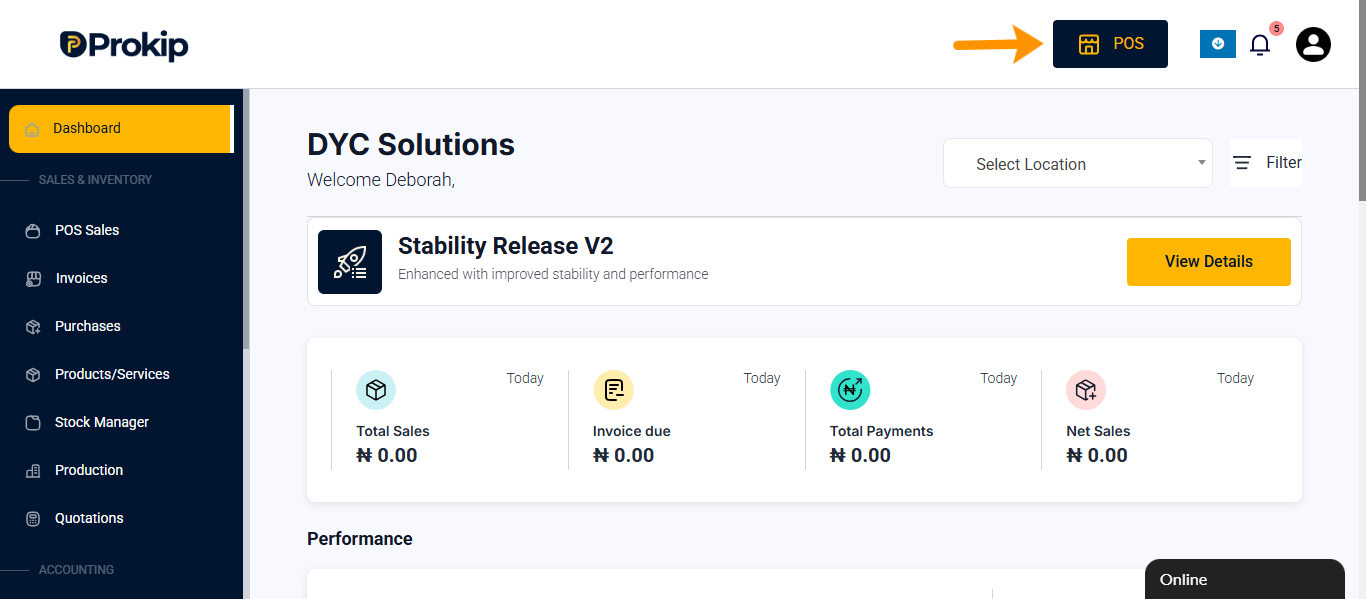
- Click POS.
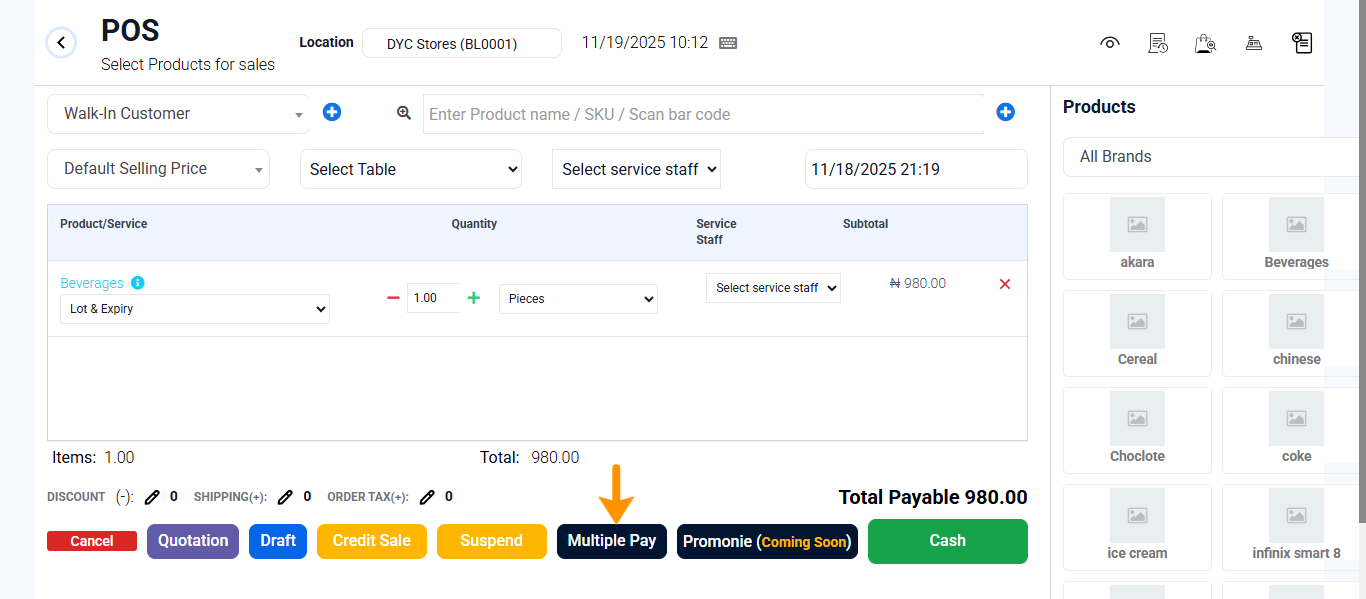
- Enter products or select products.
- Click Multiple Pay.
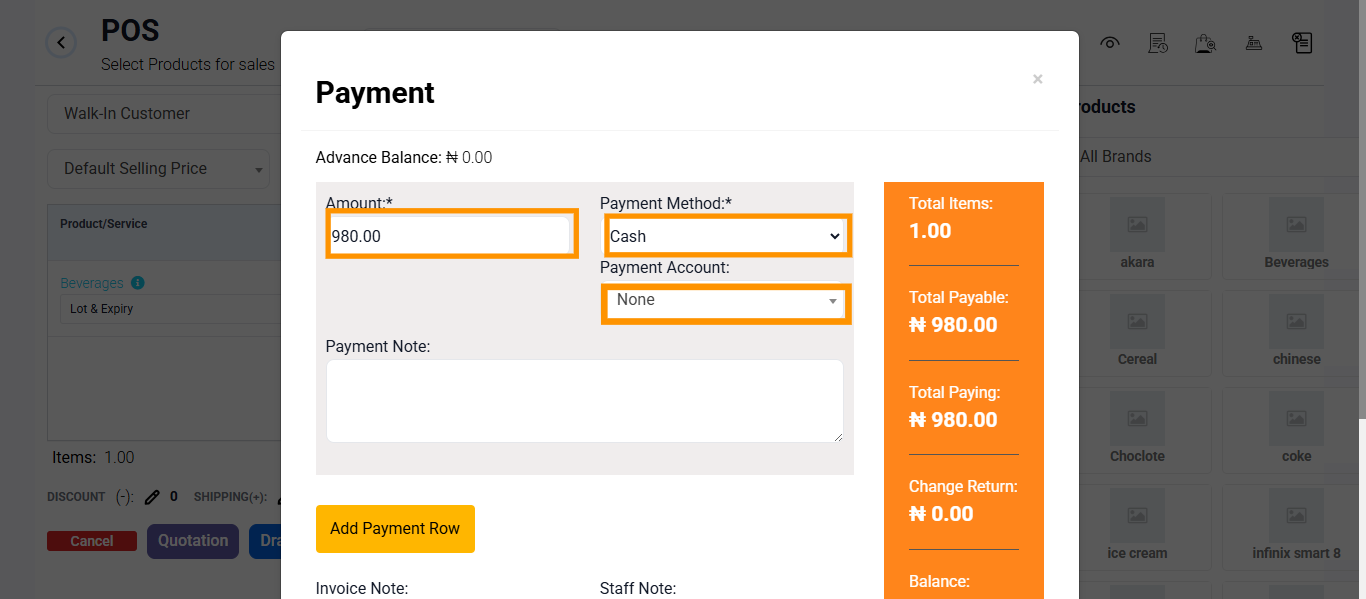
- Enter amounts, payment method and payment account.
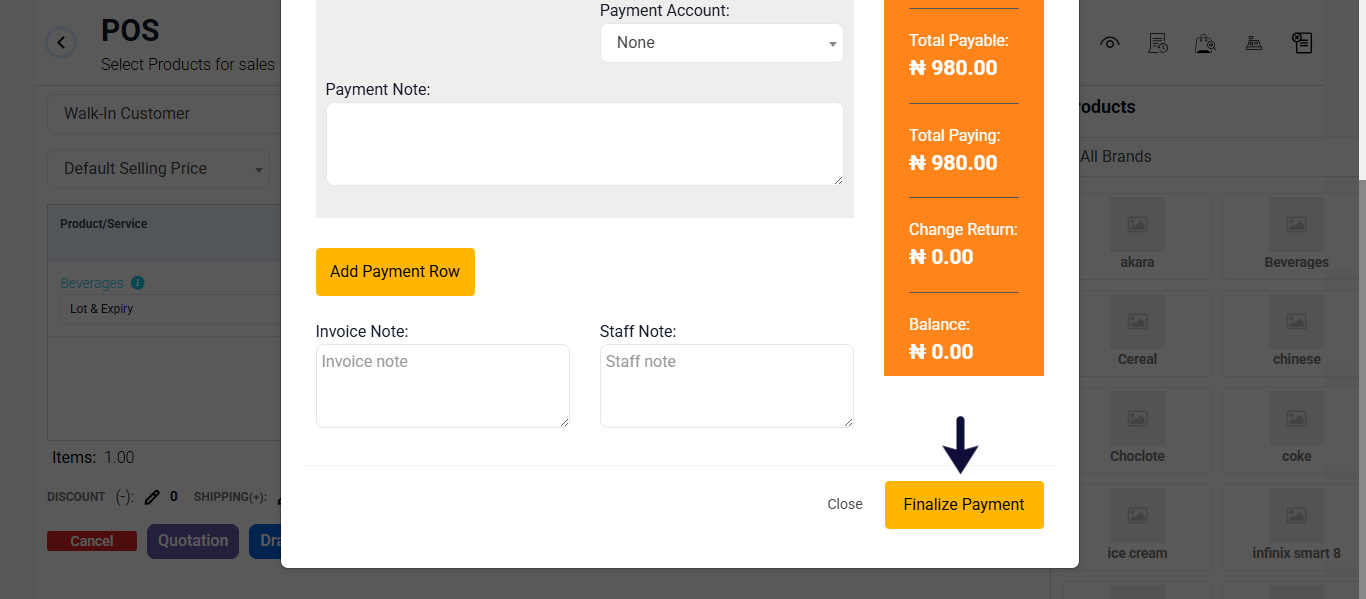
- Scroll down and Click Finalize Payment.
FAQ
Q1: Can I use more than two payment methods?
A: Yes, depending on the transaction type.
Q2: Will each method be recorded separately?
A: Yes, for clear reporting and tracking.
Q3: Can refunds also use multiple methods?
A: No, refunds must be processed one method at a time.