The Product Purchase Report in Prokip provides a detailed summary of all items purchased from suppliers. It helps businesses track procurement activity, unit prices, quantities, and total spending over a selected period.
This report is essential for analyzing purchasing trends, verifying supplier performance, and ensuring cost accuracy in inventory management.
How to Access the Product Purchase Report
- Go to the Reports section on your Prokip dashboard.
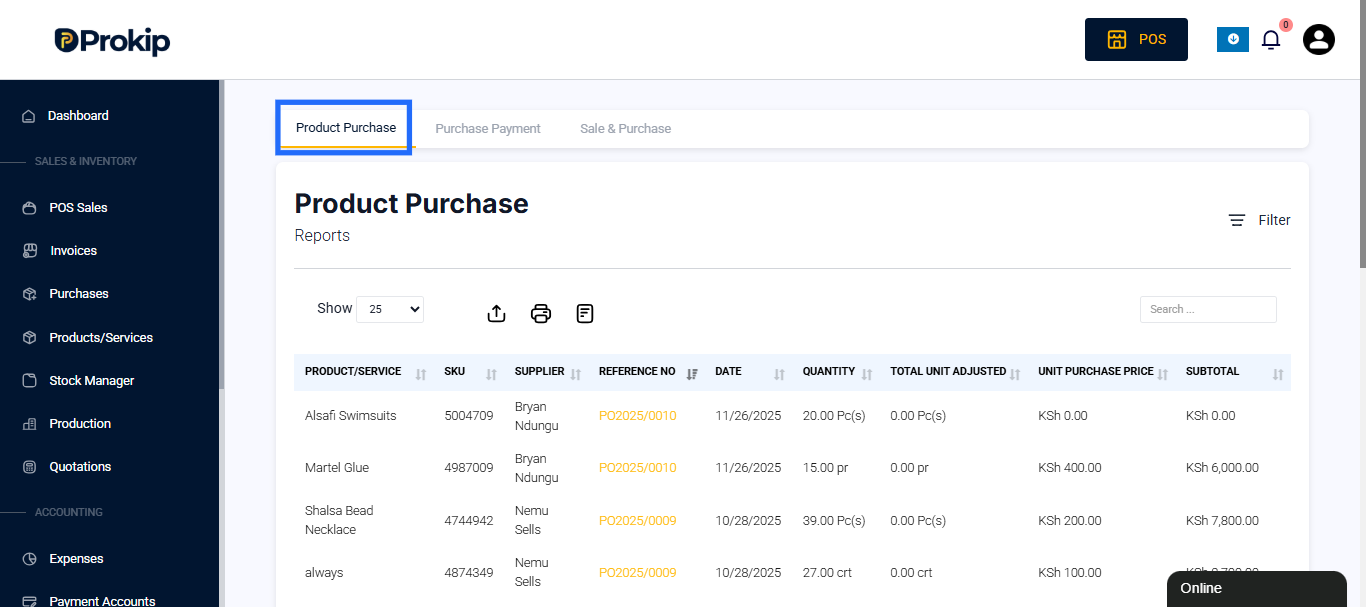
- Under the Purchase Reports page, the Product Purchase tab appears as the first tab.
Filters
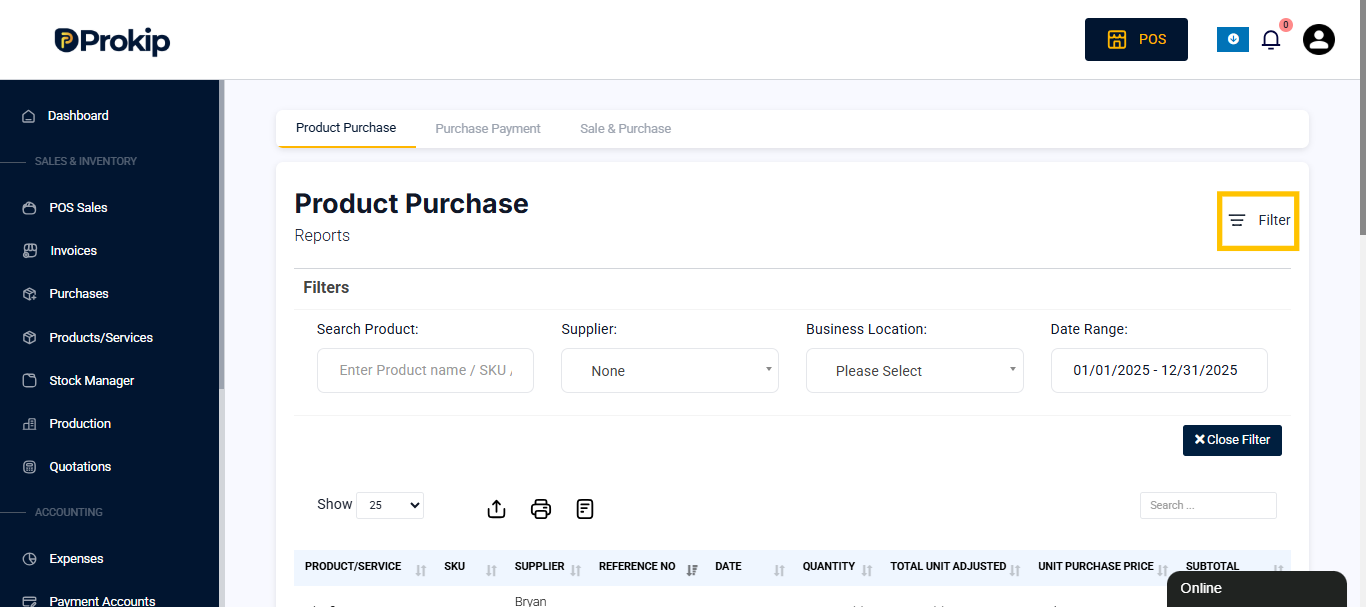
At the top of the report, filters help you narrow down purchase records based on your needs.
You can refine the displayed data by using filters such as:
- Supplier – Select a specific supplier to view all purchases made from them.
- Date Range – Choose a specific purchase period (e.g., this month, last month, or a custom date range).
- Business Location – Filter purchases made from a particular branch or store.
- Search Product – You can narrow your purchase report to a single product by searching for it here.
You can also search for specific products or reference numbers using the Search box.
Report Table Overview
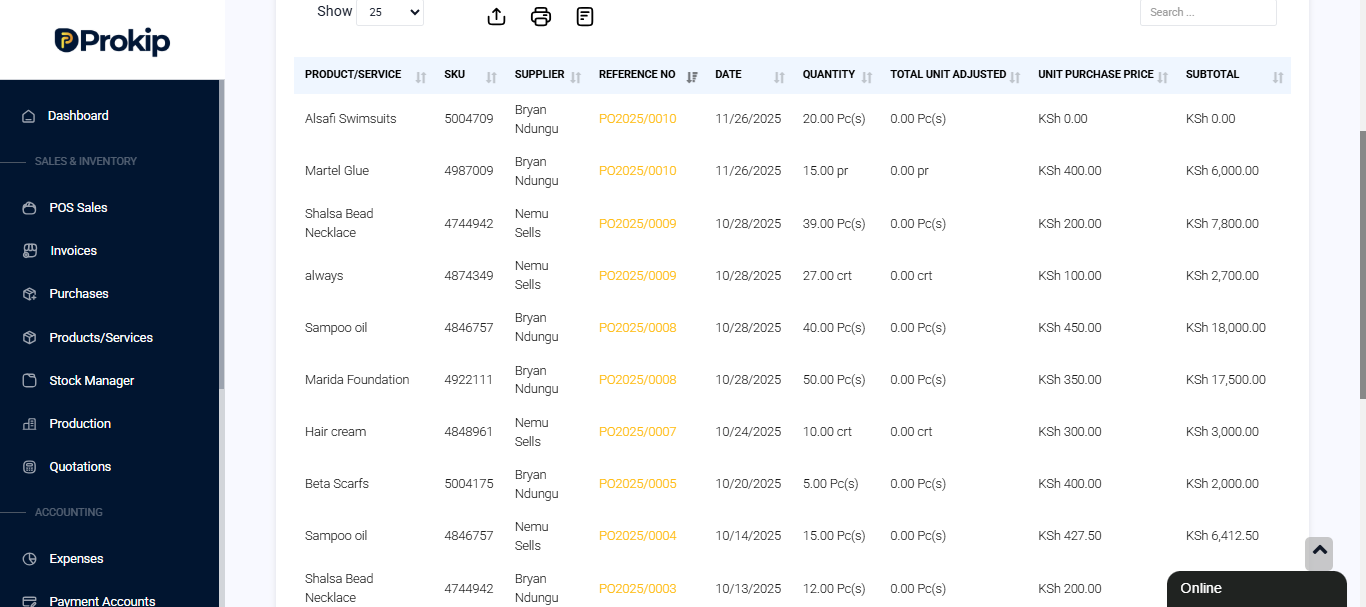
Each row in the report represents a purchase transaction recorded in the system.
The report includes the following columns:
- Product/Service – The name of the purchased item.
- SKU – The product’s unique Stock Keeping Unit (SKU) identifier.
- Supplier – The name of the vendor or supplier from whom the product was purchased.
- Reference No – A unique purchase order reference number (e.g., PO2025/0005).
- Date – The date the purchase was made or recorded.
- Quantity – The number of units purchased.
- Total Unit Adjusted – Displays any quantity adjustments made after the initial purchase (e.g., due to stock corrections or damaged goods).
- Unit Purchase Price – The cost per individual item or unit purchased.
- Subtotal – The total value for that purchase line (quantity × unit price).
Report Summary
At the bottom of the page, Prokip automatically calculates and displays total quantities and total purchase costs for the selected period.
This section summarizes overall purchasing activity, giving you a quick view of:
- Total Quantity Purchased – The total units bought across all suppliers.
- Total Cost – The overall budget spent on purchases made within the chosen date range.
For example:
- Total Quantity: 25 crt and 5 Pc(s)
- Total Purchase Cost: KSh 11,000.00
How Businesses Can Use This Report
The Product Purchase Report helps with:
- Tracking how much inventory is being purchased and from which suppliers.
- Comparing unit purchase costs over time.
- Identifying high-volume or high-cost suppliers.
- Supporting purchase planning and cost control.
- Providing accurate data for accounting and financial audits.
Related Purchase Reports
Under the Purchase Reports section, you can also access:
- Purchase Payment Report – Tracks payments made to suppliers.
- Sale & Purchase Report – Compares total sales and purchase data for performance analysis.