The Sale & Purchase Report in Prokip provides a financial summary that compares total sales against total purchases within a selected period.
It gives businesses an instant overview of their gross profit, purchase and sales performance, and outstanding dues.
How to Access the Sale & Purchase Report
- From the main menu, go to Reports.
- Under the Purchase Reports tab, select Sale & Purchase.
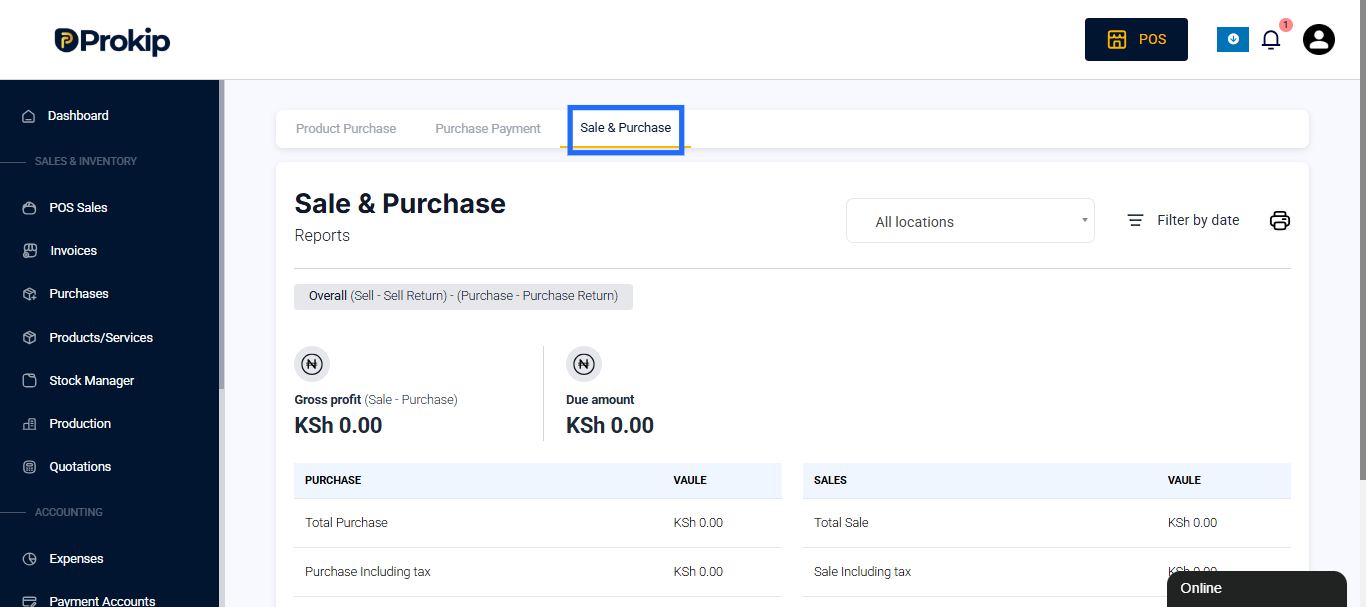
This report combines both sales and purchase data to help you monitor business profitability and supplier/customer balances.
Report Overview
At the top of the page, Prokip displays key financial indicators that summarize your sales and purchases:
- Overall (Sell – Sell Return) – (Purchase – Purchase Return) – Represents your net transaction value after removing returns.
- Gross Profit (Sale – Purchase) – The total profit generated before expenses and taxes.
- Due Amount – The outstanding amount still owed to suppliers or expected from customers.
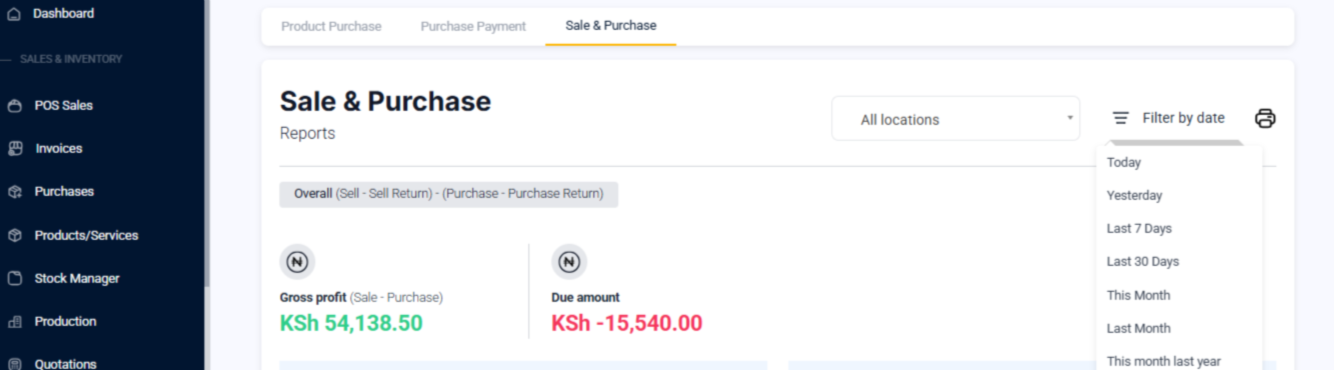
These summary figures help you understand the financial performance of your business at a glance.
Purchase Value Summary
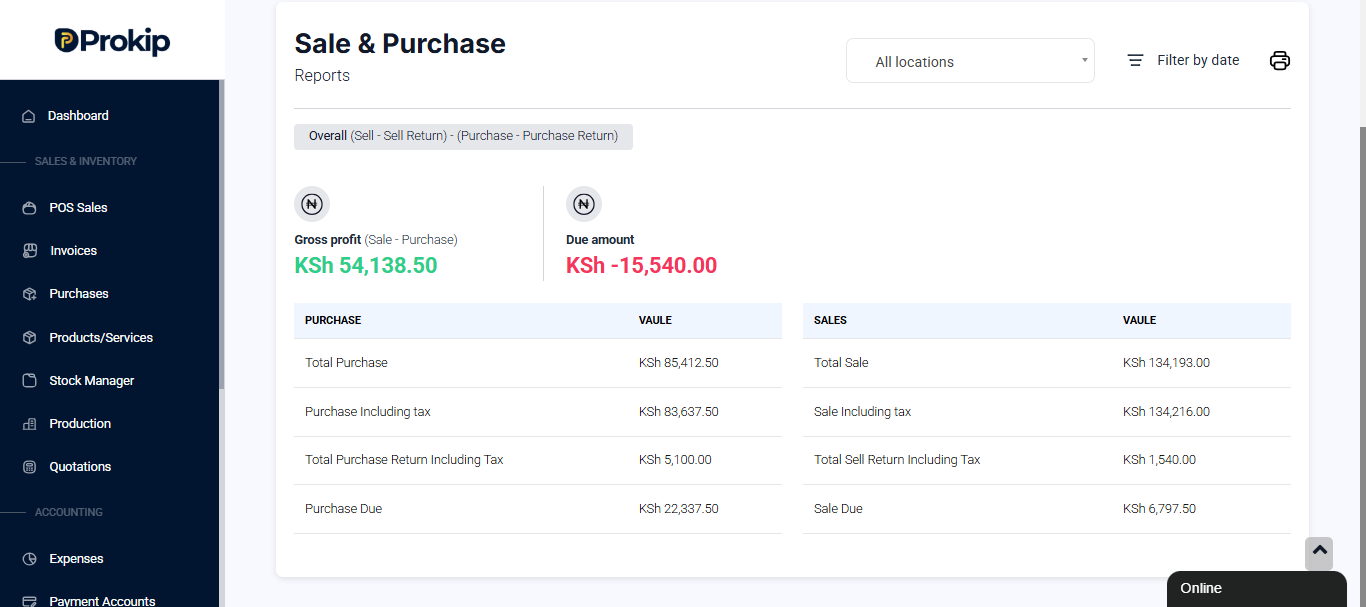
The Purchase Value section shows all key figures related to your business’s product purchases during the selected date range:
- Total Purchase – The total amount spent on purchases before tax.
- Purchase Including Tax – The complete purchase total after adding applicable taxes.
- Total Purchase Return Including Tax – The value of returned goods sent back to suppliers.
- Purchase Due – The remaining amount yet to be paid to suppliers.
Sales Value Summary
The Sales Value section shows figures related to all customer sales within the same reporting period:
- Total Sale – The total amount from sales before tax.
- Sale Including Tax – The full sale amount after including tax.
- Total Sell Return Including Tax – The total value of items returned by customers.
- Sale Due – The remaining unpaid amount from customers.
How Businesses Use This Report
The Sale & Purchase Report helps business owners track profitability and manage supplier payments efficiently.
You can use it to:
- Measure overall business performance and profitability.
- Compare purchase costs against sales revenue.
- Identify outstanding supplier payments or customer balances.
- Support accounting, audit, and tax reporting.
- Make informed inventory and budgeting decisions.
Related Reports
Under the Purchase Reports section, you can also access:
- Product Purchase Report – Detailed list of all purchased items.
- Purchase Payment Report – Records all payments made to suppliers.