The Stock Adjustment Report in Prokip helps track any manual changes made to product quantities or stock values. Adjustments may occur due to stock discrepancies, data entry corrections, damaged items, or theft.
This report gives full visibility into stock increases or reductions and the financial impact of each adjustment.
How to View the Stock Adjustment Report
- Go to the Reports section on your Prokip dashboard.
- Under the Stock page, click Stock Adjustment Report.
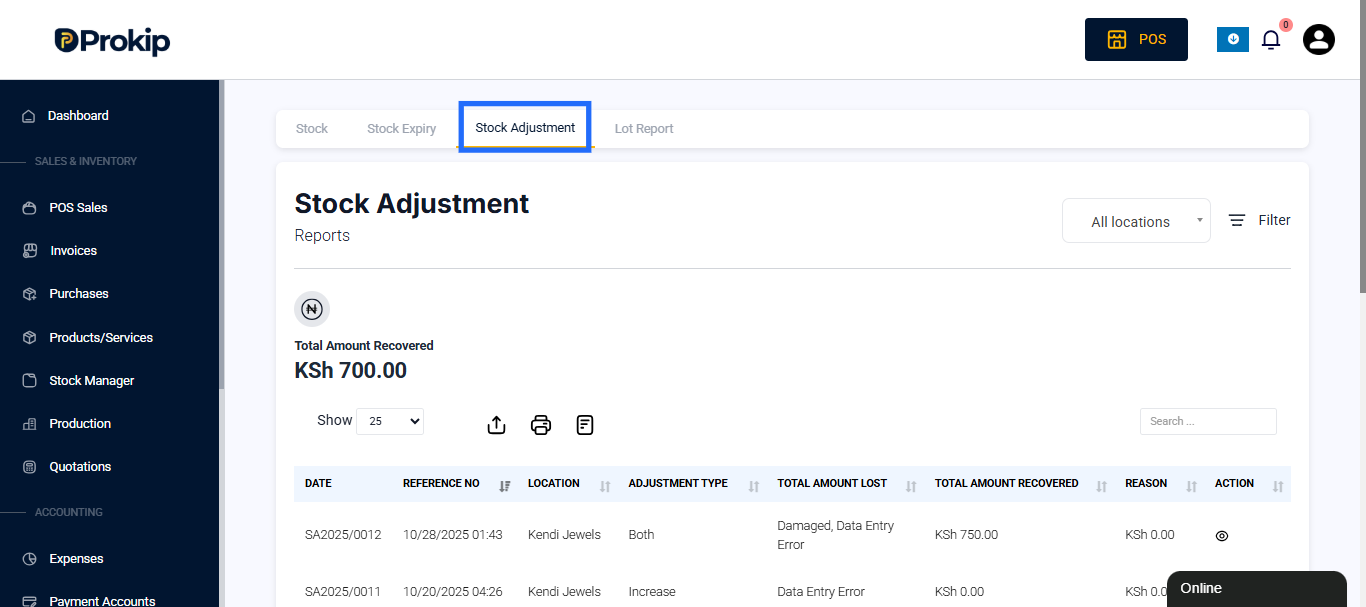
You will see a complete record of all stock changes made in your business, including the adjustment date, reference number, and reasons.
Filters and Date Range Options
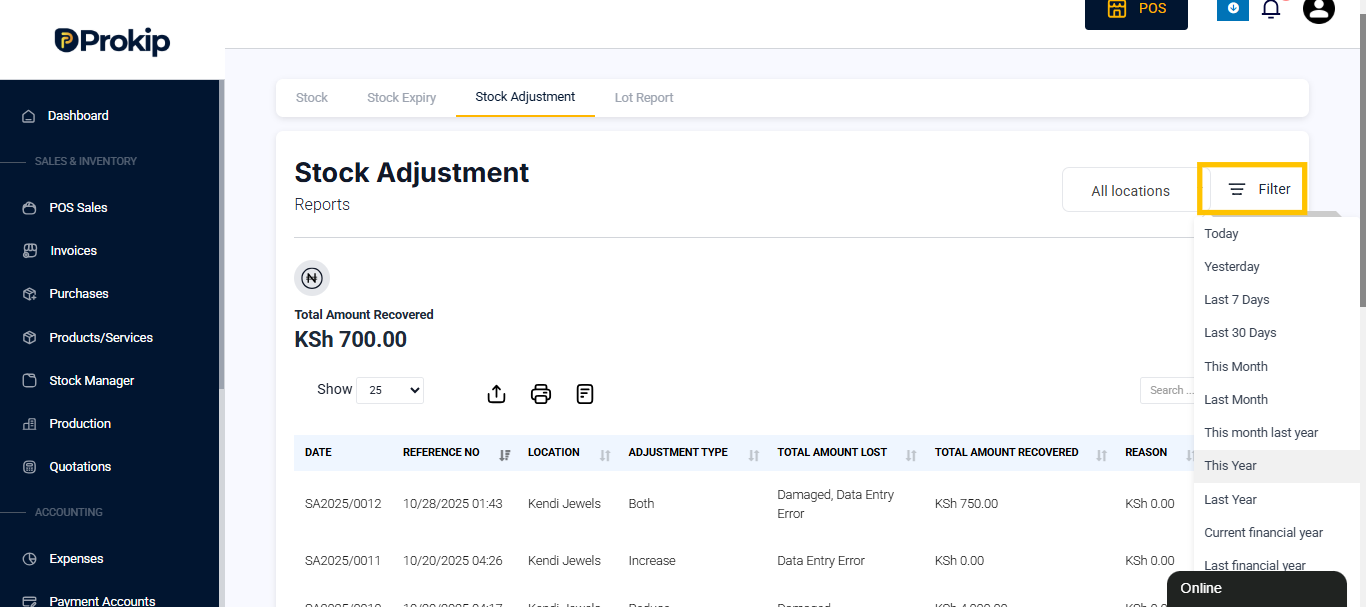
At the top of the report, you can use filters to narrow down your search. The Stock Adjustment Report allows you to view data for specific periods or all-time adjustments.
You can select from preset date filters.
Understanding the Report Data
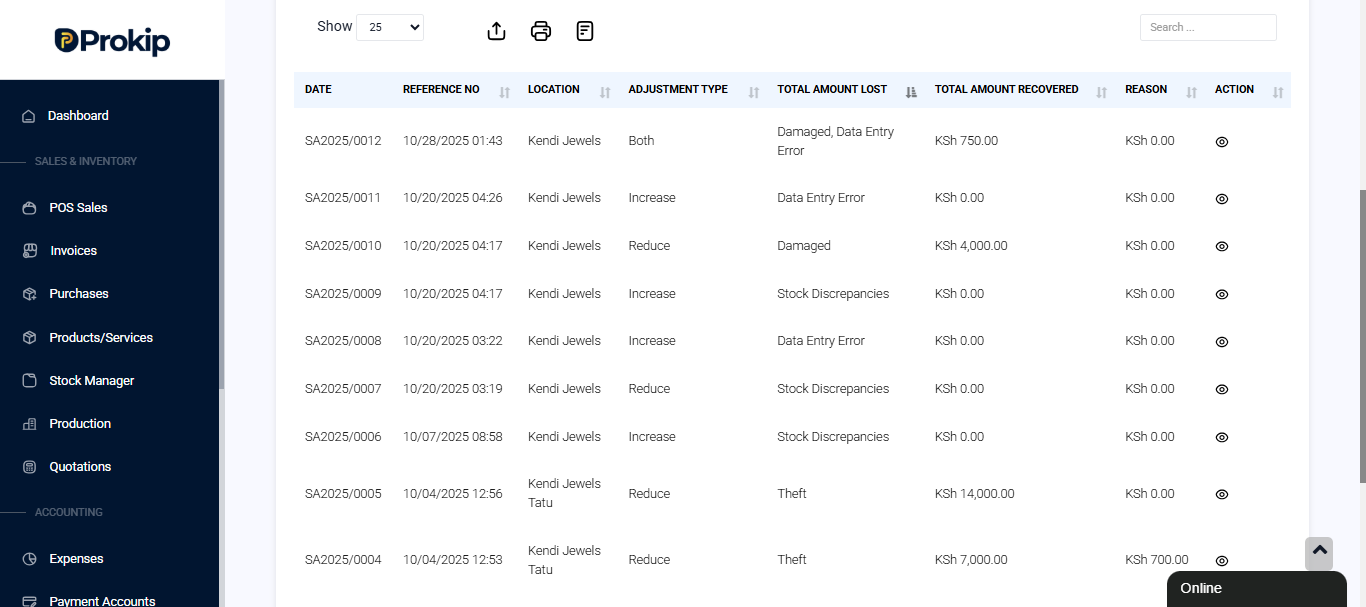
Each row in the report represents a single stock adjustment activity recorded in the system. The key columns include:
- Date – The date and time when the stock adjustment was made.
- Reference No – A unique identifier automatically generated by the system (e.g., SA2025/0008).
- Location – The business location or store where the adjustment occurred.
- Adjustment Type – Indicates whether stock was Increased or Reduced.
- Reason – The reason given for the adjustment (e.g., Damaged, Theft, Data Entry Error, Stock Discrepancies).
- Total Amount Lost – The total value of stock lost due to reduction adjustments.
- Total Amount Recovered – The total value recovered if lost stock was later found or corrected.
- Action – Displays available options to view the record (depending on user permissions).
Report Summary
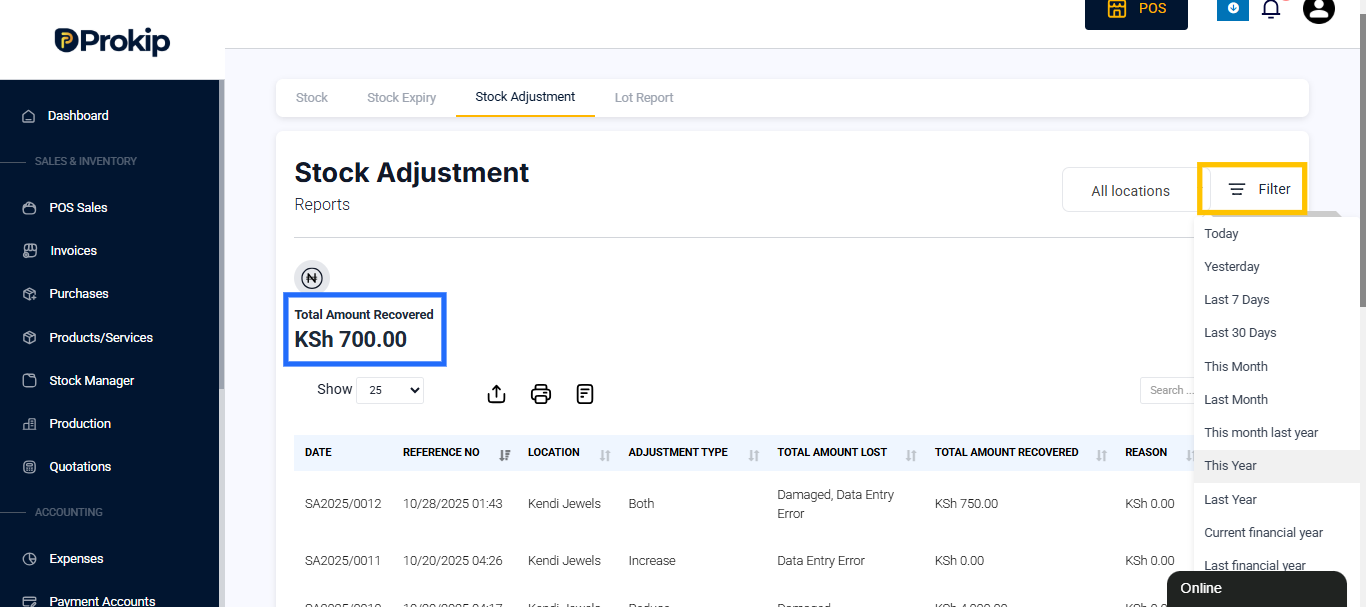
At the top of the page, the Total Amount Recovered is displayed.
This figure represents the total value of stock that has been restored or adjusted positively within the selected date range.
For example:
- Total Amount Recovered: KSh 700.00
(Indicates KSh 700 worth of stock was recovered through adjustment entries.)
Example Insights
From the report you can see :
- Items were reduced due to damage and theft, resulting in value losses (e.g., KSh 4,000 lost, KSh 14,000 lost).
- Some entries show increases due to stock discrepancies or data entry errors, which corrected previous mistakes.
- The Total Amount Recovered (KSh 700) indicates a partial recovery from lost stock.
Why the Stock Adjustment Report Is Important
This report helps business owners and managers:
- Identify causes of stock changes (e.g., theft, breakage, or miscounts).
- Track financial losses or recovered amounts.
- Maintain accurate inventory levels across multiple locations.
- Detect patterns of errors or misuse in stock handling.
- Support internal audits and accountability.
Related Reports
You can find these related reports under the Stock Reports section:
- Stock Report – Displays total stock quantity and value by product.
- Stock Expiry Report – Shows expiry and manufacturing dates of products.