The Stock Expiry Report in Prokip helps you monitor products that have manufacturing and expiry dates. This report is especially useful for businesses selling perishable or time-sensitive items like cosmetics, food, or pharmaceuticals. It ensures that you can manage stock effectively and prevent losses from expired goods.
How to View the Stock Expiry Report
- Go to the Reports section on your Prokip dashboard.
- Under the Stock page, select the Stock Expiry Report tab.
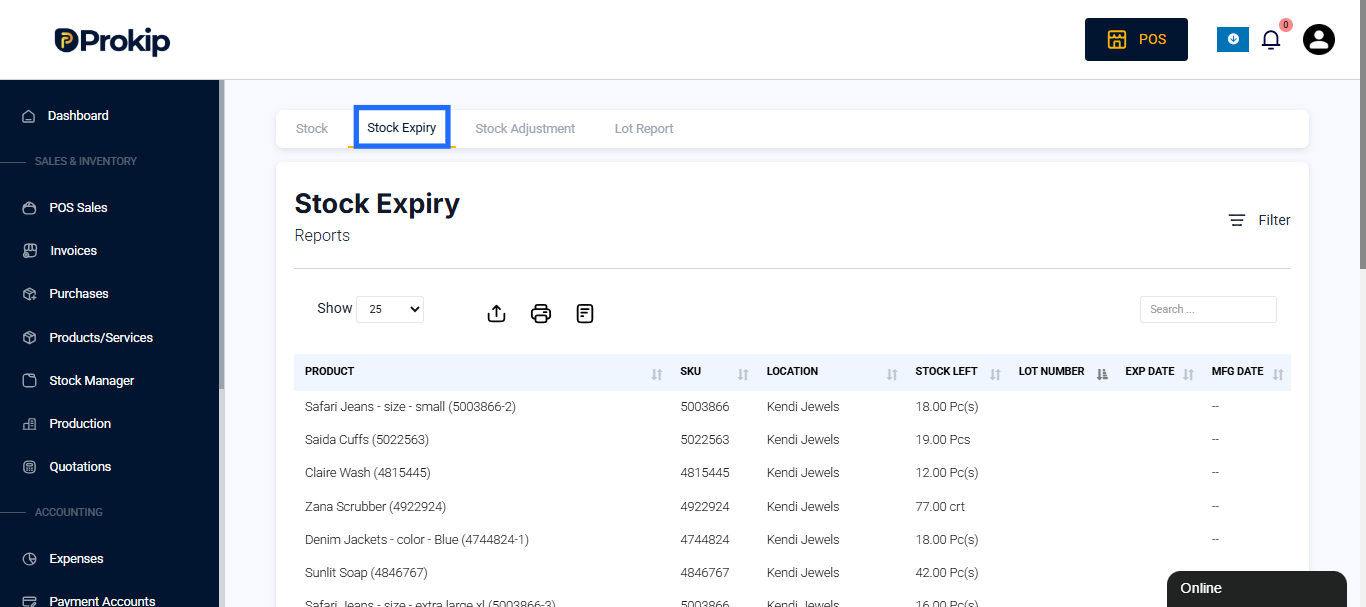
You’ll see a list of products currently in stock, along with key expiry and manufacturing details.
Using Filters
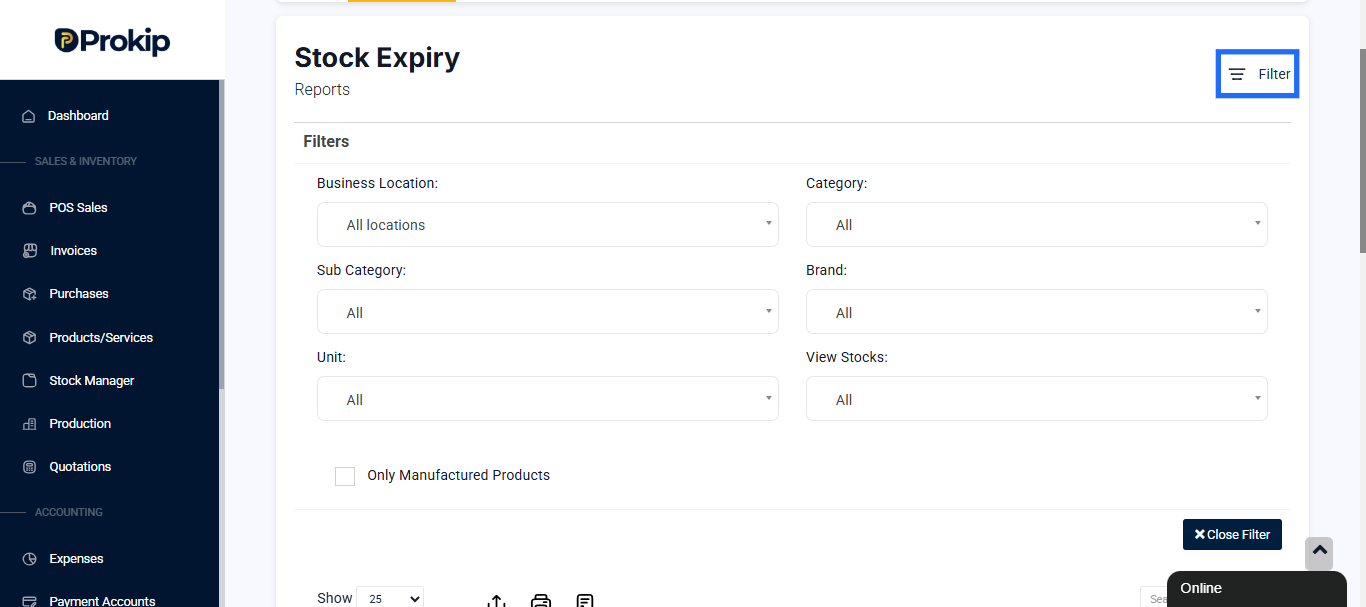
At the top of the page, use filters to narrow down your results for better tracking. The filters include:
- Business Location – Filter products by a specific store or branch.
- Category – View expiry information by product category.
- Sub-category – Narrow down within a specific category.
- Brand – Track expiry by brand type.
- Unit – Filter by measurement unit (e.g., pieces, cartons, liters).
- View Stocks – Display current stock details.
- Only Manufactured Products – Show only products that your business produces.
Understanding the Report Data
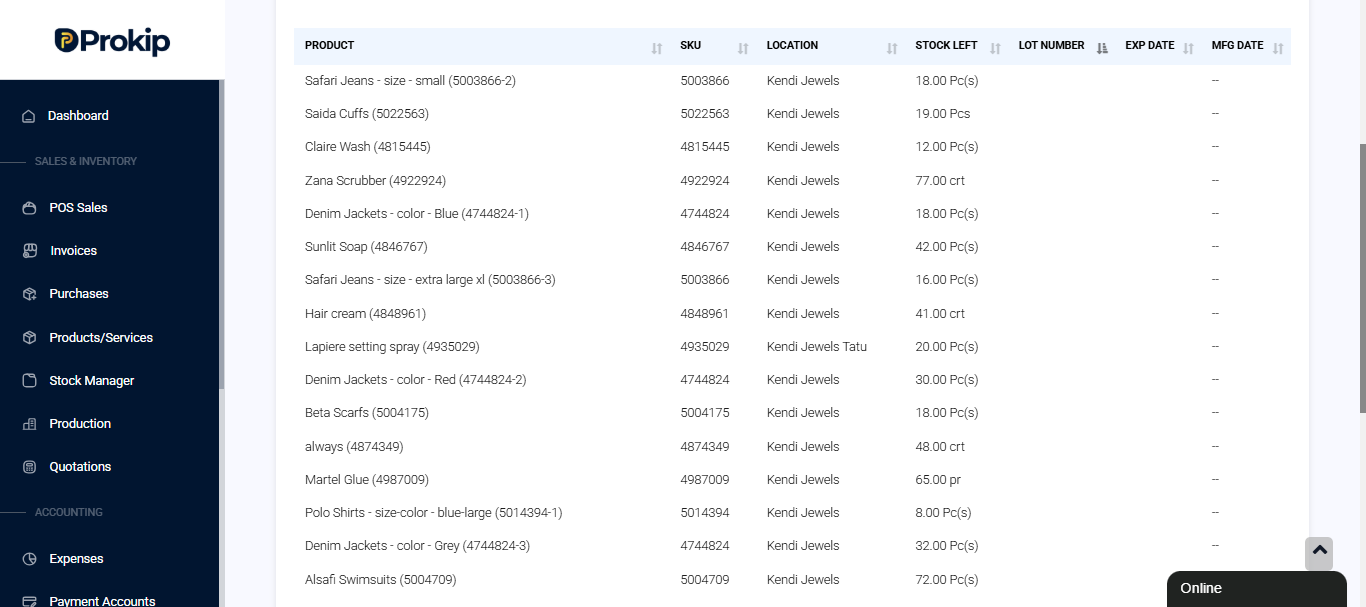
The Stock Expiry Report shows essential details for each product currently in stock:
- Product Name – The name of the product, including variations like color, size, or packaging.
- SKU – The stock keeping unit or item code used for internal tracking.
- Location – The branch or outlet where the product is stored.
- Stock Left – The current quantity of that product available.
- Lot Number – The production or batch number of the item.
- Expiry Date (EXP Date) – When the product is expected to expire.
- Manufacture Date (MFG Date) – When the product was produced.
Stock Expiry Report Insights
From this report, you can quickly identify:
- Products that are near expiry.
- Items without expiry data (for follow-up with suppliers).
- Stock quantities for perishable goods.
- Branches holding the most at-risk inventory.
Why the Stock Expiry Report Is Important
This report helps you:
- Prevent losses by clearing expiring stock early.
- Maintain compliance with health and safety standards.
- Plan replenishment for expiring or expired products.
- Keep inventory up-to-date and ensure product quality.
Related Reports
You can find other useful inventory-related reports in the same section:
- Stock Adjustment Report – Tracks all manual quantity or value adjustments.
- Lot Report – Displays detailed lot-level stock tracking for manufactured or batched goods.