Advance payments let customers pay ahead of delivery or full payment. This helps with reservations, deposits, or securing items.
Before You Start
- Confirm that the contact (customer) is added in Contacts (as Customer or Both).
- Make sure your customer’s payment account is set up, if the customer has one.
- Know the amount you expect as advance.
How to Record an Advance Payment (Contacts → Pay)
- Go to Contacts in the sidebar.
- Search and select the customer.
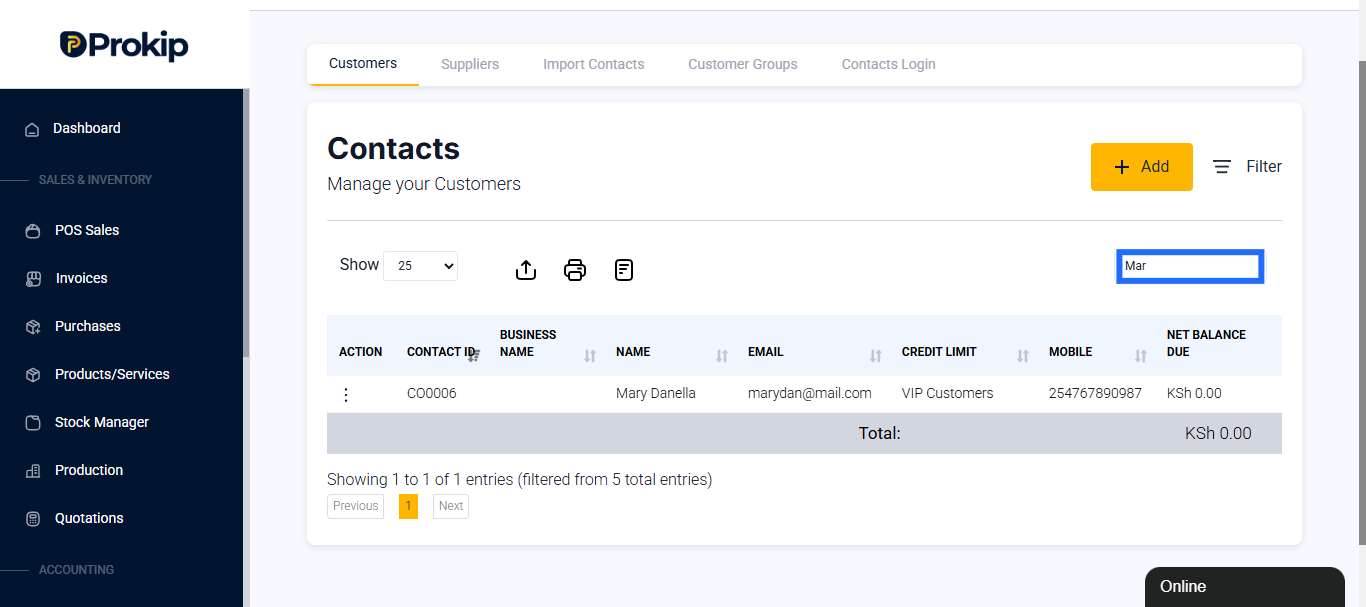
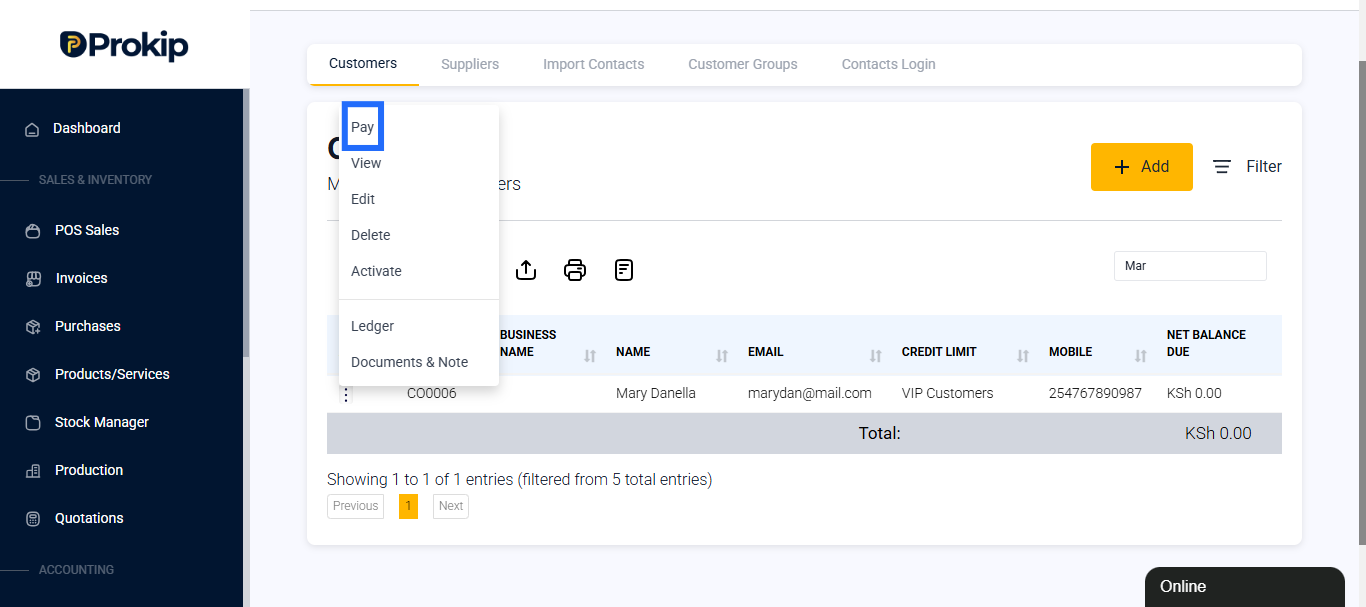
- Click Actions → Pay to be directed to the Pay form.
- Enter the amount the customer is paying in advance, and the date paid.
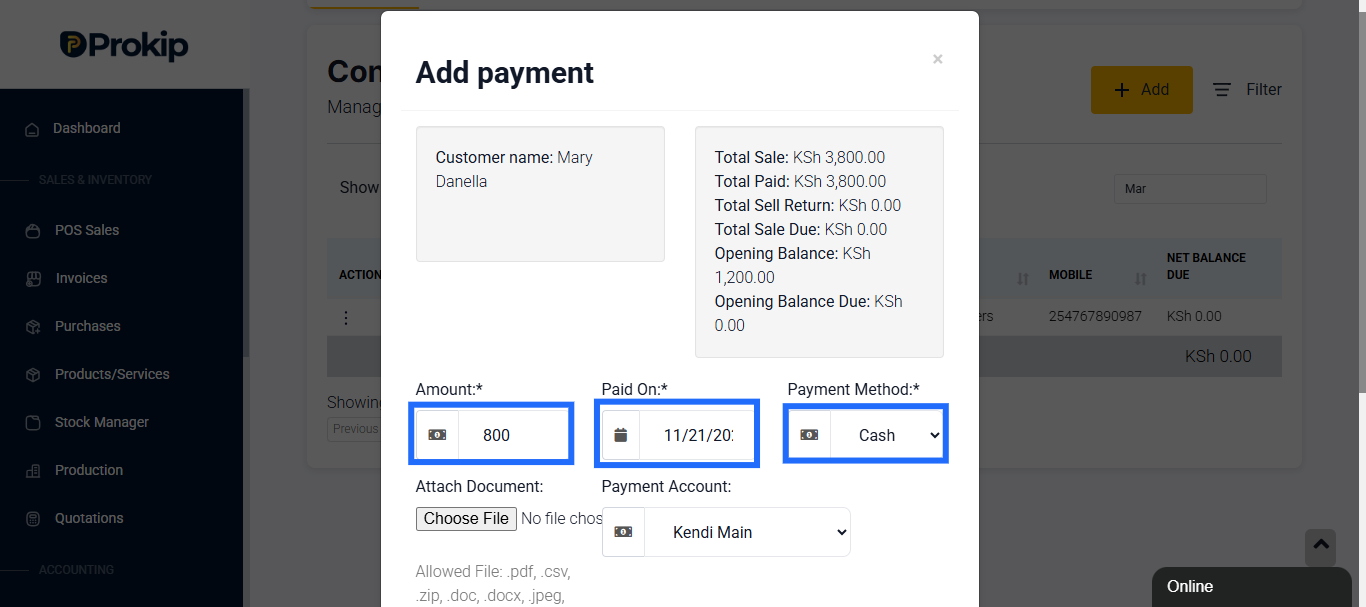
- Choose a Payment Method (Cash, Bank Transfer, etc.).
- You can add a Payment Note (optional) for any details you would need to remember.
- Click Save.
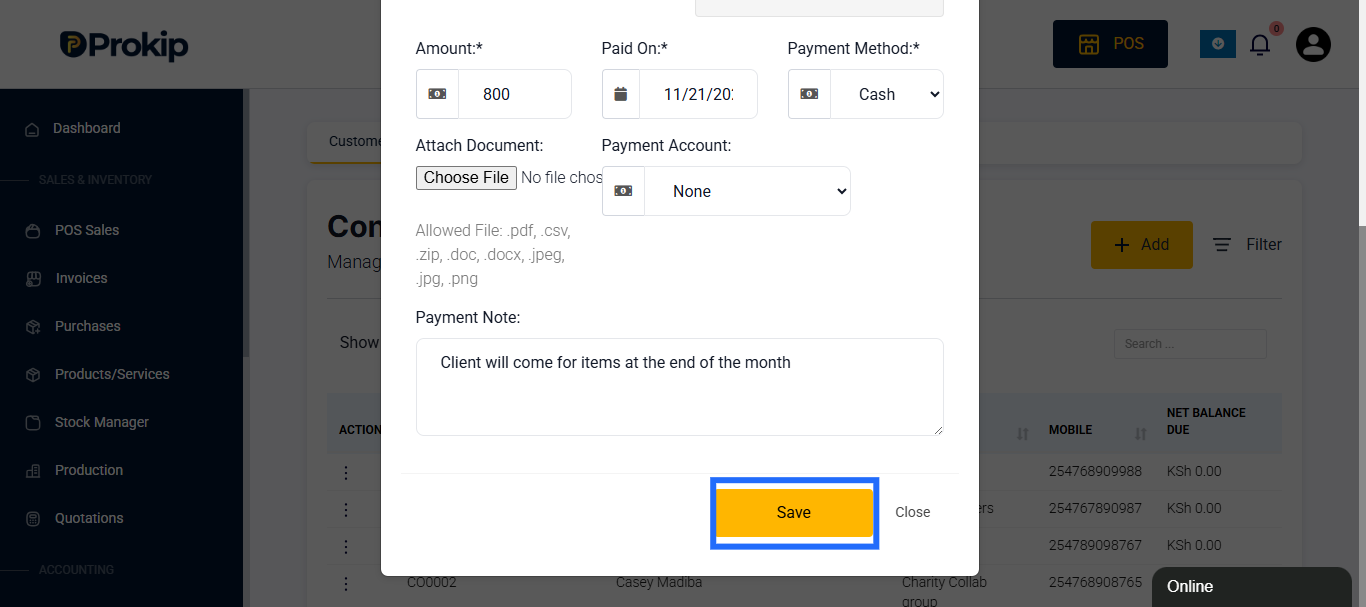
This stores the payment as credit on the customer’s account (advance).
How to Use the Advance Payment in POS (if Advance Balance is enabled)
- Go to POS.
- Select the customer and add products to the cart.
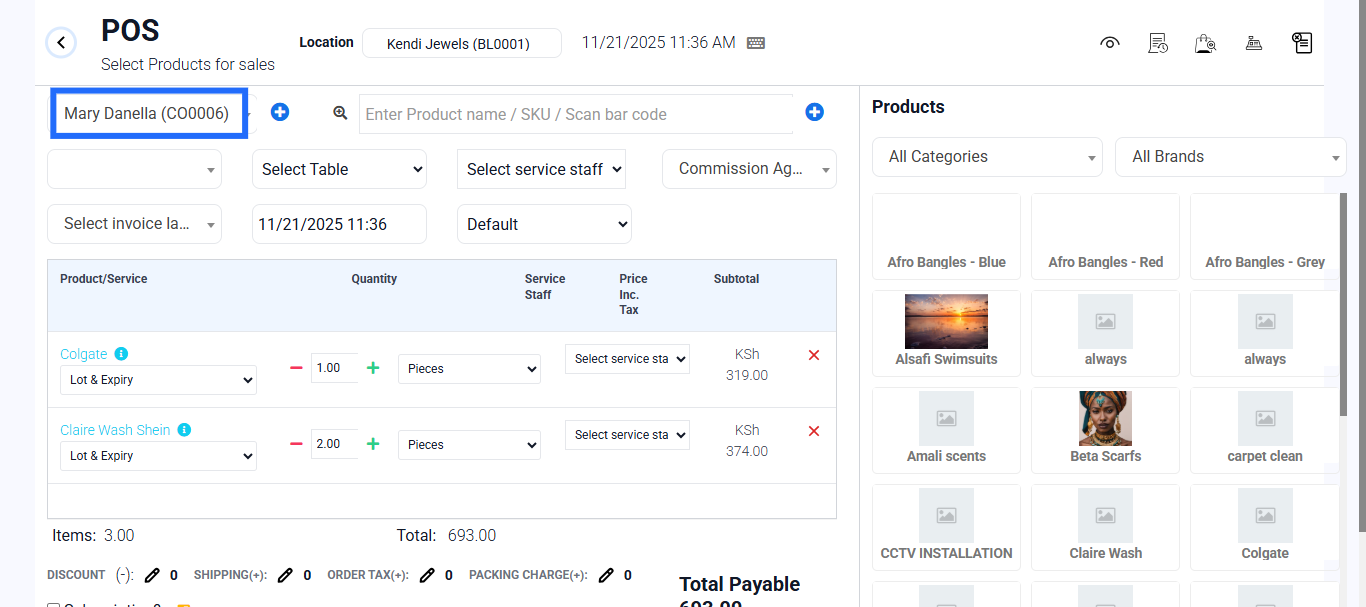
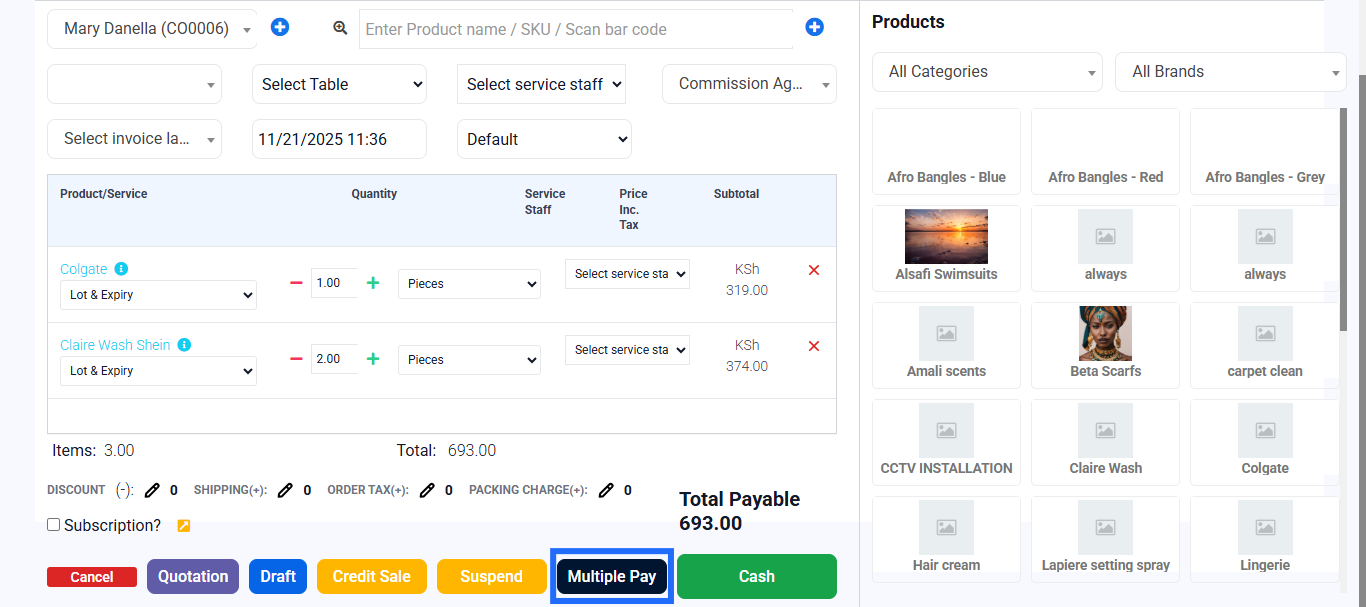
- Click Multiple Pay (to split payments).
- Choose Advance as one payment method.
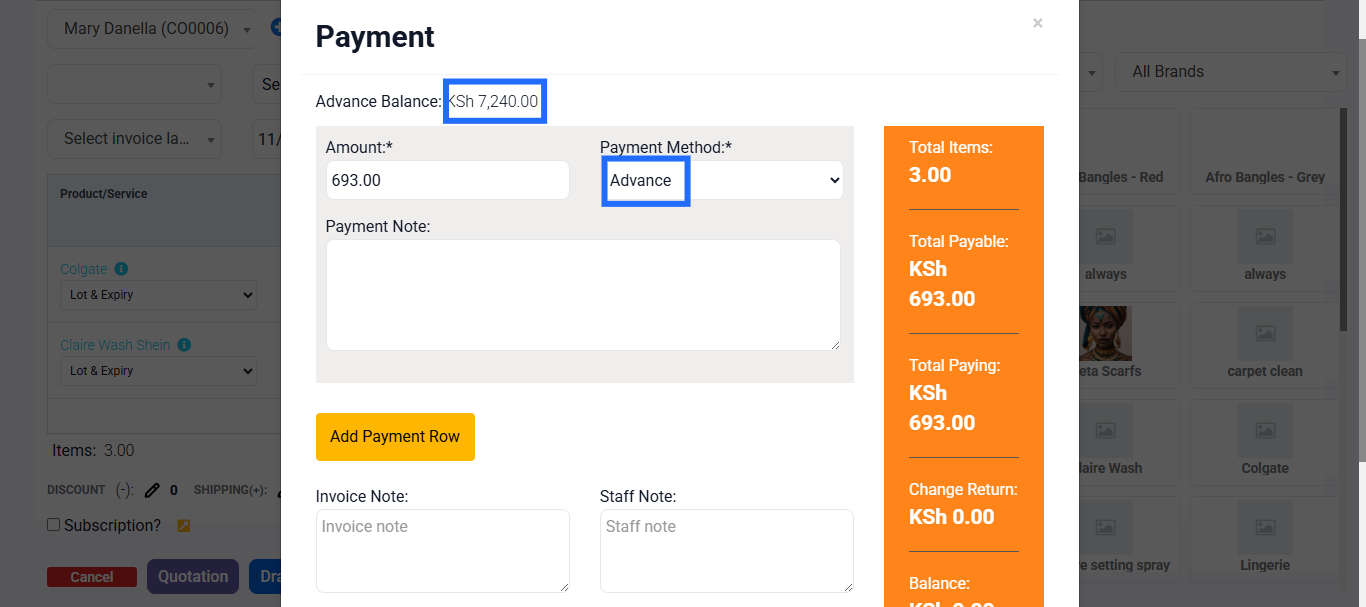
- Enter the amount from the advance you want to use.
- If there is a remaining balance, choose another payment method, if the advance does not cover the cost.
- Click Finalize Payment.
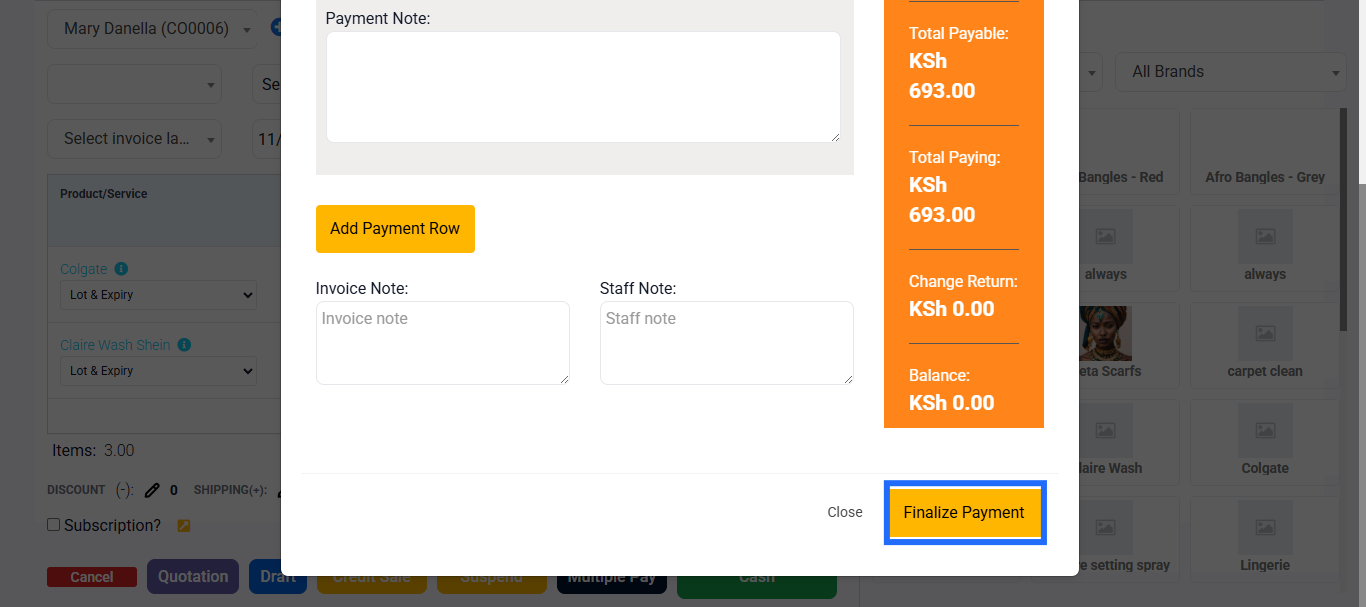 The advance amount is deducted, and any leftover amount is paid in the way of the customer’s choosing.
Edge Case: Advance Payment for A Service
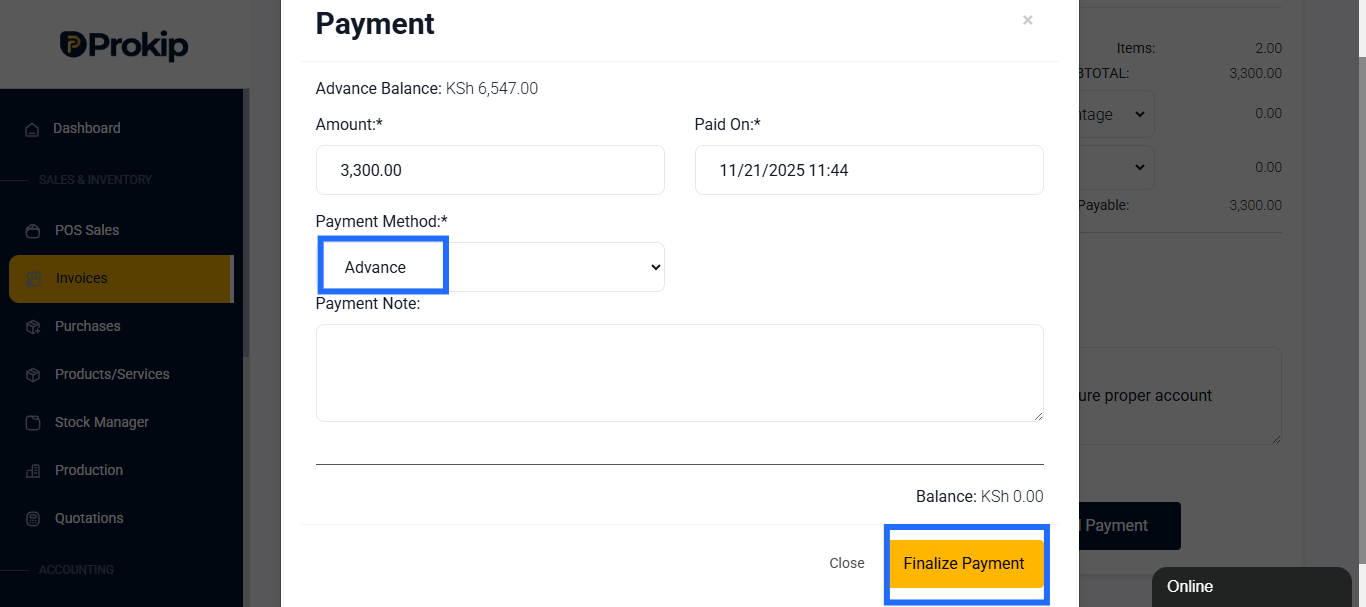
- In case you want to sell a service to a client, you can use the invoice feature to record advance payment, since it supports both Products & Services unlike POS.
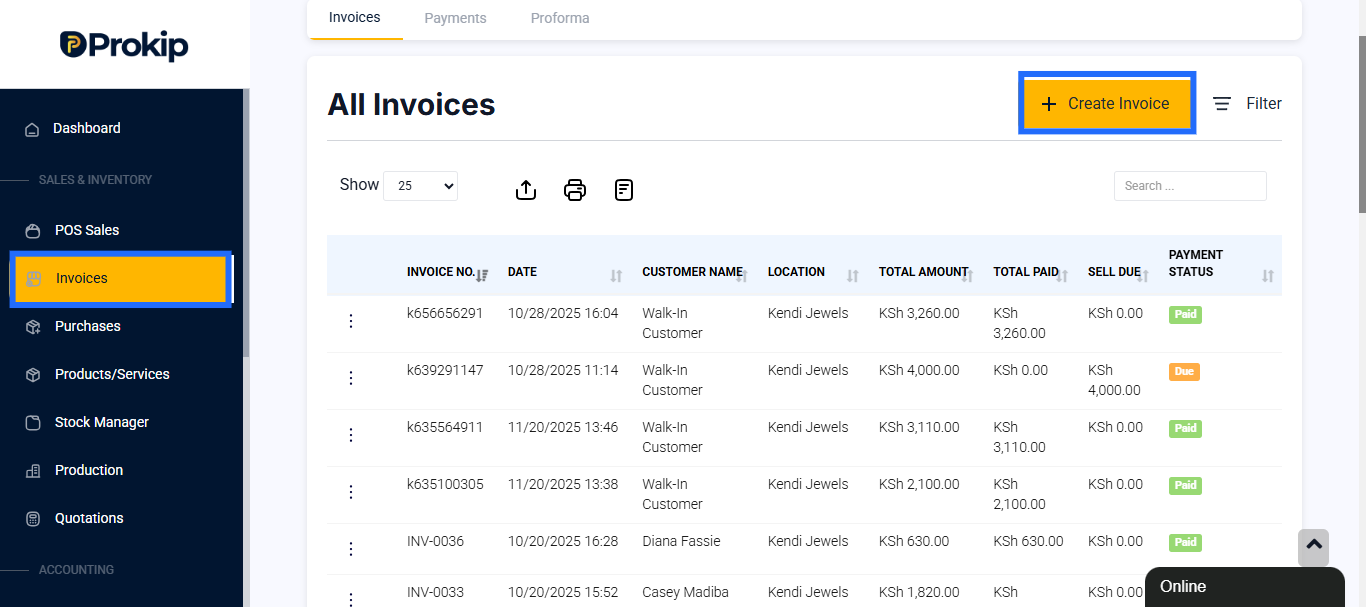
- Go to Invoice from the sidebar in the Dashboard, and click create an invoice.
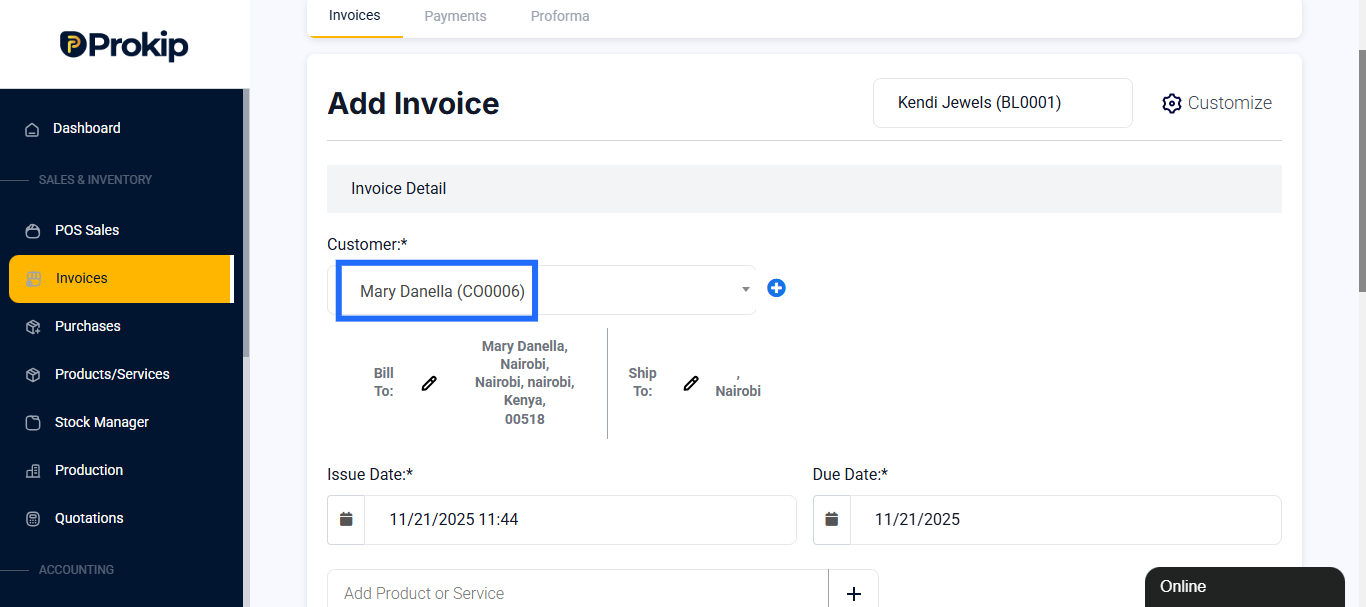
- Add the customer’s name, and then the Product, Service or Product + Service.
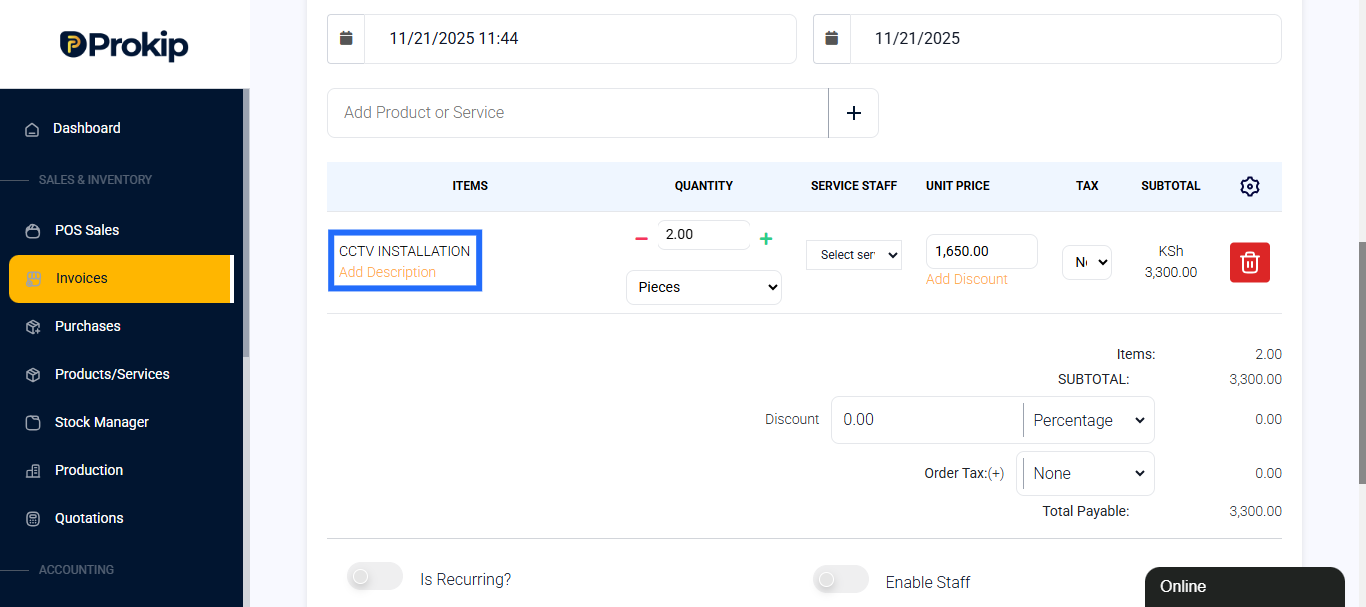
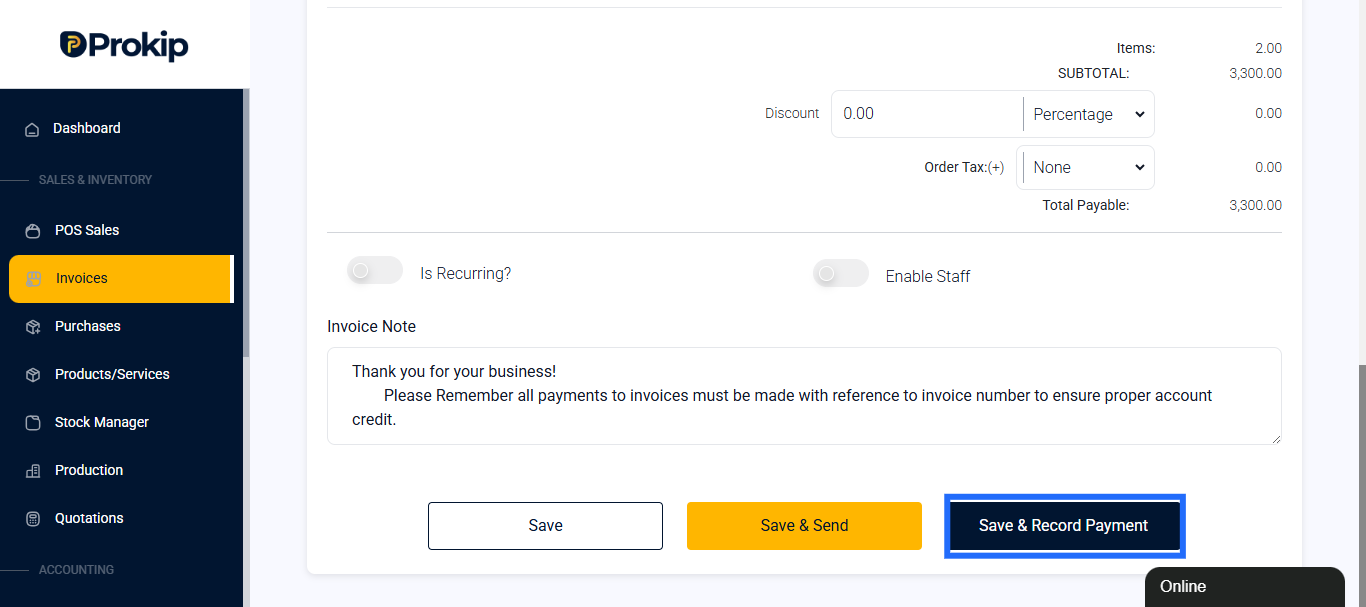
- After adding Products/ Service, click on Save & Finalize Payment.
- On the form choose Advance as Payment method and Finalize Payment.
What Happens in the System
- The advance payment is recorded under the customer’s contact ledger.
- In POS, when Advance is used, that credit is reduced.
- The balance (if any) is recorded as normal sale with remaining payment method.
- In reports, advance payments and usages should reflect under Sales → Sell Payments and Customer’s Ledger.
Best Practices
- Always add the customer before recording an advance.
- On receipt, clearly show: “Advance Paid: ₦X, Balance Due: ₦Y.”
- Use notes to describe what the advance is for (e.g. “Deposit for 10 chairs”).
- If a customer returns without using full advance, issue refund or convert to credit.
- Reconcile advance payments in reports periodically to avoid mismatches.